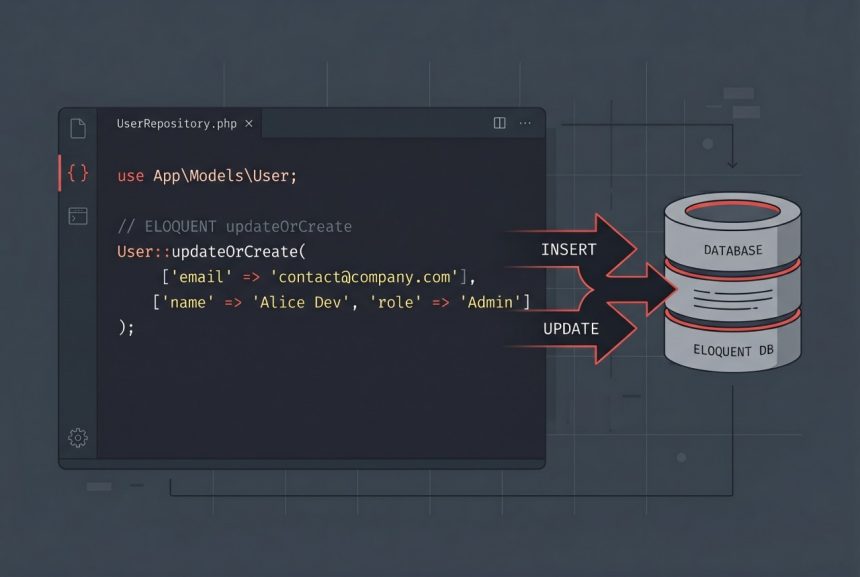
Checking whether a record exists and then branching to update() or create() is a common Laravel anti-pattern. Eloquent ships with a handful of helpers that collapse that pattern into a single, atomic call. In this guide, I’ll walk through updateOrCreate, firstOrNew, firstOrCreate, upsert, and the query-builder updateOrInsert — and when to reach for each.
- TL;DR
- The Problem With Manual Exists Checks
- Using updateOrCreate (Single Record)
- Using firstOrNew When You Need to Manipulate the Model First
- firstOrCreate vs updateOrCreate
- Using upsert for Bulk Inserts or Updates
- Using updateOrInsert at the Query Builder Level
- Troubleshooting
- Frequently Asked Questions
- Related Guides
Originally published March 29, 2024, rewritten and updated April 17, 2026.
TL;DR
Use Model::updateOrCreate([$matchAttributes], [$valuesToSet]) when you want a single record inserted or updated in one call. For multiple rows, use Model::upsert([$rows], $uniqueBy, $updateColumns). If you need to work with the model instance (e.g. run logic before saving), use firstOrNew instead.
The Problem With Manual Exists Checks
The pattern a lot of developers start with looks like this:
if (!Setting::where('key', $settingKey)->exists()) {
    // Insert new record into database
} else {
    // Update the existing record
}
This works, but it runs two queries (one to check, one to write) and has a subtle race condition: between the exists() check and the subsequent insert, another request could create the row, causing a duplicate key error. Eloquent’s built-in methods avoid both problems.
Using updateOrCreate (Single Record)
updateOrCreate is the most direct answer. It takes two arrays: the first is the set of attributes to match on, the second is the set of values to save.
Setting::updateOrCreate(
    ['key' => $settingKey],
    ['value' => $settingValue]
);
If a Setting row with key = $settingKey exists, Eloquent updates its value column. If not, it creates a new row with both key and value set. The method returns the model instance either way, so you can chain further operations:
$setting = Setting::updateOrCreate(
    ['key' => $settingKey],
    ['value' => $settingValue]
);

if ($setting->wasRecentlyCreated) {
    // logic specific to the "created" path
}
The wasRecentlyCreated boolean is useful when you need to know which branch was taken — for example, to fire a “welcome” event only on first insert.
Using firstOrNew When You Need to Manipulate the Model First
updateOrCreate saves immediately. If you need to run logic on the model before it hits the database, use firstOrNew:
$setting = Setting::firstOrNew(['key' => $settingKey]);
$setting->value = $settingValue;
$setting->save();
firstOrNew returns either the existing model or a new unsaved instance. The model only gets persisted when you explicitly call save(). This is handy when you need to inspect $setting->exists, mutate multiple attributes conditionally, or run validation before committing.
If you have a lot of attributes to set, use fill() instead of assigning them one by one:
$setting = Setting::firstOrNew(['key' => $settingKey]);
$setting->fill($settingValues)->save();
fill() respects the model’s $fillable array, so only mass-assignable columns will be set.
firstOrCreate vs updateOrCreate
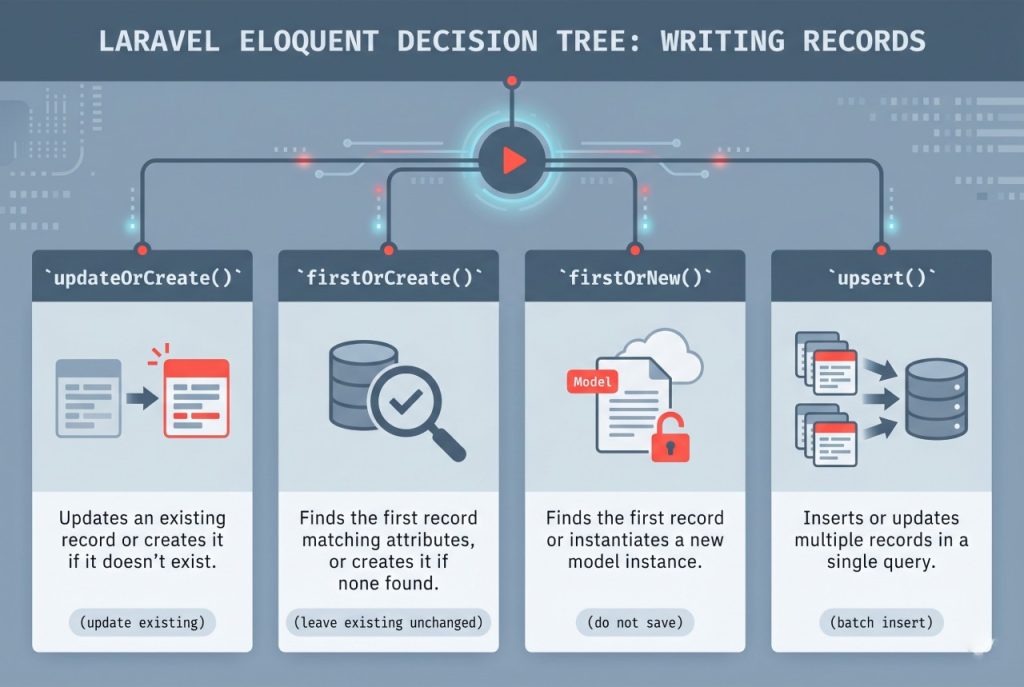
There’s a third method that’s easy to confuse with the first two: firstOrCreate. The difference is what happens when the row already exists.
- updateOrCreate — if the row exists, update it with the new values. If not, create it.
- firstOrCreate — if the row exists, return it unchanged. If not, create it.
- firstOrNew — same as
firstOrCreate, but the new record is not saved until you callsave().
Pick the one that matches the write semantics you actually want. Using updateOrCreate when you meant firstOrCreate will silently overwrite data.
Using upsert for Bulk Inserts or Updates
When you need to write many rows at once, updateOrCreate in a loop is slow — it runs a SELECT and either an INSERT or UPDATE for every row. Eloquent’s upsert method does the whole operation in a single SQL statement using the database’s native INSERT ... ON DUPLICATE KEY UPDATE (MySQL) or ON CONFLICT ... DO UPDATE (PostgreSQL/SQLite).
Setting::upsert(
    [
        ['key' => 'site_title', 'value' => 'how7o'],
        ['key' => 'site_tagline', 'value' => 'how-to guides'],
        ['key' => 'timezone', 'value' => 'UTC'],
    ],
    uniqueBy: ['key'],
    update: ['value']
);
The three arguments are: the array of rows to insert, the column(s) that uniquely identify each row, and the column(s) to update if a duplicate is found. The uniqueBy columns must have a unique or primary index in the database — upsert relies on the database engine, not on Laravel, to detect duplicates.
Using updateOrInsert at the Query Builder Level
If you’re working with the query builder directly (no Eloquent model), the equivalent method is updateOrInsert:
DB::table('settings')->updateOrInsert(
    ['key' => $settingKey],
    ['value' => $settingValue]
);
This skips the model layer entirely — no events fire, no casts apply, no timestamps are touched. It’s the right choice for lightweight, performance-sensitive writes on tables that don’t have an Eloquent model.
Troubleshooting
Duplicate Key Errors With updateOrCreate
If you see “Duplicate entry” SQL errors, the match attributes you passed do not include the column(s) that actually have the unique index. Make sure the first argument to updateOrCreate references a column backed by a unique or primary key — otherwise Eloquent may try to INSERT a new row even when a duplicate exists.
upsert Does Not Update Any Rows
If upsert returns successfully but nothing gets updated, the columns listed in uniqueBy probably don’t have a unique index in the database. The uniqueBy argument tells Laravel which index to reference — the database itself has to enforce the constraint.
Frequently Asked Questions
<code>updateOrCreate</code> updates the row’s values if it already exists. <code>firstOrCreate</code> leaves the existing row unchanged and only creates a new row if none matches. Choose based on whether you want to overwrite existing values.
Use <code>Model::upsert($rows, $uniqueBy, $updateColumns)</code>. It runs the entire batch in a single SQL statement using the database’s native upsert feature. The columns in <code>uniqueBy</code> must have a unique or primary index.
Check the <code>wasRecentlyCreated</code> property on the returned model instance. It is <code>true</code> if the row was just inserted and <code>false</code> if an existing row was updated.
Yes. Because <code>updateOrCreate</code> goes through the Eloquent model layer, it fires the <code>creating</code>/<code>created</code> events when inserting and the <code>updating</code>/<code>updated</code> events when updating. If you need to bypass events, use the query builder’s <code>updateOrInsert</code> instead.
No. <code>firstOrNew</code> returns an unsaved model instance if no match is found. You must call <code>save()</code> on it explicitly. This makes it useful when you need to set additional attributes or run validation before persisting.
Related Guides
For the full API surface and return-value semantics, see the official Laravel Eloquent upserts documentation.