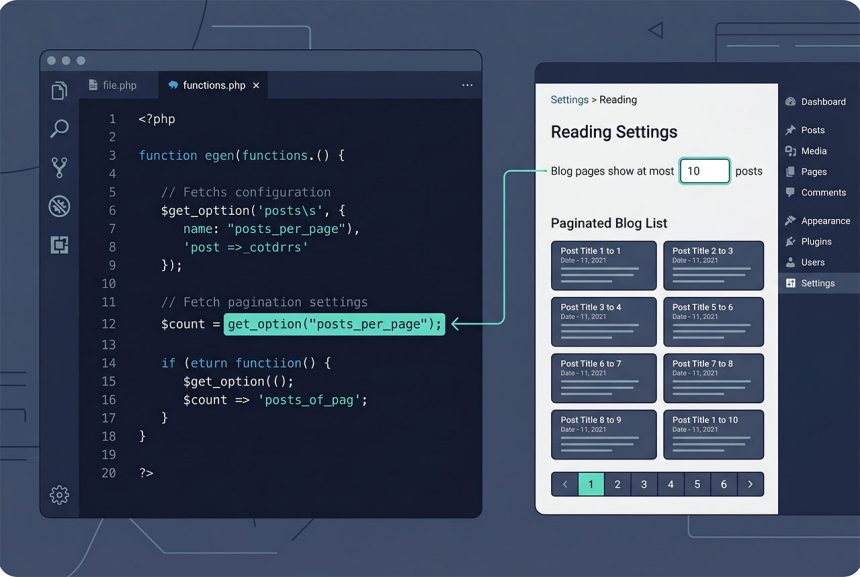
To read the wordpress default posts per page value — the number the admin set in Settings → Reading — call get_option('posts_per_page'). It comes from the wp_options table, caches on first read, and returns an integer (default 10). Plug it into any custom WP_Query so secondary loops paginate at the same size the rest of the site does.
Last verified: 2026-04-23 on WordPress 6.5 and PHP 8.3. Originally published 2022-06-27, rewritten and updated 2026-04-23.
TL;DR
$posts_per_page = (int) get_option( 'posts_per_page' );Using it in a custom WP_Query
$query = new WP_Query( array(
    'post_type'      => 'event',
    'posts_per_page' => (int) get_option( 'posts_per_page' ),
) );
Keeps the custom event loop in sync with whatever the admin set for the blog — change the setting once, it applies everywhere. Hardcoding 10 in the query means the admin’s change silently doesn’t apply to this listing; reading the option is one extra line that future-proofs it.
Where WordPress stores it
The value comes from the wp_options table, row option_name = 'posts_per_page'. The admin sets it in WP Admin → Settings → Reading → “Blog pages show at most”. The default if the setting has never been touched is 10.
get_option() reads wp_options and caches the result for the rest of the request — calling it in a loop is cheap. See ordering posts by meta value and getting posts by date range for WP_Query args that pair well with this one.
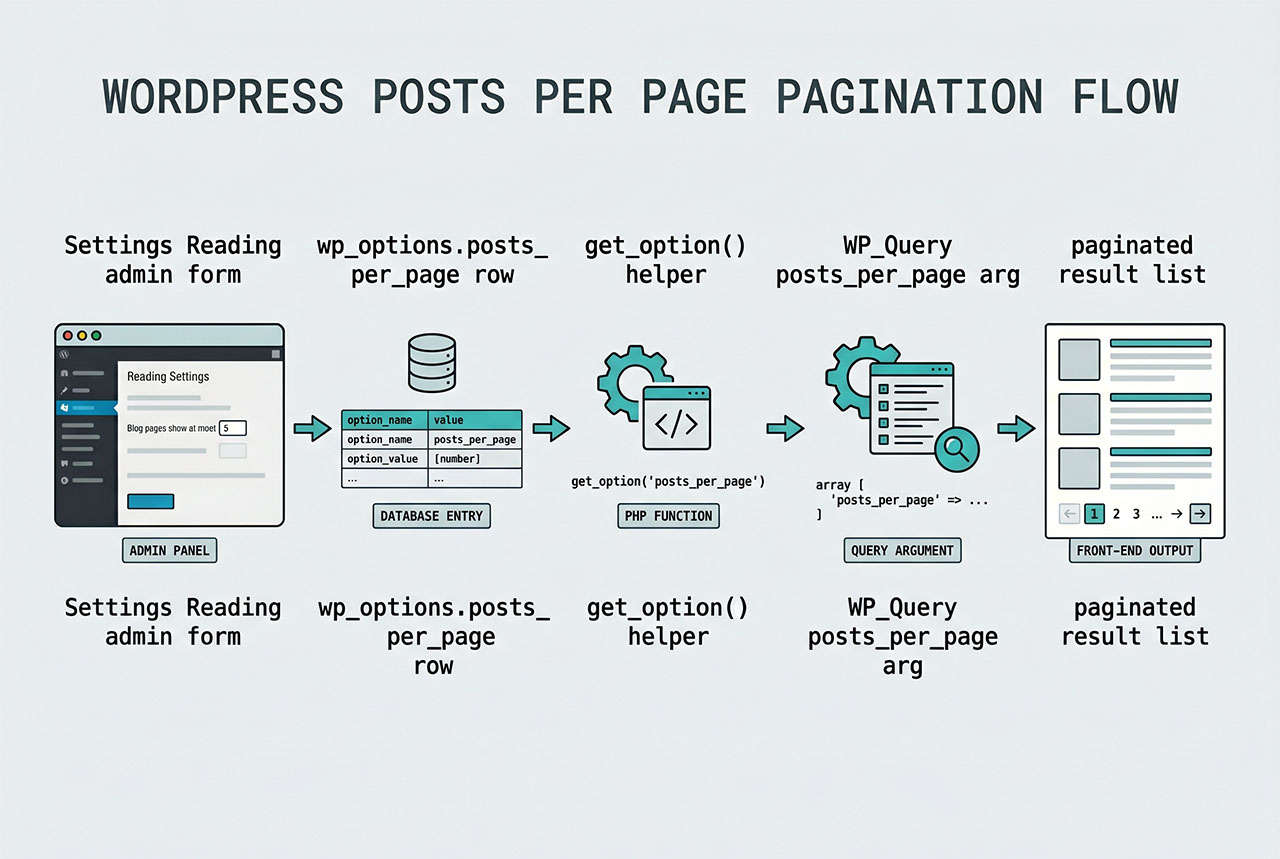
get_option vs get_query_var
// The admin's global setting
$stored = get_option( 'posts_per_page' );

// The current query's actual limit (after pre_get_posts overrides)
$active = get_query_var( 'posts_per_page' );
Use get_option when you want “the admin setting” as a default for your own queries. Use get_query_var('posts_per_page') when you want to echo “Showing page X of posts with N per page” in the current template — it reflects any pre_get_posts override the theme or a plugin applied.
Overriding for a specific post type
add_action( 'pre_get_posts', 'how7o_events_per_page' );

function how7o_events_per_page( $query ) {
    if ( is_admin() || ! $query->is_main_query() ) {
        return;
    }

    if ( $query->is_post_type_archive( 'event' ) ) {
        $query->set( 'posts_per_page', 20 );
    }
}
Different archive, different page size. The admin’s setting stays at 10 for the blog, but the events archive shows 20 per page. For the scoping-check discipline that keeps this from leaking into other queries see pre_get_posts on custom post types.
Frequently asked questions
get_option('posts_per_page'). The option comes from Settings → Reading → Blog pages show at most, stored in the wp_options table. Returns an integer; default is 10 if the admin has never touched the setting.
Yes — the single posts_per_page option governs every main-query loop unless a specific template overrides it. WP_Query‘s default posts_per_page argument picks up the same value. Per-post-type limits require a pre_get_posts handler that calls $query->set('posts_per_page', ...) for the relevant archive.
get_option('posts_per_page') and get_query_var('posts_per_page')? get_option reads the stored admin setting — always the same for every request. get_query_var('posts_per_page') reads the current query’s effective limit after any overrides (a custom pre_get_posts, a paginate_links override, a WP_Query with an explicit value). Use the option for “the admin said N per page”; use the query var for “how many is this page showing.”
Yes — WordPress’s options API caches everything it reads. get_option('posts_per_page') hits the database once per request and serves subsequent calls from memory. Calling it repeatedly in a loop is effectively free.
WP_Query? Pass it through: new WP_Query(['post_type' => 'event', 'posts_per_page' => get_option('posts_per_page')]). This keeps the custom loop consistent with the admin’s site-wide preference so the blog and the custom listing paginate at the same size.
Related guides
- How to Apply pre_get_posts on Custom Post Types in WordPress — overriding the page size per archive.
- How to Order Posts by Meta Value in WordPress — another WP_Query arg you set alongside posts_per_page.
- How to Get Posts by Date Range in WordPress — date_query paired with a consistent per-page count.
- How to Get the Current Category ID in WordPress — context for archive-scoped queries.
References
WordPress developer reference for get_option: developer.wordpress.org/reference/functions/get_option.