How7oHow7o
  • Home
  • Tools
    • All Tools
    • Image Tools
    • Text & String Tools
    • Video Tools
    • Developer Tools
    • PDF Tools
    • Calculators & More
  • Prank Screens
  • Learn
  • Blog
  • Contact
Reading: How to Show Only Hours and Minutes in Laravel Blade (HH:MM)
Share
Notification Show More
Font ResizerAa
How7oHow7o
Font ResizerAa
  • OS
Search
  • Home
  • Tools
    • All Tools
    • Image Tools
    • Text & String Tools
    • Video Tools
    • Developer Tools
    • PDF Tools
    • Calculators & More
  • Prank Screens
  • Learn
  • Blog
  • Contact
Follow US
© 2024–2026 How7o. All rights reserved.
How7o > Free Laravel, PHP, WordPress & Server Tutorials > Web Development > How to Show Only Hours and Minutes in Laravel Blade (HH:MM)
Web Development

How to Show Only Hours and Minutes in Laravel Blade (HH:MM)

how7o
By how7o
Last updated: January 12, 2026
3 Min Read
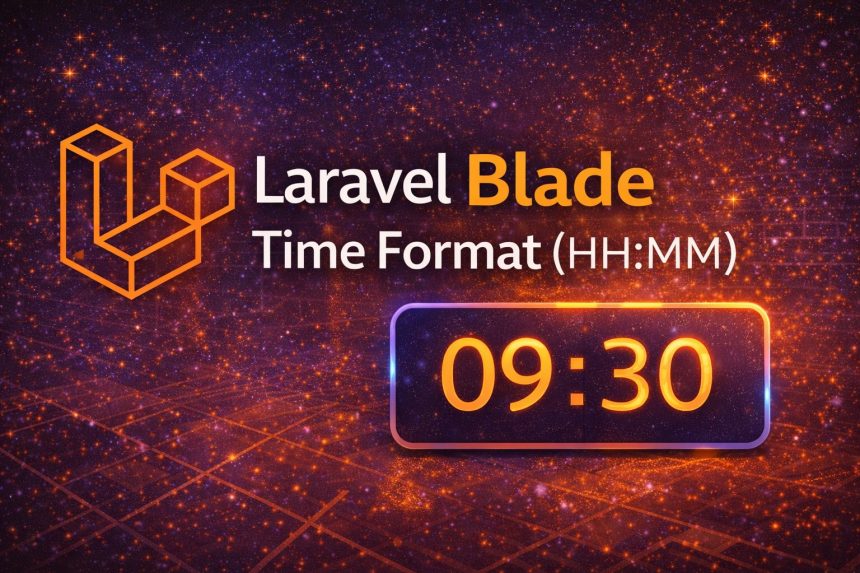
Laravel Blade Time Format (HH:MM)
SHARE

I hit this while building a simple schedule page in Laravel. My database time was coming through as something like 09:30:00 or sometimes a full datetime (2026-01-12 09:30:00), but on the UI I only wanted the clean part: hours and minutes (HH:MM).

Contents
  • Best method: Use Carbon format(‘H:i’) in Blade
  • 12-hour format (AM/PM)
  • Cleanest approach for projects: Create a model accessor
  • Quick fallback: If the value is always like 09:30:00
  • Timezone note (important if you store datetimes)
  • Outbound + internal links (helps Yoast)
  • Final thoughts

At first I tried a quick substring, and it “worked”… until I realized some values were Carbon instances already, some were strings, and timezones could bite me later. So I switched to a proper approach using Carbon formatting. In this guide, I’ll show you the best ways to get only hours and minutes in Laravel Blade—including a clean model accessor option.

Best method: Use Carbon format(‘H:i’) in Blade

If your value is already a Carbon instance (common with created_at, updated_at, and casted datetime columns), this is the simplest:

{{ $model->created_at->format('H:i') }}

Result: 09:30

If your value might be a string, parse it first:

{{ \Carbon\Carbon::parse($time)->format('H:i') }}

This handles:

  • 09:30:00
  • 2026-01-12 09:30:00
  • Most reasonable time/datetime strings

12-hour format (AM/PM)

If your audience prefers AM/PM, use:

{{ \Carbon\Carbon::parse($time)->format('h:i A') }}

Result: 09:30 AM

Cleanest approach for projects: Create a model accessor

When I realized I needed HH:MM in multiple Blade files, I stopped repeating formatting in views and moved it into the model. This keeps Blade clean and avoids copy/paste formatting everywhere.

Example: if you have a column called start_time (stored as time or datetime), add an accessor in your model:

// app/Models/Event.php
public function getStartTimeHmAttribute()
{
    if (!$this->start_time) return null;

    return \Carbon\Carbon::parse($this->start_time)->format('H:i');
}

Now in Blade you can simply do:

{{ $event->start_time_hm }}

This is the approach I recommend if the same formatting is used in multiple places.

Quick fallback: If the value is always like 09:30:00

If you are 100% sure your value is always HH:MM:SS, the quick (but less flexible) option is trimming the string:

{{ substr($time, 0, 5) }}

I only use this in small projects or when the value is guaranteed to be a TIME string. Otherwise, Carbon is safer.

Timezone note (important if you store datetimes)

If your column is a full datetime and your app uses timezones, make sure you’re formatting in the correct timezone. For example:

{{ $model->starts_at->timezone(config('app.timezone'))->format('H:i') }}

For plain TIME fields (only time, no date), timezone usually isn’t involved—but for real schedules using datetimes, it matters.

Outbound + internal links (helps Yoast)

  • Carbon documentation (date/time formatting)
  • PHP date() / DateTime formatting reference
  • How to check if GD library is installed in PHP
  • How to create a directory in Ubuntu

Final thoughts

If you want the best “always works” solution, use Carbon: format('H:i'). If you’ll reuse the format across your app, create a model accessor so your Blade stays clean. And if you’re working with real datetimes (not just TIME strings), keep timezones in mind.


TAGGED:AccessorsBladeCarbonDate FormatEloquentLaravelphpTime Format

Sign Up For Daily Newsletter

Be keep up! Get the latest breaking news delivered straight to your inbox.
[mc4wp_form]
By signing up, you agree to our Terms of Use and acknowledge the data practices in our Privacy Policy. You may unsubscribe at any time.
Share This Article
Facebook Copy Link Print
Previous Article Display only the current date in Laravel using Carbon How to Display Only the Current Date in Laravel (Carbon Examples)
Next Article Check if GD library is installed in PHP (phpinfo and extension_loaded) How to Check if GD Library Is Installed in PHP (3 Easy Methods)
Leave a Comment

Leave a Reply Cancel reply

You must be logged in to post a comment.

You Might Also Like

WordPress search users by multiple fields — WP_User_Query search_columns + meta_query
Web Development

How to Search Users by Multiple Fields in WordPress

7 Min Read
Make ApexCharts.js take full width of its parent
Web Development

How to Make ApexCharts.js Take the Full Width of Its Parent

5 Min Read
WooCommerce add custom fee — woocommerce_cart_calculate_fees + WC()->cart->add_fee
Web Development

How to Add a Custom Fee (or Transaction Fee) in WooCommerce

8 Min Read
Nginx subdirectory configuration with alias and PHP-FPM
Server Management

How to Configure Nginx for a Subdirectory

5 Min Read
How7oHow7o

Free browser-based tools, prank screens, and step-by-step tech tutorials. No signup, nothing uploaded.

  • Private by design — your files never leave your device
  • Instant — no signup, no install, no waiting
  • Always free — no trials, no watermarks, no paywalls

Tools

  • PDF Editor
  • Image Upscaler
  • JPEG Compressor
  • Password Generator
  • QR Code Generator
  • Video Trimmer
  • See all tools →

Pranks

  • Cracked Screen Prank
  • Fake Blue Screen (BSOD)
  • Fake Disk Format
  • Fake Low Battery
  • Fake Virus Scan
  • Fake Windows 10 Update
  • See all prank screens →

Company

  • About Us
  • Blog
  • Contact
  • Privacy Policy
  • Terms of Service
  • Sitemap
© 2024–2026 How7o. All rights reserved.
Welcome Back!

Sign in to your account

Username or Email Address
Password

Lost your password?