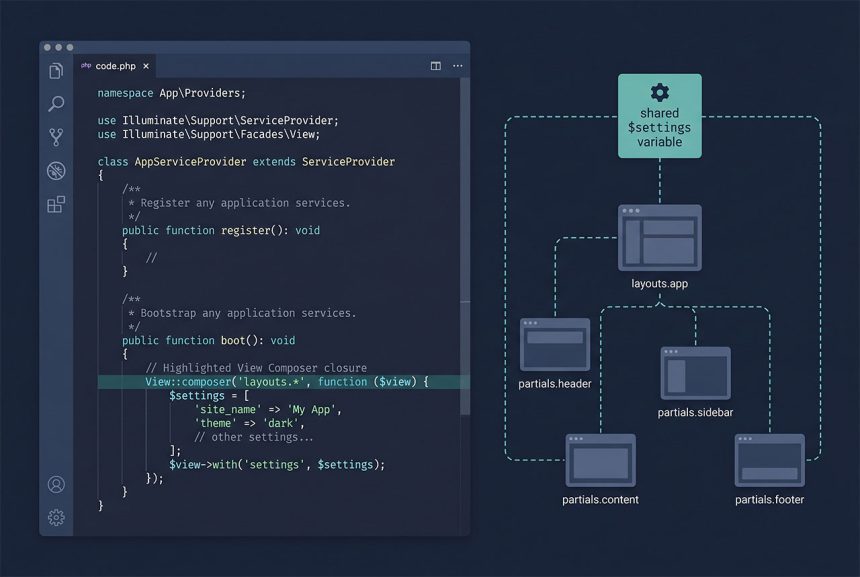
When a laravel global variable needs to reach every Blade template — site settings, menu data, feature flags — reach for View::share() in a service provider or View::composer() with a wildcard. View::share() called from a controller often fails inside @extends layouts because the layout has already resolved; the fix is to move the call to AppServiceProvider::boot(), or to switch to a composer with a layouts.* pattern.
Last verified: 2026-04-23 on Laravel 11 with PHP 8.3. Originally published 2024-03-01, rewritten and updated 2026-04-23.
TL;DR
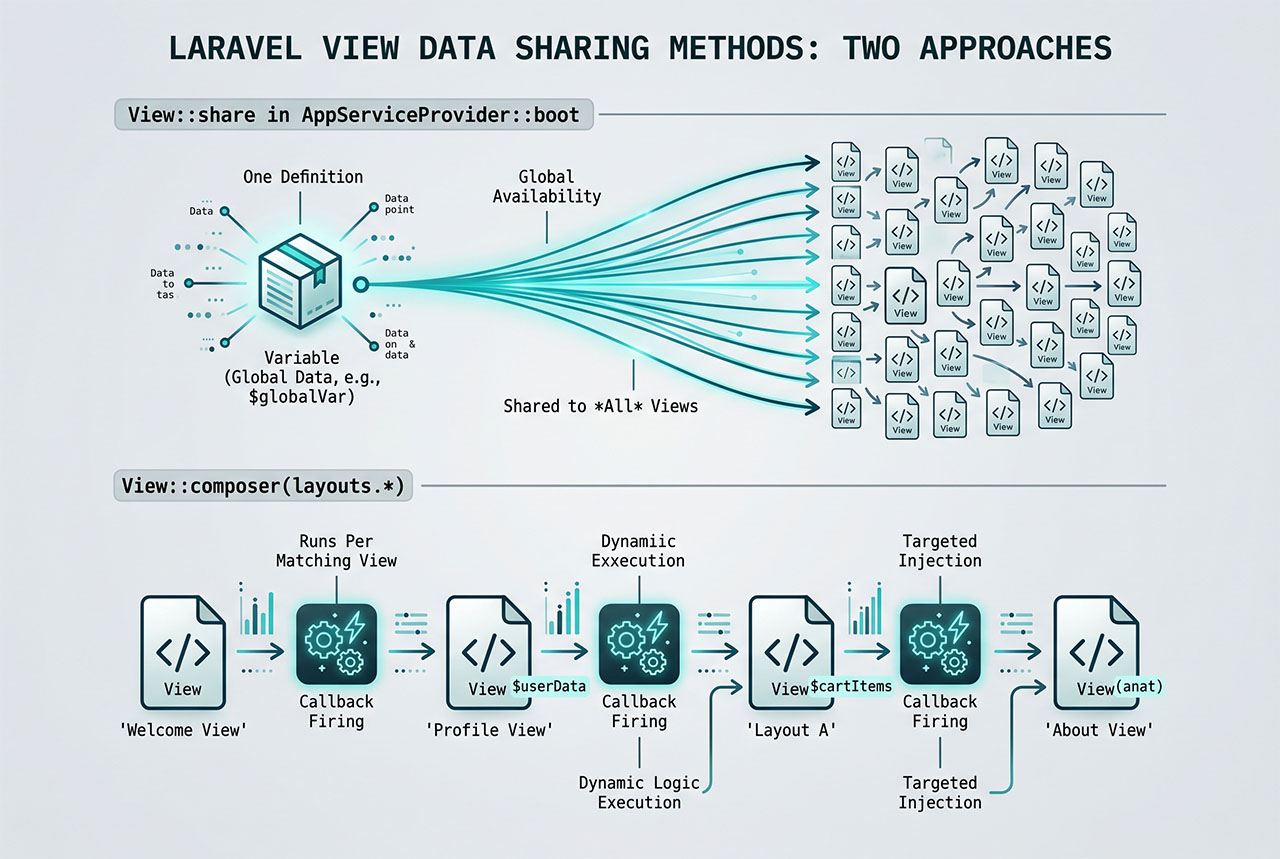
For a static value available everywhere, call View::share('settings', $value) in AppServiceProvider::boot(). For per-view or per-layout data, use a view composer with a wildcard pattern:
View::composer('layouts.*', function ($view) {
    $view->with('settings', 'settings_value');
});
Why View::share() in a controller breaks layouts
The common pattern that fails looks like this:
// Inside a controller action
View::share('settings', 'settings_value');
return view('dashboard');
The child view (dashboard.blade.php) sees $settings as expected, but the parent layout it @extends — resources/views/layouts/app.blade.php — sometimes renders without it. That’s because Blade’s @extends is a compile-time directive: the layout is queued for rendering as part of the same view output, and the order in which variables become visible depends on when the container resolves them.
Move the View::share() call out of the controller and into AppServiceProvider::boot():
// app/Providers/AppServiceProvider.php
use Illuminate\Support\Facades\View;

public function boot(): void
{
    View::share('settings', 'settings_value');
}
Now the value is shared before any view resolves, so both the child and its @extends-ed layout see $settings.
Option 2 — View::composer for per-view logic
When the value needs to be computed (a database query, a service call) rather than copied in as a constant, use a composer. It runs every time a matching view is about to render:
// app/Providers/AppServiceProvider.php
View::composer('layouts.app', function ($view) {
    $view->with('settings', Setting::firstOrCreate(['key' => 'site']));
});
If the target name doesn’t match exactly — different layout partials, deeply nested directories — switch to a wildcard:
View::composer('layouts.*', function ($view) {
    $view->with('settings', Setting::firstOrCreate(['key' => 'site']));
});
layouts.* matches every view under resources/views/layouts/: app, auth, admin, guest, any of them. '*' matches every view in the app; reach for that only when the variable truly needs to be everywhere.
Graduate to a class-based composer when logic grows
Closures are fine for one-line composers. Once the callback needs to inject services or do multiple queries, promote it to a class:
// app/View/Composers/SettingsComposer.php
namespace App\View\Composers;

use App\Models\Setting;
use Illuminate\View\View;

class SettingsComposer
{
    public function __construct(private Setting $settings)
    {
    }

    public function compose(View $view): void
    {
        $view->with('settings', $this->settings->all());
    }
}

// Register in AppServiceProvider::boot()
View::composer('layouts.*', SettingsComposer::class);
Laravel resolves the composer through the container, so constructor-injected dependencies work the same way they do in controllers. The class form also makes the composer easy to unit-test.
Cache expensive composer work
View composers run on every render of their target view. If the callback hits the database, either cache the result or memoize it:
View::composer('layouts.*', function ($view) {
    $settings = Cache::remember('settings.all', 3600, function () {
        return Setting::pluck('value', 'key');
    });
    $view->with('settings', $settings);
});
A layout composer that runs on every request can easily triple your query count — the cache wrap pays for itself almost immediately.
Frequently asked questions
View::share() not work inside @extends layouts? View::share() itself does work with layouts — but only if it’s called before the view is resolved. Put it in a service provider’s boot() method (typically AppServiceProvider), not in a controller action. When you call View::share() in a controller, the layout has often already been loaded for certain rendering paths, and the shared value arrives too late.
View::share and View::composer? View::share('key', $value) makes the value available to every view that renders during the request — a single static value. View::composer('partial', callback) runs a callback every time a specific view is about to render, and the callback decides what to share. Use share for values that are computed once (site name, current user); use composer for per-view data (categories for a sidebar, settings that depend on the current route).
View::composer()? Yes. View::composer('layouts.*', ...) fires for every view under resources/views/layouts/. View::composer('*', ...) fires for every view in the app. Wildcards are the cleanest way to scope a composer to a layout tree without naming each partial.
AppServiceProvider or a new provider? Small apps: AppServiceProvider::boot() is fine. Once you have more than two or three composers, create a dedicated ViewServiceProvider and register it in bootstrap/providers.php (Laravel 11) or config/app.php (older versions). Grouping all view-sharing logic in one provider makes the dependency graph between controllers and views easier to follow.
No — composers run every time their target view is rendered. If the callback does expensive work (a database query, an API call), cache the result yourself inside the callback: $view->with('settings', Cache::remember('settings', 3600, fn () => Setting::all())). Laravel’s view compilation is cached, but the composer callback runs on each render.
Related guides
- How to Get Config Variables in Laravel — when a constant belongs in
config/instead of a shared view variable. - How to Install Laravel on Ubuntu — fresh install with
AppServiceProviderscaffold. - How to Call a Controller Method from Another Controller in Laravel — another service-container pattern.
- How to Retrieve Inputs with a Specific Prefix in Laravel Request — shaping request data before it reaches a view.
References
Official Laravel views docs (View::share, View::composer, wildcard patterns): laravel.com/docs/views.