


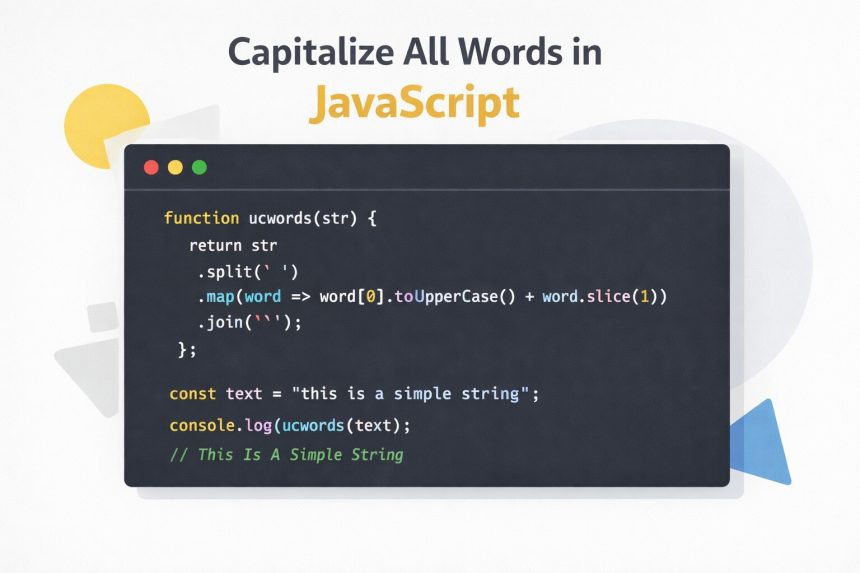
I ran into a small but annoying problem while working on a UI: I needed to capitalize all words in JavaScript—the same way PHP’s ucwords() works. JavaScript has toUpperCase(), but that turns everything into uppercase, not “Title Case” where each word starts with a capital letter.
- What “capitalize all words” really means
- The simple solution (ucwords equivalent)
- My preferred version: handles multiple spaces better
- Capitalize only the first letter of the whole string
- Make it callable like a method (String prototype)
- Advanced option: preserve spacing and punctuation with regex
- Step-by-step guide (quick checklist)
- Troubleshooting
- 1) “It breaks when there are multiple spaces”
- 2) “It turns ACRONYMS or names weird”
- 3) “My string has hyphens or apostrophes”
- 4) “What about Unicode languages?”
- Official references (good to bookmark)
- Related guides
So I built my own tiny ucwords()-style helper. In this post, I’ll show you the clean approach, a couple of improved versions, and the common pitfalls you’ll want to avoid.
What “capitalize all words” really means
When people say “capitalize all words,” they usually mean:
- Make the first character of each word uppercase
- Keep the rest of the characters as-is (or optionally lowercase them)
- Handle extra spaces and odd input without breaking
Example:
this is a simple string
// becomes:
This Is A Simple String
The simple solution (ucwords equivalent)
If your strings are simple and space-separated, this is the quickest solution:
function ucwords(str) {
  return str
    .split(' ')
    .map(word => word ? word[0].toUpperCase() + word.slice(1) : '')
    .join(' ');
}

const simpleString = "this is a simple string";
console.log(ucwords(simpleString));
// This Is A Simple String
This works well for basic inputs, and it reads almost like PHP’s ucwords().
My preferred version: handles multiple spaces better
The first approach splits only on a single space. That can behave oddly when users paste text with multiple spaces or tabs. A safer approach is splitting on whitespace using a regular expression, and then joining back with a single space:
function ucwordsClean(str) {
  return str
    .trim()
    .split(/\s+/)
    .map(word => word.charAt(0).toUpperCase() + word.slice(1))
    .join(' ');
}

console.log(ucwordsClean("   this   is\t\ta   test   "));
// This Is A Test
If you want to preserve the original spacing exactly as typed, skip this version and use the “regex replace” approach later in this post.
Capitalize only the first letter of the whole string
Sometimes you don’t want Title Case—just a sentence that starts with a capital letter. Here’s a clean helper:
function capitalizeFirstLetter(str) {
  if (!str) return str;
  return str.charAt(0).toUpperCase() + str.slice(1);
}

console.log(capitalizeFirstLetter("hello world"));
// Hello world
Make it callable like a method (String prototype)
In my original forum answer, I made it callable directly on a string, like simpleString.ucwords(). You can do that by extending String.prototype.
Here’s a practical implementation that supports two modes:
- Title Case: capitalize all words
- Sentence case: capitalize only the first letter of the string
String.prototype.ucwords = function (allowAll = true) {
  if (!this) return this;

  if (allowAll) {
    return this
      .trim()
      .split(/\s+/)
      .map(word => word.ucwords(false))
      .join(' ');
  }

  return this.charAt(0).toUpperCase() + this.slice(1);
};

const simpleString = "this is a simple string";
console.log(simpleString.ucwords());
// This Is A Simple String
Note: Extending native prototypes can be controversial in larger projects or shared codebases because it can cause conflicts. For personal utilities or tightly controlled code, it can be perfectly fine. If you’re building a library, prefer standalone functions.
Advanced option: preserve spacing and punctuation with regex
If you want to preserve the original spacing (multiple spaces, new lines) and just capitalize the first letter after every “word boundary,” a regex replace works nicely:
function ucwordsPreserveFormat(str) {
  return str.replace(/\b([a-z])/g, match => match.toUpperCase());
}

console.log(ucwordsPreserveFormat("this   is a\nsimple\tstring"));
// This   Is A
// Simple	String
This focuses on ASCII letters a-z. If you need full Unicode title-casing (for international text), you’ll likely want a library or more advanced logic.
Step-by-step guide (quick checklist)
- Decide your goal: Title Case (each word) or Sentence case (first character only).
- Pick your method:
- Use
split()+map()for simple strings. - Use
split(/\s+/)for messy user input. - Use regex replace if you must preserve formatting exactly.
- Use
- Add edge-case guards: handle empty strings, extra spaces, and unexpected input.
- Optional: add a
String.prototypemethod only if your project style allows it.
Troubleshooting
1) “It breaks when there are multiple spaces”
Use whitespace splitting:
str.trim().split(/\s+/)2) “It turns ACRONYMS or names weird”
Most ucwords helpers only uppercase the first letter and keep the rest untouched. If you convert the rest to lowercase, you might break iPhone, API, or McDonald. If you need special title-casing rules, you’ll need extra logic (or keep the rest of each word unchanged).
3) “My string has hyphens or apostrophes”
A basic split-by-space approach won’t handle cases like rock-n-roll or don’t the way you might expect. If this matters, the regex approach is often better, but it depends on your exact formatting requirements.
4) “What about Unicode languages?”
toUpperCase() works with Unicode, but word detection with regex can get tricky. If your app needs robust international title-casing, consider a well-maintained i18n library.
Official references (good to bookmark)
Related guides
- How to trim whitespace in JavaScript
- JavaScript string methods you actually use
- Regex basics for web developers
If you want the closest “PHP ucwords()” experience, the split + map version is usually enough. If you care about messy user input or preserved formatting, pick one of the improved versions above and you’re set.