
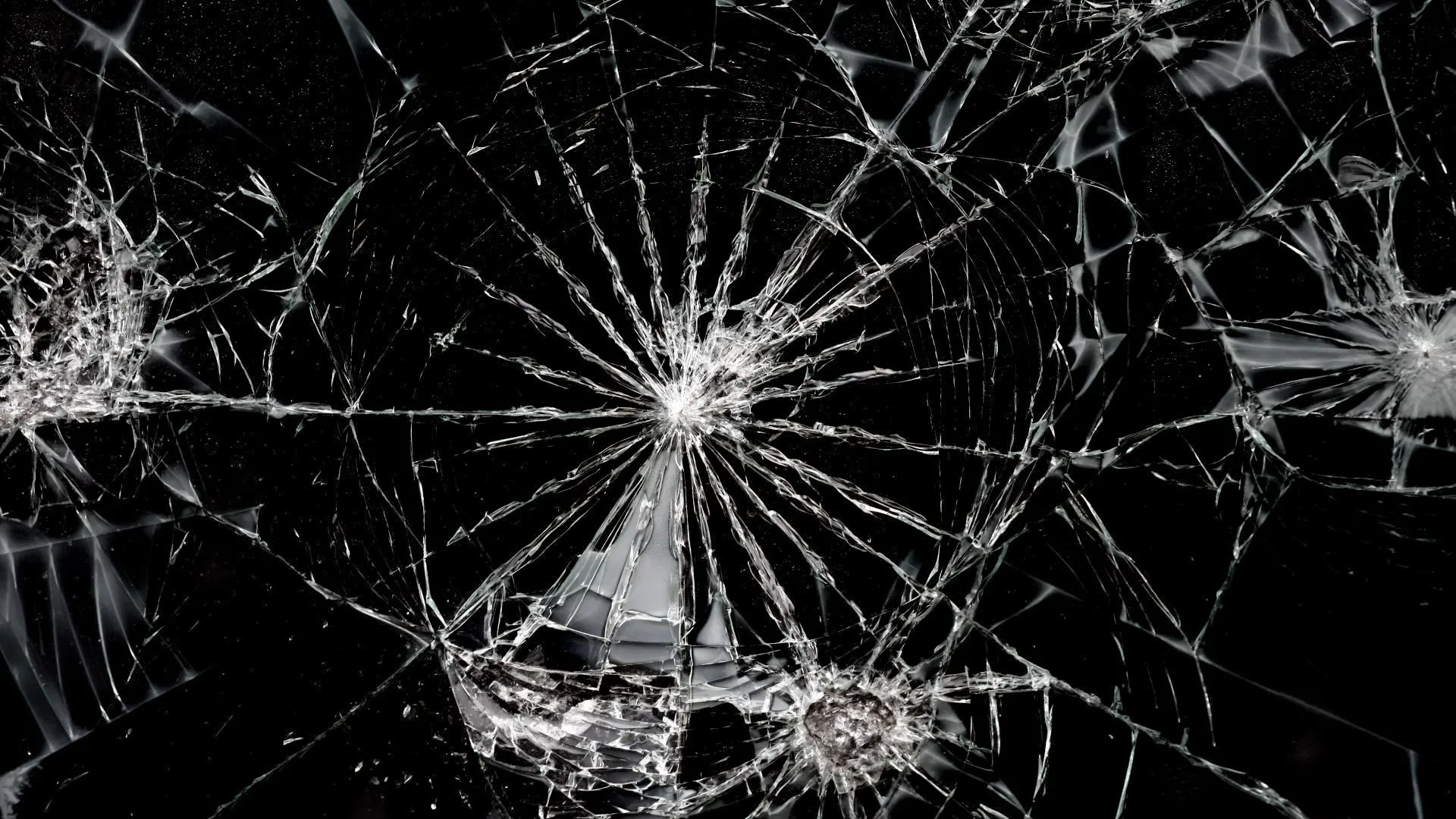
This free cracked screen prank makes it look like your display just shattered. Launch it fullscreen, click anywhere on the screen, and realistic glass cracks spread out from the exact spot you clicked — complete with radiating splinters, shards, and an optional shatter sound. It is a completely harmless broken screen prank that runs entirely in your web browser: there is no app to install, nothing is downloaded, and your real display is never touched. Press the ESC key at any time and the cracks vanish instantly, revealing it was only a joke.
What the cracked screen prank does
The tool lays a fake layer of cracked glass on top of a normal-looking screen. Every click adds a fresh impact point exactly where you clicked, so you can put a single crack in one corner or shatter the entire display into a spider-web of broken glass. The cracks come from a real photograph of shattered tempered glass rather than a cartoon overlay, so every radiating line, stress ring and shard is the genuine article — and the effect stays sharp on any screen size, from a small phone to a 4K monitor. The result is a convincing fake cracked screen that reads as a genuinely smashed display at a glance.
How the realistic glass cracks are made
Instead of drawing pretend cracks, the prank uses a high-resolution photograph of genuinely shattered glass — jagged radiating lines, uneven stress rings, scattered shards and a bright strike centre, all captured from real broken tempered glass. When you click, the photo’s impact centre is placed precisely under your cursor and blended into the fake screen so only the glass shows, and each additional impact is rotated and mirrored at a different size so repeated taps never produce an identical pattern — exactly how a real cracked screen behaves. Large displays automatically get a 4K version of the image, which keeps the broken screen razor-sharp whether it is shown on a tiny phone or a big desktop monitor.
How to crack the screen
Using the broken screen prank takes about five seconds:
- Pick a background. Choose Desktop, Black screen, or Phone wallpaper so the cracked screen matches the device you are pranking.
- Go fullscreen. Click “Crack the Screen” (or the expand icon). The fake screen fills the whole display and the browser bar disappears, which is what makes the prank believable.
- Click to crack. Click or tap anywhere and a glass impact spreads from that point. Keep clicking to add more cracks until the screen looks thoroughly broken.
- Exit. Press ESC (or move the mouse and use the exit button in the corner) to clear every crack and return to this page.
There is nothing to learn and nothing to undo afterwards — the cracks only exist while the prank is on screen, so the moment you leave fullscreen the display is perfectly normal again.
Three screen styles to choose from
A broken screen is only convincing if it matches the device. That is why the cracked screen prank ships with three backgrounds:
- Desktop — a computer desktop with a taskbar and a live clock, perfect for cracking a friend’s laptop or an office monitor.
- Black screen — a plain dark display that reads as a switched-off or locked screen, so the white cracks stand out sharply on any device.
- Phone wallpaper — a colourful lock-screen style background with a large clock, ideal for a cracked phone screen prank.
Each background has its own clock that updates to the real time when you launch, which adds a small but important touch of realism: a frozen or obviously fake clock is one of the first things that gives a screen prank away.
Why use a browser-based broken screen prank?
Most “cracked screen” results in the app stores want you to install something, sit through ads, or grant permissions. This broken screen prank needs none of that. It is a single web page, so it loads instantly, costs nothing, and leaves no trace on the device once the tab is closed. There is no sign-up, no watermark, and no software that could slow a computer down. It also works the same everywhere — Windows, macOS, Linux, ChromeOS, Android and iPhone all run it in their normal browser — which means one link does the job on any screen you want to fake.
How to set up the broken screen prank on someone
The most convincing way to use it is to set it up in advance and walk away. A worked example: you want a coworker to think they sat down to a smashed monitor.
- Tick “Start already cracked.” This makes the screen launch pre-shattered, so it already looks broken the moment they glance at it.
- Choose the matching background — Desktop for a computer, Phone wallpaper for a phone.
- Launch it fullscreen on their device and leave it. With the browser bar hidden, the cracked screen looks like the real thing.
- Let them “discover” it. When they touch the mouse or keyboard nothing happens — and a quick ESC reveals the screen was never broken at all.
If you would rather watch the reaction in real time, skip the pre-cracked option, hand the device over on a clean screen, and tap once to “break” it in front of them — the live cracking animation plus the shatter sound makes it look like the glass gave way under their touch.
Cracked phone screen prank
Because the broken screen prank is a normal web page, it works just as well on a phone as on a computer. Open this page in your mobile browser, pick the Phone wallpaper background, and tap the screen to crack it. It runs on both Android and iPhone with no app required, which makes it the easiest way to fake a cracked phone screen and convince someone they dropped their device. Tap once for a single corner crack, or tap a few times to make the whole phone screen look completely shattered.
Use it as a broken screen wallpaper
You do not have to keep clicking — a single launch with “Start already cracked” gives you a static broken screen wallpaper you can leave running on a spare monitor or tablet. It is a quick, zero-effort way to display a fake cracked screen as a background without editing an image, downloading a file, or saving anything to the device. When you are done, ESC restores the normal display in an instant.
Is the cracked screen prank safe?
Completely. The cracks are just an image drawn inside the browser window, layered over a fake desktop or wallpaper. Nothing touches your hardware, no software is installed, and not a single file is changed. Your physical glass, pixels, and operating system are entirely unaffected — the broken screen is pure illusion. Closing the tab or pressing ESC ends it immediately, and because it is an ordinary web page, antivirus and anti-malware tools treat it like any other website. There are no downloads, no pop-ups that linger, and nothing to uninstall afterwards.
Cracked screen prank vs. a real broken screen
A real broken screen usually shows dead pixels, bleeding colour, flickering, or areas that no longer respond to touch — and the damage stays there when you restart the device. This fake cracked screen does none of that: the display underneath keeps working perfectly, the “glass” is only a drawing in the browser, and a single press of ESC wipes it away. That is the giveaway you can use to reassure anyone who falls for it — if the cracks disappear the instant you close the page, the screen was never broken in the first place.
When to pull off a cracked screen prank
A broken screen prank is a classic for April Fools’ Day, but it works any time you want a quick, harmless scare. Set it on a sibling’s laptop before they sit down to game, fake a cracked phone screen and hand your phone to a friend to “check something”, or leave a smashed-looking monitor for a coworker returning from a coffee break. Because it is so easy to undo, it is also a safe joke for kids and parents — nobody has to worry that a real device got damaged.
Tips for a believable broken screen prank
- Always go fullscreen so the browser tabs and address bar are hidden — a visible browser instantly gives the prank away.
- Match the background to the device — a desktop crack on a phone (or vice versa) looks wrong.
- Leave the shatter sound on for the first click; the glass-crack sound sells the moment of impact.
- Place the first crack where a real drop would land — a corner or edge looks more natural than the dead centre of the screen.
- Keep it friendly. A cracked screen prank is best as a quick, harmless joke between people who will laugh about it — reveal the trick with ESC before anyone genuinely panics.
That is all there is to it: pick a screen, go fullscreen, and click to shatter. The cracked screen prank gives you an instant, realistic broken display for a harmless laugh — and ESC always brings the real screen back.