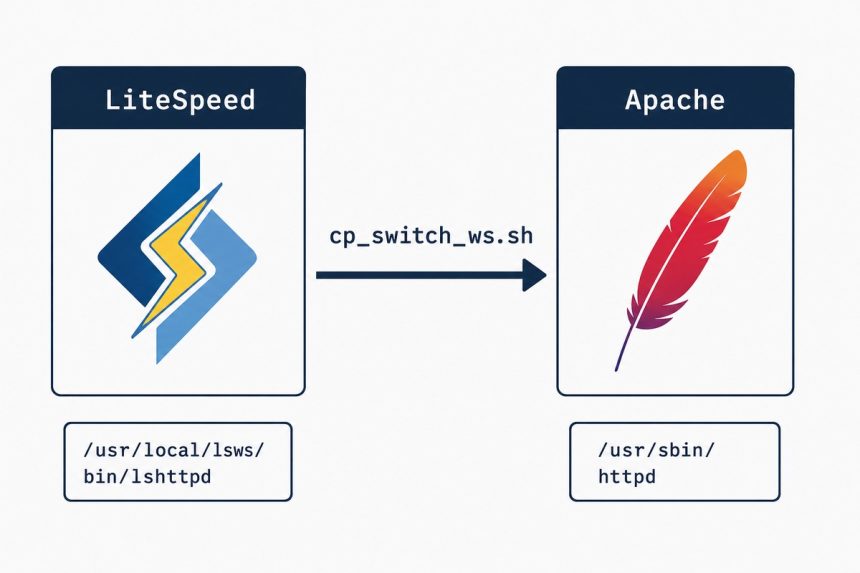
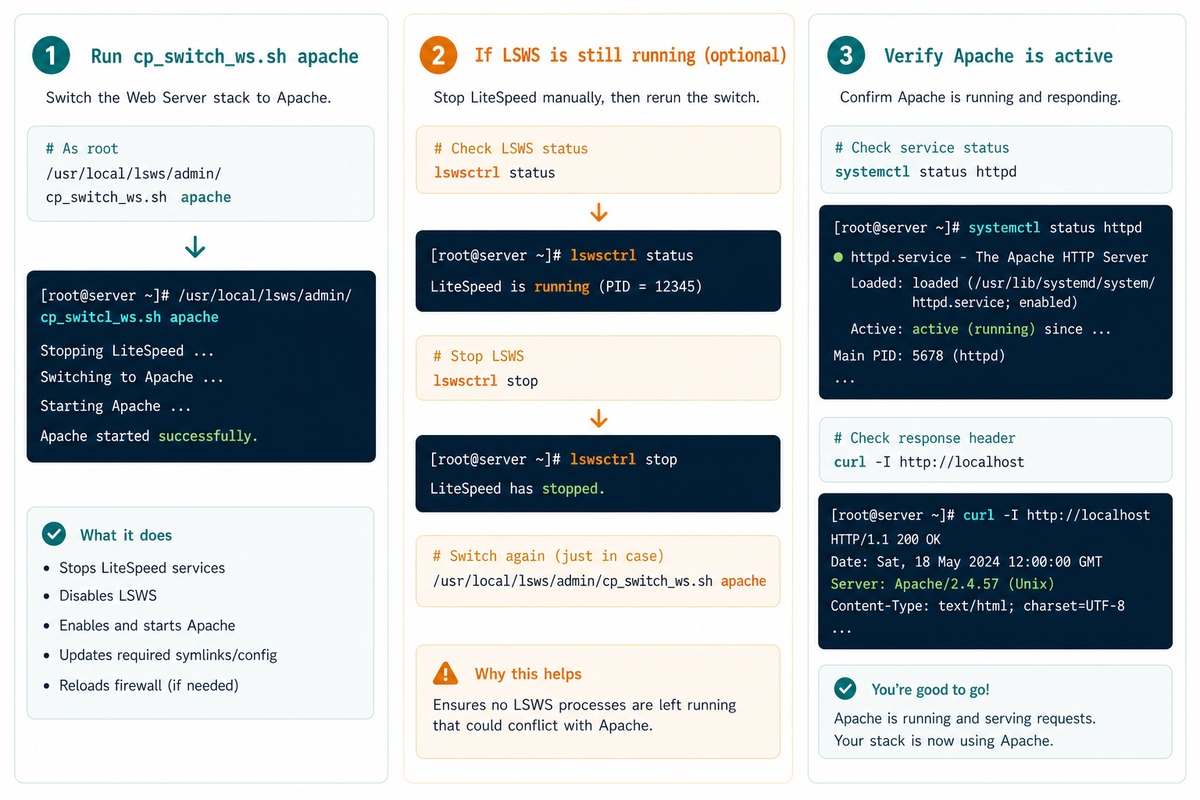
To switch from LiteSpeed to Apache in WHM/cPanel, run LiteSpeed’s bundled switching script as root: /usr/local/lsws/admin/misc/cp_switch_ws.sh apache. The script flips cPanel’s web-server preference and stops the LiteSpeed service. If LiteSpeed is still running afterwards, stop it explicitly with lswsctrl stop.
Last verified: 2026-05-17 on cPanel/WHM 118 with LiteSpeed Web Server Enterprise. Originally published 2023-12-30, rewritten and updated 2026-05-17.
Run the switch script
sudo /usr/local/lsws/admin/misc/cp_switch_ws.sh apachecp_switch_ws.sh is LiteSpeed’s official helper for cPanel servers. It updates the cPanel “Web server” setting, stops LiteSpeed, and starts Apache. The argument is either apache or lsws.
If LiteSpeed is still running
sudo /usr/local/lsws/bin/lswsctrl stopThe script normally stops LiteSpeed, but if the service is still up (you can check with systemctl status lsws or ps aux | grep lshttpd), force-stop it with lswsctrl. After that, only Apache should be listening on ports 80/443.
Switch back to LiteSpeed
sudo /usr/local/lsws/admin/misc/cp_switch_ws.sh lswsSame script, different argument. cPanel’s per-account configuration is preserved across switches, so sites come back online with the same virtual-host configuration as before.
Verify after switching
# Apache should be running
sudo systemctl status httpd

# LiteSpeed should not be
sudo systemctl status lsws

# Or check what's bound to ports 80 / 443
sudo ss -tlnp | grep -E ':(80|443)\s'

# Hit a real site and check the Server header
curl -sI https://your-domain.example.com/ | grep -i server
The Server response header confirms which web server is actually answering. Apache means the switch worked; LiteSpeed means something is still routing through LSWS.
Frequently asked questions
The WHM UI flips the cPanel-level web-server preference, but LiteSpeed’s own service can stay up on its own port. With both services listening you get the warning. The cp_switch_ws.sh script handles both sides — switches the cPanel preference and stops LiteSpeed — which is why it’s the cleaner way to switch.
A short outage (a few seconds to a minute) — the old service stops while the new one binds to the ports. For a busy production server, schedule the switch outside peak hours. The order in cp_switch_ws.sh minimises the gap, but it’s not zero.
LiteSpeed Enterprise (the licensed product) drops in as a 100% Apache httpd.conf replacement — same config files, same modules concept. OpenLiteSpeed (free) has its own native config format. This post and the cp_switch_ws.sh script apply to LSWS Enterprise on cPanel. OpenLiteSpeed doesn’t ship the script.
Yes — same script, different argument: /usr/local/lsws/admin/misc/cp_switch_ws.sh lsws. cPanel-level config is preserved through the switch (your virtual hosts, account settings, etc. are stored in cPanel’s own files and survive intact).
Related guides
- How to Reset the LiteSpeed WebAdmin Console Password
- How to Install the Apache Web Server on Ubuntu
- How to Fix Quotas in cPanel
References
LiteSpeed cPanel switching: docs.litespeedtech.com/lsws/cp/cpanel. cPanel web-server configuration: docs.cpanel.net/whm.