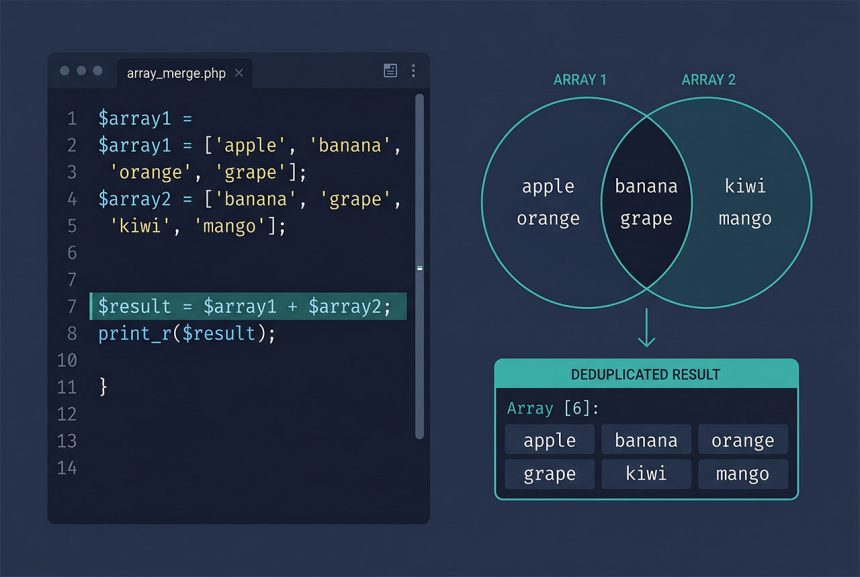
When you php merge arrays unique and want to preserve the original keys, array_merge is the wrong tool — it re-numbers integer keys and drops them. Use the + (union) operator for associative merges, array_unique(array_merge(...)) for dedup-by-value on numeric arrays, or array_merge_recursive for deep-nested config-style merges. This guide shows which pattern matches which shape of input.
Last verified: 2026-04-23 on PHP 8.3. Originally published 2023-02-07, rewritten and updated 2026-04-23.
TL;DR
// Keep keys, dedup by key — use the + operator
$output = $array1 + $array2;

// Numeric arrays, dedup by value — array_unique + array_merge
$output = array_unique(array_merge($array1, $array2));

// Deep merge (nested associative)
$output = array_merge_recursive($array1, $array2);
Keep original keys — the + operator
$array1 = [
    '56' => '56',
    '57' => '57',
    '58' => '58',
    '59' => '59',
    '60' => '60',
];

$array2 = [
    '58' => '58',
    '59' => '59',
    '60' => '60',
    '61' => '61',
    '62' => '62',
];

$output = $array1 + $array2;
// [56 => '56', 57 => '57', 58 => '58', 59 => '59', 60 => '60', 61 => '61', 62 => '62']
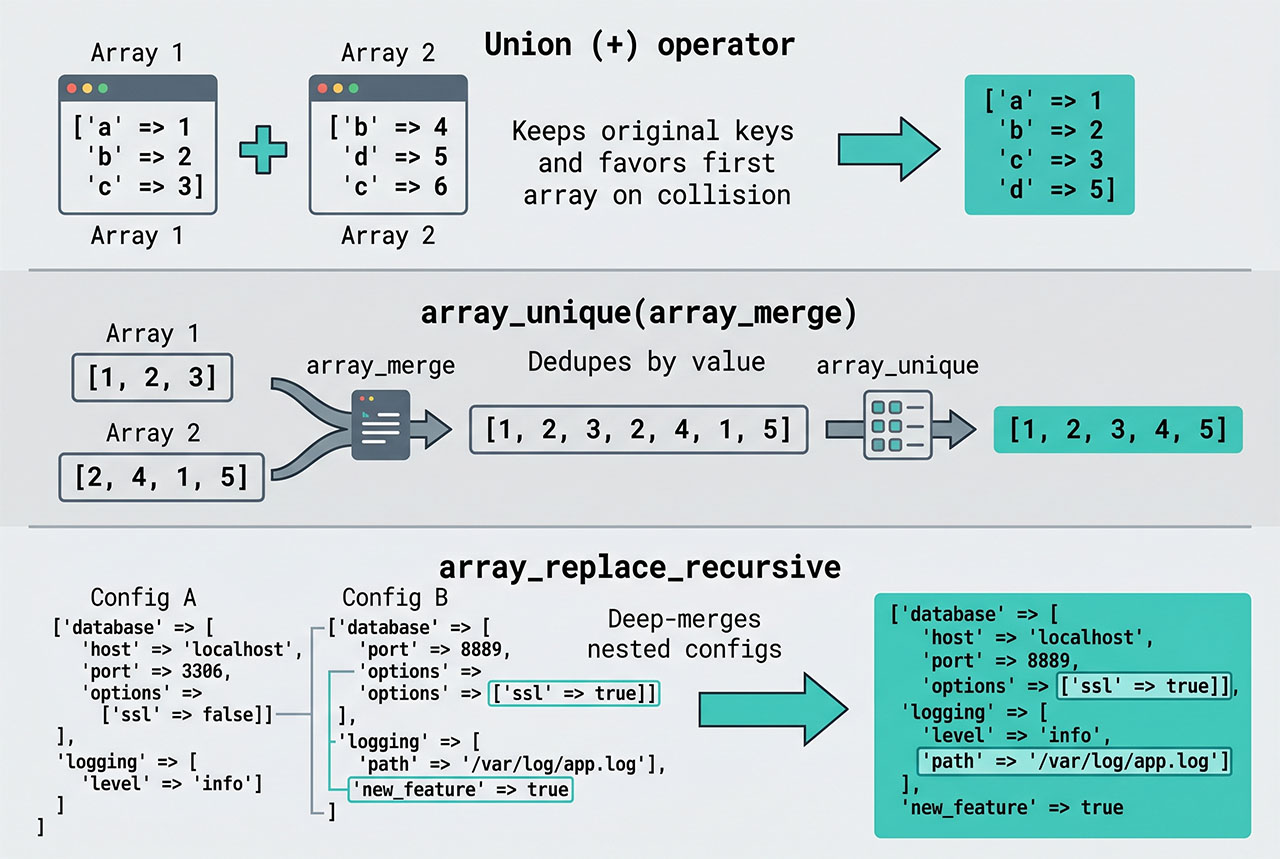
The + operator preserves every key from both arrays. On a key collision, the value from the left-hand array wins and the right-hand value is dropped. This is the inverse of array_merge‘s string-key behavior — which is why it’s the right tool when you care about specific keys (record IDs, user IDs, taxonomy term IDs).
Numeric arrays — array_unique(array_merge(...))
$array1 = ['56', '57', '58', '59', '60'];
$array2 = ['58', '59', '60', '61', '62'];

$output = array_unique(array_merge($array1, $array2));
// ['56', '57', '58', '59', '60', 4=>'61', 5=>'62']  — keys from first occurrence
When the arrays are positional (no meaningful keys), first concatenate, then dedup by value. array_unique keeps the first occurrence of each value and drops later duplicates. The resulting keys reflect where each value first appeared, which may not be 0-indexed contiguously. If you need a clean [0, 1, 2, ...] keyspace, add array_values():
$output = array_values(array_unique(array_merge($array1, $array2)));
// ['56', '57', '58', '59', '60', '61', '62']
Deep nested — array_merge_recursive
$defaults = [
    'db' => [
        'host' => 'localhost',
        'port' => 3306,
    ],
    'cache' => 'file',
];

$overrides = [
    'db' => [
        'host' => 'db.prod',
    ],
    'cache' => 'redis',
];

$config = array_merge_recursive($defaults, $overrides);
// [
//   'db' => [ 'host' => ['localhost', 'db.prod'], 'port' => 3306 ],
//   'cache' => ['file', 'redis'],
// ]
Watch out: array_merge_recursive combines scalar values into sub-arrays rather than replacing them. Usually not what you want for config merges. For “override scalar, merge nested arrays” semantics, reach for a helper like array_replace_recursive:
$config = array_replace_recursive($defaults, $overrides);
// [
//   'db' => [ 'host' => 'db.prod', 'port' => 3306 ],
//   'cache' => 'redis',
// ]
array_replace_recursive overwrites scalar values while still diving into nested arrays — the behavior most config-merge code actually wants.
Decision table
| Goal | Function |
|---|---|
| Keep original keys, first array wins collisions | $a + $b |
| Keep original keys, second array wins collisions | array_replace($a, $b) |
| Reindex integer keys, remove value duplicates | array_values(array_unique(array_merge($a, $b))) |
| Deep merge (config override) | array_replace_recursive($a, $b) |
| Deep merge (combine scalars into arrays) | array_merge_recursive($a, $b) |
Frequently asked questions
array_merge lose my keys when I try to php merge arrays unique? array_merge re-numbers integer keys starting from 0 — that’s documented behavior. String keys are preserved (the second array’s value wins on collision). For arrays with integer keys you want to keep, use the + (union) operator instead: $merged = $array1 + $array2; — it keeps both arrays’ original keys and, on collision, keeps the value from the first array.
+ operator lose data? On key collisions — if both arrays have key 5, the second array’s value is dropped. That’s fine when keys uniquely identify rows (e.g., record IDs). It’s wrong when both arrays have overlapping keys that should merge content. For that case, iterate: foreach ($array2 as $k => $v) { $array1[$k] ??= $v; } keeps array1’s value when both exist.
array_unique($array) — keeps the first occurrence of each value and drops later duplicates. Combine with array_merge for the merge-unique pattern: $out = array_unique(array_merge($array1, $array2)). The keys in the result come from the first-occurrence positions, which may not be contiguous — follow with array_values() if you need a clean 0-indexed list.
array_unique with objects? Yes — array_unique compares using SORT_STRING by default, which calls (string) on each element. For objects, that usually produces "Object id #N" which isn’t a real uniqueness check. Pass SORT_REGULAR as the second argument for value comparison, or for complex objects write a manual loop with your own equality check.
array_merge_recursive($array1, $array2) — for shared keys it combines values into sub-arrays instead of overwriting. Useful for config-like structures where one array extends another. For WordPress multisite or Laravel config overrides, this is the standard way to stack deep preferences.
Related guides
- How to Delete an Element from a PHP Array — the sibling array-removal pattern.
- How to Convert a String to Uppercase in PHP — another PHP basics post.
- How to Convert a String to Float in PHP — cleaning values before adding them to an array.
- How to Retrieve Inputs with a Specific Prefix in Laravel — real-world array filtering with
collect.
References
PHP array merge and union: php.net/manual/en/function.array-merge. Union operator: php.net/manual/en/language.operators.array.