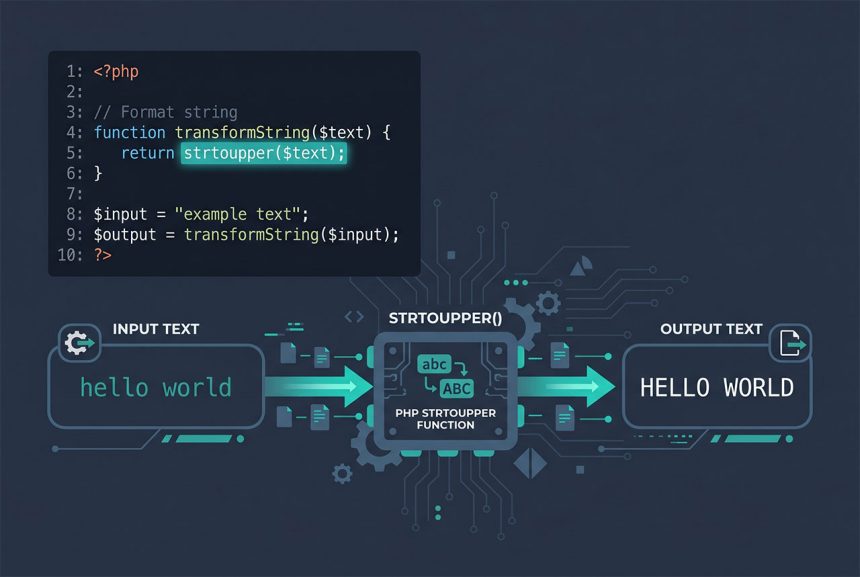
To make a php string uppercase, call strtoupper($string) — every ASCII letter becomes uppercase. For international text with accents or non-Latin characters, reach for mb_strtoupper($string, 'UTF-8') which handles multi-byte encodings correctly. And for purely visual uppercase on headings, CSS’s text-transform is usually the better choice — it keeps the underlying value unchanged.
Last verified: 2026-04-23 on PHP 8.3. Originally published 2023-02-04, rewritten and updated 2026-04-23.
TL;DR
// Basic ASCII
$upper = strtoupper("lowercase text");         // "LOWERCASE TEXT"

// Multi-byte / international
$upper = mb_strtoupper("café résumé", 'UTF-8'); // "CAFÉ RÉSUMÉ"

// First letter only
$titled = ucfirst("hello world");               // "Hello world"

// First letter of each word
$titled = ucwords("hello world");               // "Hello World"
Basic uppercase — strtoupper
$text   = "lowercase text";
$upper  = strtoupper($text);

echo $upper;  // "LOWERCASE TEXT"
Standard tool for Latin text. Works character-by-character, converting every ASCII letter; leaves digits, punctuation, and non-Latin characters alone. For Blade/PHP templates:
<h1><?php echo strtoupper($title); ?></h1>International text — mb_strtoupper
$text   = "café résumé naïve";
$upper  = mb_strtoupper($text, 'UTF-8');

echo $upper;  // "CAFÉ RÉSUMÉ NAÏVE"
Requires the mbstring extension (enabled by default on most PHP installs). The second argument is the encoding — UTF-8 covers the vast majority of modern web text. For legacy CP1252 (Windows-specific) text, pass CP1252 instead.
Why not always use mb_strtoupper? Two reasons. First, it’s slightly slower. Second, strtoupper silently “works” on ASCII, so code that only ever sees /[a-z]/ input doesn’t notice the difference. But once real-world usernames, store names, or product descriptions flow through, you need multi-byte-awareness — and that point is better reached defensively, not after a bug report.
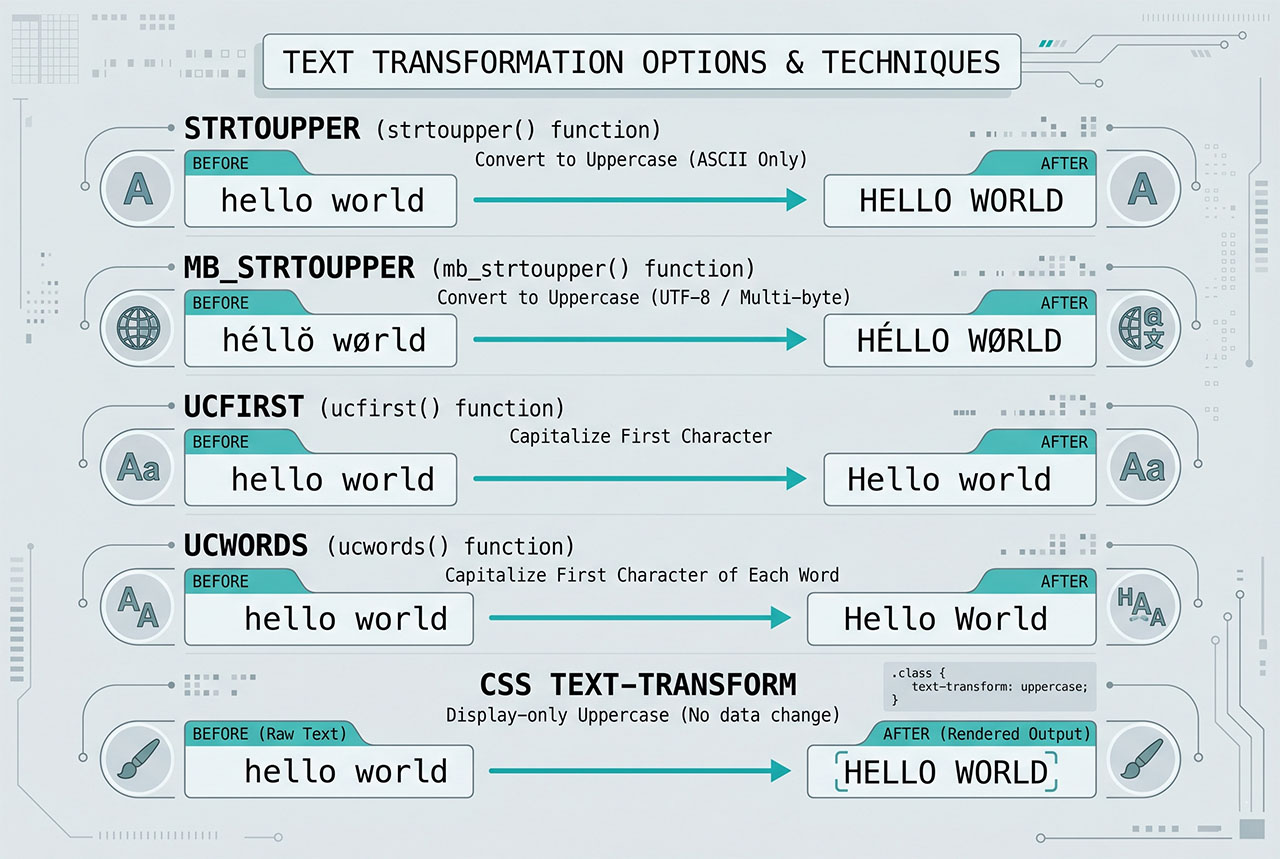
First-letter only — ucfirst and ucwords
ucfirst("hello world");   // "Hello world"  — just the first character
ucwords("hello world");   // "Hello World"  — first char of every word

// Multi-byte equivalent
mb_convert_case($text, MB_CASE_TITLE, 'UTF-8');
Useful for name formatting or title-case display. Neither function lowercases the rest of the string — ucfirst("HELLO world") returns "HELLO world" unchanged. To force title-case on fully-uppercase input, combine with strtolower first: ucwords(strtolower("HELLO WORLD")) → "Hello World".
CSS is usually better for display
h1 {
    text-transform: uppercase;
}

.title-case {
    text-transform: capitalize;  /* first letter of each word */
}
For headings, buttons, any text that’s uppercase for style, CSS wins:
- The underlying HTML/data stays unchanged — accessibility tools and search engines see the original casing.
- Copy-paste from the browser preserves the original.
- Easy to adjust per breakpoint or per theme without touching server code.
Reach for PHP’s strtoupper when the uppercase value itself matters — storing a normalized SKU in the database, comparing codes case-insensitively, or sending uppercase data to an API that expects it.
Frequently asked questions
strtoupper($string). Converts every ASCII letter to uppercase and returns the result. strtoupper('hello world') → 'HELLO WORLD'. For multi-byte text (accented characters, non-Latin scripts), use mb_strtoupper($string, 'UTF-8') — strtoupper on its own may mishandle bytes and corrupt the output.
CSS if it’s purely visual, PHP if the uppercase value itself matters. text-transform: uppercase styles the output without changing the underlying string, so a user who copies the text gets the original casing. PHP’s strtoupper changes the actual string — which matters for comparisons, database writes, or anything that sends the result elsewhere. Use CSS for headings and display; use PHP for values you store or compare.
ucfirst and ucwords? ucfirst('hello world') capitalizes just the first character — 'Hello world'. ucwords('hello world') capitalizes the first character of each space-separated word — 'Hello World'. Neither touches the rest of the string (no lowercase coercion). Useful for name formatting and title-case headings. ucwords also accepts a second argument of word delimiters (hyphens, dots) if your input isn’t space-separated.
strtoupper work with accented characters? Not reliably. strtoupper('café') may return 'CAFé' on some PHP builds — the é is multi-byte in UTF-8 and the single-byte function either leaves it alone or corrupts it. For international text, always reach for mb_strtoupper($string, 'UTF-8'). The mb_* family is multi-byte-aware and handles UTF-8 correctly.
Negligible for short strings. strtoupper is slightly faster because it works on bytes directly; mb_strtoupper has character-boundary detection overhead. For a Laravel/WordPress request that calls the function a few times per page, the difference is invisible. For batch processing of millions of rows, benchmark both against your actual data.
Related guides
- How to Convert a String to Float in PHP — the sibling string transform.
- How to Delete an Element from a PHP Array — array operations that often follow string normalization.
- How to Display PHP Errors — see why your string isn’t transforming the way you expect.
- How to Include SKU in WooCommerce Search — case-insensitive SKU matching often starts with
strtoupper.
References
PHP strtoupper: php.net/manual/en/function.strtoupper. mb_strtoupper: php.net/manual/en/function.mb-strtoupper.