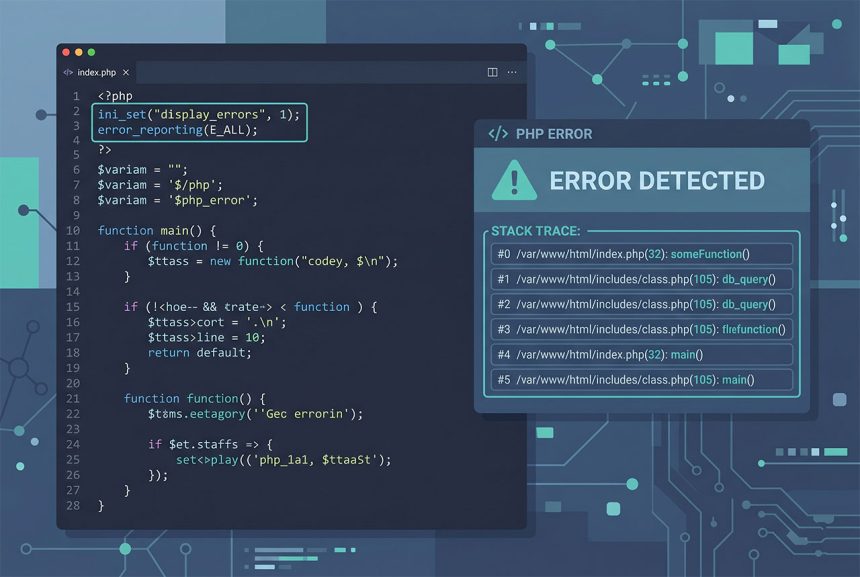
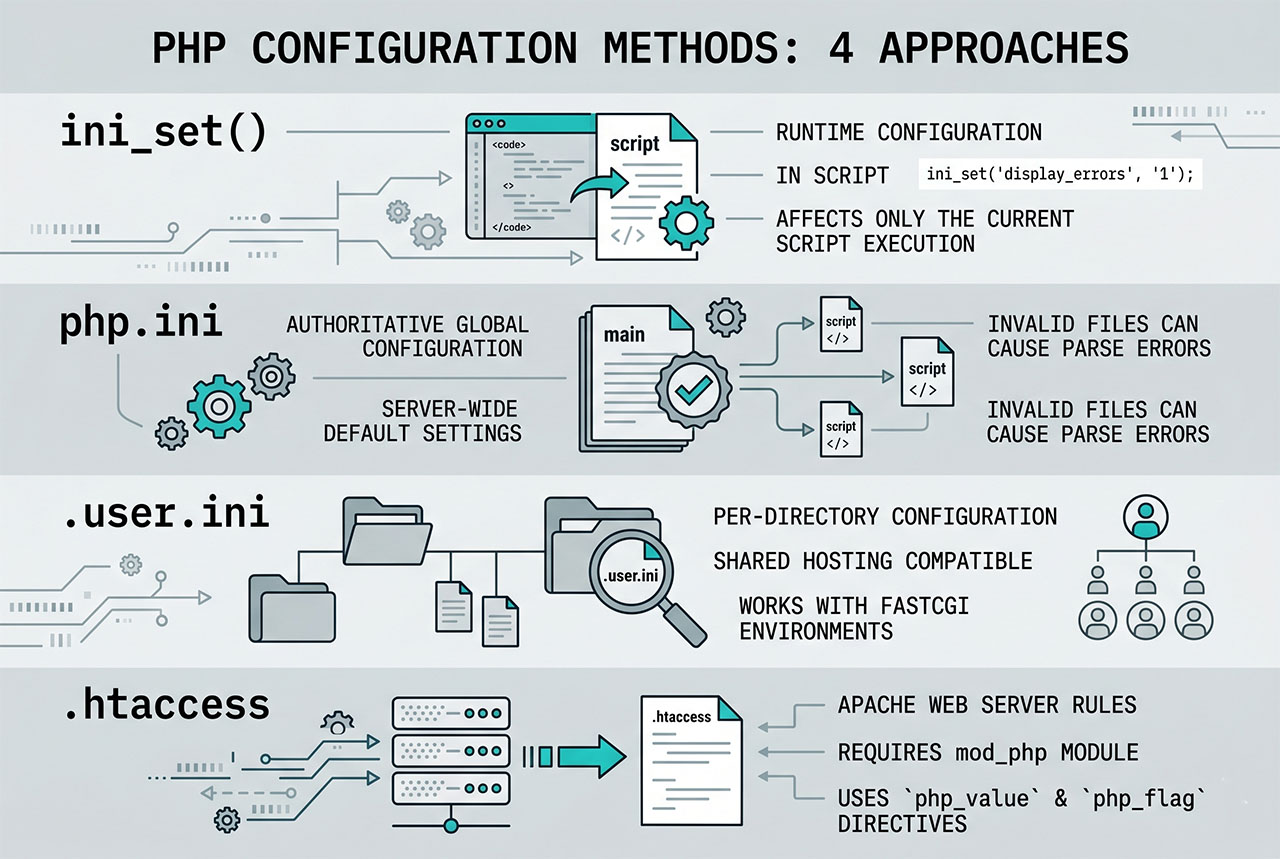
To display PHP errors on a page that’s returning HTTP 500 or a blank screen, add three ini_set calls at the top of your script — display_errors, display_startup_errors, and error_reporting(E_ALL). For parse errors that happen before any code runs, editing php.ini, .htaccess, or .user.ini is the only path. This guide covers all four and why you should never leave any of them on in production.
Last verified: 2026-04-23 on PHP 8.3. Originally published 2022-06-16, rewritten and updated 2026-04-23.
TL;DR
// Top of your PHP file (runtime errors)
ini_set('display_errors',         '1');
ini_set('display_startup_errors', '1');
error_reporting(E_ALL);
# php.ini (for parse errors and permanent settings)
display_errors = On
display_startup_errors = On
error_reporting = E_ALL
# .htaccess (Apache + mod_php)
php_flag display_errors 1
php_value error_reporting 32767In-script toggle — ini_set
<?php
ini_set('display_errors',         '1');
ini_set('display_startup_errors', '1');
error_reporting(E_ALL);
The three lines together:
display_errors— show runtime errors (notices, warnings, fatals) in the response.display_startup_errors— show errors that happen during PHP’s own startup phase (extension loading, failed config parsing). Off by default even withdisplay_errors = On, which is why sites with broken extensions sometimes show blank pages.error_reporting(E_ALL)— include every error level in the “report this” set. Without it,display_errorsonly shows whatever level the current config allows.
This covers runtime errors from any point after the three lines have executed. It does not catch parse/syntax errors in the same file — PHP parses the entire file before running the first line.
Parse errors — edit php.ini
# Find which php.ini is actually loaded
php --ini

# Edit the loaded file
sudo nano /etc/php/8.3/fpm/php.ini

# Flip these three
display_errors         = On
display_startup_errors = On
error_reporting        = E_ALL

# Restart PHP so the change takes effect
sudo systemctl restart php8.3-fpm
Editing php.ini requires SSH + sudo. Changes take effect after the next PHP-FPM (or Apache with mod_php) restart. This is the authoritative place for error settings — ini_set can override most of them at runtime, but only after parsing.
Shared hosting — .user.ini
# .user.ini — place in your site's document root
display_errors         = On
display_startup_errors = On
error_reporting        = E_ALL
PHP reads .user.ini files in the document root hierarchy — no web server config required. Works on CGI/FastCGI setups (most modern shared hosts). Changes don’t take effect immediately: PHP caches the file for user_ini.cache_ttl seconds (default 300). For faster iteration, either wait 5 minutes or ask the host to flush the cache.
Apache mod_php — .htaccess
# .htaccess — Apache with mod_php only
php_flag display_errors 1
php_flag display_startup_errors 1
php_value error_reporting 32767
Works only on Apache with mod_php (increasingly rare — most modern hosts run PHP-FPM). If your host uses nginx, LiteSpeed, or PHP-FPM under Apache, .htaccess php_* directives are ignored — use .user.ini instead.
Production: log, don’t display
# Production php.ini
display_errors         = Off
display_startup_errors = Off
log_errors             = On
error_log              = /var/log/php/error.log
error_reporting        = E_ALL
Never leave error display on in production. Errors include file paths, stack traces, database names, and sometimes query parameters — all of which help an attacker map your system. Log errors to a file instead, and review them via tail -f /var/log/php/error.log or an aggregator like Sentry, Rollbar, or Papertrail.
Laravel / WordPress specifics
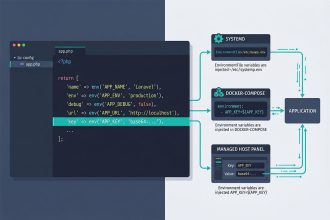
- Laravel —
APP_DEBUG=truein.envturns on Laravel’s Whoops error page. Keep itfalsein production. - WordPress —
define('WP_DEBUG', true);inwp-config.phpenables WP’s debug mode. Pair withdefine('WP_DEBUG_LOG', true);to log towp-content/debug.log.
Framework-level debug toggles are more convenient than raw PHP ini_set calls for app-level development. Use them for app-specific issues; reach for the PHP-level settings when even the framework isn’t booting.
Frequently asked questions
Three lines at the top of your PHP file: ini_set('display_errors', '1'); ini_set('display_startup_errors', '1'); error_reporting(E_ALL);. This turns on error display for the current script. Works without editing any config files, but doesn’t catch parse errors — those happen before the script runs. For parse errors, edit php.ini or .htaccess.
No. Displaying errors to the browser leaks file paths, database schemas, and sometimes credentials — gold for attackers. Production should have display_errors = Off and log_errors = On so errors go to a log file instead. Reserve the “display errors” toggle for development environments and for diagnosing a specific broken script locally.
ini_set? PHP parses the whole file before running any code. A syntax error is caught at parse time — before ini_set has had a chance to execute. To display parse errors you have to turn display_errors on at a scope that applies before parsing: php.ini, .htaccess, or .user.ini for per-directory overrides. Once display_errors is on via config, the ini_set calls become optional.
display_errors and display_startup_errors? display_errors controls errors during script execution. display_startup_errors controls errors during PHP’s own startup — extension loading, ini-file parsing, server initialization. You usually want both on in development; both off in production. Leaving startup errors on catches broken extension configs that otherwise produce only blank pages.
php.ini? Two options: .user.ini files (per-directory overrides, work on most shared hosts that use CGI/FPM), or .htaccess with php_flag display_errors 1 (requires Apache with mod_php). The .user.ini approach is more portable — it works on any modern PHP regardless of web server. Changes take effect after user_ini.cache_ttl seconds (default 300).
Related guides
- How to Install PHP 8.x on Ubuntu 22.04 — a fresh PHP install to locate php.ini in.
- How to Fix cURL Error 60 SSL Certificate Problem in Laravel — another php.ini edit.
- How to Run a Laravel Project Without a .env File — config-cache debugging.
- How to Troubleshoot MariaDB Not Starting — log-based debugging for another service.
References
PHP error-handling runtime configuration: php.net/manual/en/errorfunc.configuration. .user.ini: php.net/manual/en/configuration.file.per-user.