The laravel curl error 60 — SSL certificate problem: unable to get local issuer certificate, sometimes certificate has expired — is a PHP-level trust error that shows up whenever Laravel’s HTTP client (Guzzle under the hood) makes an outbound HTTPS call. The proper fix is to point your php.ini at a current CA bundle. The common “'verify' => false” workaround disables TLS validation on every affected request and should stay out of production.
Last verified: 2026-04-23 on Laravel 11 with PHP 8.3 and Guzzle 7. Originally published 2023-04-25, rewritten and updated 2026-04-23.
TL;DR
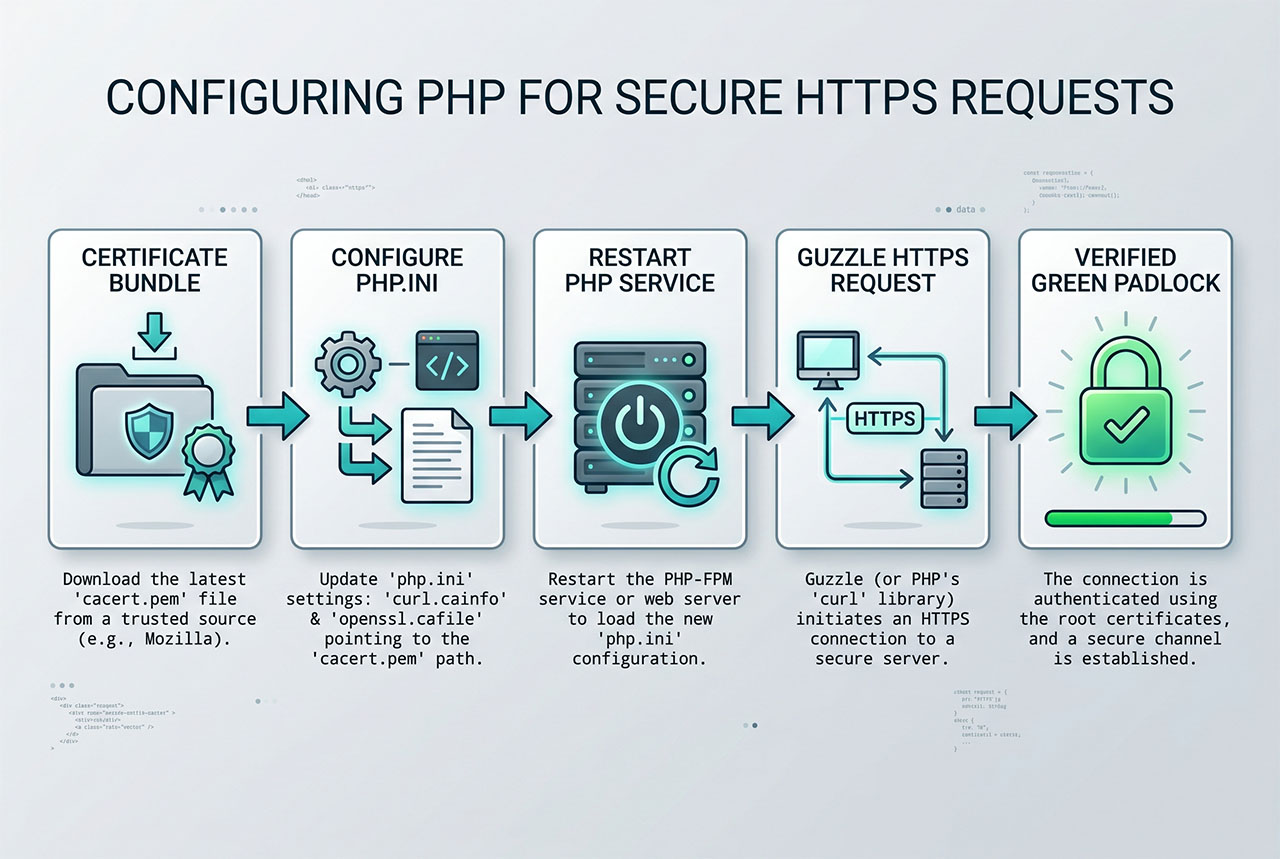
Download the Mozilla CA bundle from curl.se/docs/caextract.html, save it as cacert.pem, and wire it into both OpenSSL and curl in php.ini:
openssl.cafile = "/etc/ssl/certs/cacert.pem"
curl.cainfo    = "/etc/ssl/certs/cacert.pem"
Restart PHP-FPM (or Apache with mod_php) for the change to take effect. 'verify' => false is only safe for local-only debugging.
Why the error happens
When Guzzle makes an HTTPS request, libcurl (or the stream wrapper) asks OpenSSL to verify the remote server’s certificate chain against a list of trusted Certificate Authorities. That list comes from a CA bundle on disk. If the CA bundle path isn’t configured in php.ini, or the file it points to is missing or outdated, verification fails with cURL error 60 — even though the remote server’s certificate is valid.
On most Linux distributions with a default php package the CA bundle is wired up automatically (openssl.cafile points at the system cert store at /etc/ssl/certs/). On Windows, minimal Docker images, and stripped-down VPS setups, the setting is often blank — which is exactly when cURL error 60 starts appearing in production.
Fix 1 — Point PHP at a fresh CA bundle (recommended)
- Download the current CA bundle from curl.se/docs/caextract.html. The file is called
cacert.pem. - Save it to a stable path on the server —
/etc/ssl/certs/cacert.pemon Linux,C:\php\extras\ssl\cacert.pemon Windows. - Open
php.ini(php --initells you which file is loaded). - Find the
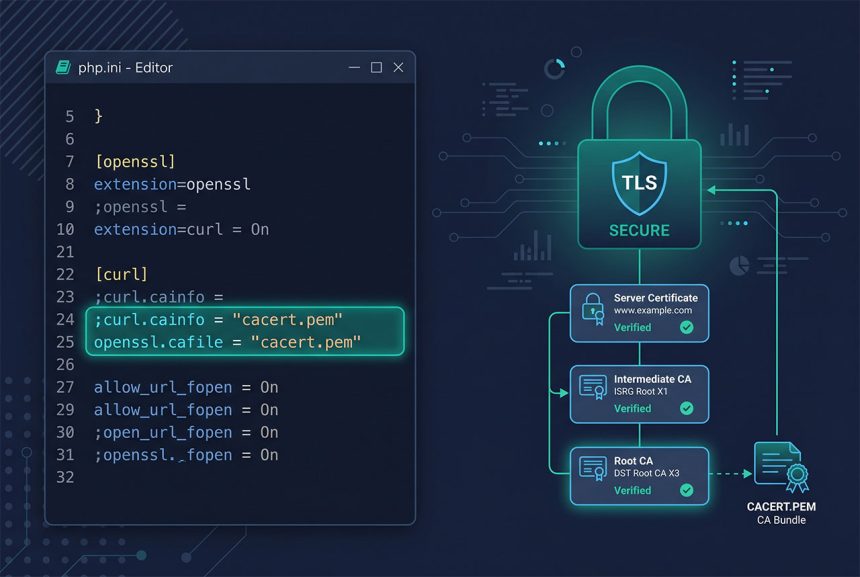
;curl.cainfoand;openssl.cafilelines, uncomment them by removing the leading semicolon, and set the path:
; php.ini — Linux paths
openssl.cafile = "/etc/ssl/certs/cacert.pem"
curl.cainfo    = "/etc/ssl/certs/cacert.pem"

; Windows paths — use forward slashes or escaped backslashes
openssl.cafile = "C:/php/extras/ssl/cacert.pem"
curl.cainfo = "C:/php/extras/ssl/cacert.pem"- Restart your PHP process so the new
php.iniis loaded:sudo systemctl restart php8.3-fpmon Linux with PHP-FPM,sudo systemctl restart apache2on Apache withmod_php, or restart the Windows service / IIS app pool. - Verify the setting is live:
php -r 'echo ini_get("curl.cainfo"), PHP_EOL, ini_get("openssl.cafile"), PHP_EOL;'should print your path twice.
That’s the fix. Every Guzzle / Http:: / curl_exec call from this point on uses the updated CA bundle to validate the chain.
Fix 2 — Per-request 'verify' => false (local only)
When you genuinely need to ignore certificate verification — hitting a local dev server with a self-signed cert, reproducing a support issue — scope the bypass to the specific call:
use Illuminate\Support\Facades\Http;

$res = Http::withOptions(['verify' => false])
    ->get('https://example.com/someapi');
withOptions(['verify' => false]) applies to one pending request. The next Http::... call in the same process starts fresh with verification re-enabled, so the hole closes the moment you stop passing the option explicitly.
Never point 'verify' at false in production code. Disabling verification means a man-in-the-middle on the outbound path — compromised Wi-Fi, misconfigured load balancer, malicious DNS — can intercept and modify the response, and Laravel can’t tell. The CA-bundle fix in the section above is a one-time configuration change that costs nothing at runtime.
What not to do — edit vendor/guzzlehttp/
The old answer to this problem (and the one you’ll still find on forum threads) is to edit vendor/guzzlehttp/guzzle/src/Client.php and set 'verify' => false in the $defaults array. Three reasons to skip that:
composer updateoverwrites your change the moment Guzzle gets a patch release.- The change is invisible — nobody reading your codebase sees it, so “why are outbound calls insecure?” becomes a mystery bug.
- It disables verification for every Guzzle call in the app, not just the one that’s failing.
Use the CA-bundle fix for anything that ships; use withOptions(['verify' => false]) scoped to the specific call for anything else.
If it’s “certificate has expired”
The CA-bundle fix assumes the remote cert is actually valid. If the error specifically says certificate has expired, check the remote cert first:
openssl s_client -connect example.com:443 -servername example.com < /dev/null 2>/dev/null \
    | openssl x509 -noout -dates
The notAfter line is the expiry. If it’s in the past, the remote server’s cert is genuinely expired — nothing you change on your server will fix that; the other side has to renew. Also double-check the server clock with timedatectl; a clock skew of more than a few minutes also triggers this error for perfectly valid certs.
Frequently asked questions
Your PHP install can’t validate the remote server’s SSL certificate — either because php.ini‘s curl.cainfo / openssl.cafile is unset (common on Windows and some minimal Linux images), the bundled CA file is out of date, or the remote cert is genuinely expired. It’s a PHP-level trust problem, not a Laravel one; Guzzle just surfaces whatever OpenSSL and libcurl report.
'verify' => false in production? No. Disabling verification turns off the single defense against man-in-the-middle attacks on your outbound API calls. It’s fine for debugging against a local server with a self-signed cert, or during a one-off support call when you know the endpoint is safe — never leave it in production code. The CA bundle fix below is a one-time setup that costs nothing at runtime.
curl.se/docs/caextract.html — the same Mozilla-derived bundle the curl project publishes, updated a few times a year. Save it somewhere stable on the server (for example /etc/ssl/certs/cacert.pem on Linux or C:\php\extras\ssl\cacert.pem on Windows), then point php.ini at it.
Http::withOptions(['verify' => false]) disable verification globally? No — withOptions() applies to the specific pending request only. Each new Http::... call starts fresh with verification enabled. That makes it a safer escape hatch than editing vendor/guzzlehttp/guzzle/src/Client.php, because the scope is explicit at every call site.
That’s either the remote server’s cert (check with openssl s_client -connect host:443 and look at notAfter), or your system clock is wrong, or the CA bundle is old enough to be missing a newer intermediate. Fix in that order: ask the remote-server operator if their cert is current, run timedatectl or check NTP, then update the CA bundle if the other two check out.
Related guides
- Fix 403 Forbidden on Laravel Shared Hosting — another post-deploy problem on shared hosting.
- How to Exclude .well-known from Redirection for Let’s Encrypt in Laravel — the inbound side of TLS on a Laravel box.
- How to Install PHP 8.x on Ubuntu 22.04 — a clean PHP install where CA wiring usually works out of the box.
- How to Install Laravel on Ubuntu — fresh Laravel 11 project setup.
References
Mozilla CA bundle extract: curl.se/docs/caextract.html. PHP curl.cainfo and openssl.cafile ini reference: php.net/manual/en/openssl.configuration.