To install Laravel on a fresh Ubuntu server or development machine you need three things in place: PHP 8.1+ (8.2+ for Laravel 11), Composer, and a handful of PHP extensions. This guide walks through verifying each prerequisite, creating a new Laravel project with composer create-project, configuring the .env file, generating an application key, and booting the dev server so you can hit your app at http://127.0.0.1:8000 within a few minutes.
- TL;DR
- Prerequisites
- Step 1 — Verify the prerequisites
- Step 2 — Create a new Laravel project
- Step 3 — Configure the environment
- Step 4 — Run the initial migrations
- Step 5 — Start the development server
- Troubleshooting
- “Your requirements could not be resolved to an installable set of packages”
- “No application encryption key has been specified”
- “SQLSTATE Connection refused” on migrate
- Extension missing errors (ext-mbstring, ext-xml)
- Frequently asked questions
- Related guides
- References
Last verified: 2026-04-16 with Laravel 11 on Ubuntu 24.04 (PHP 8.3) and Laravel 10 on Ubuntu 22.04 (PHP 8.1). Originally published 2022-07-05, rewritten and updated 2026-04-16.
TL;DR
With PHP and Composer already installed, run composer create-project laravel/laravel your-app-name, cd into the project, copy .env.example to .env, run php artisan key:generate, then start the dev server with php artisan serve. Laravel 11 needs PHP 8.2+; Laravel 10 works with PHP 8.1+.
Prerequisites
- PHP 8.1+ for Laravel 10, or PHP 8.2+ for Laravel 11. Install: How to Install PHP on Ubuntu.
- Composer. Install: How to Install Composer on Ubuntu.
- PHP extensions:
mbstring,xml,curl,zip,bcmath,gd, and a database driver (mysqlorsqlite3). All available as apt packages:sudo apt install php-mbstring php-xml php-curl php-zip php-bcmath php-gd php-mysql. - Node.js and npm (optional at install time, required to build frontend assets with Vite).
sudo apt install nodejs npm.
Step 1 — Verify the prerequisites
Quick sanity checks before creating a project:
php -v          # PHP 8.1+ (or 8.2+ for Laravel 11)
composer -V     # Composer 2.x
If either command fails, finish installing the prerequisite before continuing — Laravel’s Composer plugin aborts with unclear errors when PHP is too old.
Step 2 — Create a new Laravel project
Change into the directory where you keep your projects and let Composer scaffold a fresh Laravel app. Replace your-app-name with your project’s directory name:
cd ~/code
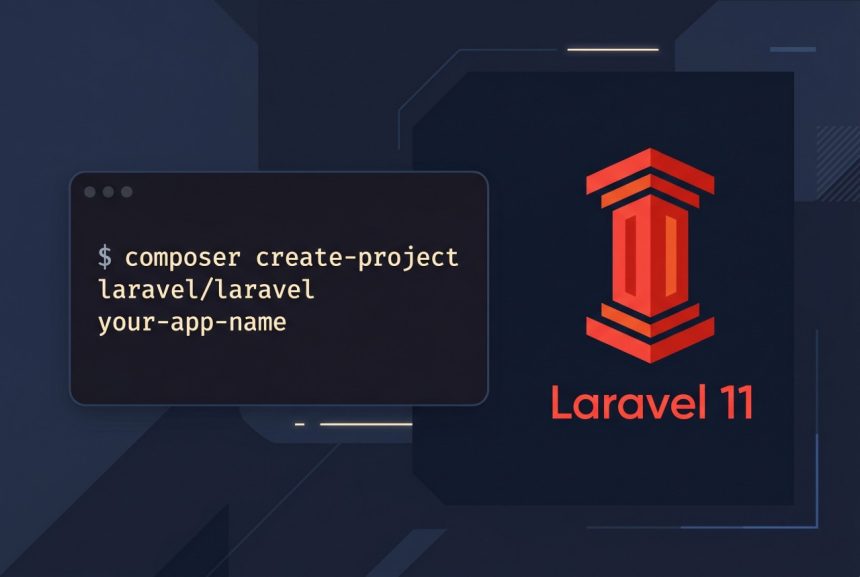
composer create-project laravel/laravel your-app-name
Composer downloads the Laravel skeleton, resolves every dependency in composer.json, and runs php artisan key:generate as a post-install hook. By default it installs the latest stable release — currently Laravel 11 (requires PHP 8.2+). To pin to a specific version:
composer create-project laravel/laravel:^10.0 your-app-name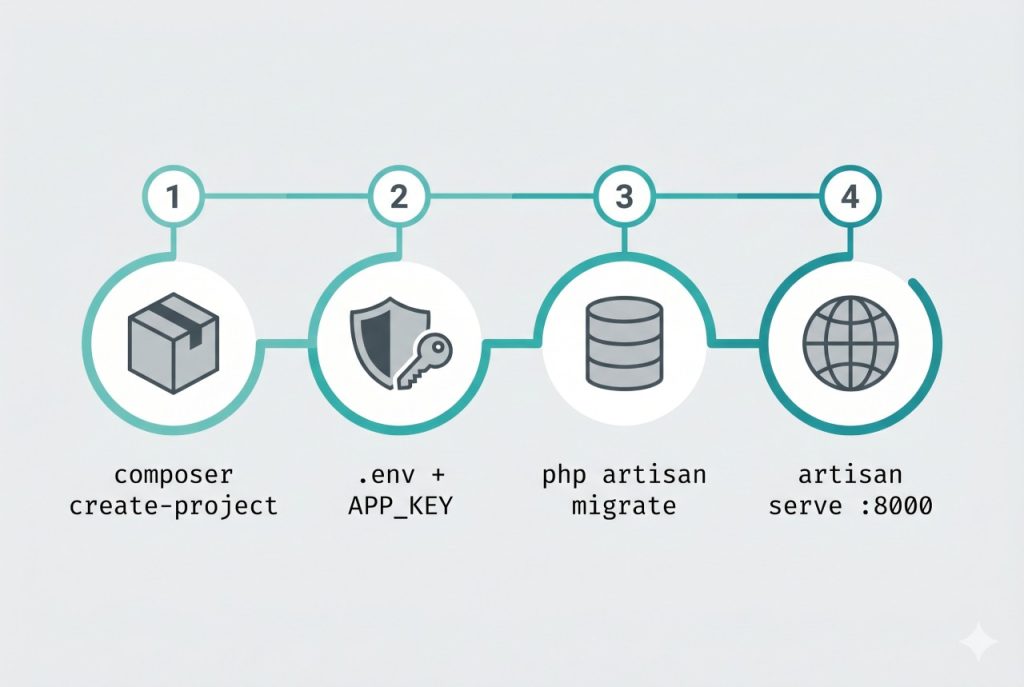
Step 3 — Configure the environment
Move into the project and set up the local .env file. The installer usually copies it for you, but doing it explicitly is safe:
cd your-app-name
cp .env.example .env
php artisan key:generate
php artisan key:generate writes a secure random string into APP_KEY. Laravel uses this key to encrypt sessions, cookies, and anything you pass through the Crypt facade — without it the framework refuses to boot with a No application encryption key has been specified error.
Open .env and adjust these defaults for your setup:
APP_NAME=YourApp
APP_URL=http://127.0.0.1:8000

DB_CONNECTION=mysql
DB_HOST=127.0.0.1
DB_PORT=3306
DB_DATABASE=your_app
DB_USERNAME=your_db_user
DB_PASSWORD=your_db_password
For a zero-dependency dev setup — no MySQL required — use SQLite instead:
touch database/database.sqlite
# in .env:
# DB_CONNECTION=sqlite
# (remove or comment out the other DB_* lines)
Step 4 — Run the initial migrations
Laravel ships with migrations for the default users, password_reset_tokens, and sessions tables. Apply them:
php artisan migrateIf you configured SQLite, Artisan will detect the empty database file and prompt to create it if missing. For MySQL, make sure the database (your_app) exists before running — need help setting up MySQL? See How to Install MySQL on Ubuntu 22.04.
Step 5 — Start the development server
php artisan serveYou’ll see Server running on [http://127.0.0.1:8000]. Open that URL in a browser and you should see the Laravel welcome page. Leave the command running — it’s a foreground process. To change the port, pass --port=8001; to bind on all interfaces in a VM, add --host=0.0.0.0.
For production, don’t use php artisan serve. Put nginx or Apache in front with PHP-FPM, or use Laravel Octane if you want persistent application state and higher throughput.
Troubleshooting
“Your requirements could not be resolved to an installable set of packages”
Usually means your PHP version is below the minimum for the Laravel major you’re installing. Composer’s error block lists the exact constraint (e.g. laravel/framework requires php ^8.2.0). Either upgrade PHP via the Ondřej PPA (see the PHP install guide) or install an older Laravel: composer create-project laravel/laravel:^10.0 your-app-name.
“No application encryption key has been specified”
.env has an empty APP_KEY. Run php artisan key:generate from the project root. If the command itself fails, confirm .env exists — a common mistake is editing .env.example and forgetting to copy it.
“SQLSTATE[HY000] [2002] Connection refused” on migrate
The database server isn’t reachable at the host/port in .env. Check that MySQL is running (sudo systemctl status mysql), that the database exists, and that the user in DB_USERNAME has privileges on it. For a quick local workaround, switch to SQLite.
Extension missing errors (ext-mbstring, ext-xml)
Install the missing extension via apt: sudo apt install php-mbstring php-xml and re-run Composer. Every extension Laravel requires is listed in the framework’s composer.json; Composer will tell you which one is missing on each run.
Frequently asked questions
Laravel 11 requires PHP 8.2 or higher. Laravel 10 supports PHP 8.1+. On Ubuntu 22.04 the default is PHP 8.1, so either use Laravel 10 or add the Ondřej Surý PPA to install PHP 8.2+. On Ubuntu 24.04 (PHP 8.3 default) you’re good to go with Laravel 11 out of the box.
composer create-project or the Laravel installer? For a single project, composer create-project laravel/laravel your-app-name is the simplest path — no extra global install. The Laravel installer (composer global require laravel/installer) is slightly faster per project because it clones a pre-built skeleton, but it adds a global dependency to maintain. I use composer create-project for most projects.
php artisan serve and a real web server? php artisan serve runs PHP’s built-in development server — single-threaded, no HTTPS, fine for local development only. For anything reachable from outside localhost, put nginx or Apache with PHP-FPM in front, or use Laravel Octane (Swoole/RoadRunner) for production-grade concurrency.
Your .env is missing APP_KEY. Run php artisan key:generate from the project root — it writes a secure random key into .env. Never commit .env to git; commit .env.example instead.
No — installation itself doesn’t touch a database. But the default .env points at a local MySQL, so the first time you run php artisan migrate you’ll need one. The quickest alternative is to set DB_CONNECTION=sqlite and touch database/database.sqlite for a zero-dependency dev setup.
Related guides
- How to Install PHP on Ubuntu — the interpreter Laravel runs on.
- How to Install Composer on Ubuntu — the dependency manager
composer create-projectneeds. - How to Install MySQL on Ubuntu 22.04 — the default database for Laravel projects.
References
Official Laravel installation docs: laravel.com/docs/installation. Release support policy and minimum PHP versions: laravel.com/docs/releases.