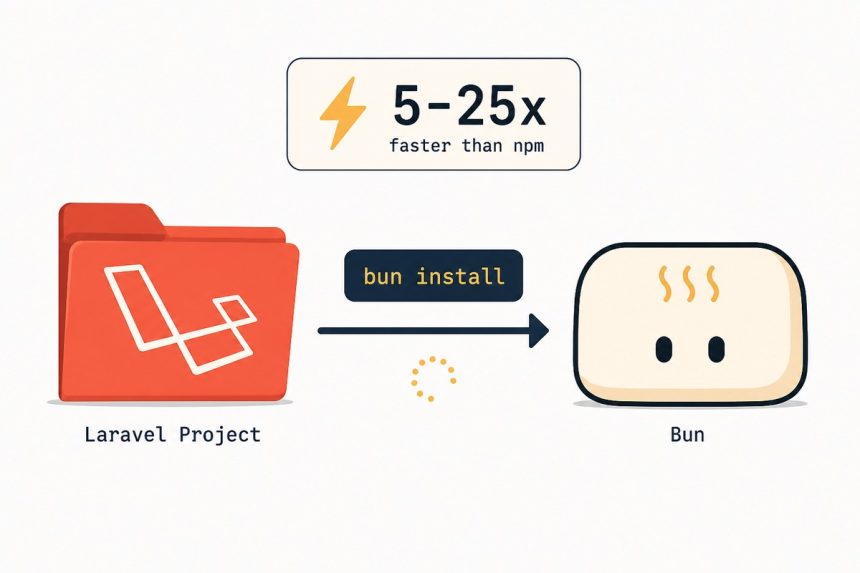
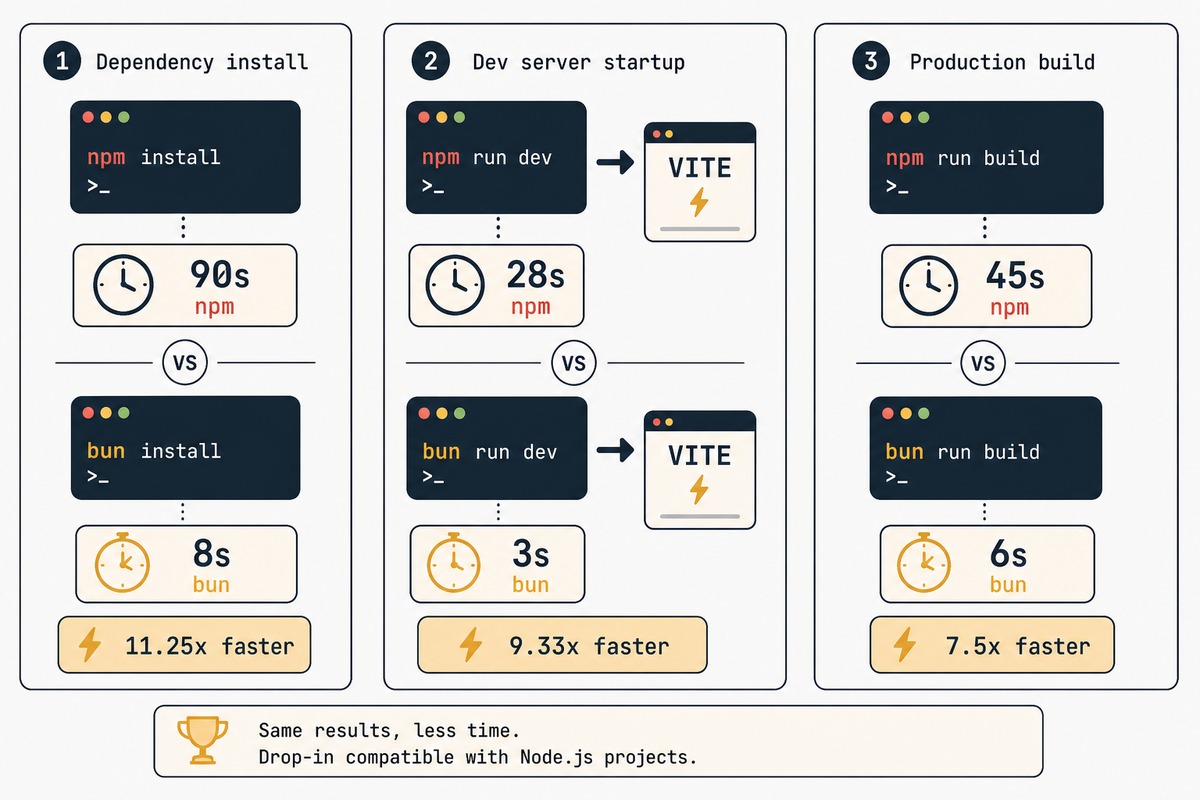
Bun is a JavaScript runtime + package manager + bundler + test runner, all in one binary, written in Zig. It’s roughly 5-25× faster than npm for the common install and run commands, and it’s a drop-in replacement for npm in most Laravel asset-pipeline use cases. This guide shows how to install Bun on Ubuntu, verify the install, and switch a Laravel project from npm to Bun without breaking anything.
- TL;DR
- Why install Bun on a Laravel server
- Step 1 — Install Bun
- Step 2 — Optional: pin a specific Bun version
- Step 3 — Switch a Laravel project from npm to Bun
- Step 4 — Use Bun in CI / deploy workflows
- When Bun won’t be a drop-in
- Troubleshooting
- “bun: command not found”
- “Some package fails to install with Bun”
- “Vite HMR isn’t working through Bun”
- Related guides
TL;DR
curl -fsSL https://bun.sh/install | bash, restart your shell, run bun --version to confirm. In a Laravel project, rm -rf node_modules package-lock.json && bun install, then bun run dev instead of npm run dev. Vite works through Bun unchanged. Everything is faster.
Why install Bun on a Laravel server
- Faster CI deploys. A typical Laravel project’s
npm cistep takes 60-120 seconds.bun installon the same project: 4-15 seconds. Over hundreds of deploys this compounds. - Smaller node_modules. Bun uses a content-addressed package cache, so disk usage drops 30-50% on machines that build many projects.
- Bun runs JavaScript directly — no tsc, no esbuild, no separate runtime. For utility scripts, you can write TypeScript and execute it with
bun script.tswith no setup.
The main thing Bun doesn’t replace: anything that needs the Node.js runtime specifically (e.g., a production Next.js server using Node-only APIs). For Laravel’s Vite asset pipeline, Bun is a drop-in.
Step 1 — Install Bun
curl -fsSL https://bun.sh/install | bashThe installer downloads a binary to ~/.bun/bin/bun and adds the path to your shell rc file. Restart the shell, then verify:
bun --versionFor a system-wide install (e.g., a CI server where multiple users need Bun), use the official APT repository instead:
curl -fsSL https://bun.sh/install | sudo bash -s "" /opt/bun
sudo ln -s /opt/bun/bin/bun /usr/local/bin/bun
bun --version
Step 2 — Optional: pin a specific Bun version
For reproducible builds across machines, pin the version with the built-in updater:
bun upgrade               # latest stable
bun upgrade --canary      # latest dev build
bun upgrade --version 1.1.30   # specific version
For multiple Bun versions side by side (rare, but useful in CI), asdf with the Bun plugin handles it cleanly: asdf plugin add bun && asdf install bun 1.1.30.
Step 3 — Switch a Laravel project from npm to Bun
In an existing Laravel project:
rm -rf node_modules package-lock.json
bun install
Bun reads your package.json the same way npm does, resolves the dependency tree, downloads packages from the same npm registry, and writes a bun.lockb file (binary lockfile — checked into git like package-lock.json).
Run the dev server:
bun run devThis is identical to npm run dev — both run the dev script from package.json, which in a standard Laravel project starts Vite. Vite itself is unchanged: same config, same plugins, same output.
For production builds:
bun run buildVite produces the same public/build/manifest.json Laravel reads at runtime. No Laravel-side changes needed.
Step 4 — Use Bun in CI / deploy workflows
In a GitHub Actions workflow for a Laravel app, replace the Node setup with Bun:
- uses: oven-sh/setup-bun@v1
  with:
    bun-version: latest

- name: Install dependencies and build
  run: |
    bun install --frozen-lockfile
    bun run build
--frozen-lockfile enforces that bun.lockb hasn’t drifted from package.json — the equivalent of npm ci. On a typical Laravel project, this whole step now takes 10-20 seconds instead of 90+.
When Bun won’t be a drop-in
- Packages that rely on Node’s child_process spawning behaviour. Most don’t; a few build tools do. Failure mode is clear (error at
bun installor first run), and the workaround is keeping Node.js installed alongside for that one tool. - Native modules built for a specific Node version.
node-gyp-based packages occasionally need patches to build against Bun’s runtime. The package’s GitHub issues will tell you if it’s Bun-compatible. - Code that depends on Node-specific globals. Rare in app code, common in scripts. Use Node for those scripts; use Bun for everything else.
You can keep Node.js installed alongside Bun without conflict — they live in different paths and don’t share state.
Troubleshooting
“bun: command not found”
Shell rc file wasn’t updated, or you didn’t restart the shell. Manually add: export PATH="$HOME/.bun/bin:$PATH" to ~/.bashrc or ~/.zshrc, then source it.
“Some package fails to install with Bun”
Most “fails to install with Bun” issues come down to native modules with specific Node-version expectations. Run the install again with bun install --verbose to see where it breaks. If it’s a single package, install it with npm temporarily (npm install foo) — Bun and npm can coexist in the same project.
“Vite HMR isn’t working through Bun”
Vite’s HMR uses WebSockets and should work identically. If it doesn’t, check that vite.config.js has server.host set correctly for your environment. The HMR issue is almost always Vite/network config, not Bun-specific.
Yes for asset pipelines, package management, and CLI tools — Bun 1.0 shipped in September 2023 and the 1.x series has been stable since. For running production HTTP servers, Bun is also viable but the ecosystem of Bun-tested middleware is smaller than Node’s. For Laravel asset pipelines specifically, where Bun’s role is as a build tool, it’s been production-grade for over a year.
Yes. Bun is purely a JavaScript-side change — it touches npm install and npm run, not anything PHP. Laravel’s Vite integration reads public/build/manifest.json, which Vite produces identically whether you ran it via npm, pnpm, or Bun.
Yes, like package-lock.json. It pins your dependency tree to specific versions and resolution metadata so CI builds match local builds. It’s binary (not text), so don’t expect human-readable git diffs — that’s the trade-off Bun made for faster install.
Probably not entirely, the way Node replaced earlier runtimes. The Node ecosystem is enormous and slow-moving by inertia, and a lot of production infrastructure depends on Node-specific APIs. Bun’s pragmatic role is as a faster complement — better for tooling, comparable or better for new projects, not necessarily a forced migration target for legacy.
Not directly — Laravel’s queue worker and scheduler are PHP, not JavaScript. Bun has nothing to do with them. For JavaScript-based supplementary scripts (e.g., a Node.js cron task that runs alongside Laravel), Bun runs those much faster than Node.
Bun is faster than pnpm by roughly 2-5×, and faster than npm by 10-25×. pnpm itself is faster than npm because of its content-addressable store; Bun gets there and uses a much faster resolver and downloader written in native code. If you’re already on pnpm and happy, switching to Bun is a smaller win than coming from npm; still worth it for the build-time savings.
Related guides
- Install Node.js on Ubuntu — the runtime Bun complements, often both installed side by side.
- Install Laravel — the project type Bun’s most useful for.
- Install Composer on Ubuntu — the PHP-side counterpart to Bun’s role.
- Deploy Laravel with GitHub Actions — where Bun cuts the asset-build step significantly.
Bun’s documentation, including the runtime API differences from Node, is at bun.sh/docs.