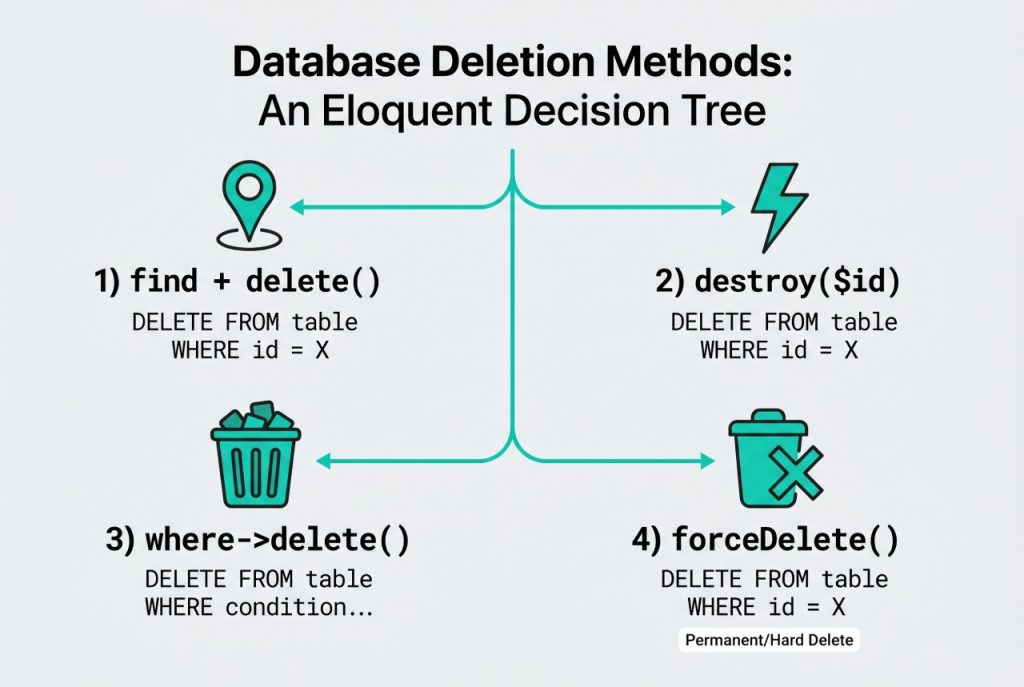
There are four common ways to laravel eloquent delete record rows from the database, and picking the right one matters for performance, model events, and soft-delete behaviour. This guide walks through each — find-then-delete, the shorthand destroy(), mass delete via the query builder, and force-deleting soft-deleted models — with working code you can drop into a controller.
Last verified: 2026-04-21 on Laravel 11 with PHP 8.3. Originally published 2022-08-30, rewritten and updated 2026-04-21.
TL;DR
Use User::destroy($id) for the simplest “delete by primary key” case. Use $user->delete() when you already have the model loaded. Use User::where(...)->delete() for fast bulk deletes without firing events. Use $user->forceDelete() to permanently remove soft-deleted rows.
Method 1 — find and delete
The most explicit form: fetch the model, then call delete() on it. Model events (deleting, deleted) fire normally, and any soft-delete trait on the model is respected.
User::where('id', '=', $user_id)->first()->delete();One catch: if no row matches, first() returns null and the ->delete() call throws a null-reference error. For a safer idiom, use findOrFail() — it throws a ModelNotFoundException that Laravel turns into a 404 by default:
User::findOrFail($user_id)->delete();Using the result as a truthy check
Instance delete() returns a boolean, so you can branch on success directly. Here’s a typical JSON-API response pattern:
if (User::where('id', '=', $user_id)->first()->delete()) {
    return response()->json(['status' => 1, 'msg' => 'success']);
} else {
    return response()->json(['status' => 0, 'msg' => 'fail']);
}
Method 2 — destroy() by key
destroy() is a static shortcut that takes one or more primary keys, loads the matching models, and deletes them. Model events fire for each.
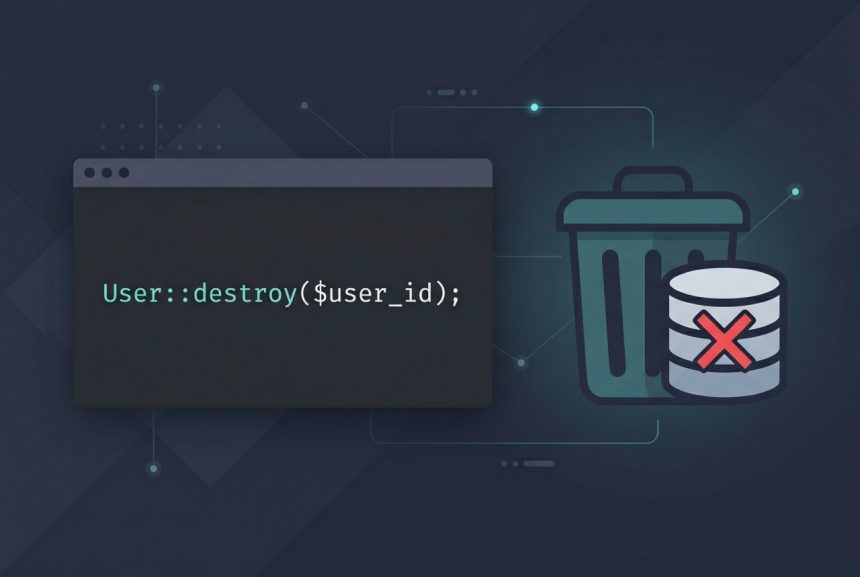
User::destroy($user_id);
// or a batch:
User::destroy([1, 2, 3]);
User::destroy(1, 2, 3);
It returns the number of rows deleted. Under the hood it’s equivalent to fetching each model with find() and calling delete() on it — the cost is one SELECT per chunk plus one DELETE per row.
Method 3 — mass delete via the query builder
When you’re deleting many rows and don’t need model events, skip the instantiation step entirely:
$deleted = User::where('last_login_at', '<', now()->subYear())->delete();
// $deleted is an int — the number of rows affected
This emits a single DELETE FROM users WHERE last_login_at < ? statement. No model instances are hydrated, no deleting/deleted events fire, and no single-model observers run. Use this form for cleanup jobs and batch purges; avoid it when downstream code relies on model events (for example, cache invalidation hooked into deleted).
Method 4 — soft deletes and forceDelete
If your model uses the Illuminate\Database\Eloquent\SoftDeletes trait, delete() does not actually remove the row — it sets the deleted_at timestamp and excludes the row from future queries by default. To purge it permanently:
// soft delete (sets deleted_at):
$user->delete();

// permanently remove:
$user->forceDelete();

// restore a soft-deleted row:
$user = User::withTrashed()->findOrFail($user_id);
$user->restore();
When a soft-deleted row needs to cascade to related rows, that’s a separate concern — see the cascade delete guide for the migration-level and event-listener approaches.
Frequently asked questions
destroy() and where()->delete()? Model::destroy($id) first fetches the model, fires deleting/deleted events, then deletes. Model::where(...)->delete() runs a single DELETE statement without instantiating anything, which is much faster for bulk deletes but does not fire model events or respect single-model observers. Pick based on whether you need the events.
delete() return true/false or the affected row count? It depends on the call. On an instance ($model->delete()) it returns a boolean. On a query builder (Model::where(...)->delete()) it returns an integer — the number of rows affected. Both can be used as truthy checks, which is what the snippet in the post does, but knowing the shape helps when you want to log how many rows went.
If the model uses the SoftDeletes trait, delete() only sets the deleted_at column. To remove the row from the table, call forceDelete() instead: $user->forceDelete(). To restore a soft-deleted row, use $user->restore() after retrieving it with withTrashed().
User::where(...)->first()->delete() throw a null error? Because first() returns null when no row matches, and you can’t call delete() on null. Use findOrFail($id) to throw a 404 on miss, or guard with optional($user)->delete(), or switch to User::where(...)->delete() which returns 0 safely when nothing matches.
Two options. At the database level, define ->constrained()->cascadeOnDelete() in your migrations so MySQL handles it. At the application level, hook the deleting model event and delete related rows inside it. I cover both in the cascade delete guide.
Related guides
- How to Install Laravel on Ubuntu — set up the framework before running delete operations.
- How to Automatically Delete Related Rows in Laravel — cascading deletes to child tables.
- How to Check If a Record Exists in Laravel — guard pattern before delete to avoid null errors.
References
Official Eloquent deletion docs: laravel.com/docs/eloquent. Query-builder delete behaviour: laravel.com/docs/queries.