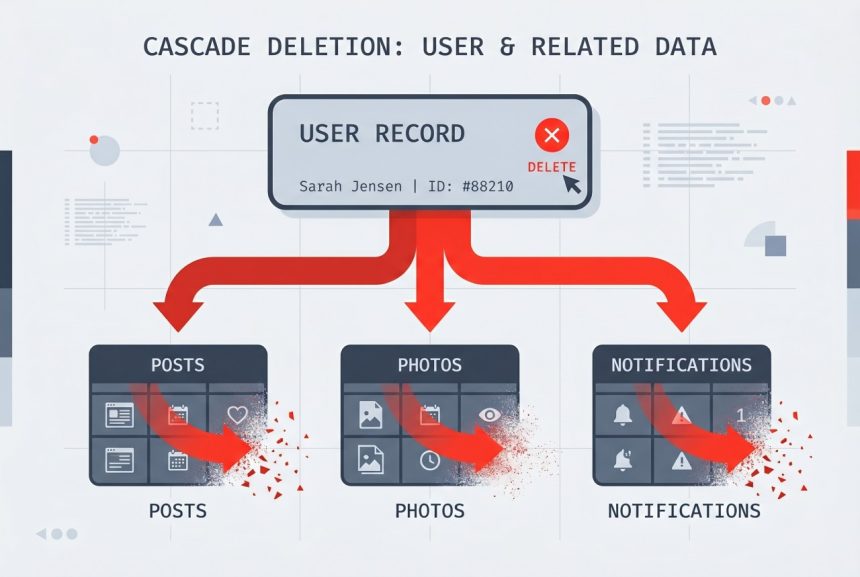
When you delete a user, what should happen to their posts, comments, and uploaded files? Leaving orphaned rows in the database is a classic bug source — a request for “all comments by user 42” suddenly returns nothing even though rows with user_id = 42 are still sitting there. Laravel gives you two clean ways to cascade these deletes automatically: a database-level foreign key, or a model-level event listener.
Originally published August 30, 2022, rewritten and updated April 17, 2026.
TL;DR
Two options. Database-level: add ->cascadeOnDelete() on the foreign-key in the migration — the database takes care of it. Application-level: hook the deleting event on the parent model and call $this->posts()->delete() etc. for each relationship. Prefer the database level unless you need to fire Eloquent events on the child rows.
The Problem: Orphaned Rows
Given a User model with hasMany relationships:
class User extends Authenticatable
{
    public function notifications() { return $this->hasMany(Notification::class); }
    public function photos()        { return $this->hasMany(Photo::class); }
    public function posts()         { return $this->hasMany(Post::class); }
}
Calling $user->delete() removes the user row but leaves everything else behind. A SELECT * FROM posts WHERE user_id = 42 still returns rows — they just point at a user that no longer exists. The fix depends on where you want the cascade logic to live.
Option 1: Database-Level Cascade (Recommended)
Push the cascade into the foreign key. In the migration for each child table, add cascadeOnDelete():
Schema::create('posts', function (Blueprint $table) {
    $table->id();
    $table->foreignId('user_id')->constrained()->cascadeOnDelete();
    // ...
});
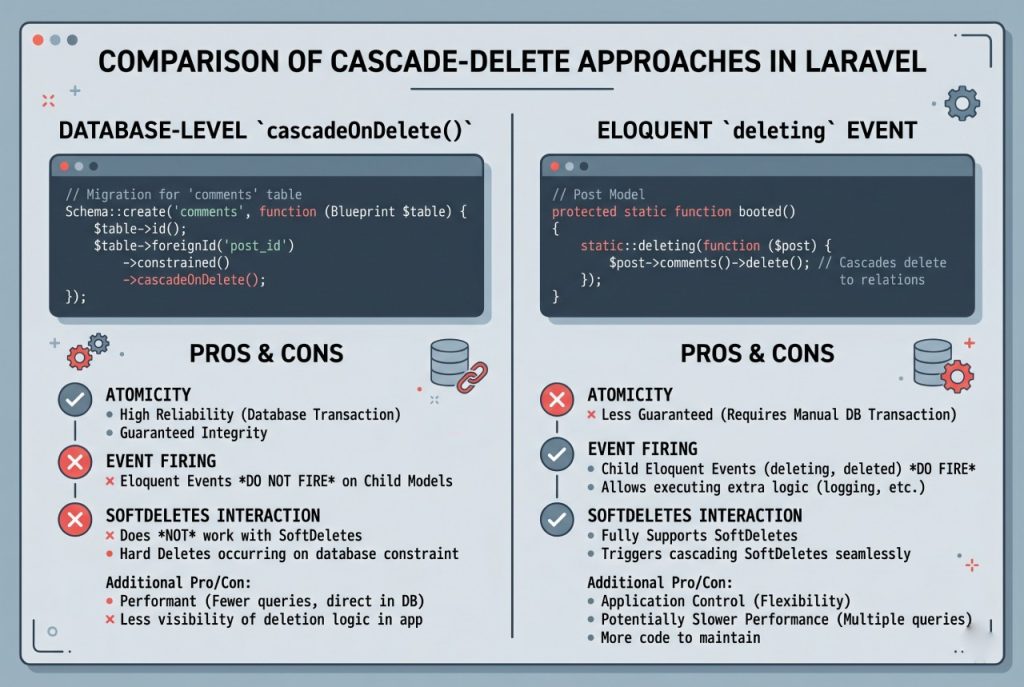
Now when a row is deleted from users, MySQL automatically deletes every row in posts, photos, and notifications that references it — in a single atomic operation. You don’t have to remember to update the model code later when you add a new related table.
Trade-off: Eloquent model events (deleting, deleted) do not fire for the cascaded children, because Laravel never sees them — the database deletes them directly. If any child has a deleted observer that dispatches a job (e.g. purging a file from S3), that observer won’t run. In that case, reach for the application-level approach.
Option 2: Application-Level Cascade (Via Model Events)
Use the deleting model event to remove related rows before the parent is deleted. The cleanest place is the model’s booted() method:
class User extends Authenticatable
{
    protected static function booted(): void
    {
        static::deleting(function (User $user) {
            $user->notifications()->delete();
            $user->photos()->delete();
            $user->posts()->delete();
        });
    }

    public function notifications() { return $this->hasMany(Notification::class); }
    public function photos()        { return $this->hasMany(Photo::class); }
    public function posts()         { return $this->hasMany(Post::class); }
}
Each ->delete() on a relationship fires Eloquent’s deleting/deleted events for every child, which is exactly what you want when those events have side effects.
Wrap the whole thing in a transaction so a failure halfway through doesn’t leave the database inconsistent:
DB::transaction(function () use ($user) {
    $user->delete();
});
Interaction With Soft Deletes
If the parent model uses the SoftDeletes trait, ->delete() only sets deleted_at — the row stays in the database, so database-level cascades don’t fire. Children won’t be cleaned up unless you:
- Hook the
deletingevent and soft-delete the children too (if they also use SoftDeletes), or - Use
forceDelete()when you want the children gone for good.
Troubleshooting
Cascade Didn’t Run
For database-level cascades, verify the foreign key actually has ON DELETE CASCADE — run SHOW CREATE TABLE posts; in MySQL to inspect it. An older migration that used foreign('user_id')->references('id')->on('users') without onDelete('cascade') has no cascade behavior.
Bulk Delete Skipped Events
User::where(...)->delete() bypasses model events — it runs a raw DELETE query. If you need events to fire, retrieve the users first and delete each one: User::where(...)->get()->each->delete();. This is slower for large batches but guarantees the deleting hook runs.
Frequently Asked Questions
Use database-level <code>cascadeOnDelete()</code> by default — it’s atomic, efficient, and self-documenting in the schema. Switch to Eloquent’s <code>deleting</code> event only when child models have observers that must run (e.g. deleting associated files from cloud storage).
No. When the database deletes rows via <code>ON DELETE CASCADE</code>, Laravel never loads or deletes those models, so their <code>deleting</code>/<code>deleted</code> events don’t fire. If you rely on those events, cascade at the application level instead.
<code>SoftDeletes</code> only sets <code>deleted_at</code> — the row stays, so the database doesn’t trigger a cascade. Hook the <code>deleting</code> event and soft-delete the children explicitly, or call <code>forceDelete()</code> to trigger the database cascade.
Because that’s a bulk delete — it runs raw SQL without instantiating any models, so no events fire. To trigger events for each row, retrieve the models first: <code>Model::where(…)->get()->each->delete();</code>.
Related Guides
- How to Add Foreign Keys in Laravel Migration
- Laravel updateOrCreate: Insert or Update Records in Eloquent
- How to Check if a Record Exists in Laravel
For the full event lifecycle, see the official Laravel Eloquent events documentation.