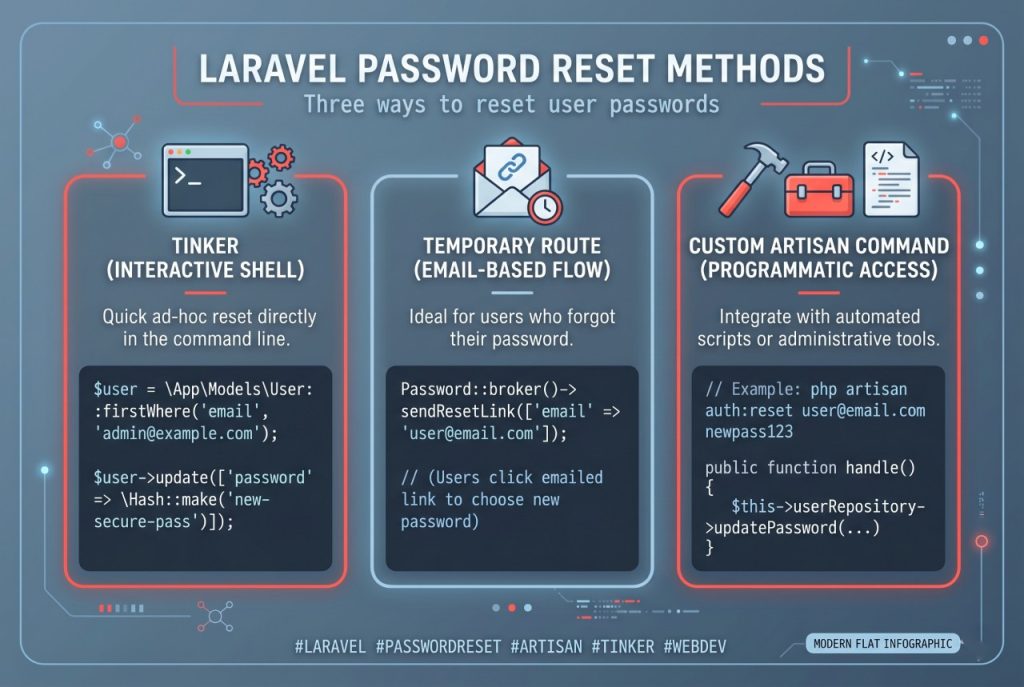
Every so often you need to reset a Laravel user’s password manually — they’ve lost access to the email the reset flow sends to, or you’re debugging a staging account, or you’re recovering from an incident. Editing the password column directly in the database with a plain string won’t work (Laravel stores bcrypt hashes). Here are three clean ways to set a new password, picked for different situations.
- TL;DR
- Option 1: Tinker (Best for One-Off Changes)
- Option 2: A Throwaway Route (When You Don’t Have Shell Access)
- Option 3: A Custom Artisan Command (Best for Recurring Use)
- Why Hash::make() and Not password_hash()?
- Troubleshooting
- Class “App\User” Not Found
- Password Change Succeeded But Login Still Fails
- Call to Undefined Method setPasswordAttribute
- Frequently Asked Questions
- Related Guides
Originally published January 23, 2023, rewritten and updated April 17, 2026.
TL;DR
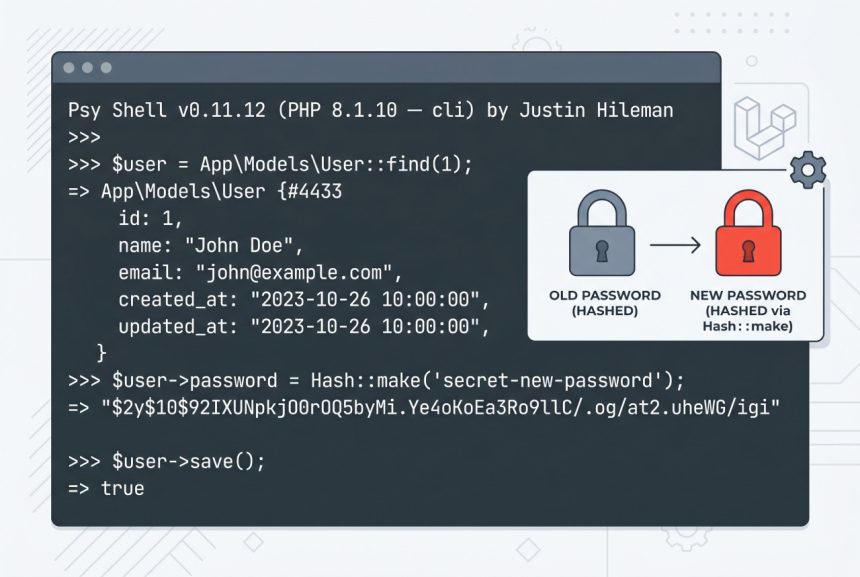
Open php artisan tinker, retrieve the user, assign Hash::make('new-password') to the password attribute, and call save():
$user = App\Models\User::where('email', '[email protected]')->first();
$user->password = Hash::make('new-password');
$user->save();
Option 1: Tinker (Best for One-Off Changes)
If you have SSH access to the server, Tinker is the fastest path. It’s an interactive REPL that boots the full Laravel application, so you have access to every model and facade.
cd /path/to/laravel-project
php artisan tinker
Inside the REPL:
$user = App\Models\User::where('email', '[email protected]')->first();
$user->password = Hash::make('SomeStrongPassword123!');
$user->save();
You can also look up the user by ID — often more reliable if the email is in doubt:
$user = App\Models\User::find(1);Note on the namespace: Laravel 8 and later ship the User model at App\Models\User. If you’re maintaining a Laravel 6/7 project, the model lives at App\User instead.
Option 2: A Throwaway Route (When You Don’t Have Shell Access)
If you only have access to the codebase (not the server shell), drop a temporary route in routes/web.php:
use App\Models\User;
use Illuminate\Support\Facades\Hash;

Route::get('/__reset-password-temporary', function () {
    $user = User::where('email', '[email protected]')->first();
    abort_if(!$user, 404);
    $user->password = Hash::make('SomeStrongPassword123!');
    $user->save();
    return 'Password updated.';
});
Hit the URL once, then remove the route and deploy again immediately. Leaving it in place — even with an obscure path — is a serious security hole, since the new password is hardcoded and visible to anyone who can read the source.
Option 3: A Custom Artisan Command (Best for Recurring Use)
If you reset passwords often (support workflows, for instance), make a proper Artisan command:
php artisan make:command ResetUserPasswordEdit app/Console/Commands/ResetUserPassword.php:
protected $signature = 'user:reset-password {email} {password}';

public function handle(): int
{
    $user = \App\Models\User::where('email', $this->argument('email'))->first();

    if (!$user) {
        $this->error('User not found.');
        return self::FAILURE;
    }

    $user->password = \Illuminate\Support\Facades\Hash::make($this->argument('password'));
    $user->save();

    $this->info("Password updated for {$user->email}");
    return self::SUCCESS;
}
Usage:
php artisan user:reset-password [email protected] SomeStrongPassword123!Why Hash::make() and Not password_hash()?
Laravel’s Hash facade wraps PHP’s native password_hash() but uses the driver configured in config/hashing.php — bcrypt by default, argon2id on newer projects. Using Hash::make() ensures the hash is formatted exactly the way auth()->attempt() expects. If you call password_hash() directly with a different algorithm or cost, login checks can silently start failing.
Troubleshooting
Class “App\User” Not Found
You’re on Laravel 8 or later and the model moved to App\Models\User. Update the namespace in your code.
Password Change Succeeded But Login Still Fails
Check that the user’s account isn’t locked by a throttle (users.failed_login_attempts or similar if you’ve added lockout), and that their email is verified if your app enforces email verification on login. Also look at whether the User model has a custom mutator on password — assigning the already-hashed value to a column that also hashes on set would double-hash it.
Call to Undefined Method setPasswordAttribute
Only relevant if a previous developer added a custom setPasswordAttribute mutator that calls Hash::make() automatically. In that case, assigning Hash::make($plain) hashes twice. Assign the plain value and let the mutator do its job.
Frequently Asked Questions
Open <code>php artisan tinker</code>, retrieve the user, assign <code>Hash::make(‘new-password’)</code> to <code>$user->password</code>, and call <code>$user->save()</code>. No login or email flow required.
Use <code>Hash::make()</code>. It respects the driver in <code>config/hashing.php</code> (bcrypt or argon2id), so hashes match what Laravel’s <code>Auth::attempt()</code> expects. Calling <code>password_hash()</code> directly risks algorithm mismatches that break login.
On Laravel 8 and later, it’s <code>App\Models\User</code>. On Laravel 6/7 it’s <code>App\User</code>. Check the top of <code>routes/web.php</code> or <code>config/auth.php</code> if you’re unsure which your project uses.
Only if you remove the route immediately after use. A route that sets any user’s password based on a hardcoded email is a credential reset vulnerability — leave it in place and anyone who finds the URL can take over the account.
Related Guides
- How to Check if a Record Exists in Laravel
- How to Use the Laravel Validator Exists Rule
- How to Install Laravel
For more on Laravel’s password hashing, see the official Laravel hashing documentation.