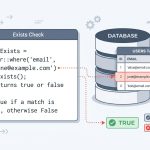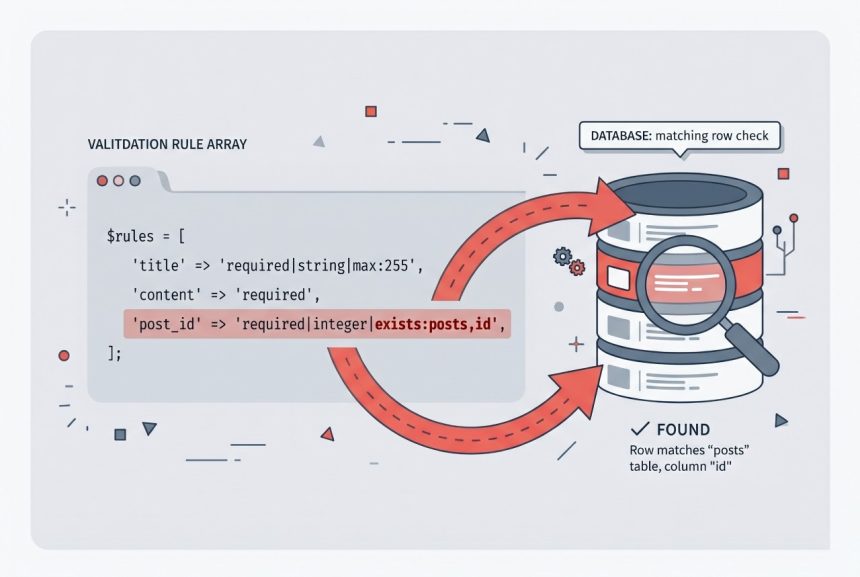
When you’re validating a form that references an existing row — editing a post, attaching a tag, updating a user — you can skip writing a manual existence check in the controller. Laravel’s validator has a built-in exists rule that runs the database check for you and fails validation automatically if the reference is invalid.
- TL;DR
- The Manual Check You’re Replacing
- Using the exists Rule
- Adding Constraints to the Rule
- The Opposite: unique Rule
- Troubleshooting
- “Table Does Not Exist” From the Validator
- Validation Passes But the Record Is Soft-Deleted
- SQL Injection From User Input in Rule::exists()
- Frequently Asked Questions
- Related Guides
Originally published August 30, 2022, rewritten and updated April 17, 2026.
TL;DR
Add exists:table,column (or exists:App\Models\ModelName,column) to any validation rule array:
'post_id' => 'required|exists:posts,id'If no row with id = $request->post_id exists in posts, validation fails before your controller body runs.
The Manual Check You’re Replacing
Without the rule, you end up splitting validation across two places — the validator handles required/format rules, and the controller reaches into the database to confirm the ID is real:
$post = Post::where('id', $request['post_id']);
if ($post->exists()) {
    // Update the post
}
Moving the existence check into the validator centralizes the logic, returns a proper 422 validation response on failure, and keeps the controller focused on the happy path.
Using the exists Rule
Table Form
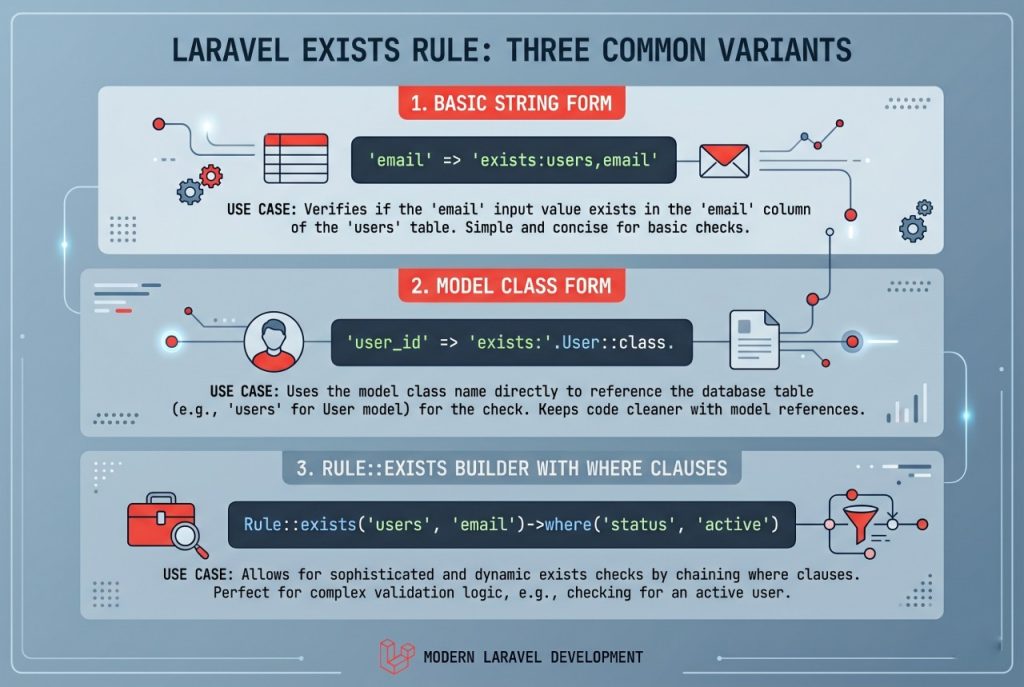
The simplest form takes a table name and a column:
$this->validate($request, [
    'post_id'      => 'required|exists:posts,id',
    'post_title'   => 'required|string|max:255',
    'post_content' => 'required',
]);
This asks the database: “Does a row exist in posts where id equals the submitted post_id?” If not, the validator adds an error for that field.
Model Form
You can also pass a model class instead of a table name. Laravel resolves the table from the model, which means model-level customizations like a non-default table name or a global scope can apply:
'post_id' => 'required|exists:App\Models\Post,id'Adding Constraints to the Rule
If you need the row to match more than just the primary key — say, you want to allow only published posts owned by the current user — use the Rule::exists() fluent builder:
use Illuminate\Validation\Rule;

$this->validate($request, [
    'post_id' => [
        'required',
        Rule::exists('posts', 'id')
            ->where('user_id', auth()->id())
            ->where('status', 'published'),
    ],
]);
Each ->where(...) adds a constraint to the underlying query. This is the cleanest way to validate “the row exists AND belongs to the current user” in one pass, without leaking authorization into the controller.
The Opposite: unique Rule
The inverse of exists is unique. Use it to make sure a value is not already taken — typically on registration forms:
'email' => 'required|email|unique:users,email'When updating an existing user, you usually want to exempt their own row from the uniqueness check, which you can do with Rule::unique()->ignore():
'email' => [
    'required',
    'email',
    Rule::unique('users', 'email')->ignore($user->id),
],
Troubleshooting
“Table Does Not Exist” From the Validator
If the exists rule reports a missing table, double-check the table name (not the model name) in the string form. When passing a model, use the fully-qualified class name (e.g. App\Models\Post, not just Post).
Validation Passes But the Record Is Soft-Deleted
The exists rule runs a raw query against the table, so it matches soft-deleted rows too. If you want to exclude soft-deleted records, add an explicit constraint:
Rule::exists('posts', 'id')->whereNull('deleted_at')SQL Injection From User Input in Rule::exists()
Values passed to ->where() are bound as parameters, so user input in those clauses is safe. However, never interpolate user input directly into the table name or column name — those are not bound. Always use fixed strings for the table and column arguments.
Frequently Asked Questions
<code>exists:table,column</code> — for example, <code>’post_id’ => ‘required|exists:posts,id'</code>. You can also pass a fully-qualified model class: <code>exists:App\Models\Post,id</code>.
Use the fluent <code>Rule::exists()</code> builder and chain <code>->where()</code> calls. For example, <code>Rule::exists(‘posts’, ‘id’)->where(‘user_id’, auth()->id())</code> validates both that the post exists and that it belongs to the current user.
Yes. The rule runs a raw query against the table and does not know about soft-delete scopes. To exclude soft-deleted rows, add <code>->whereNull(‘deleted_at’)</code> to the Rule builder.
<code>unique</code>. Use it when a value must not already be in the database — for example, a unique email on registration. When updating, use <code>Rule::unique(‘users’, ’email’)->ignore($user->id)</code> to allow the user’s own current value.
Related Guides
- How to Check if a Record Exists in Laravel
- Laravel updateOrCreate: Insert or Update Records in Eloquent
- How to Install Laravel
For the complete list of built-in rules, see the official Laravel validation documentation.