How7o
  • Home
  • Tools
  • Prank Screens
  • Learn
  • Blog
  • Contact
Reading: How to Break Out of a jQuery .each() Loop
Share
How7oHow7o
Font ResizerAa
  • OS
Search
  • Home
  • Tools
  • Prank Screens
  • Learn
  • Blog
  • Contact
Follow US
© 2024–2026 How7o. All rights reserved.
How7o > Free Laravel, PHP, WordPress & Server Tutorials > Web Development > How to Break Out of a jQuery .each() Loop
Web Development

How to Break Out of a jQuery .each() Loop

how7o
By how7o
Last updated: May 22, 2026
5 Min Read
Break out of a jQuery .each() loop with return false
SHARE

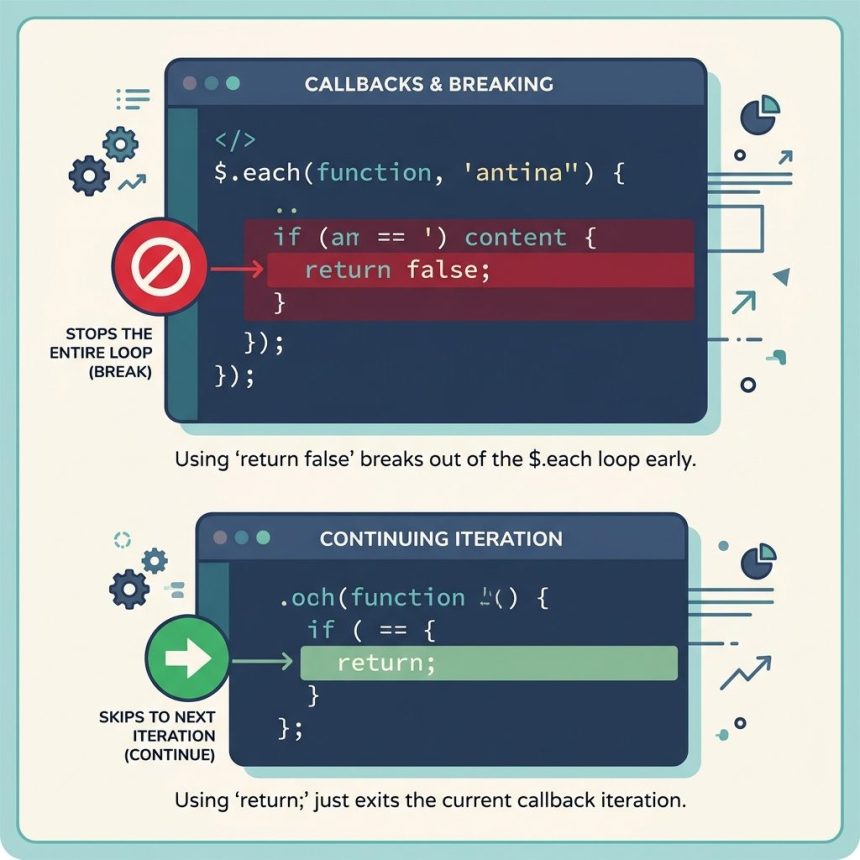
To break out of a jQuery .each() loop, return false from the callback. The plain break statement doesn’t work inside $.each because the loop body is a callback function — break has no enclosing loop to escape from. Return false instead, and jQuery stops iterating immediately.

Contents
  • TL;DR
  • Why break doesn’t work
  • Working example
  • Skip to next (continue)
  • Native Array.forEach: can’t be stopped
  • Frequently asked questions
  • Related guides
  • References

Last verified: 2026-05-17 with jQuery 3.7+. Originally published 2023-01-19, rewritten and updated 2026-05-17.

TL;DR

// BREAK — return false stops the loop
$('selector').each(function () {
  if (condition) {
    return false;
  }
});

// CONTINUE — plain return skips to next iteration
$('selector').each(function () {
  if (skipThisOne) {
    return;
  }
  // ...
});

Why break doesn’t work

JavaScript’s break exits the directly-surrounding for, while, or switch block. Inside $.each, the loop body is a function — there’s no loop right above the break:

// BAD — throws "Illegal break statement"
$('li').each(function () {
  if ($(this).hasClass('stop')) {
    break;  // ← no enclosing loop here
  }
});

The fix is jQuery’s documented contract: return false from the callback. $.each checks the return value after each iteration and stops the loop if you returned a literal false.
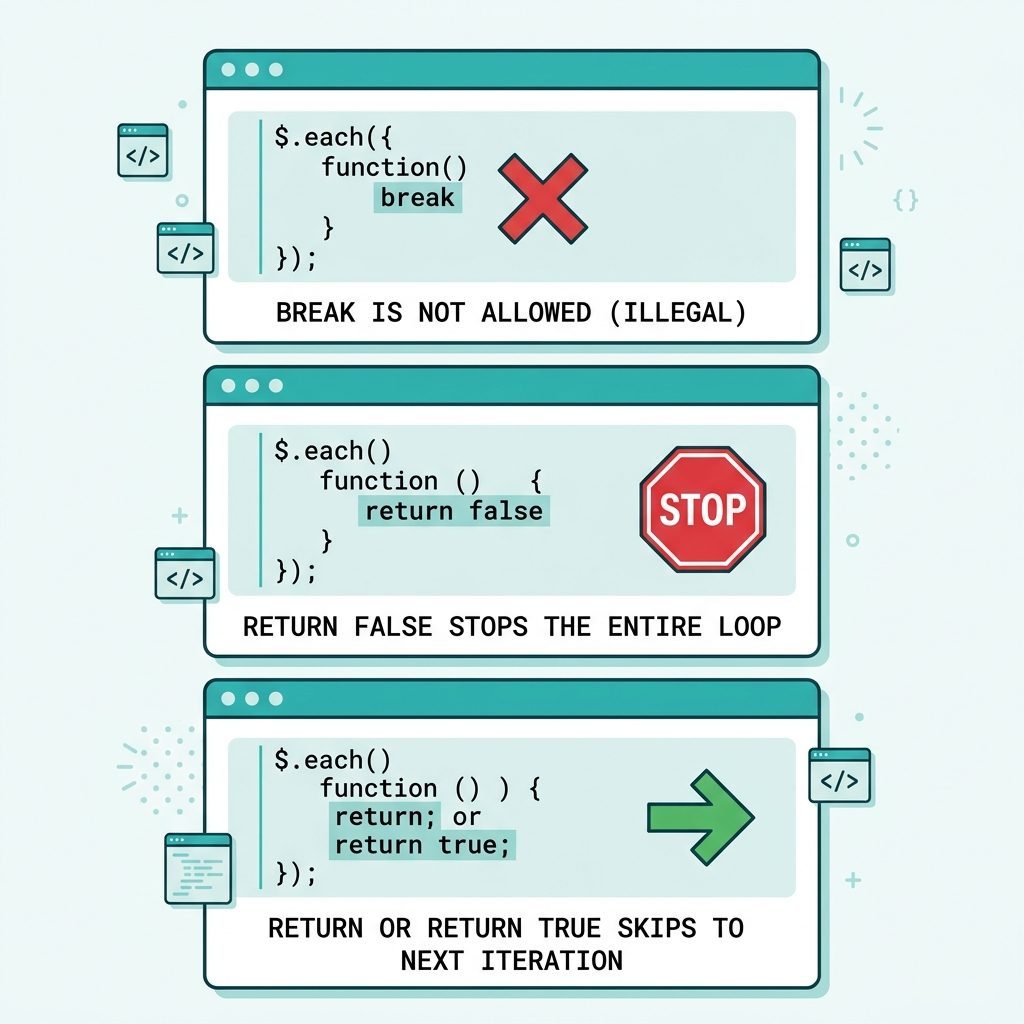
Break out of jQuery .each() — return false stops, plain return skips to next

Working example

// Find the first 
  • with data-stop="true" and stop iterating $('li').each(function (i, el) { if ($(el).data('stop')) { console.log('Stopping at index ' + i); return false; } console.log('Visiting ' + i); });
  • Skip to next (continue)

    $('li').each(function () {
      if ($(this).hasClass('hidden')) {
        return;   // skip this one, keep iterating
      }
      // ... process visible items only
    });

    A plain return (or return true) advances to the next iteration. Only return false stops the whole loop.

    Native Array.forEach: can’t be stopped

    Array.prototype.forEach doesn’t have a break mechanism — return values are ignored. If you need short-circuit behavior on a plain array (no jQuery), use one of these instead:

    // stops when callback returns true
    [1, 2, 3, 4].some(n => { if (n === 2) return true; });
    
    // stops when callback returns false
    [1, 2, 3, 4].every(n => n < 3);
    
    // for...of with break
    for (const n of [1, 2, 3, 4]) {
      if (n === 2) break;
    }

    Frequently asked questions

    Why does break fail in $.each()?

    break is a statement that exits the surrounding for, while, or switch. Inside $.each(), the body of the loop runs as a callback function — and break only operates on the directly-enclosing control-flow block, not the function that called you. The browser throws Illegal break statement (or silently misbehaves in older engines) because there’s no loop directly above break.

    What does return false actually do?

    jQuery’s $.each checks the return value of your callback after each iteration. If you return false explicitly, the loop stops immediately and no further iterations run. Any other return value (including undefined from a plain return) means ‘keep going.’ This is jQuery’s documented contract — see api.jquery.com/jquery.each.

    What’s the equivalent of continue?

    A plain return (no value, or any non-false value). It exits the current iteration and lets $.each move to the next item — exactly like continue in a regular loop. return true works too; return false is the one specific value that stops the whole loop.

    Does the same trick work in Array.prototype.forEach?

    No. Native forEach can’t be stopped — returning false just continues to the next item. To break out of a native loop, use a regular for / for...of, or some() / every() / find() which short-circuit when the callback returns true/false.

    Can I use return false from inside a nested function?

    No — the return exits whichever function it sits directly inside. If the loop callback calls another helper function and you return false from the helper, the loop continues. Hoist the condition back up into the $.each callback itself, or use a flag variable that the outer callback inspects.

    Related guides

    • How to Add the Required Attribute to Input Fields with jQuery
    • How to Auto-focus a Select2 Dropdown on Page Load

    References

    jQuery $.each reference: api.jquery.com/jquery.each.

    TAGGED:JavaScriptjQuery

    Sign Up For Daily Newsletter

    Be keep up! Get the latest breaking news delivered straight to your inbox.
    [mc4wp_form]
    By signing up, you agree to our Terms of Use and acknowledge the data practices in our Privacy Policy. You may unsubscribe at any time.
    Share This Article
    Facebook Copy Link Print
    Previous Article XAMPP autostart Apache and MySQL on Windows — XAMPP Control Panel and services How to Auto-start Apache and MySQL with XAMPP on Windows
    Next Article cd to a different drive in Windows — D: vs cd /d D:path How to cd to a Different Drive in Windows
    Leave a Comment

    Leave a Reply Cancel reply

    You must be logged in to post a comment.

    FacebookLike
    XFollow
    PinterestPin
    InstagramFollow
    Most Popular
    Run Laravel queue workers with Supervisor
    How to Run Laravel Queue Workers in Production with Supervisor
    May 23, 2026
    Nginx as a reverse proxy for a Node.js app on Ubuntu
    How to Set Up Nginx as a Reverse Proxy for Node.js on Ubuntu
    May 23, 2026
    Install and configure Redis on Ubuntu for Laravel and WordPress
    How to Install and Configure Redis on Ubuntu (for Laravel & WordPress)
    May 23, 2026
    Harden a fresh Ubuntu VPS with UFW, Fail2Ban, and SSH key auth
    How to Harden a Fresh Ubuntu VPS: UFW + Fail2Ban + SSH Key Auth
    May 23, 2026
    Set up Let's Encrypt SSL with Certbot on Ubuntu
    How to Set Up Let’s Encrypt SSL with Certbot on Ubuntu (Apache & Nginx)
    May 23, 2026

    You Might Also Like

    How I Fixed Composer Dependency Errors
    Web Development

    How I Fixed Composer Dependency Errors Using the –ignore-platform-reqs Flag (Step-by-Step Guide)

    7 Min Read
    Get the first character of a PHP string with mb_substr for UTF-8
    Web Development

    How to Get the First Character of a String in PHP

    5 Min Read
    WooCommerce orders as My Account default — menu filter + redirect
    Web Development

    How to Display Orders Instead of Dashboard on the WooCommerce My Account Page

    7 Min Read
    Laravel get config variable — config() helper and Config facade resolving dotted keys
    Web Development

    How to Get Config Variables in Laravel

    7 Min Read
    How7o

    We provide tips, tricks, and advice for improving websites and doing better search.

    Tools

    • Age Calculator
    • Word Counter
    • Image Upscaler
    • Password Generator
    • QR Code Generator
    • See all tools→

    Pranks

    • Fake Blue Screen Prank
    • Hacker Typer
    • Fake iMessage Generator
    • Windows XP Crash Prank
    • Windows 11 Update Prank
    • See all prank screens →

    Company

    • About Us
    • Blog
    • Contact
    • Privacy Policy
    • Terms of Service
    • Sitemap
    © 2024–2026 How7o. All rights reserved.
    Welcome Back!

    Sign in to your account

    Username or Email Address
    Password

    Lost your password?