How7o
  • Home
  • Tools
  • Prank Screens
  • Learn
  • Blog
  • Contact
Reading: How to Auto-focus a Select2 Dropdown on Page Load
Share
How7oHow7o
Font ResizerAa
  • OS
Search
  • Home
  • Tools
  • Prank Screens
  • Learn
  • Blog
  • Contact
Follow US
© 2024–2026 How7o. All rights reserved.
How7o > Free Laravel, PHP, WordPress & Server Tutorials > Web Development > How to Auto-focus a Select2 Dropdown on Page Load
Web Development

How to Auto-focus a Select2 Dropdown on Page Load

how7o
By how7o
Last updated: May 22, 2026
4 Min Read
Select2 auto-focus on page load — .select2('open')
SHARE

To auto-focus a Select2 dropdown on page load, call $('#mySelect2').select2('open') after the element has been initialized as a Select2 and after the DOM is ready. This both opens the dropdown and focuses the internal search input — Select2’s plain focus() doesn’t do this because Select2 hides the original <select> behind custom DOM.

Contents
  • TL;DR
  • Why .focus() doesn’t work
  • Order matters: init first, then open
  • Close programmatically too
  • Frequently asked questions
  • Related guides
  • References

Last verified: 2026-05-17 with Select2 4.1.0+ and jQuery 3.7+. Originally published 2023-03-13, rewritten and updated 2026-05-17.

TL;DR

<select id="mySelect2">
  <option value="1">Option 1</option>
  <option value="2">Option 2</option>
  <option value="3">Option 3</option>
</select>

<script>
$(function () {
  $('#mySelect2').select2();        // initialize
  $('#mySelect2').select2('open');  // open + focus the search box
});
</script>

Why .focus() doesn’t work

Select2 hides the original <select> element and replaces it with its own DOM — a styled container plus an internal search input that only appears when the dropdown is open. Calling $('#mySelect2').focus() focuses the hidden native element, not anything the user can see.

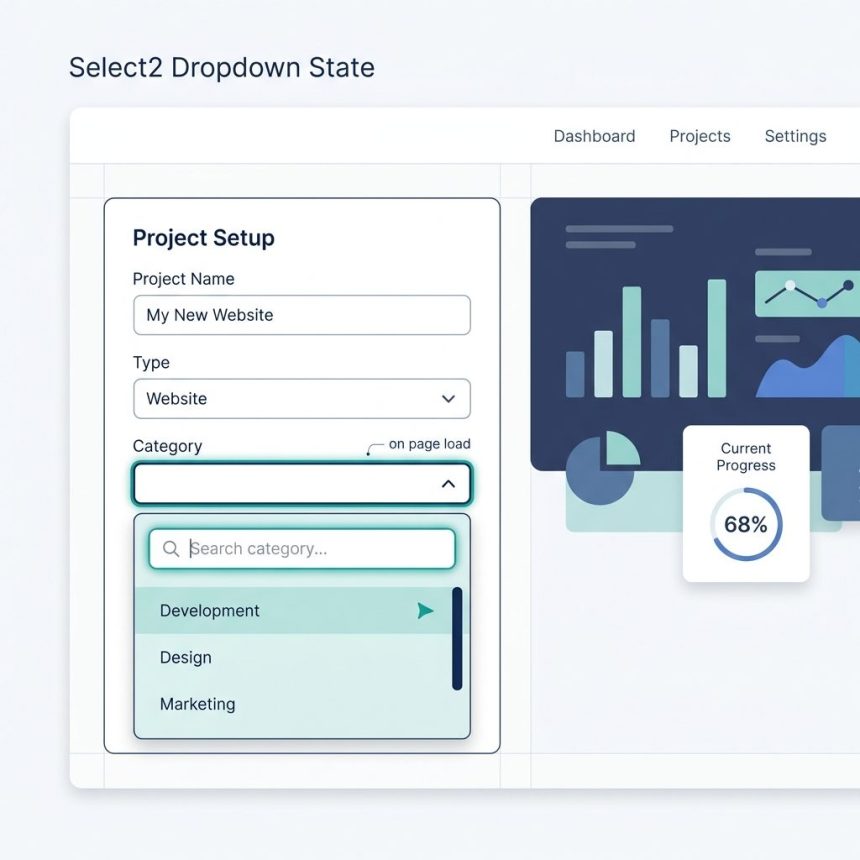
The Select2 API has a method for this exact use case: .select2('open'). It opens the dropdown and, in the same call, focuses the internal search input — equivalent to the user clicking the Select2 control with the mouse.
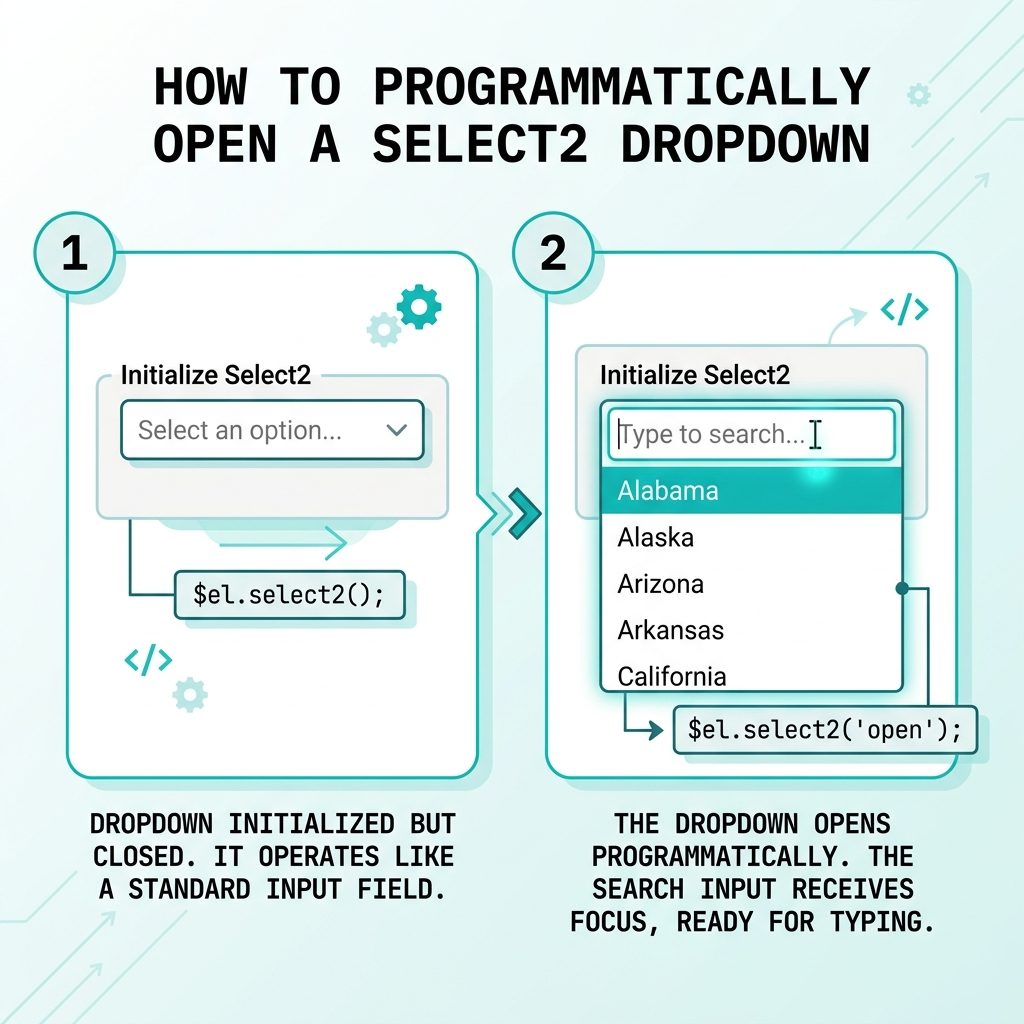
Select2 auto-focus on page load — select2('open') opens dropdown and focuses search

Order matters: init first, then open

$(function () {
  // 1. Initialize as a Select2 (does nothing yet)
  $('#mySelect2').select2({
    placeholder: 'Choose one',
    width: 'resolve',
  });

  // 2. Then ask Select2 to open it
  $('#mySelect2').select2('open');
});

Calling .select2('open') before .select2() throws “select2 is not a function” — the plugin only attaches its API methods after initialization.

Close programmatically too

// Open
$('#mySelect2').select2('open');

// Close
$('#mySelect2').select2('close');

// Pre-select an option and close
$('#mySelect2').val('2').trigger('change').select2('close');

Frequently asked questions

Why doesn’t $('#mySelect2').focus() open the dropdown?

Because Select2 replaces the native <select> with a hidden input wrapped in custom DOM. Calling focus() on the original element focuses something the user can’t see. Select2 exposes a programmatic API for this exact case — .select2('open') — that opens the dropdown and focuses the internal search input.

Where in my code should I call .select2('open')?

After the element is initialized as a Select2 and after the DOM is ready. The safest spot is inside a $(document).ready(...) handler, immediately after the .select2() initialization call: $('#mySelect2').select2(); $('#mySelect2').select2('open');.

Does this work with multiple Select2s on the page?

Yes, but only one can be open at a time — opening a second auto-closes the first. If you really need them all ‘pre-open’ you can’t (Select2 by design), but you can open the first and let the user tab to the others.

Why open it on page load at all?

Two common reasons: (1) you have a single-purpose page (an order entry form, a search interface) where the very first action is to pick from the dropdown — opening it saves a click; (2) for accessibility, focus + open signals ‘start here’ to screen readers without a separate label.

Can I close it programmatically too?

$('#mySelect2').select2('close'). Mirrors the open method. Useful for closing after a programmatic selection: $('#mySelect2').val('2').trigger('change').select2('close');.

Related guides

  • How to Add the Required Attribute to Input Fields with jQuery
  • How to Check if a JavaScript String Is a Valid URL

References

Select2 programmatic control reference: select2.org/programmatic-control/methods.

TAGGED:JavaScriptjQueryselect2

Sign Up For Daily Newsletter

Be keep up! Get the latest breaking news delivered straight to your inbox.
[mc4wp_form]
By signing up, you agree to our Terms of Use and acknowledge the data practices in our Privacy Policy. You may unsubscribe at any time.
Share This Article
Facebook Copy Link Print
Previous Article PHP Bangladeshi number format — 1,00,23,456.79 grouping Format Numbers in Bangladeshi / Indian Style with PHP
Next Article XAMPP autostart Apache and MySQL on Windows — XAMPP Control Panel and services How to Auto-start Apache and MySQL with XAMPP on Windows
Leave a Comment

Leave a Reply Cancel reply

You must be logged in to post a comment.

FacebookLike
XFollow
PinterestPin
InstagramFollow
Most Popular
Run Laravel queue workers with Supervisor
How to Run Laravel Queue Workers in Production with Supervisor
May 23, 2026
Nginx as a reverse proxy for a Node.js app on Ubuntu
How to Set Up Nginx as a Reverse Proxy for Node.js on Ubuntu
May 23, 2026
Install and configure Redis on Ubuntu for Laravel and WordPress
How to Install and Configure Redis on Ubuntu (for Laravel & WordPress)
May 23, 2026
Harden a fresh Ubuntu VPS with UFW, Fail2Ban, and SSH key auth
How to Harden a Fresh Ubuntu VPS: UFW + Fail2Ban + SSH Key Auth
May 23, 2026
Set up Let's Encrypt SSL with Certbot on Ubuntu
How to Set Up Let’s Encrypt SSL with Certbot on Ubuntu (Apache & Nginx)
May 23, 2026

You Might Also Like

Laravel database transactions explained
Web Development

Laravel Database Transactions Explained (DB::transaction vs beginTransaction)

6 Min Read
Laravel nullable exists validation — nullable, sometimes, and present rule combinations
Web Development

Laravel Nullable Exists Validation (nullable, sometimes, present)

9 Min Read
Fix MySQL CONCAT returning NULL with COALESCE or CONCAT_WS
Web Development

How to Handle MySQL CONCAT Returning NULL

4 Min Read
Make the first option selected in a jQuery select
Web Development

How to Make the First Option Selected in a with jQuery

4 Min Read
How7o

We provide tips, tricks, and advice for improving websites and doing better search.

Tools

  • Age Calculator
  • Word Counter
  • Image Upscaler
  • Password Generator
  • QR Code Generator
  • See all tools→

Pranks

  • Fake Blue Screen Prank
  • Hacker Typer
  • Fake iMessage Generator
  • Windows XP Crash Prank
  • Windows 11 Update Prank
  • See all prank screens →

Company

  • About Us
  • Blog
  • Contact
  • Privacy Policy
  • Terms of Service
  • Sitemap
© 2024–2026 How7o. All rights reserved.
Welcome Back!

Sign in to your account

Username or Email Address
Password

Lost your password?