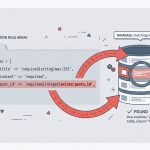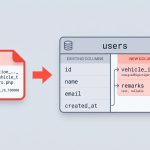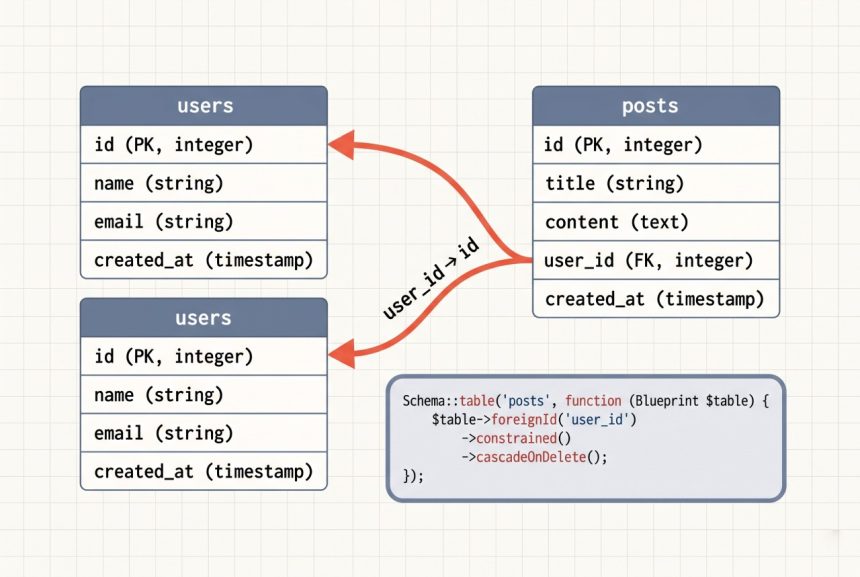
Foreign keys keep your relational data honest — without them, nothing stops the database from ending up with a post that references a non-existent user_id. Laravel’s schema builder has first-class support for defining foreign keys inside a migration, and since Laravel 7 there’s a shorthand that makes the common case a one-liner.
Originally published September 11, 2022, rewritten and updated April 17, 2026.
TL;DR
In modern Laravel, the concise way is $table->foreignId('user_id')->constrained()->cascadeOnDelete();. It creates the column, the index, and the foreign-key constraint pointing at users.id in one line. The explicit long form is still useful when you need custom names or reference columns other than id.
The Explicit, Long-Form Way
If you’ve been following older tutorials, you’ve probably seen this pattern. Given a posts table that needs a foreign key to users:
Schema::create('posts', function (Blueprint $table) {
    $table->increments('id');
    $table->bigInteger('user_id')->unsigned();
    $table->string('title', 255);
    $table->longText('content');
    $table->timestamps();

    $table->index('user_id');
    $table->foreign('user_id')->references('id')->on('users')->onDelete('cascade');
});
Three pieces of metadata are being added here:
- The column type —
bigInteger('user_id')->unsigned(). The foreign column must match the referenced column’s type exactly, and the referencedidcolumn on most Laravel tables is an unsigned big integer. - The index —
index('user_id'). MySQL automatically creates one for foreign keys, but declaring it explicitly documents the intent and avoids surprises on engines that behave differently. - The constraint —
foreign('user_id')->references('id')->on('users').onDelete('cascade')tells the database to delete a user’s posts when the user is deleted.
The Modern Shorthand
Since Laravel 7, foreignId() plus constrained() replaces all three lines when you’re following Laravel’s naming conventions:
Schema::create('posts', function (Blueprint $table) {
    $table->id();
    $table->foreignId('user_id')->constrained()->cascadeOnDelete();
    $table->string('title', 255);
    $table->longText('content');
    $table->timestamps();
});
foreignId('user_id') creates an unsigned big-integer column. constrained() adds the foreign key — by convention, it looks at the column name (user_id), strips the _id suffix, pluralizes it (users), and points the FK at that table’s id. cascadeOnDelete() is the fluent equivalent of onDelete('cascade').
If the referenced table doesn’t follow convention, pass it explicitly:
$table->foreignId('author_id')->constrained('users')->cascadeOnDelete();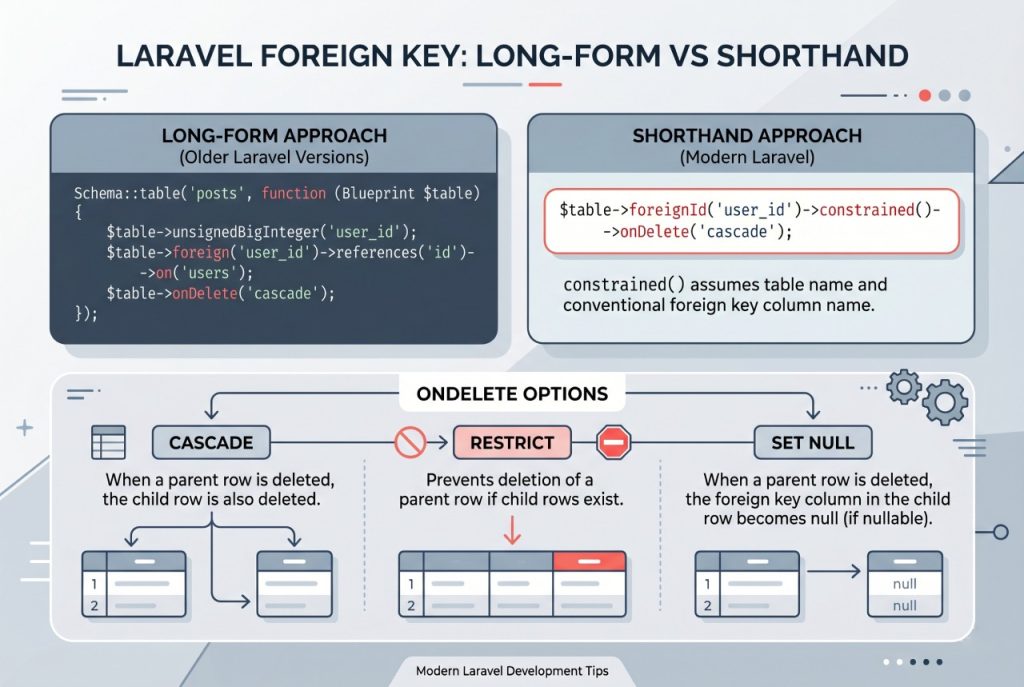
Reversing the Migration
In the down() method, drop the constraint before dropping the column — or the rollback will fail on the leftover foreign key reference:
public function down(): void
{
    Schema::table('posts', function (Blueprint $table) {
        $table->dropForeign(['user_id']);
        $table->dropIndex(['user_id']);
        $table->dropColumn('user_id');
    });
}
Laravel builds the foreign-key name as {table}_{column}_foreign — so the FK on posts.user_id is named posts_user_id_foreign. Passing an array to dropForeign([...]) lets Laravel resolve the name for you, which is safer than hardcoding it.
onDelete Options
- cascade — delete the child rows too. Good for hard ownership (posts, comments).
- restrict — block the parent delete if children exist. Safe default when you want the app to make the decision.
- set null — keep the child row but null out the FK. The column must be nullable (
->nullable()). - no action — MySQL treats this the same as restrict.
Fluent equivalents: cascadeOnDelete(), restrictOnDelete(), nullOnDelete(), noActionOnDelete().
Troubleshooting
Cannot Add Foreign Key Constraint
MySQL throws this when the column types don’t match — for example, when posts.user_id is int but users.id is bigint unsigned. Match the types exactly (both bigInteger, both unsigned, or use foreignId() which handles it).
Referenced Table Doesn’t Exist Yet
Laravel runs migrations in filename order (the timestamp prefix). If posts references users, the users migration must have an earlier timestamp. If you need to add the FK later, create a separate migration that runs Schema::table() after both tables exist.
Frequently Asked Questions
Use <code>$table->foreignId(‘user_id’)->constrained()->cascadeOnDelete();</code>. This creates the column, the index, and the foreign-key constraint in one line, assuming the referenced table is the plural of the column prefix (<code>user_id</code> → <code>users.id</code>).
Pass the table name to <code>constrained()</code>: <code>$table->foreignId(‘author_id’)->constrained(‘users’)->cascadeOnDelete();</code>. This points the FK at <code>users.id</code> even though the column is <code>author_id</code>.
Use <code>$table->dropForeign([‘user_id’]);</code>. Passing the column name as an array lets Laravel resolve the FK name (<code>posts_user_id_foreign</code>) automatically, which is safer than hardcoding it. Always drop the foreign key before dropping the column.
Use <code>cascade</code> when the child row has no meaning without the parent (e.g. a user’s posts). Use <code>restrict</code> when the parent shouldn’t be deletable while children exist — this forces the application to make an explicit decision about what to do with the children.
Related Guides
- Laravel updateOrCreate: Insert or Update Records in Eloquent
- How to Check if a Record Exists in Laravel
- How to Install Laravel
For the full schema-builder API, see the official Laravel migrations documentation.