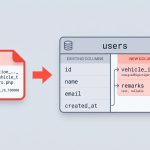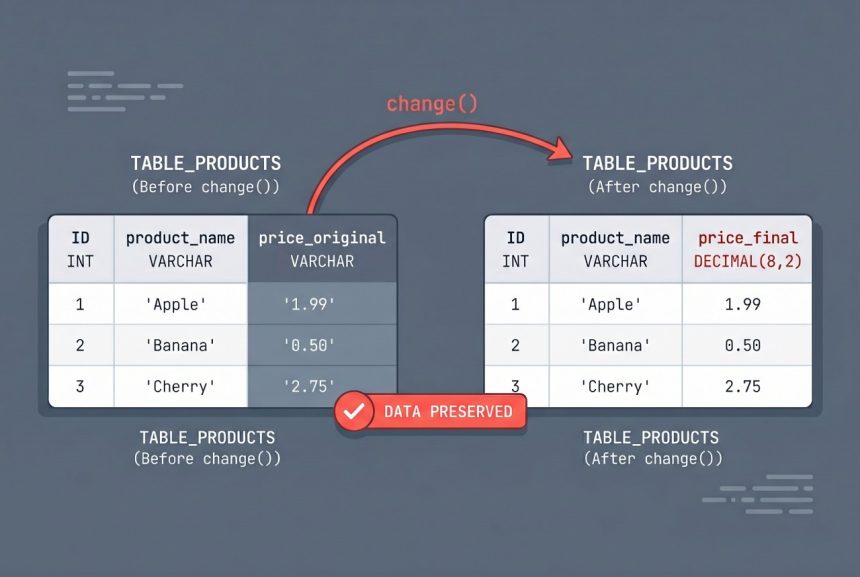
Changing a column’s data type on a table that already has data is one of those migrations that feels risky until you’ve done it a few times. You can’t migrate:refresh — that wipes everything — so you need an ALTER TABLE that preserves the existing rows. Laravel’s schema builder has a change() method that handles exactly this, and in Laravel 10 and later it doesn’t require any extra packages.
Originally published February 17, 2023, rewritten and updated April 17, 2026.
TL;DR
Create a migration with php artisan make:migration alter_{table}_change_{column} --table={table}, then call $table->decimal('column_name', 8, 2)->change(); in the up() method and php artisan migrate. Data in the column is converted in place.
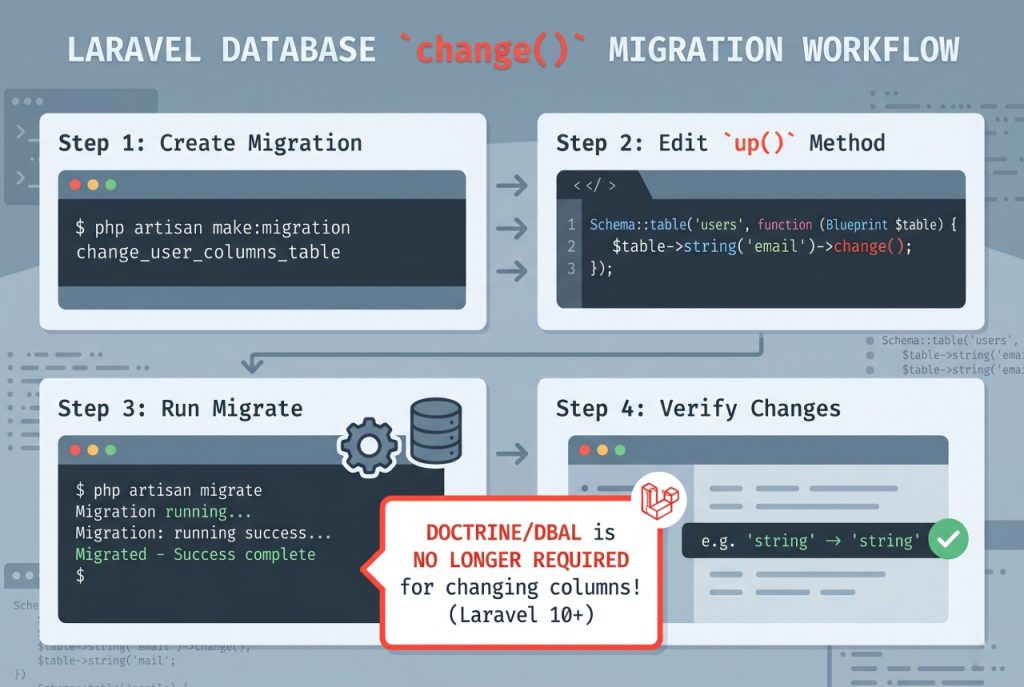
Step 1: Generate the Migration
Give the migration a name that describes what’s changing so it’s obvious later:
php artisan make:migration alter_transactions_change_amount_to_decimal --table=transactionsThe --table= flag scaffolds Schema::table() (alter existing) instead of Schema::create().
Step 2: Use change() in the Migration
Open the generated file and fill in up() with the new column definition, chaining ->change() at the end:
public function up(): void
{
    Schema::table('transactions', function (Blueprint $table) {
        $table->decimal('amount', 8, 2)->change();
    });
}
The existing data is converted in place. Values that fit the new type (e.g. numeric strings going to decimal) are preserved; values that don’t fit may be truncated or set to zero depending on MySQL’s strict-mode settings, so always take a database backup before running this in production.
Step 3: Write a Reversible down() Method
The down() method should restore the column to its original type so rollbacks work:
public function down(): void
{
    Schema::table('transactions', function (Blueprint $table) {
        $table->string('amount')->change();
    });
}
Note that converting from DECIMAL back to VARCHAR is safe (any decimal fits in a string), but the opposite direction is not always safe — which is why the backup matters.
Step 4: Run the Migration
php artisan migrateAfter the migration completes, verify the new type with a quick describe transactions in your database client, and spot-check a few rows to confirm the data looks right.
Note on doctrine/dbal
Older Laravel guides (before Laravel 10) instruct you to install doctrine/dbal for change() to work:
composer require doctrine/dbalIf you’re on Laravel 9 or earlier, this is still required. On Laravel 10+, the schema builder can alter columns natively and doctrine/dbal is no longer needed — you can remove it from composer.json if it’s only there for migrations.
Preserving All Column Modifiers
When you call change(), Laravel rewrites the column definition completely. That means all modifiers need to be listed in the migration — otherwise they get dropped. For example, if the column was originally nullable and had a default value, you need to declare them again:
$table->decimal('amount', 8, 2)->nullable()->default(0)->change();Check the original migration (or describe {table}) before running change() so you can carry the modifiers forward.
Troubleshooting
Data Truncated for Column
MySQL emits this when the existing data doesn’t fit the new type (e.g. converting VARCHAR to INT with non-numeric values). Audit the data with a SELECT before the migration, clean up bad rows, and re-run.
Change Silently Dropped a Default/Nullable
This is almost always because the change() call didn’t re-declare the modifier. Add ->nullable(), ->default(...), ->unsigned() etc. to the new declaration.
Frequently Asked Questions
Create a migration with <code>–table={table}</code>, call the new type definition chained with <code>->change()</code>, then run <code>php artisan migrate</code>. Laravel issues an ALTER TABLE that converts the data in place — no refresh required.
Only on Laravel 9 and earlier. Laravel 10 added native support for altering columns to the schema builder, so <code>doctrine/dbal</code> is no longer a requirement on Laravel 10+ projects.
<code>change()</code> rewrites the whole column definition. Any modifier not listed in the new call is removed. Always re-declare <code>->nullable()</code>, <code>->default(…)</code>, <code>->unsigned()</code> etc. when using <code>change()</code>.
Take a database backup first, and run the migration in a maintenance window if the table is large — an ALTER TABLE on a multi-million-row table can lock the table for minutes. For high-traffic tables, consider online schema-change tools like gh-ost or pt-online-schema-change.
Related Guides
- How to Add New Columns to an Existing Table in Laravel Migration
- How to Add Foreign Keys in Laravel Migration
- How to Install MySQL on Ubuntu
For the full list of column modifiers, see the official Laravel migrations documentation.