To redirect non-www to www (or www to non-www) in Nginx, use a dedicated server block for the alternate hostname that returns a 301 to the canonical one. Use $request_uri to preserve the path and query string, and prefer return 301 over rewrite for performance and clarity.
Last verified: 2026-05-17 on Nginx 1.24. Originally published 2023-02-04, rewritten and updated 2026-05-17.
Redirect non-www to www
server {
    listen 80;
    server_name example.com;
    return 301 $scheme://www.example.com$request_uri;
}

server {
    listen 80;
    server_name www.example.com;
    # ... your real configuration
}
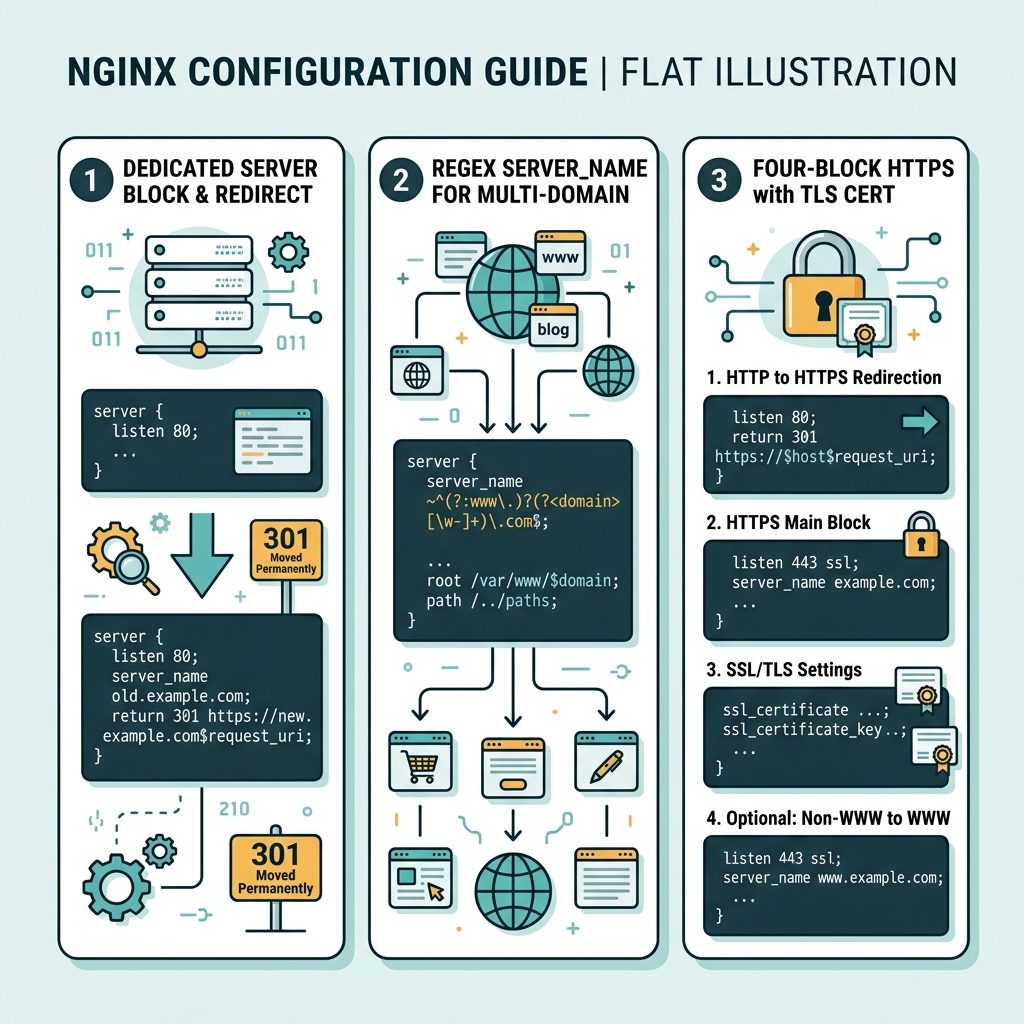
The first block catches requests for example.com and sends a 301 to www.example.com, preserving the path via $request_uri and the protocol via $scheme.
Redirect www to non-www
server {
    listen 80;
    server_name www.example.com;
    return 301 $scheme://example.com$request_uri;
}

server {
    listen 80;
    server_name example.com;
    # ... your real configuration
}
Multiple domains in one block
# Force non-www -> www across every domain on this server
server {
    listen 80;
    server_name "~^(?!www\.).*";
    return 301 $scheme://www.$host$request_uri;
}

# Force www -> non-www across every domain
server {
    listen 80;
    server_name "~^www\.(.*)$";
    return 301 $scheme://$1$request_uri;
}
The regex form uses server_name with a regular expression so it catches any domain matching the pattern. $host contains the incoming hostname; $1 captures the part after www..
HTTPS — the full four-block pattern
# HTTP non-www -> HTTPS non-www (canonical)
server {
    listen 80;
    server_name example.com;
    return 301 https://example.com$request_uri;
}

# HTTP www -> HTTPS non-www
server {
    listen 80;
    server_name www.example.com;
    return 301 https://example.com$request_uri;
}

# HTTPS www -> HTTPS non-www
server {
    listen 443 ssl http2;
    server_name www.example.com;
    ssl_certificate     /etc/letsencrypt/live/example.com/fullchain.pem;
    ssl_certificate_key /etc/letsencrypt/live/example.com/privkey.pem;
    return 301 https://example.com$request_uri;
}

# Canonical site
server {
    listen 443 ssl http2;
    server_name example.com;
    ssl_certificate     /etc/letsencrypt/live/example.com/fullchain.pem;
    ssl_certificate_key /etc/letsencrypt/live/example.com/privkey.pem;
    # ... your real configuration
}
Three of the four blocks just redirect; only the canonical one serves real content. The HTTPS-www block needs a TLS cert that covers www.example.com — Let’s Encrypt handles this if you include both in the same certificate (Certbot’s -d example.com -d www.example.com).
Test before reloading
sudo nginx -t                       # validate config syntax
sudo systemctl reload nginx         # apply without dropping connections

# Verify the redirect
curl -I https://example.com/some/path
curl -I https://www.example.com/some/path
Each curl -I should return HTTP/2 301 with a Location header pointing at the canonical URL (and preserving the path).
Frequently asked questions
Either is fine technically — pick one and redirect the other to it. The choice affects analytics and SEO mostly: split traffic between www and bare versions can dilute backlink credit and confuse session metrics. Pick whichever your domain already appears as in most external links and your social profiles; redirect the other.
The examples above use listen 80. For HTTPS you need a parallel server block listening on 443 with TLS certs. Most production setups have four blocks: HTTP → HTTPS (force-TLS), HTTP www → HTTPS canonical, HTTPS www → HTTPS canonical, plus the canonical block itself. Certbot’s --nginx plugin can wire most of this up automatically.
if ($host = '...') or separate server blocks? Separate server blocks. Nginx’s own documentation warns that if inside a server context is fragile and can interact badly with other directives — see “If Is Evil” on nginx.org. The combined-server-name if pattern works in practice for simple redirects but separate blocks are cleaner and faster.
return 301 instead of rewrite? return is faster and more explicit. rewrite ... permanent works but executes regex unconditionally; return 301 emits the response without rewriting. For a static destination URL, return 301 $scheme://canonical.tld$request_uri is the canonical form.
Related guides
- How to Configure Nginx for a Subdirectory
- How to Fix Nginx FastCGI “Connection Reset by Peer” Errors
- How to Install the Apache Web Server on Ubuntu
References
Nginx server_name: nginx.org/en/docs/http/server_names.html. Nginx “If Is Evil”: nginx.com/resources/wiki/start/topics/depth/ifisevil. Let’s Encrypt + Nginx: certbot.eff.org/instructions?ws=nginx.