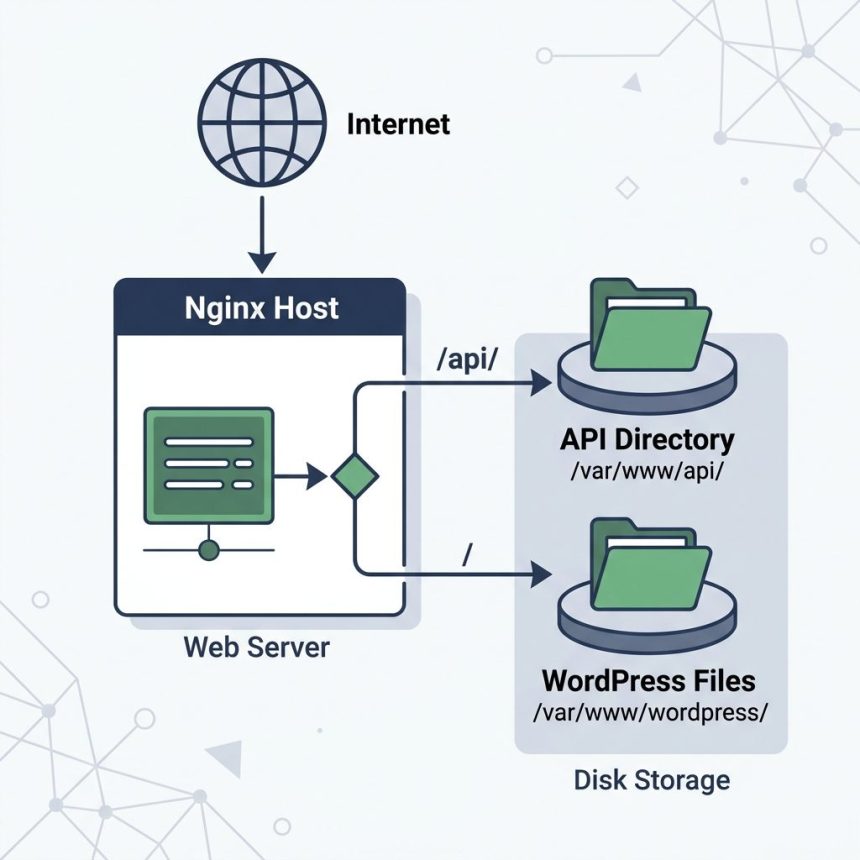
To configure Nginx for a subdirectory that lives outside your main site’s document root (for example a separate PHP app at example.com/api/ on a WordPress site), use a prefix location block with alias and a nested location for the PHP handler. The classic mistake is letting the top-level location ~ \.php$ regex catch your subdirectory’s PHP files — this guide shows the working pattern.
Last verified: 2026-05-17 on Nginx 1.24 / PHP-FPM 8.2. Originally published 2023-03-13, rewritten and updated 2026-05-17.
The problem
A typical WordPress nginx site uses these two blocks:
location / {
    try_files $uri $uri/ /index.php?$args;
}

location ~ \.php$ {
    include fastcgi_params;
    fastcgi_intercept_errors on;
    fastcgi_pass unix:/tmp/php-cgi.socket;
}
Now you want a separate app at example.com/api/ with its own index.php, living at /var/www/wordpress/api/ on disk. Two things go wrong by default:
- The top-level
location /sends/api/whateverthrough WordPress’s front controller (/index.php?$args). - Even if you add a
location /api/block, the regexlocation ~ \.php$still catches every.phprequest before your prefix block runs — that’s how nginx’s location matching order works.
The working config
location /api/ {
    alias /var/www/wordpress/api/;
    try_files $uri $uri/ @api;

    location ~ \.php$ {
        include fastcgi_params;
        fastcgi_intercept_errors on;
        fastcgi_param SCRIPT_FILENAME $request_filename;
        fastcgi_pass unix:/tmp/php-cgi.socket;
    }
}

location @api {
    rewrite ^/api/(.*)$ /api/index.php?/$1 last;
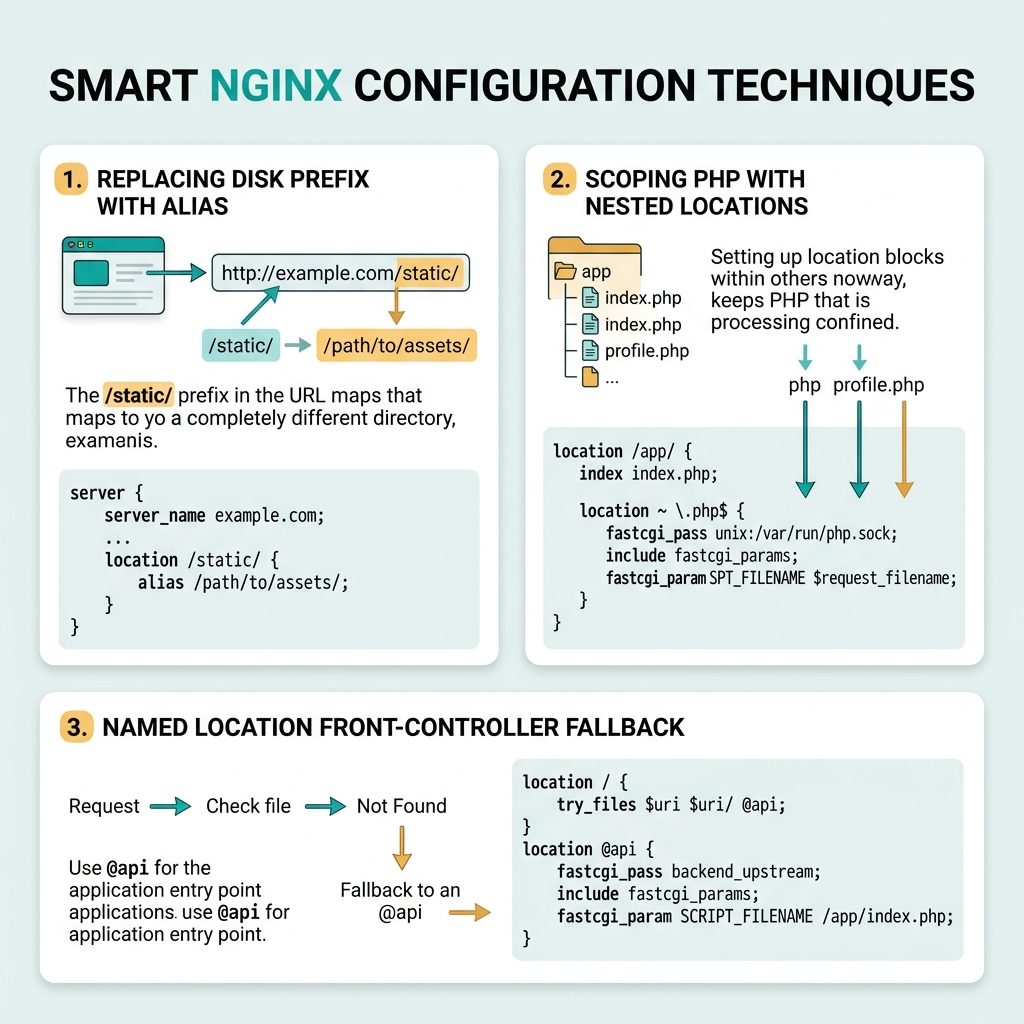
}
Why each piece is there
alias /var/www/wordpress/api/;— replaces the/api/prefix with that filesystem path. A request for/api/users.phplooks for/var/www/wordpress/api/users.php. Usealias, notroot, when the URL prefix doesn’t match the directory name on disk.try_files $uri $uri/ @api;— serve the file if it exists, then the directory, otherwise hand off to the named@apilocation. This is what makes “pretty URLs” like/api/users/42route toindex.php.- Nested
location ~ \.php$— putting the PHP handler inside the/api/block keeps it scoped. Nginx will prefer the nested PHP location for requests already matched by/api/, so it doesn’t fall through to the top-levellocation ~ \.php$. fastcgi_param SCRIPT_FILENAME $request_filename;— when you usealias, the variable$document_root$fastcgi_script_name(which the stockfastcgi_paramsuses) builds the wrong path.$request_filenameis already the resolved absolute path, so it bypasses that pitfall.location @api { rewrite ... }— the named location front-controller fallback. Anything that doesn’t match a real file or directory becomes/api/index.php?/$1.
Test and reload
# Test config syntax
sudo nginx -t

# Apply without dropping connections
sudo systemctl reload nginx

# Quick smoke test
curl -I https://example.com/api/
curl https://example.com/api/health
If you see File not found from PHP-FPM, the SCRIPT_FILENAME line is the first thing to re-check. If you see WordPress’s 404, the /api/ block isn’t matching at all — confirm it sits in the same server { } block as the WordPress locations and that there’s no earlier server matching the host.
Frequently asked questions
alias instead of root for a subdirectory? root appends the full request URI (including the /api/ prefix) to the filesystem path, which means files have to live at /var/www/wordpress/api/api/index.php — almost never what you want. alias replaces the matched prefix, so /api/foo maps to {alias}/foo on disk. For subdirectories that don’t mirror the URL, alias is the right choice.
location ~ \.php$ block hijack PHP requests under /api/? Nginx evaluates regex location blocks before any prefix locations, so a request like /api/index.php matches ~ \.php$ first and is dispatched to PHP-FPM with the wrong SCRIPT_FILENAME. The fix is to put the PHP handling inside the location /api/ block (nested location) so requests under /api/ resolve there first. The pattern is shown below.
No. WordPress uses the top-level location / { try_files $uri $uri/ /index.php?$args; } block. Requests that match /api/... are caught by the more specific prefix location and never fall through to the WordPress rewrite. Anything outside /api/ still goes to WordPress as before.
Yes — config changes only apply after nginx -t (test) and sudo systemctl reload nginx (apply without dropping connections). nginx -t first; a syntax error makes reload a no-op but it’s worth catching before you reload.
Related guides
- How to Fix Nginx FastCGI “Connection Reset by Peer” Errors
- How to Configure WordPress Multisite with Subdirectories on Nginx
References
Nginx location matching: nginx.org/en/docs/http/ngx_http_core_module.html#location. alias vs root: nginx.org/en/docs/http/ngx_http_core_module.html#alias. FastCGI params: nginx.org/en/docs/http/ngx_http_fastcgi_module.html.