How7o
  • Home
  • Tools
  • Prank Screens
  • Learn
  • Blog
  • Contact
Reading: How to Comment in a .gitignore File
Share
How7oHow7o
Font ResizerAa
  • OS
Search
  • Home
  • Tools
  • Prank Screens
  • Learn
  • Blog
  • Contact
Follow US
© 2024–2026 How7o. All rights reserved.
How7o > Free Laravel, PHP, WordPress & Server Tutorials > Web Development > How to Comment in a .gitignore File
Web Development

How to Comment in a .gitignore File

how7o
By how7o
Last updated: May 22, 2026
4 Min Read
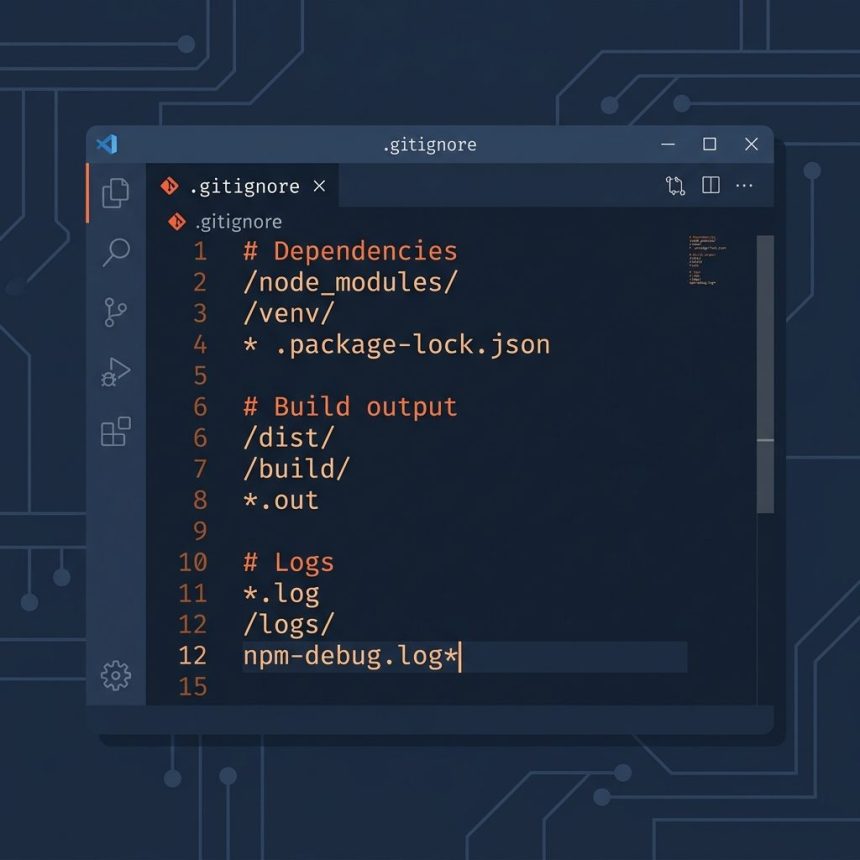
Comment in a .gitignore file with the # character
SHARE

To comment in a .gitignore file, start the line with #. Git ignores everything from the # to the end of that line. Comments must be on their own line — # in the middle of a pattern is not treated as a comment, it’s part of the pattern.

Contents
  • TL;DR
  • The syntax
  • Common mistake — inline comments
  • A well-commented .gitignore
  • Frequently asked questions
  • Related guides
  • References

Last verified: 2026-05-17 with git 2.43. Originally published 2022-11-14, rewritten and updated 2026-05-17.

TL;DR

# This is a comment — git ignores the whole line
node_modules/

# Build output
dist/
*.log

# To ignore a file whose name literally starts with #, escape it
\#weird-filename.txt

The syntax

Per the gitignore documentation:

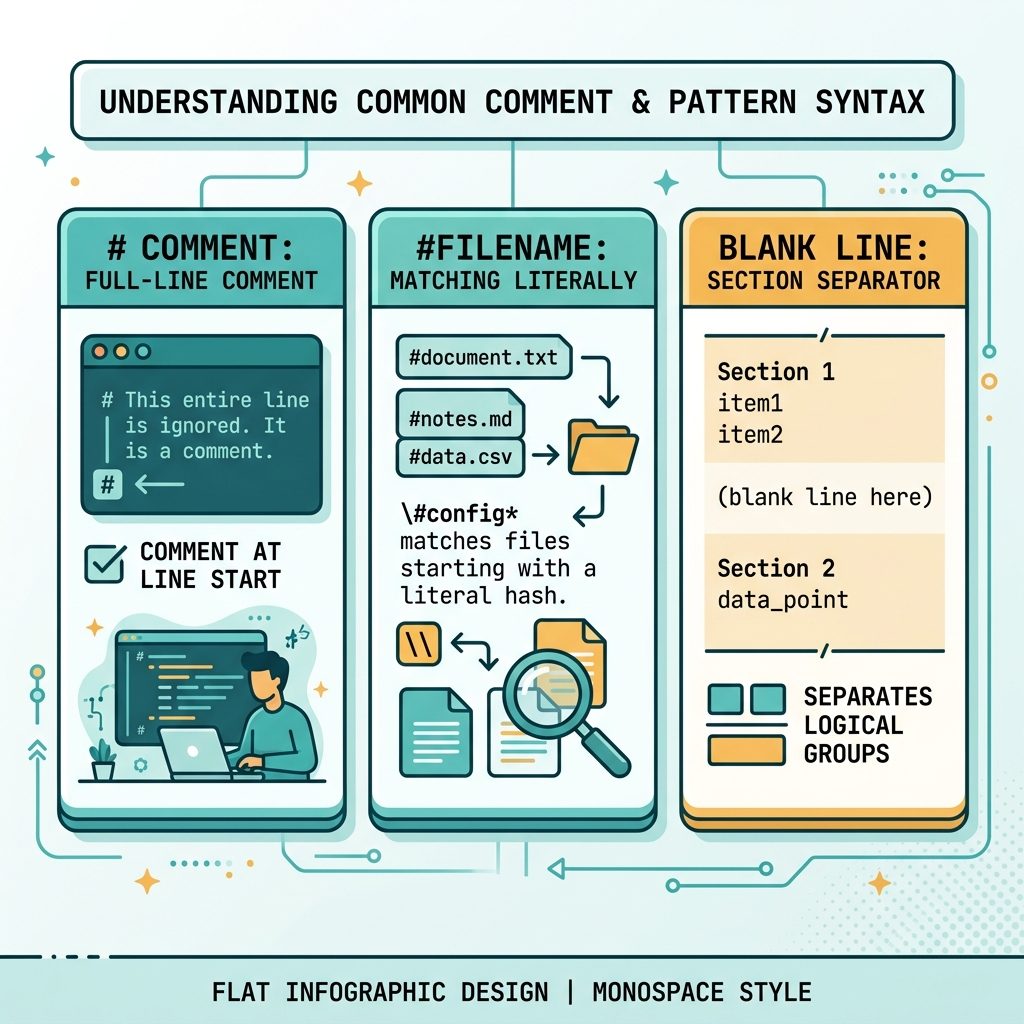
  • A line starting with # is a comment.
  • The # must be the very first character on the line — there is no end-of-line comment syntax.
  • Blank lines are also ignored and make good section separators.
  • To match a file whose name actually starts with #, escape it as \#filename.
gitignore comment syntax — # at start of line, escape with backslash, blank lines as separators

Common mistake — inline comments

This does not do what it looks like:

# WRONG — the comment becomes part of the pattern
*.log    # ignore log files

Git reads the entire line as a pattern: it tries to match files named literally *.log # ignore log files (with the spaces and hash included), which won’t match anything useful. Move the comment to its own line:

# Ignore log files
*.log

A well-commented .gitignore

# Dependencies
node_modules/
vendor/

# Build output
dist/
build/
*.min.js

# Local environment
.env
.env.local

# Editor / OS junk
.idea/
.vscode/
.DS_Store
Thumbs.db

# Logs
*.log
npm-debug.log*

Section headers with # and blank-line separators make the file scannable. Both are free — git ignores all of it.

Frequently asked questions

Can I put a comment at the end of a line in .gitignore?

No. # starts a comment only at the very beginning of the line. Anything like *.log # ignore logs is treated as one ignore pattern that ends with the literal characters # ignore logs, which almost certainly won’t match anything but is still wrong. Put the comment on its own line above the pattern.

How do I ignore a file whose name actually starts with #?

Escape the leading # with a backslash: \#strange-filename.txt. The same rule applies to a file that starts with ! (which would otherwise be interpreted as a negation pattern): write \!keep-this.txt.

Are blank lines allowed in .gitignore?

Yes. Blank lines are ignored by git and are useful as visual separators between sections (e.g. one block for build artifacts, one for editor files, one for local env). Trailing whitespace on a non-blank line is significant unless it is escaped, so prefer truly empty separator lines.

Do comments work the same in .gitattributes and .git/info/exclude?

Yes — both files use the same syntax as .gitignore: # starts a comment when it’s the first character on a line, escape with \# if you need a literal one.

Related guides

  • How to Check the Linux OS Name and Version from the Command Line
  • How to Zip Multiple Files and Directories in Linux

References

gitignore manual: git-scm.com/docs/gitignore.

TAGGED:configurationgitversion-control

Sign Up For Daily Newsletter

Be keep up! Get the latest breaking news delivered straight to your inbox.
[mc4wp_form]
By signing up, you agree to our Terms of Use and acknowledge the data practices in our Privacy Policy. You may unsubscribe at any time.
Share This Article
Facebook Copy Link Print
Previous Article Check Ubuntu version — terminal and Settings How to Check Your Ubuntu Version
Next Article Nginx subdirectory configuration with alias and PHP-FPM How to Configure Nginx for a Subdirectory
Leave a Comment

Leave a Reply Cancel reply

You must be logged in to post a comment.

FacebookLike
XFollow
PinterestPin
InstagramFollow
Most Popular
Run Laravel queue workers with Supervisor
How to Run Laravel Queue Workers in Production with Supervisor
May 23, 2026
Nginx as a reverse proxy for a Node.js app on Ubuntu
How to Set Up Nginx as a Reverse Proxy for Node.js on Ubuntu
May 23, 2026
Install and configure Redis on Ubuntu for Laravel and WordPress
How to Install and Configure Redis on Ubuntu (for Laravel & WordPress)
May 23, 2026
Harden a fresh Ubuntu VPS with UFW, Fail2Ban, and SSH key auth
How to Harden a Fresh Ubuntu VPS: UFW + Fail2Ban + SSH Key Auth
May 23, 2026
Set up Let's Encrypt SSL with Certbot on Ubuntu
How to Set Up Let’s Encrypt SSL with Certbot on Ubuntu (Apache & Nginx)
May 23, 2026

You Might Also Like

Change SSH port on Linux — firewall, SELinux, sshd_config, systemctl restart
Server Management

How to Change the Default SSH Port on Linux

7 Min Read
Reduce high memory usage on Windows 11
OS

How to Reduce High Memory Usage on Windows 11

7 Min Read
Install PHP on Ubuntu — terminal with apt install php command and stylized elephant icon
Web Development

How to Install PHP on Ubuntu (22.04 & 24.04): Step-by-Step Guide

9 Min Read
Open a file selection dialog from a button click
Web Development

How to Open a File Dialog When Clicking a Button

4 Min Read
How7o

We provide tips, tricks, and advice for improving websites and doing better search.

Tools

  • Age Calculator
  • Word Counter
  • Image Upscaler
  • Password Generator
  • QR Code Generator
  • See all tools→

Pranks

  • Fake Blue Screen Prank
  • Hacker Typer
  • Fake iMessage Generator
  • Windows XP Crash Prank
  • Windows 11 Update Prank
  • See all prank screens →

Company

  • About Us
  • Blog
  • Contact
  • Privacy Policy
  • Terms of Service
  • Sitemap
© 2024–2026 How7o. All rights reserved.
Welcome Back!

Sign in to your account

Username or Email Address
Password

Lost your password?