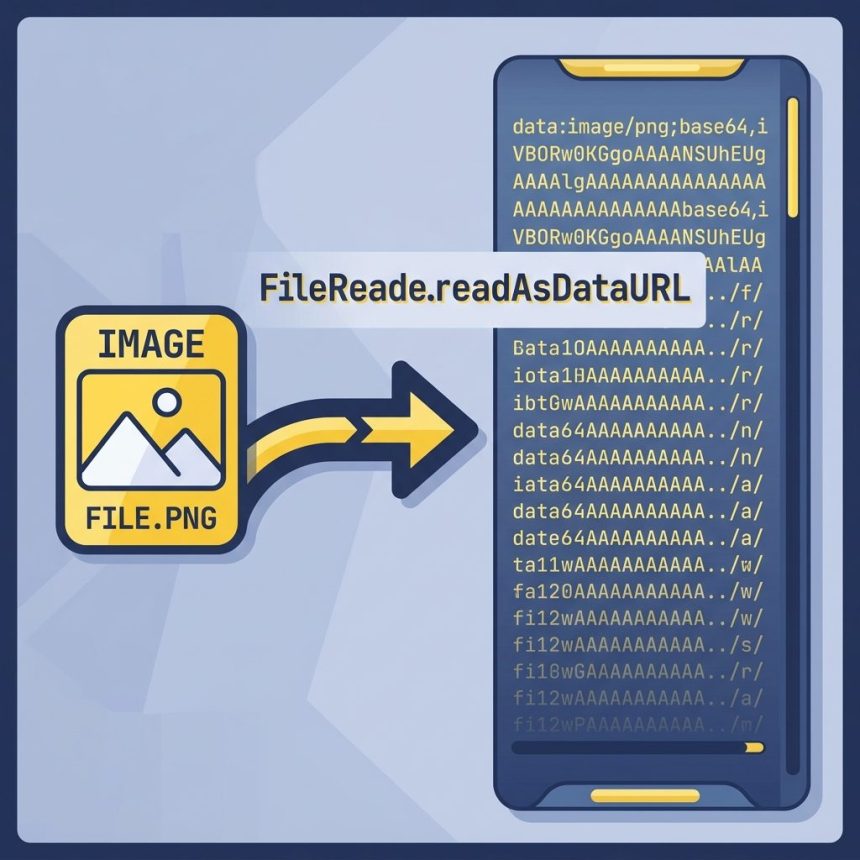
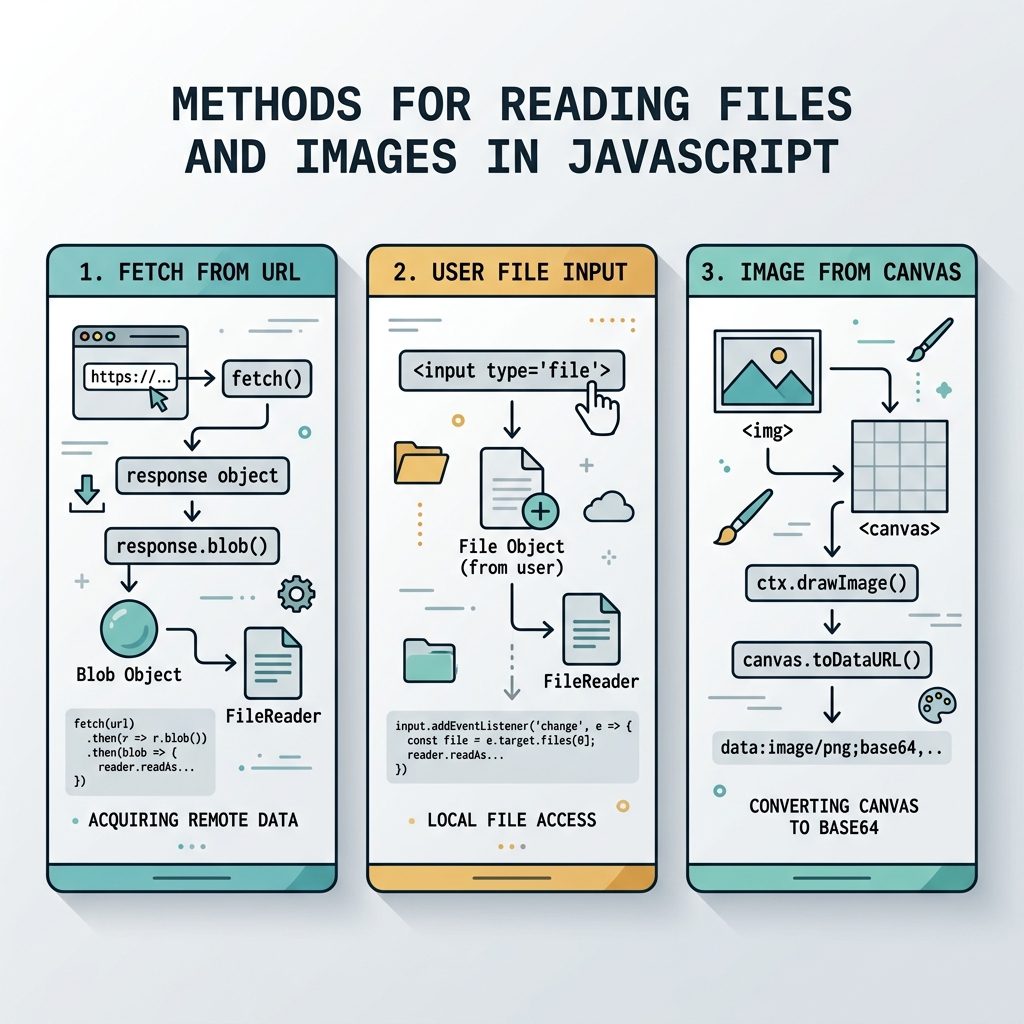
To convert an image to a base64 string in JavaScript, fetch the image as a Blob and pass it to FileReader.readAsDataURL(). The result is a full data:image/...;base64,... URL ready to use anywhere an image URL works. For images that are already loaded in the page (or that you’ve drawn yourself), canvas.toDataURL() is the alternative.
Last verified: 2026-05-17 on Chrome 124, Firefox 125, Safari 17. Originally published 2022-09-21, rewritten and updated 2026-05-17.
TL;DR — fetch + FileReader
async function imageUrlToBase64(url) {
  const blob = await fetch(url).then(r => r.blob());
  return await new Promise((resolve, reject) => {
    const reader = new FileReader();
    reader.onloadend = () => resolve(reader.result);
    reader.onerror   = reject;
    reader.readAsDataURL(blob);
  });
}

const dataUrl = await imageUrlToBase64('/path/to/image.png');
// "data:image/png;base64,iVBORw0KGgoAAAA..."
FileReader.readAsDataURL() already produces the complete data URL — you do not need to prepend data:image/png;base64, yourself, and you don’t need to call btoa(). The MIME type comes from the Blob’s type field, which the browser sets from the response’s Content-Type.
Files picked by the user (<input type="file">)
When the image comes from a file input there’s no network step — you already have a File:
const input = document.querySelector('input[type=file]');
input.addEventListener('change', () => {
  const file = input.files[0];
  if (!file) return;

  const reader = new FileReader();
  reader.onloadend = () => {
    console.log(reader.result); // data:image/...;base64,...
  };
  reader.readAsDataURL(file);
});
Alternative — canvas toDataURL()
If the image is already in the DOM, or you want to re-encode to a different format (e.g. JPEG with quality), draw it to a canvas and call toDataURL():
function imageElementToBase64(img, mime = 'image/png', quality) {
  const canvas = document.createElement('canvas');
  canvas.width  = img.naturalWidth;
  canvas.height = img.naturalHeight;
  canvas.getContext('2d').drawImage(img, 0, 0);
  return canvas.toDataURL(mime, quality);
}

const img = document.querySelector('img');
const dataUrl = imageElementToBase64(img, 'image/jpeg', 0.85);
If the image is from a different origin, set img.crossOrigin = 'anonymous' before setting img.src, and make sure the remote server returns Access-Control-Allow-Origin. Otherwise the canvas becomes tainted and toDataURL() throws a SecurityError — see MDN’s CORS-enabled image guide.
When to use which
- Image at a URL → base64: fetch + FileReader. Preserves the original encoding (PNG stays PNG).
- User-selected file → base64: FileReader directly on the
File. No network. - Already-rendered image → base64, or re-encode format: canvas +
toDataURL(). Watch out for CORS taint. - Already-rendered image → base64, you don’t want to re-encode: Use fetch on the image’s URL instead. Canvas always re-encodes, which loses original compression.
Frequently asked questions
base64_encode for images? Not directly. btoa() only encodes strings (and only Latin-1), so you can’t hand it an image and get a data URL back. The two browser-native paths are FileReader.readAsDataURL() on a Blob, or a canvas with canvas.toDataURL(). Both produce a complete data:image/...;base64,... string, ready to drop into <img src>.
canvas.toDataURL() sometimes throw a security error? If you draw an image from a different origin onto a canvas without proper CORS headers from that server, the canvas is marked tainted and any read attempt (toDataURL(), getImageData()) throws a SecurityError. The fix is on the image’s host: it must serve Access-Control-Allow-Origin for the request, and you must set img.crossOrigin = 'anonymous' before assigning src.
<input type="file">? Yes — but skip the network step. The change event gives you a File object (a kind of Blob) directly, so pass it to FileReader.readAsDataURL() right away. No fetch or XMLHttpRequest needed.
Base64 inflates binary data by roughly 33% (3 bytes encode to 4 characters), plus the data:image/png;base64, prefix. A 100 KB PNG becomes about a 134 KB data URL. Inline base64 makes sense for tiny icons or one-off uploads — for many or large images, prefer keeping them as files.
Related guides
- How to Check if a Checkbox Is Checked with jQuery
- How to Check if a JavaScript String Is a Valid URL
References
FileReader.readAsDataURL(): developer.mozilla.org/en-US/docs/Web/API/FileReader/readAsDataURL. HTMLCanvasElement.toDataURL(): developer.mozilla.org/en-US/docs/Web/API/HTMLCanvasElement/toDataURL. Canvas taint: developer.mozilla.org/en-US/docs/Web/HTML/CORS_enabled_image.