I ran into this when I was working on a PHP project that generates thumbnails. Everything looked fine… until I hit an image function and got errors like “Call to undefined function imagecreatefromjpeg()” or the script simply failed when trying to resize images.
- What is the GD library in PHP?
- Method 1: Check GD using phpinfo() (web browser method)
- Method 2: Check GD using extension_loaded(‘gd’) (quick PHP script)
- Method 3: Check GD from the command line (fastest on servers)
- Extra check: Verify GD functions exist
- If GD is NOT installed: how to install it
- FAQ
- Final thoughts
That’s when I remembered: those image functions depend on the GD library. Some servers have it enabled by default, but many don’t—especially fresh VPS setups.
So here’s the exact way I check if GD library is installed in PHP, plus what to do if it’s missing.
What is the GD library in PHP?
GD is a PHP extension used for basic image processing—creating images, resizing, cropping, adding text, and working with JPG/PNG/GIF/WebP (depending on how it was compiled). If your project (or WordPress plugin/theme) needs to manipulate images, GD is one of the most common requirements.
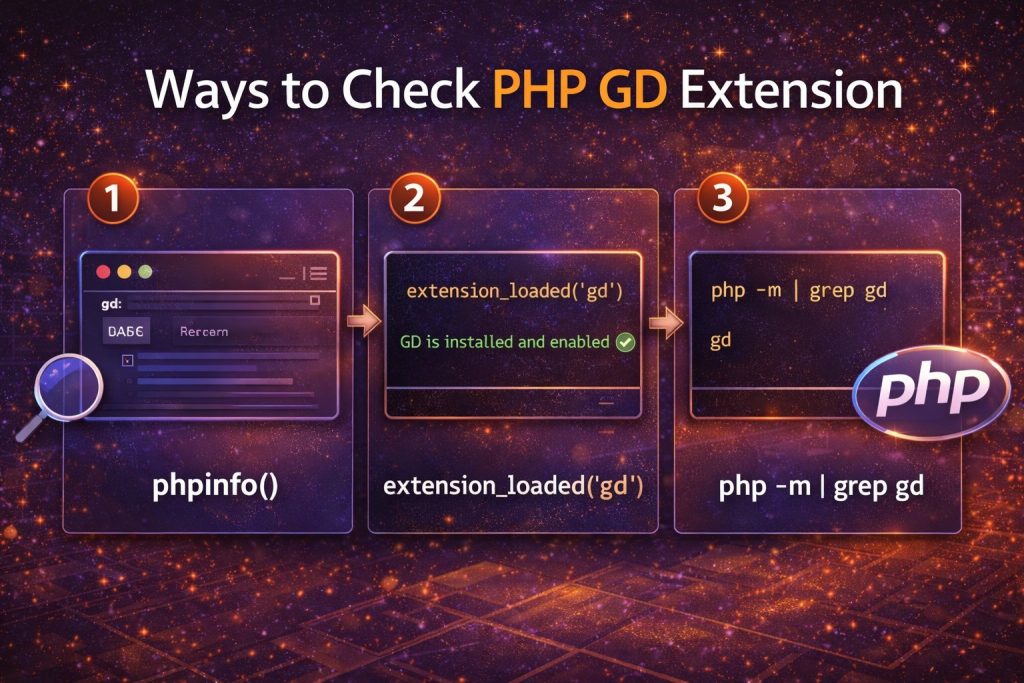
Method 1: Check GD using phpinfo() (web browser method)
This is the easiest method if your PHP is running through a web server (Apache/Nginx). Create a file like phpinfo.php inside your web root:
<?php
phpinfo();
Open it in your browser:
https://yourdomain.com/phpinfo.phpNow press CTRL + F and search for gd. If GD is installed, you’ll usually see a section like gd or GD Support enabled.
Security tip: Delete phpinfo.php after checking. It reveals a lot of server information and you don’t want it public.
Method 2: Check GD using extension_loaded(‘gd’) (quick PHP script)
If you want a clean true/false result, this is my favorite. Create a file named gd-check.php:
<?php
if (extension_loaded('gd')) {
    echo "GD is installed and enabled ✅";
} else {
    echo "GD is NOT installed ❌";
}
Open it in the browser, or run it from CLI if you want:
php gd-check.phpMethod 3: Check GD from the command line (fastest on servers)
If you have SSH access, you can check loaded PHP modules instantly:
php -m | grep -i gdIf GD is installed, you’ll see something like:
gdIf nothing shows, either GD isn’t installed, or you’re checking the wrong PHP version.
Important: CLI PHP vs Web Server PHP can be different
This one catches a lot of people (including me the first time). Your terminal might be using PHP 8.3, while your website is running PHP 8.1 via PHP-FPM. So always confirm the version:
php -vIf you have multiple versions installed, try:
php8.1 -m | grep -i gd
php8.2 -m | grep -i gd
Extra check: Verify GD functions exist
If you’re debugging a specific error, you can check if a GD function is available:
<?php
echo function_exists('imagecreatetruecolor')
    ? "GD functions available ✅"
    : "GD functions missing ❌";
If GD is NOT installed: how to install it
If your check shows GD is missing, install the GD package for your OS and PHP version.
Ubuntu / Debian
sudo apt update
sudo apt install -y php-gd
If you’re using a specific PHP version (example: 8.1):
sudo apt install -y php8.1-gdAlmaLinux / Rocky / CentOS (RHEL-based)
sudo dnf install -y php-gdRestart PHP / Web Server
After installing, restart the service your site uses:
- Apache:
sudo systemctl restart apache2(orhttpdon RHEL-based) - PHP-FPM:
sudo systemctl restart php-fpm(orphp8.1-fpm,php8.2-fpm, etc.) - Nginx (if using PHP-FPM):
sudo systemctl restart nginx
Then run the same checks again (phpinfo() / extension_loaded('gd') / php -m) to confirm it’s enabled.
FAQ
Is GD required for WordPress?
WordPress can use GD or Imagick for image processing. Many hosting environments rely on GD by default, and some plugins specifically require it.
GD is installed but my site still says it’s missing
This usually means your CLI PHP has GD, but your web server PHP-FPM version doesn’t (or vice versa). Check PHP versions on both sides and install the correct phpX.Y-gd package.
Final thoughts
If you just want a fast answer, here’s the order I use:
- Quickest:
php -m | grep -i gd - Most reliable in PHP:
extension_loaded('gd') - Most visual:
phpinfo()(then search for “gd”)
Once GD is installed and enabled, image functions stop failing and projects that generate thumbnails start working immediately.