How7o
  • Home
  • Tools
  • Prank Screens
  • Learn
  • Blog
  • Contact
Reading: How to Remove All Non-Numeric Characters from a String in PHP
Share
How7oHow7o
Font ResizerAa
  • OS
Search
  • Home
  • Tools
  • Prank Screens
  • Learn
  • Blog
  • Contact
Follow US
© 2024–2026 How7o. All rights reserved.
How7o > Free Laravel, PHP, WordPress & Server Tutorials > Web Development > How to Remove All Non-Numeric Characters from a String in PHP
Web Development

How to Remove All Non-Numeric Characters from a String in PHP

how7o
By how7o
Last updated: May 22, 2026
4 Min Read
Remove all non-numeric characters from a PHP string
SHARE

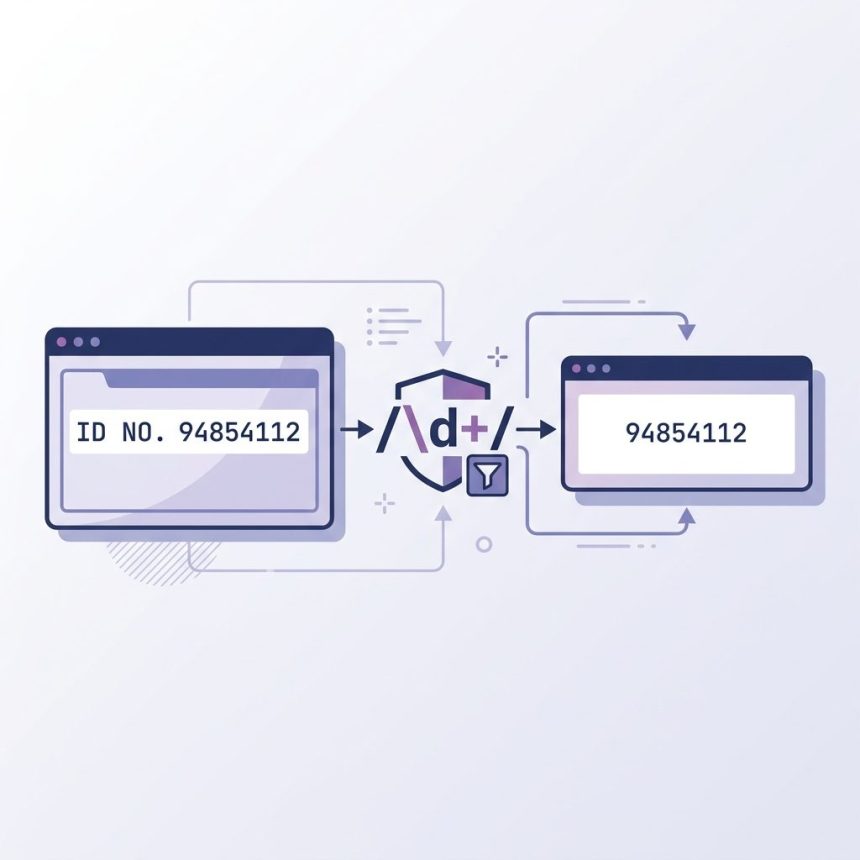
To remove all non-numeric characters from a string in PHP, use preg_replace('/\D/', '', $string) — the same regex as JavaScript’s, applied through PHP’s PCRE engine. The \D shorthand matches any character that isn’t a digit; replacing matches with the empty string leaves only the digits.

Contents
  • The one-liner
  • Explicit longhand
  • filter_var() — for signed integers
  • Keep digits and the decimal point
  • Convert to a number
  • Frequently asked questions
  • Related guides
  • References

Last verified: 2026-05-17 on PHP 8.3. Originally published 2022-07-01, rewritten and updated 2026-05-17.

The one-liner

$string = 'ID NO. 94854112';
echo preg_replace('/\D/', '', $string);
// 94854112

\D matches any single non-digit character. preg_replace walks the entire string and replaces each match with the empty string — no g flag needed because PCRE replaces all matches by default.
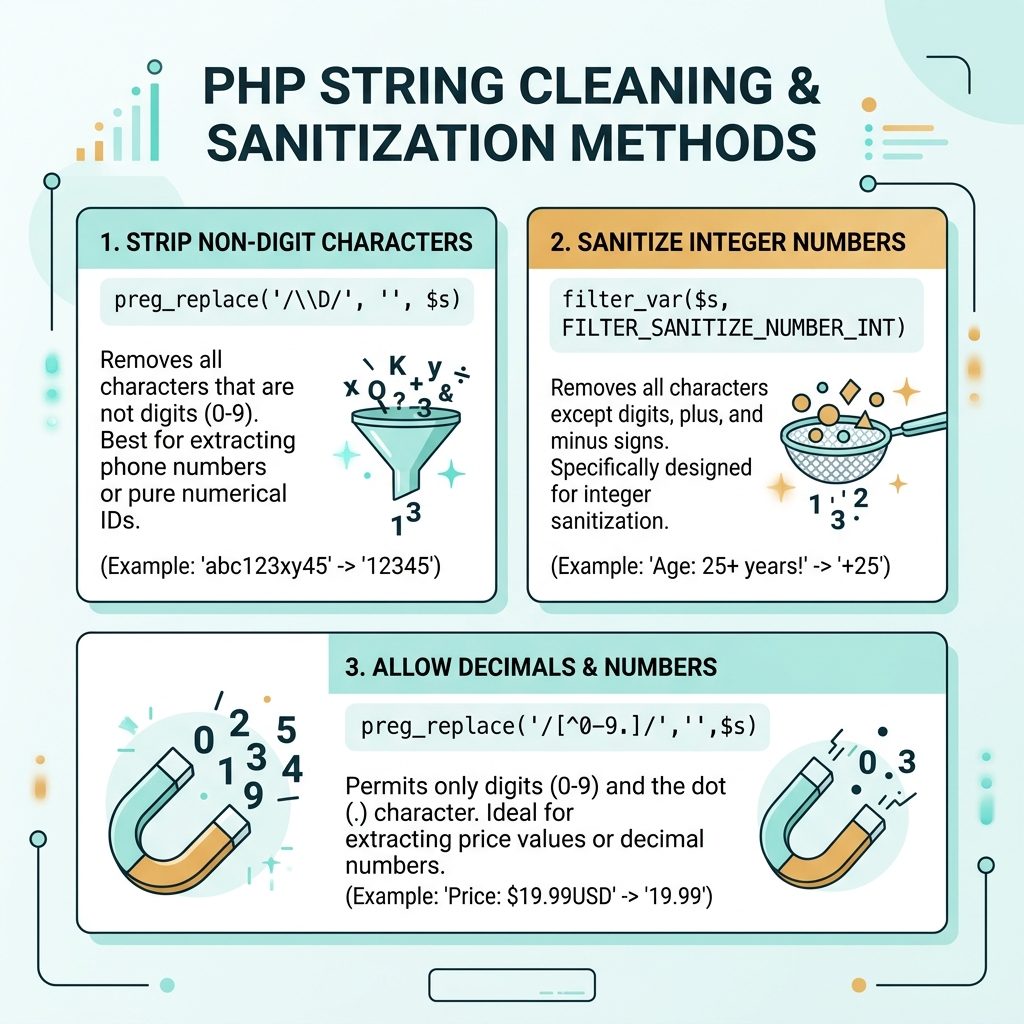
PHP keep only digits — preg_replace \\D regex, filter_var, decimal+sign variants

Explicit longhand

echo preg_replace('/[^0-9]/', '', $string);
// 94854112

Same result, more explicit. The negated character class [^0-9] reads as “any character that is not a digit 0–9.”

filter_var() — for signed integers

$string = 'Balance: -$1,299';
echo filter_var($string, FILTER_SANITIZE_NUMBER_INT);
// -1299

Keeps digits, +, and -. Drops everything else including spaces, currency, and commas. Useful when you want a sign-aware result without writing a regex.

Keep digits and the decimal point

$price   = 'USD $1,299.95';
$numeric = preg_replace('/[^0-9.]/', '', $price);
// 1299.95

floatval($numeric);   // 1299.95

// Sign + decimal
$balance = '$-1,299.95';
$signed  = preg_replace('/[^0-9.\-]/', '', $balance);
// -1299.95

Use filter_var($price, FILTER_SANITIZE_NUMBER_FLOAT, FILTER_FLAG_ALLOW_FRACTION) as the built-in alternative — it keeps digits, the sign, and one dot. For more control, the regex is more explicit.

Convert to a number

$digits = preg_replace('/\D/', '', 'ID NO. 94854112');

(int)   $digits;      // 94854112
intval($digits, 10);  // 94854112  — always pass the base
floatval($digits);    // 94854112.0

Frequently asked questions

Why is the slash in '/\D/' doubled in some examples?

The slashes wrap the regex pattern — they’re delimiters, not part of the pattern. '/\D/' is the standard form. Some examples use other delimiters ('#\D#', '~\D~') when the pattern itself contains slashes; you can pick any non-alphanumeric character as the delimiter.

Should I use preg_replace() or filter_var()?

filter_var($str, FILTER_SANITIZE_NUMBER_INT) keeps digits, +, and - — strict integer cleanup. preg_replace('/\D/', '', $str) drops everything that isn’t a digit (no sign, no decimal). Use filter_var when you want a signed integer; use the regex when you want pure digits.

How do I keep digits and the decimal point?

Allow the dot in the character class: preg_replace('/[^0-9.]/', '', $str). For locale-aware numbers where the decimal might be a comma (e.g. '1,99' in German), include both: '/[^0-9.,]/' and decide which to use as the separator before floatval().

Does \D match Unicode non-digits in PHP?

Only when you add the u flag: preg_replace('/\D/u', '', $str). Without it, \D works in single-byte mode. The Unicode mode matters if your input might contain non-ASCII digits like Arabic numerals (٠-٩) — without u, those are treated as non-digit characters and stripped.

Related guides

  • How to Keep Only Numbers in a String with JavaScript
  • How to Remove Unwanted Characters from a String in PHP
  • How to Get the First Character of a String in PHP

References

PHP preg_replace(): php.net/manual/en/function.preg-replace.php. PHP filter_var(): php.net/manual/en/function.filter-var.php. PCRE syntax: php.net/manual/en/regexp.reference.escape.php.


TAGGED:phpregexstrings

Sign Up For Daily Newsletter

Be keep up! Get the latest breaking news delivered straight to your inbox.
[mc4wp_form]
By signing up, you agree to our Terms of Use and acknowledge the data practices in our Privacy Policy. You may unsubscribe at any time.
Share This Article
Facebook Copy Link Print
Previous Article Reload DataTables with a new Ajax URL How to Reload DataTables with a New Ajax URL
Next Article Completely remove MariaDB from a RHEL-family server How to Remove MariaDB Completely from RHEL/CentOS
Leave a Comment

Leave a Reply Cancel reply

You must be logged in to post a comment.

FacebookLike
XFollow
PinterestPin
InstagramFollow
Most Popular
Run a Linux cron job as a non-root user
How to Run a Cron Job as a Non-Root User
May 22, 2026
Reset the LiteSpeed WebAdmin Console password
How to Reset the LiteSpeed WebAdmin Console Password
May 22, 2026
Replace strings in a MySQL database with UPDATE and REPLACE()
How to Replace Strings in a MySQL Database
May 22, 2026
Rename menu items on the WooCommerce My Account page
How to Rename Menu Items on the WooCommerce My Account Page
May 22, 2026
Remove unwanted characters from a PHP string with regex
How to Remove Unwanted Characters from a String in PHP
May 22, 2026

You Might Also Like

Laravel validate in rule — restricting input to an allow-list with in: and Rule::in
Web Development

Laravel Validate Input to Specific Values (in Rule)

7 Min Read
Laravel DataTables custom column search — filterColumn callback handles the search SQL
Web Development

How to Search Custom or Composite Columns in Laravel DataTables

8 Min Read
WordPress system cron — DISABLE_WP_CRON + system crontab hitting wp-cron.php
Web Development

How to Set Up a System-Based Cron Job in WordPress

7 Min Read
CSS print styles shown in a clean print preview layout
Web Development

How to Add CSS Print Styles for Printer and Print Screen

7 Min Read
How7o

We provide tips, tricks, and advice for improving websites and doing better search.

Tools

  • Age Calculator
  • Word Counter
  • Image Upscaler
  • Password Generator
  • QR Code Generator
  • See all tools→

Pranks

  • Fake Blue Screen Prank
  • Hacker Typer
  • Fake iMessage Generator
  • Windows XP Crash Prank
  • Windows 11 Update Prank
  • See all prank screens →

Company

  • About Us
  • Blog
  • Contact
  • Privacy Policy
  • Terms of Service
  • Sitemap
© 2024–2026 How7o. All rights reserved.
Welcome Back!

Sign in to your account

Username or Email Address
Password

Lost your password?