How7o
  • Home
  • Tools
  • Prank Screens
  • Learn
  • Blog
  • Contact
Reading: How to Display Only the Current Date in Laravel (Carbon Examples)
Share
How7oHow7o
Font ResizerAa
  • OS
Search
  • Home
  • Tools
  • Prank Screens
  • Learn
  • Blog
  • Contact
Follow US
© 2024–2026 How7o. All rights reserved.
How7o > Free Laravel, PHP, WordPress & Server Tutorials > Web Development > How to Display Only the Current Date in Laravel (Carbon Examples)
Web Development

How to Display Only the Current Date in Laravel (Carbon Examples)

how7o
By how7o
Last updated: January 12, 2026
4 Min Read
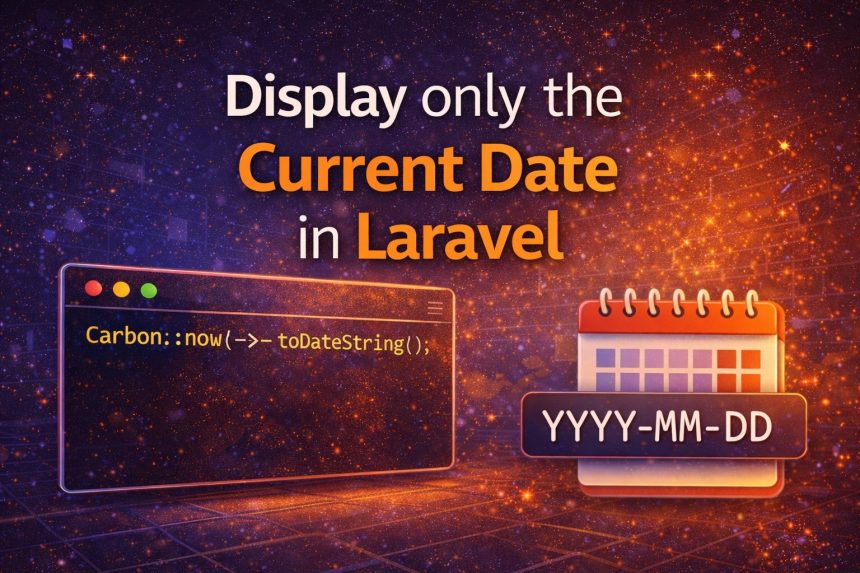
Display only the current date in Laravel using Carbon
SHARE

I ran into a small but annoying issue while building a Laravel page that shows “today’s date” at the top of a report. I used Carbon like I always do:

Contents
  • Method 1 (best/simple): toDateString()
  • Method 2: format(‘Y-m-d’) (best when you need a custom format)
  • Method 3: today() (nice when you truly mean “today”)
  • Showing the date in a Blade view
  • Controller example (recommended style)
  • Timezone tip (this is where people get confused)
  • Quick FAQ
    • Why not just use Carbon::now() and split the string?
    • Which one should I use most of the time?
  • Final thoughts
Carbon::now();

But Carbon returns a full datetime value (date + time). That’s great for logs, but not what I wanted on the UI. I only needed the date, something like 2024-10-11—no hours, minutes, or seconds.

Here are the best ways to display only the current date in Laravel using Carbon, plus the approach I now use depending on where the date is shown (Blade, controller, API, etc.).
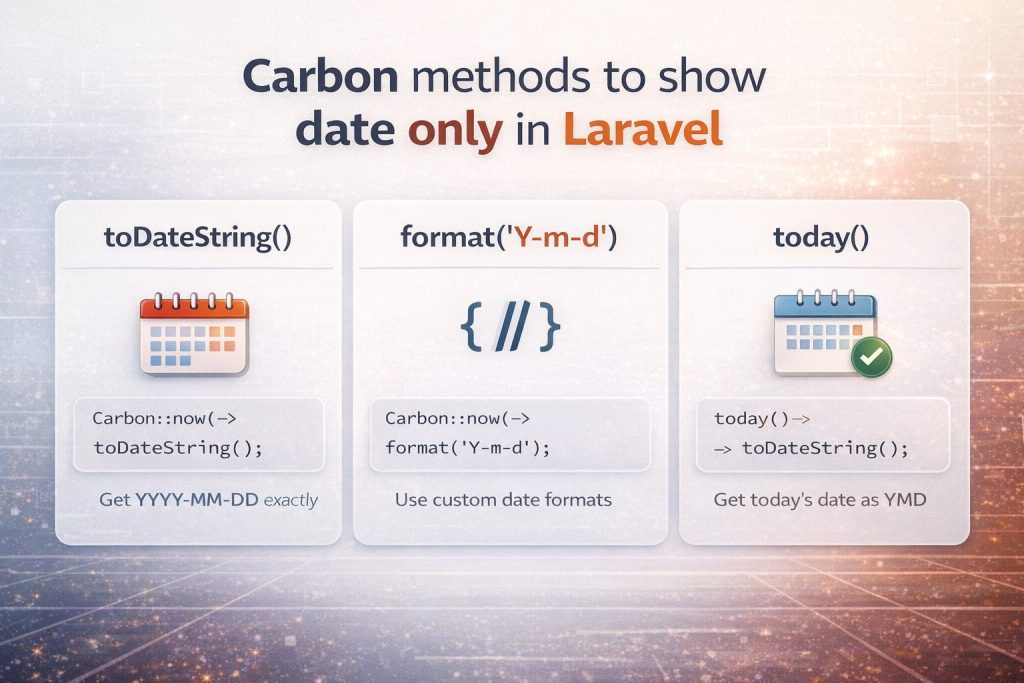
Carbon methods to show date only in Laravel (toDateString, format, today)

Method 1 (best/simple): toDateString()

If you want YYYY-MM-DD exactly, this is the cleanest option:

use Carbon\Carbon;

$date = Carbon::now()->toDateString(); // 2024-10-11

I like this because it’s readable and instantly tells you what it returns: just the date portion.

Method 2: format(‘Y-m-d’) (best when you need a custom format)

When I need a different format (like 11-10-2024 or Oct 11, 2024), I use format():

use Carbon\Carbon;

$date = Carbon::now()->format('Y-m-d');   // 2024-10-11
$date2 = Carbon::now()->format('d-m-Y');  // 11-10-2024
$date3 = Carbon::now()->format('M d, Y'); // Oct 11, 2024

If you’re copying a strict format requirement from a client or API docs, format() is usually the right choice.

Method 3: today() (nice when you truly mean “today”)

Sometimes I don’t even want “now” — I want “today” as a date value. Laravel/Carbon gives you that too:

$today = today()->toDateString(); // 2024-10-11

This reads nicely in code and matches the intent: it’s the current date (not a timestamp).

Showing the date in a Blade view

If you just want to display it on the page, Blade can do it directly:

{{ \Carbon\Carbon::now()->toDateString() }}

But on real projects, I prefer passing the value from the controller so the view stays clean.

Controller example (recommended style)

use Carbon\Carbon;

public function index()
{
    $date = Carbon::now()->toDateString();

    return view('reports.index', compact('date'));
}

Then in Blade:

{{ $date }}

Timezone tip (this is where people get confused)

If your server timezone is different than your users, “today” may look wrong near midnight. In that case, set the timezone explicitly:

use Carbon\Carbon;

$date = Carbon::now('Asia/Dhaka')->toDateString();

If this is a full app, it’s usually better to set the correct timezone globally in config/app.php so you don’t have to repeat it everywhere.

Quick FAQ

Why not just use Carbon::now() and split the string?

You can, but it’s fragile and unnecessary. Carbon already provides proper methods that are readable and reliable.

Which one should I use most of the time?

  • Use toDateString() if you want YYYY-MM-DD.
  • Use format() if you need a custom format.
  • Use today() when the intent is “today as a date”.

Final thoughts

Once I switched from Carbon::now() to Carbon::now()->toDateString(), the problem was solved instantly and the code became more readable. If you’re showing dates in a UI, reports, or APIs, picking the right Carbon method saves time and prevents formatting bugs later.


TAGGED:BladeCarbonDate FormattingEloquentLaravelphpTimezone

Sign Up For Daily Newsletter

Be keep up! Get the latest breaking news delivered straight to your inbox.
[mc4wp_form]
By signing up, you agree to our Terms of Use and acknowledge the data practices in our Privacy Policy. You may unsubscribe at any time.
Share This Article
Facebook Copy Link Print
Previous Article Send a simple email in Laravel using Mail::raw and SMTP How to Send a Simple Email in Laravel (Fast SMTP + Mail::raw)
Next Article Laravel Blade Time Format (HH:MM) How to Show Only Hours and Minutes in Laravel Blade (HH:MM)
Leave a Comment

Leave a Reply Cancel reply

You must be logged in to post a comment.

FacebookLike
XFollow
PinterestPin
InstagramFollow
Most Popular
Bun runtime — faster JS toolkit replacing npm in Laravel projects
How to Install Bun Runtime on Ubuntu (And Use It in a Laravel Project)
May 24, 2026
Tailscale mesh — peer-to-peer connections between devices, coordination server
How to Install Tailscale on Ubuntu (Zero-Config Mesh VPN for Self-Hosters)
May 24, 2026
Caddy server — automatic HTTPS, 3-line Caddyfile vs 25-line nginx config
How to Install Caddy Server on Ubuntu (Automatic HTTPS, Drop-in nginx Alternative)
May 24, 2026
Cloudflare Tunnel — outbound-only connection from server, no inbound port forward
How to Install Cloudflare Tunnel on Ubuntu (Expose Local Services, No Port Forwarding)
May 24, 2026
WireGuard encrypted tunnel between server and clients with lock icons
How to Set Up WireGuard VPN on Ubuntu (Server, Linux Client, and iOS)
May 24, 2026

You Might Also Like

PHP Bangladeshi number format — 1,00,23,456.79 grouping
Web Development

Format Numbers in Bangladeshi / Indian Style with PHP

6 Min Read
Disable and enable a form input with JavaScript and jQuery
Web Development

How to Disable or Enable an Input with JavaScript or jQuery

4 Min Read
WooCommerce auto add to cart on visit — template_redirect hook and cart dedup
Web Development

How to Automatically Add a Product to Cart on Visit in WooCommerce

8 Min Read
How I Fixed Composer Dependency Errors
Web Development

How I Fixed Composer Dependency Errors Using the –ignore-platform-reqs Flag (Step-by-Step Guide)

7 Min Read
How7o

We provide tips, tricks, and advice for improving websites and doing better search.

Tools

  • Age Calculator
  • Word Counter
  • Image Upscaler
  • Password Generator
  • QR Code Generator
  • See all tools→

Pranks

  • Fake Blue Screen Prank
  • Hacker Typer
  • Fake iMessage Generator
  • Windows XP Crash Prank
  • Windows 11 Update Prank
  • See all prank screens →

Company

  • About Us
  • Blog
  • Contact
  • Privacy Policy
  • Terms of Service
  • Sitemap
© 2024–2026 How7o. All rights reserved.
Welcome Back!

Sign in to your account

Username or Email Address
Password

Lost your password?