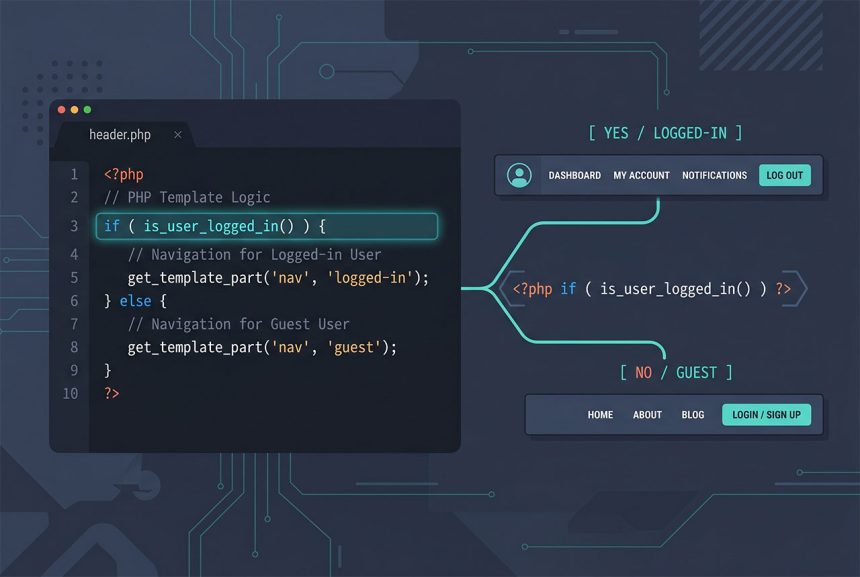
To wordpress check user logged in inside a theme file — header.php to swap navigation, single.php to hide a form, a widget to show user-only content — reach for is_user_logged_in(). The function is a clean boolean, works anywhere in template code once WordPress has bootstrapped, and never hits the database. This guide covers the basic conditional, the one-line menu switch, and the common mistake of calling it too early.
Last verified: 2026-04-23 on WordPress 6.5 and PHP 8.3. Originally published 2022-06-16, rewritten and updated 2026-04-23.
TL;DR
if ( is_user_logged_in() ) {
    // code for logged-in users
} else {
    // code for guests
}
The basic conditional
Inside header.php (or any theme file) wrap the code that should differ between logged-in and guest users:
<?php if ( is_user_logged_in() ) : ?>
    <a href="<?php echo esc_url( wp_logout_url() ); ?>">Log out</a>
<?php else : ?>
    <a href="<?php echo esc_url( wp_login_url() ); ?>">Log in</a>
<?php endif; ?>
The function returns true when the request has a valid authentication cookie. Under the hood it checks the global $current_user — so by the time any template file runs, the value is already resolved and the call is essentially free.
Switching nav menus by login state
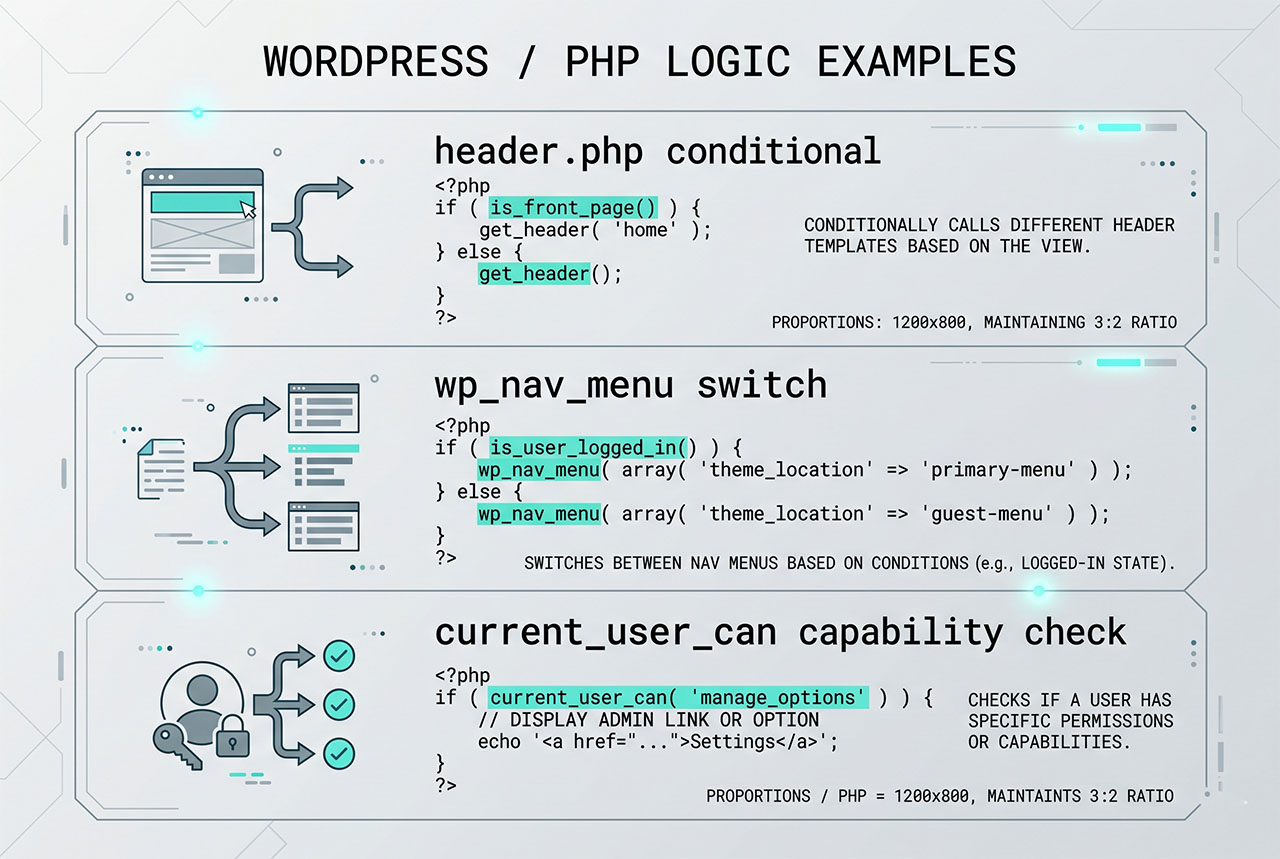
The one-line variant for swapping registered nav menus based on login state:
wp_nav_menu( array(
    'theme_location' => is_user_logged_in() ? 'logged-in-menu' : 'logged-out-menu',
) );
Both locations need to exist first — register them via register_nav_menus in functions.php. For the full menu-register + display walkthrough see Display Different Menus to Logged-In Users in WordPress.
Getting the logged-in user’s info
if ( is_user_logged_in() ) {
    $user_id = get_current_user_id();   // int, or 0 if guest
    $user    = wp_get_current_user();   // WP_User object

    echo esc_html( $user->display_name );
    echo esc_html( $user->user_email );
}
get_current_user_id() is the lighter call — use it when you only need the ID (for a get_post_meta lookup, a conditional on post ownership). wp_get_current_user() returns the full object with email, display name, roles, and all meta. Both work on guests too — the ID becomes 0 and the object’s fields are empty.
Don’t call it too early
A common mistake is using is_user_logged_in() at the top of functions.php:
// functions.php — this WON'T work
if ( is_user_logged_in() ) {
    add_action( 'wp_head', 'my_custom_head' );
}
WordPress hasn’t resolved the current user by the time functions.php is loaded (that happens on init or later). The call always returns false. Wrap the conditional in an init or later hook:
add_action( 'init', function () {
    if ( is_user_logged_in() ) {
        add_action( 'wp_head', 'my_custom_head' );
    }
} );
Capability checks for gated features
For anything more specific than “is anyone logged in?” — admin menus, editor-only forms, custom dashboard widgets — use current_user_can:
if ( current_user_can( 'manage_options' ) ) {
    // admins only
}

if ( current_user_can( 'edit_posts' ) ) {
    // editors, authors, contributors, admins
}

if ( current_user_can( 'edit_post', $post_id ) ) {
    // the specific post's editor / owner
}
The third form — passing an object ID — is the ownership check most plugins get wrong. Always pass the post/user/term ID when the capability has a meta-capability form (edit_post, delete_post, read_post).
Frequently asked questions
if ( is_user_logged_in() ) { ... }. The function returns a boolean — true when the current request has a valid auth cookie, false otherwise. It works anywhere in WordPress template code (header.php, footer.php, any template part, any theme function) and doesn’t hit the database — it reads the already-resolved global $current_user.
functions.php? Yes — but only after WordPress has initialized the current user, which happens on the init hook or later. Calling is_user_logged_in() from the top of functions.php (which runs earlier) returns false even for logged-in requests. Wrap any conditional logic in an add_action('init', ...) or later hook.
wp_get_current_user() returns the WP_User object. For just the ID, get_current_user_id() returns an int (or 0 if not logged in). Use the ID form in conditions and the full object when you need the email, display name, or roles: $user = wp_get_current_user(); $user->display_name;.
is_user_logged_in() and current_user_can()? is_user_logged_in() only confirms that some authenticated user exists. current_user_can('capability') checks whether that user has a specific permission — edit_posts, manage_options, publish_posts, a custom cap. For any admin-only or role-gated feature, reach for current_user_can — the logged-in check is too coarse.
Not directly — the auth cookie (wordpress_logged_in_*) is HttpOnly, so JS can’t read it. Either inject the status from PHP via wp_localize_script(..., ['isLoggedIn' => is_user_logged_in()]), or call an authenticated REST endpoint (/wp-json/wp/v2/users/me) and check the response. The first is simpler when the data is needed at page load; the second is the right answer when the frontend is a SPA making async calls.
Related guides
- How to Display Different Menus to Logged-In Users in WordPress — the full register-menu + wp_nav_menu walkthrough.
- How to Login a User Programmatically in WordPress — the sibling authentication pattern.
- How to Search Users in WordPress — looking up users by username, email, first/last name.
- How to Change a User Profile Picture in WordPress Without a Plugin — another logged-in-user customization.
References
WordPress developer reference for is_user_logged_in: developer.wordpress.org/reference/functions/is_user_logged_in. Roles and Capabilities: developer.wordpress.org/plugins/users/roles-and-capabilities.