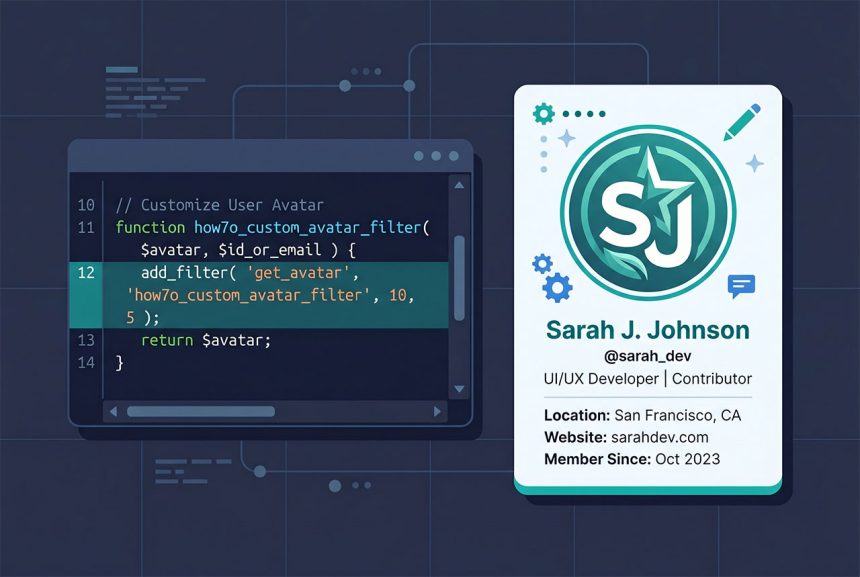
A wordpress custom avatar no plugin setup has three small parts: add an upload button to the user profile screen, drive the WordPress media library from JavaScript, and filter get_avatar to return the uploaded image instead of Gravatar. Around 80 lines of PHP + 20 lines of JS, all in the theme’s functions.php and a helper uploader.js. This guide walks through each piece and the security checks that keep the feature from becoming an avatar-swap-any-user bug.
Last verified: 2026-04-23 on WordPress 6.5 and PHP 8.3. Originally published 2023-10-16, rewritten and updated 2026-04-23.
TL;DR
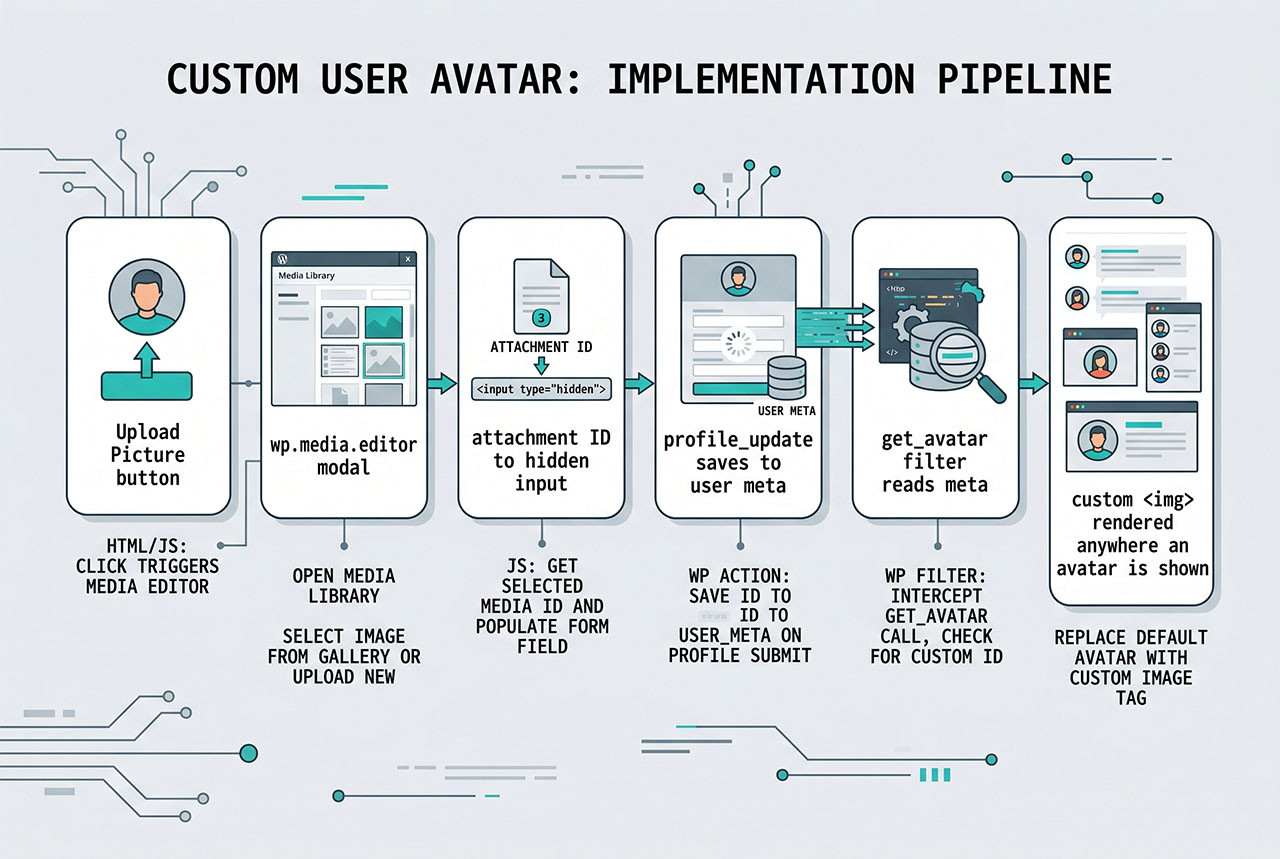
Three hooks: user_profile_picture_description for the button, profile_update for the save, get_avatar for the render. Upload UI stored attachment ID in user meta (_custom_avatar); the filter swaps that attachment’s image into the avatar HTML.
Part 1 — Upload button on the profile screen
// functions.php

add_action( 'user_profile_picture_description', 'how7o_avatar_upload_button', 10, 2 );

function how7o_avatar_upload_button( $description, $user ) {
    if ( ! current_user_can( 'upload_files' ) ) {
        return $description;
    }

    $attachment_id = get_user_meta( $user->ID, '_custom_avatar', true );

    return '
        <input type="hidden"  name="_custom_avatar" id="_custom_avatar" value="' . esc_attr( $attachment_id ) . '" />
        <input type="button"  class="button" id="custom-avatar-btn" value="Upload Picture" />
    ';
}
The user_profile_picture_description filter lets you append or replace the description under the “Profile Picture” area. The capability check (current_user_can('upload_files')) gates the button to users with upload rights. The hidden _custom_avatar input carries the current attachment ID so the save handler has a value to read on submit.
Part 2 — Enqueue the media library + uploader script
add_action( 'admin_enqueue_scripts', 'how7o_avatar_admin_scripts' );

function how7o_avatar_admin_scripts() {
    wp_enqueue_media();  // loads wp.media.editor

    wp_enqueue_script(
        'how7o-avatar-uploader',
        get_stylesheet_directory_uri() . '/js/uploader.js',
        array( 'jquery' ),
        '1.0.0',
        true
    );
}
wp_enqueue_media() loads the WordPress media library JavaScript stack (the modal frame, the attachment grid, the upload tab). wp_enqueue_script registers the theme’s small jQuery wrapper. A hardcoded version string (see why not filemtime() in general) keeps browser caches sane — bump it when you edit the JS.
Part 3 — The uploader JS
// wp-content/themes/<your-theme>/js/uploader.js
(function ($) {
    $('#custom-avatar-btn').on('click', function () {
        var $button = $(this);

        wp.media.editor.send.attachment = function (props, attachment) {
            if (attachment.type === 'image') {
                $('#_custom_avatar').val(attachment.id);
                $button.closest('td').find('img').attr('src', attachment.url);
            } else {
                alert('Please select a valid image file');
                return false;
            }
        };

        wp.media.editor.open();
        return false;
    });
})(jQuery);
Clicking the button overrides wp.media.editor.send.attachment with a handler that writes the selected attachment’s ID into the hidden input and updates the preview image. Then wp.media.editor.open() launches the standard WP media modal. The validation check (attachment.type === 'image') blocks non-image media from being selected.
Part 4 — Save the attachment ID to user meta
add_action( 'profile_update', 'how7o_save_custom_avatar' );

function how7o_save_custom_avatar( $user_id ) {
    if ( ! current_user_can( 'upload_files' ) ) {
        return;
    }

    if ( isset( $_POST['_custom_avatar'] ) ) {
        $attachment_id = absint( $_POST['_custom_avatar'] );
        update_user_meta( $user_id, '_custom_avatar', $attachment_id );
    }
}
profile_update fires when any user profile is saved. The capability guard mirrors the one on the button. absint() forces the ID to a positive integer — a cheap validation that rejects non-numeric tampering. update_user_meta() writes the value (creating the row if it doesn’t exist, updating if it does).
Part 5 — Swap the avatar on render
add_filter( 'get_avatar', 'how7o_custom_avatar_filter', 10, 5 );

function how7o_custom_avatar_filter( $avatar, $id_or_email, $size, $default, $alt ) {
    $user = false;

    if ( is_numeric( $id_or_email ) ) {
        $user = get_user_by( 'id', (int) $id_or_email );
    } elseif ( is_object( $id_or_email ) && ! empty( $id_or_email->user_id ) ) {
        $user = get_user_by( 'id', (int) $id_or_email->user_id );
    } elseif ( is_string( $id_or_email ) ) {
        $user = get_user_by( 'email', $id_or_email );
    }

    if ( $user instanceof WP_User ) {
        $attachment_id = get_user_meta( $user->ID, '_custom_avatar', true );

        if ( ! empty( $attachment_id ) ) {
            $image = wp_get_attachment_image_src( $attachment_id, array( $size, $size ) );

            if ( $image ) {
                $avatar = sprintf(
                    '<img alt="%s" src="%s" class="avatar avatar-%d photo" height="%d" width="%d" />',
                    esc_attr( $alt ),
                    esc_url( $image[0] ),
                    (int) $size,
                    (int) $size,
                    (int) $size
                );
            }
        }
    }

    return $avatar;
}
The filter’s $id_or_email argument can be an integer user ID, a comment/post object carrying user_id, or an email string — the three branches above resolve each to a WP_User. When the user has a _custom_avatar meta, the function rebuilds the <img> with the attachment’s URL; otherwise it passes through the original Gravatar HTML unchanged.
wp_get_attachment_image_src‘s second arg asks for an appropriately-sized intermediate image; WordPress picks the nearest size from the registered image sizes (so a 96px avatar request doesn’t ship a 2000-pixel-wide original).
Security recap
current_user_can('upload_files')gates both the button render and the save — non-upload users never see the button and any spoofed POST is ignored.absint()forces the submitted ID to a non-negative integer. The filter’s laterwp_get_attachment_image_srccall only returns an image if the ID maps to a real attachment — a submitted ID that doesn’t resolve just gets ignored.- WordPress’s standard profile-update nonce covers CSRF; the save handler runs inside
profile_update, which only fires after that nonce has been validated.
Frequently asked questions
Three pieces: (1) a file upload button on the user profile screen that stores the media library attachment ID in user meta, (2) a jQuery snippet using wp.media.editor to drive the upload, and (3) a filter on get_avatar that replaces the Gravatar image with the stored attachment. The pieces are independent — the upload UI writes the meta, the filter reads it. Skip the Gravatar fallback entirely by returning your own <img> from the filter when the attachment exists.
User meta is WordPress’s built-in per-user key/value store — no schema change, no plugin dependency, no admin UI to migrate. update_user_meta() and get_user_meta() are the read/write primitives; _custom_avatar (note the leading underscore, which hides the field from the default UI) holds the attachment ID. When you’re deciding between user meta and a plugin’s data model, user meta wins for everything this simple.
$_POST['_custom_avatar'] handler safe from CSRF? The standard WordPress user-edit screen already includes a nonce that WordPress validates before firing profile_update. As long as your save function only runs inside that hook (not from an unrelated endpoint), you inherit that protection. The current_user_can('upload_files') check closes the other half — only users with upload privileges can set someone’s avatar.
The upload_files capability is granted to Administrators, Editors, Authors, and Contributors by default in WordPress. If you want stricter behavior — only admins can set other users’ avatars, but users can manage their own — check capability plus target: if (current_user_can('edit_user', $user_id) && current_user_can('upload_files')). Customize the role list by editing roles via a role-editor plugin or by adjusting your theme’s user model.
Yes — the get_avatar filter runs for every avatar render, including comment avatars. The filter resolves the user from the $id_or_email argument (integer ID, object with user_id, or email string) and falls back to the default Gravatar if no custom avatar meta exists. So comments from users with a custom avatar show the custom image; comments from guests or non-configured users still use Gravatar.
Related guides
- How to Search Users by Multiple Fields in WordPress — complementary user-admin tooling.
- How to Login a User Programmatically in WordPress — another user-flow customization.
- How to Check If a User Is Logged In in WordPress — gating avatar rendering to authenticated sessions.
- How to Disable Revisions and Autosave in WordPress — another theme-level
functions.phptweak.
References
WordPress developer reference for get_avatar, user_profile_picture_description, and wp.media: developer.wordpress.org/reference/hooks/get_avatar.