How7o
  • Home
  • Tools
  • Prank Screens
  • Learn
  • Blog
  • Contact
Reading: How to Disable or Enable an Input with JavaScript or jQuery
Share
How7oHow7o
Font ResizerAa
  • OS
Search
  • Home
  • Tools
  • Prank Screens
  • Learn
  • Blog
  • Contact
Follow US
© 2024–2026 How7o. All rights reserved.
How7o > Free Laravel, PHP, WordPress & Server Tutorials > Web Development > How to Disable or Enable an Input with JavaScript or jQuery
Web Development

How to Disable or Enable an Input with JavaScript or jQuery

how7o
By how7o
Last updated: May 22, 2026
4 Min Read
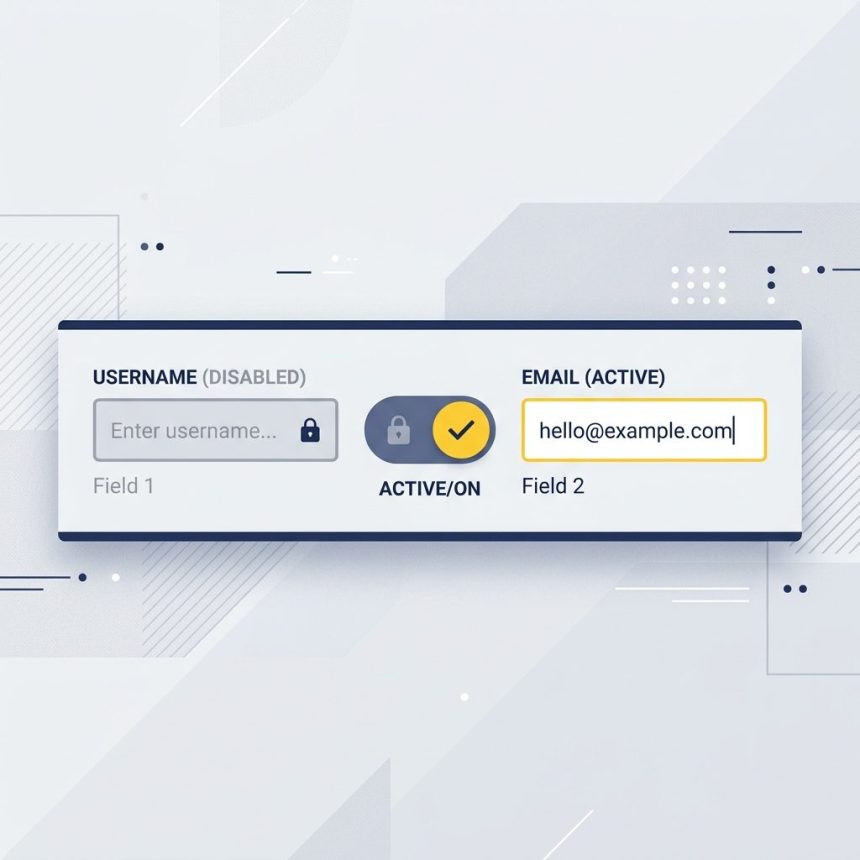
Disable and enable a form input with JavaScript and jQuery
SHARE

To disable or enable an input with JavaScript, set the element’s disabled property to true or false. In jQuery 1.6+, use .prop('disabled', true/false) — not .attr(), which is the most common mistake.

Contents
  • Vanilla JavaScript
  • jQuery 1.6+ — use .prop()
  • jQuery 1.5 and below — .attr() / .removeAttr()
  • Inside an event handler — use this
  • Disable a group of inputs together
  • Frequently asked questions
  • Related guides
  • References

Last verified: 2026-05-17 with jQuery 3.7 and modern browsers. Originally published 2022-08-05, rewritten and updated 2026-05-17.

Vanilla JavaScript

// Disable
document.getElementById('input-id').disabled = true;

// Enable
document.getElementById('input-id').disabled = false;

The disabled property is a boolean on the element. Setting it to true immediately disables the control (no longer focusable, no value submitted); setting it back to false re-enables.
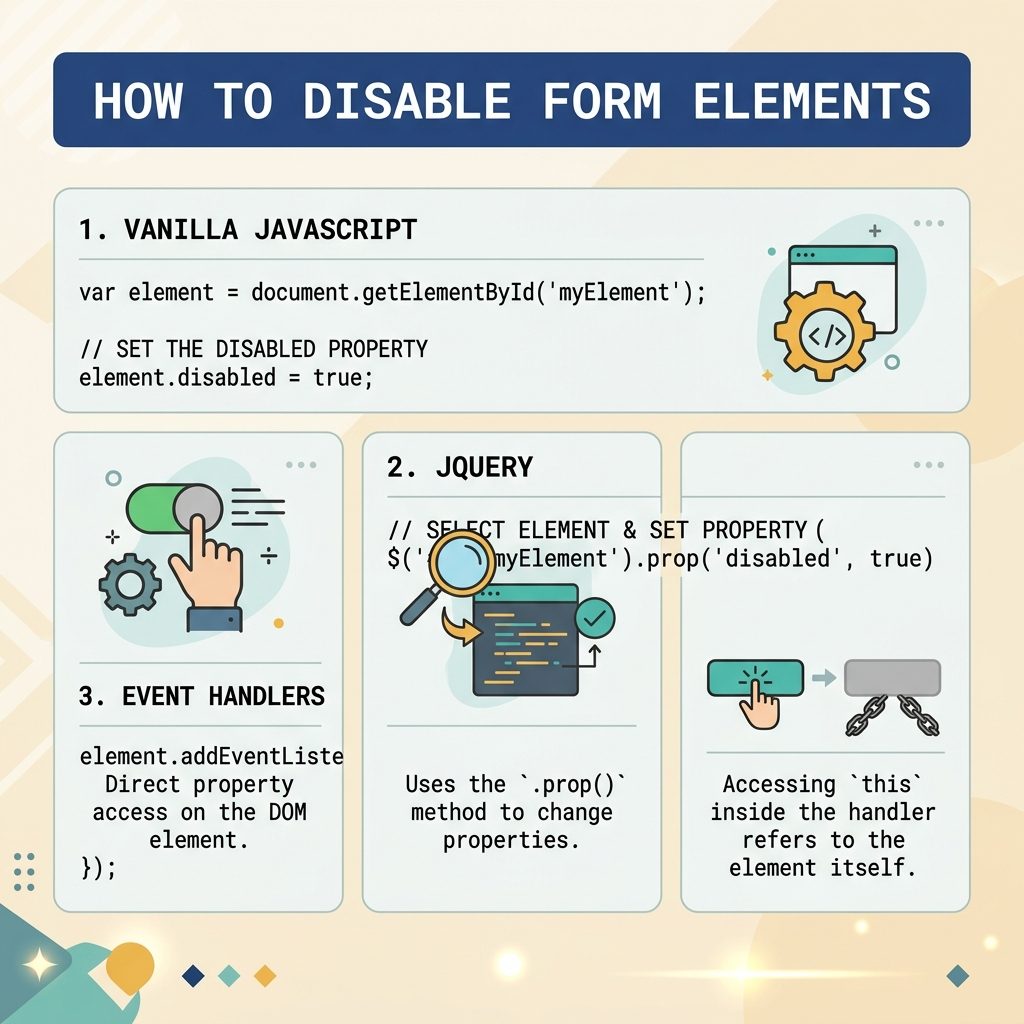
Disable / enable input — vanilla JS .disabled, jQuery .prop, this.disabled in event handlers

jQuery 1.6+ — use .prop()

// Disable
$("#input-id").prop('disabled', true);

// Enable
$("#input-id").prop('disabled', false);

Always .prop() for boolean states like disabled, checked, and selected — these are live DOM properties, not static HTML attributes.

jQuery 1.5 and below — .attr() / .removeAttr()

$("#input-id").attr('disabled', 'disabled');
$("#input-id").removeAttr('disabled');

Only relevant on legacy stacks pinned to a pre-1.6 jQuery. On anything modern, use .prop().

Inside an event handler — use this

$("input").on('change', function () {
    this.disabled = true;
});

this is the raw DOM element inside a jQuery handler, so this.disabled = true skips the jQuery wrapper entirely — works on every jQuery version and is slightly faster than $(this).prop('disabled', true).

Disable a group of inputs together

// Disable every input inside a form
document.querySelectorAll('#my-form input, #my-form select, #my-form textarea')
    .forEach(el => el.disabled = true);

// Or wrap them in a fieldset and disable the whole fieldset
document.getElementById('my-fieldset').disabled = true;

The <fieldset disabled> trick is the cleanest — disabling the parent fieldset disables every form control inside it in one operation.

Frequently asked questions

Why use .prop() instead of .attr() in jQuery?

disabled is a DOM property (a live boolean on the element), not an HTML attribute. .attr('disabled', false) doesn’t enable the element in older jQuery because the attribute is still present in HTML — only the property change actually flips the form control. .prop(), added in jQuery 1.6, sets the live property, which is what the browser checks.

What’s the difference between disabled and readonly?

A disabled input is completely inert: it can’t be focused, its value is not submitted with the form, and it gets the disabled styling (usually grey). A readonly input is still focusable and its value is submitted — it just rejects edits. Use readonly when you want the value to round-trip through the form; disabled when you want to exclude it.

How do I disable every input in a form at once?

Wrap them in a <fieldset> and toggle fieldset.disabled = true. Every form control inside the fieldset becomes disabled in one step, no per-element loop. To target specific subsets in JS, use form.querySelectorAll('input, select, textarea').forEach(el => el.disabled = true).

Can I disable an input using only CSS?

Not really — pointer-events: none and opacity: 0.5 make an input look disabled, but a keyboard user can still tab into it and edit. Only the disabled attribute or property actually prevents interaction and removes the value from form submission. Treat CSS as the visual layer; use the property for behavior.

Related guides

  • How to Check if a Checkbox Is Checked with jQuery
  • How to Check if an Element Is Visible or Hidden with jQuery
  • How to Add a Required Attribute to Input Fields in jQuery

References

jQuery .prop(): api.jquery.com/prop. HTML disabled attribute: developer.mozilla.org/en-US/docs/Web/HTML/Element/input#disabled. Difference between .prop() and .attr(): api.jquery.com/prop/#entry-longdesc.

TAGGED:formsJavaScriptjQuery

Sign Up For Daily Newsletter

Be keep up! Get the latest breaking news delivered straight to your inbox.
[mc4wp_form]
By signing up, you agree to our Terms of Use and acknowledge the data practices in our Privacy Policy. You may unsubscribe at any time.
Share This Article
Facebook Copy Link Print
Previous Article Delete all lines in Vim with :%d How to Delete All Lines in a File with Vi or Vim
Next Article Duplicate a div into another div with jQuery clone How to Duplicate a DIV into Another DIV with jQuery
Leave a Comment

Leave a Reply Cancel reply

You must be logged in to post a comment.

FacebookLike
XFollow
PinterestPin
InstagramFollow
Most Popular
Laravel Eloquent ORM — a model class mapping to a database table with query methods
Laravel Eloquent ORM: The Complete Guide to Querying Your Database
June 16, 2026
Set vi as the default editor in Ubuntu — a terminal opening the vim editor
How to Set vi (Vim) as the Default Editor in Ubuntu
June 8, 2026
rsync says ALL DONE but files are missing — a terminal showing ALL DONE next to an empty folder
rsync Says “ALL DONE” but Files Are Missing: How to Verify
June 8, 2026
Migrate a website to a new server with rsync — files copying from an old server to a new one over SSH
How to Migrate a Website to a New Server With rsync
June 8, 2026
Bun runtime — faster JS toolkit replacing npm in Laravel projects
How to Install Bun Runtime on Ubuntu (And Use It in a Laravel Project)
May 24, 2026

You Might Also Like

Comment in a .gitignore file with the # character
Web Development

How to Comment in a .gitignore File

4 Min Read
Select all text in a contenteditable div on click
Web Development

How to Select All Text in a Contenteditable Div on Click

4 Min Read
WordPress pre_get_posts scoped to a custom post type with is_post_type_archive
Web Development

How to Apply pre_get_posts on Custom Post Types in WordPress

8 Min Read
JavaScript format number with decimals — toFixed, Math.floor, and Intl.NumberFormat
Web Development

How to Format a Number with Decimals in JavaScript

5 Min Read
How7o

We provide tips, tricks, and advice for improving websites and doing better search.

Tools

  • Age Calculator
  • Word Counter
  • Image Upscaler
  • Password Generator
  • QR Code Generator
  • See all tools→

Pranks

  • Fake Blue Screen Prank
  • Hacker Typer
  • Fake iMessage Generator
  • Windows XP Crash Prank
  • Windows 11 Update Prank
  • See all prank screens →

Company

  • About Us
  • Blog
  • Contact
  • Privacy Policy
  • Terms of Service
  • Sitemap
© 2024–2026 How7o. All rights reserved.
Welcome Back!

Sign in to your account

Username or Email Address
Password

Lost your password?