To disable or enable an input with JavaScript, set the element’s disabled property to true or false. In jQuery 1.6+, use .prop('disabled', true/false) — not .attr(), which is the most common mistake.
Last verified: 2026-05-17 with jQuery 3.7 and modern browsers. Originally published 2022-08-05, rewritten and updated 2026-05-17.
Vanilla JavaScript
// Disable
document.getElementById('input-id').disabled = true;

// Enable
document.getElementById('input-id').disabled = false;
The disabled property is a boolean on the element. Setting it to true immediately disables the control (no longer focusable, no value submitted); setting it back to false re-enables.
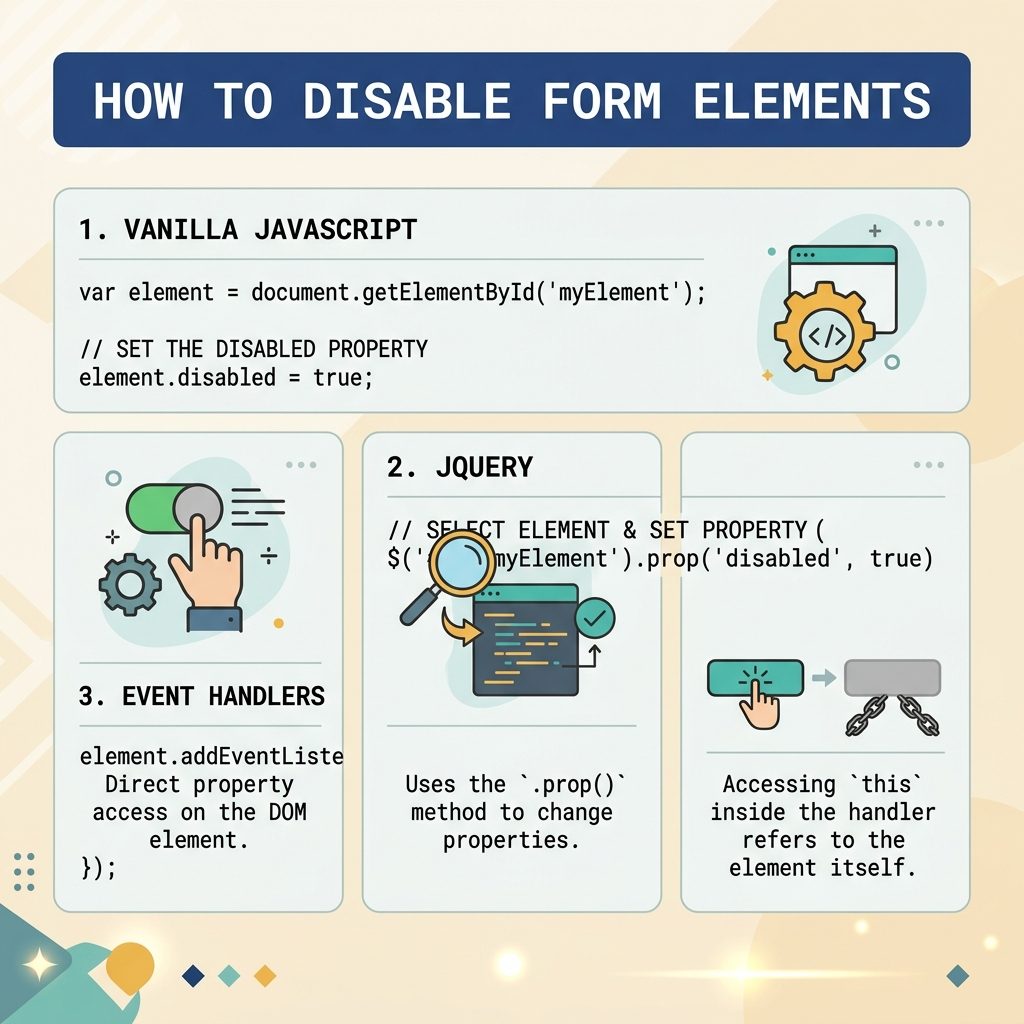
jQuery 1.6+ — use .prop()
// Disable
$("#input-id").prop('disabled', true);

// Enable
$("#input-id").prop('disabled', false);
Always .prop() for boolean states like disabled, checked, and selected — these are live DOM properties, not static HTML attributes.
jQuery 1.5 and below — .attr() / .removeAttr()
$("#input-id").attr('disabled', 'disabled');
$("#input-id").removeAttr('disabled');
Only relevant on legacy stacks pinned to a pre-1.6 jQuery. On anything modern, use .prop().
Inside an event handler — use this
$("input").on('change', function () {
    this.disabled = true;
});
this is the raw DOM element inside a jQuery handler, so this.disabled = true skips the jQuery wrapper entirely — works on every jQuery version and is slightly faster than $(this).prop('disabled', true).
Disable a group of inputs together
// Disable every input inside a form
document.querySelectorAll('#my-form input, #my-form select, #my-form textarea')
    .forEach(el => el.disabled = true);

// Or wrap them in a fieldset and disable the whole fieldset
document.getElementById('my-fieldset').disabled = true;
The <fieldset disabled> trick is the cleanest — disabling the parent fieldset disables every form control inside it in one operation.
Frequently asked questions
.prop() instead of .attr() in jQuery? disabled is a DOM property (a live boolean on the element), not an HTML attribute. .attr('disabled', false) doesn’t enable the element in older jQuery because the attribute is still present in HTML — only the property change actually flips the form control. .prop(), added in jQuery 1.6, sets the live property, which is what the browser checks.
disabled and readonly? A disabled input is completely inert: it can’t be focused, its value is not submitted with the form, and it gets the disabled styling (usually grey). A readonly input is still focusable and its value is submitted — it just rejects edits. Use readonly when you want the value to round-trip through the form; disabled when you want to exclude it.
Wrap them in a <fieldset> and toggle fieldset.disabled = true. Every form control inside the fieldset becomes disabled in one step, no per-element loop. To target specific subsets in JS, use form.querySelectorAll('input, select, textarea').forEach(el => el.disabled = true).
Not really — pointer-events: none and opacity: 0.5 make an input look disabled, but a keyboard user can still tab into it and edit. Only the disabled attribute or property actually prevents interaction and removes the value from form submission. Treat CSS as the visual layer; use the property for behavior.
Related guides
- How to Check if a Checkbox Is Checked with jQuery
- How to Check if an Element Is Visible or Hidden with jQuery
- How to Add a Required Attribute to Input Fields in jQuery
References
jQuery .prop(): api.jquery.com/prop. HTML disabled attribute: developer.mozilla.org/en-US/docs/Web/HTML/Element/input#disabled. Difference between .prop() and .attr(): api.jquery.com/prop/#entry-longdesc.