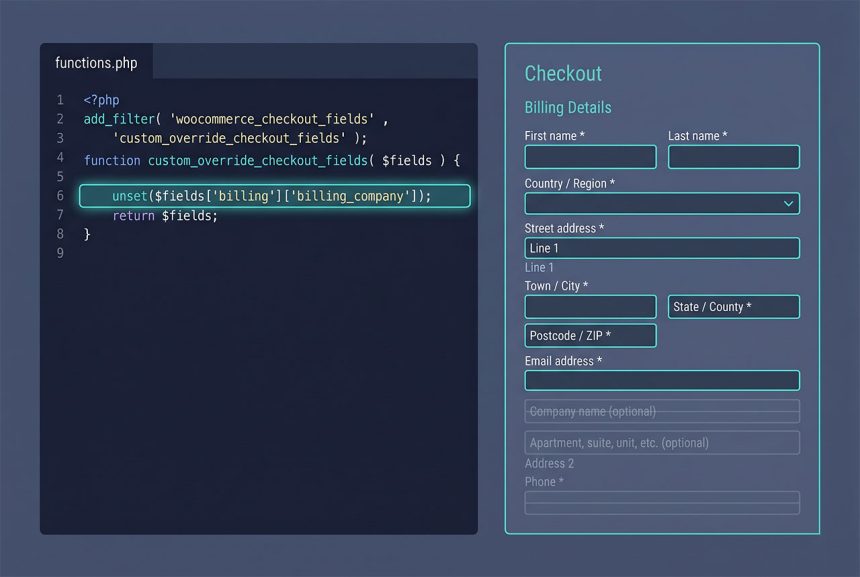
To woocommerce remove checkout fields — simplifying checkout by hiding Company Name, Address Line 2, Phone, etc. — hook woocommerce_checkout_fields, unset() the fields you don’t want, and return the array. Works across the four sections WooCommerce exposes: billing, shipping, order, and account. This guide covers the pattern, the full field list, and the “always return the array” gotcha that breaks checkout forms silently.
Last verified: 2026-04-23 on WooCommerce 9.x with WordPress 6.5. Originally published 2024-03-23, rewritten and updated 2026-04-23.
TL;DR
add_filter( 'woocommerce_checkout_fields', 'how7o_simplify_checkout' );

function how7o_simplify_checkout( $fields ) {
    unset( $fields['billing']['billing_company'] );
    unset( $fields['billing']['billing_address_2'] );
    unset( $fields['billing']['billing_phone'] );

    return $fields;   // ← don't forget this
}
The field map
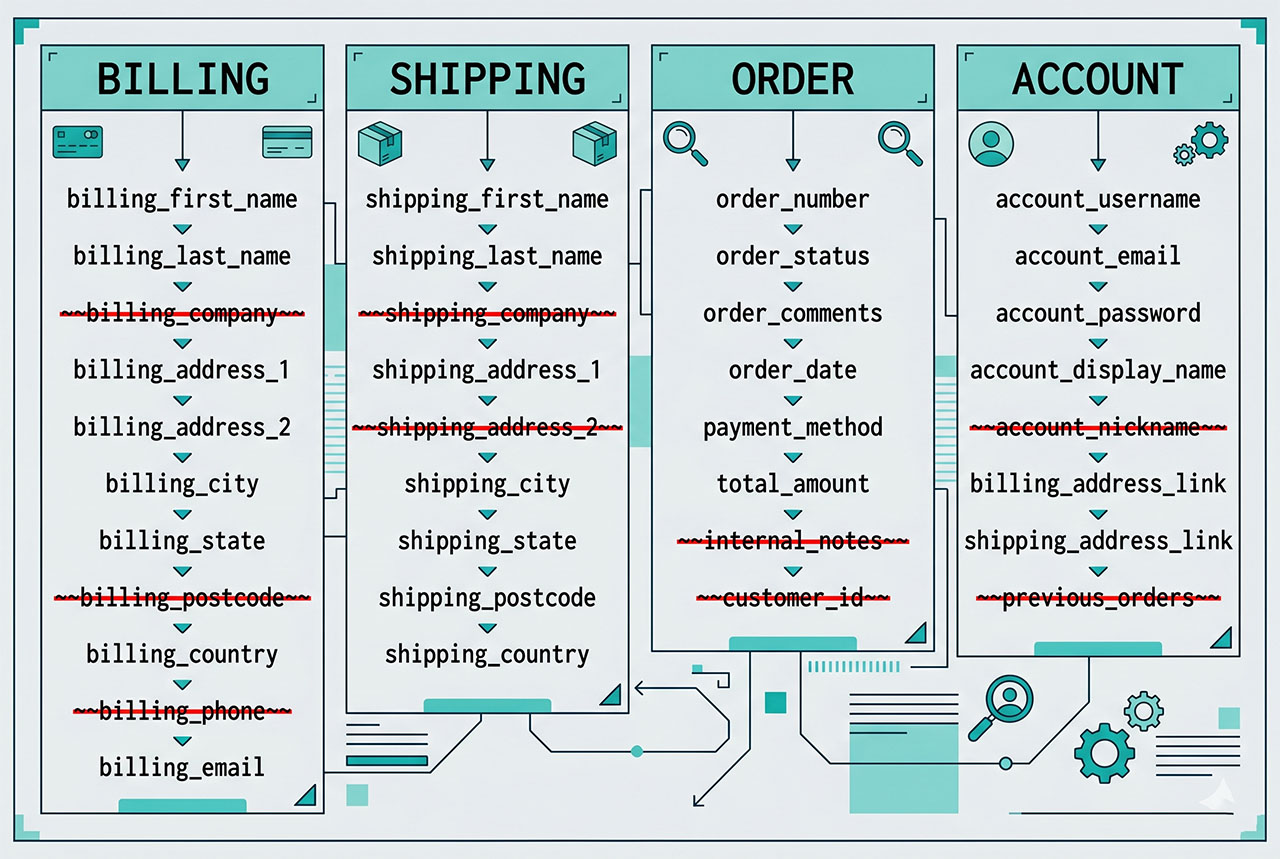
Everything WooCommerce exposes, grouped by section. Remove what you don’t need:
// Billing section
unset( $fields['billing']['billing_first_name'] );
unset( $fields['billing']['billing_last_name'] );
unset( $fields['billing']['billing_company'] );
unset( $fields['billing']['billing_address_1'] );
unset( $fields['billing']['billing_address_2'] );
unset( $fields['billing']['billing_city'] );
unset( $fields['billing']['billing_postcode'] );
unset( $fields['billing']['billing_country'] );
unset( $fields['billing']['billing_state'] );
unset( $fields['billing']['billing_phone'] );
unset( $fields['billing']['billing_email'] );

// Shipping section
unset( $fields['shipping']['shipping_first_name'] );
unset( $fields['shipping']['shipping_last_name'] );
unset( $fields['shipping']['shipping_company'] );
unset( $fields['shipping']['shipping_address_1'] );
unset( $fields['shipping']['shipping_address_2'] );
unset( $fields['shipping']['shipping_city'] );
unset( $fields['shipping']['shipping_postcode'] );
unset( $fields['shipping']['shipping_country'] );
unset( $fields['shipping']['shipping_state'] );

// Order-comments section
unset( $fields['order']['order_comments'] );

// Account section
unset( $fields['account']['account_username'] );
unset( $fields['account']['account_password'] );
unset( $fields['account']['account_password-2'] );
The naming convention is {section}_{field} inside each section’s subarray. For example the billing phone field is $fields['billing']['billing_phone'] — the prefix repeats.
The “always return” gotcha
// BROKEN — no return statement
add_filter( 'woocommerce_checkout_fields', function ( $fields ) {
    unset( $fields['billing']['billing_company'] );
    // ← forgot to return $fields
} );
The callback falls off the end and returns null. WooCommerce assigns the filter’s return value to the fields array, and now the checkout tries to render an empty form — customers see a blank page with just a Place Order button. Always return the array:
add_filter( 'woocommerce_checkout_fields', function ( $fields ) {
    unset( $fields['billing']['billing_company'] );
    return $fields;
} );
Careful with required fields
billing_email— used for order receipts. Removing it means customers get no email confirmation.billing_first_name/billing_last_name— appears everywhere in the admin (order list, order emails, customer records). Removing leaves blank columns throughout.billing_country,billing_postcode— drive shipping and tax calculations. Removing breaks those for any customer who isn’t in the store’s default location.
The safe removals are billing_company, billing_address_2, billing_phone, order_comments, and the account username/password pair for simplified sign-up. Beyond those, verify the removal doesn’t break a flow you depend on.
Making fields optional instead of removing
add_filter( 'woocommerce_checkout_fields', function ( $fields ) {
    // Keep the field but make it optional
    $fields['billing']['billing_phone']['required'] = false;
    return $fields;
} );
For fields that you want to keep visible but not require, toggle the required key instead of removing. This is the middle ground: customers who want to provide phone can, customers who don’t aren’t blocked from checkout.
Frequently asked questions
woocommerce_checkout_fields. It passes an array keyed by section — billing, shipping, order, account — each with field names inside. unset() the ones you don’t want and return the array. Minimum required step: return $fields at the end of the callback. Skipping that returns null and crashes the checkout.
Technically yes, but WooCommerce uses billing email for order receipts and first/last name for order references — removing them will break flows in unexpected places (emails can’t be sent, the admin order list shows blank customer names). Only remove fields that are truly optional for your business. If you need minimal input, hide the fields with CSS instead of removing them server-side.
No — woocommerce_checkout_fields only affects the customer-facing checkout form. The admin order-edit screen still shows every field. If you want to hide fields from admins too, that’s a separate filter (woocommerce_admin_billing_fields or template overrides).
return at the end matter? It’s a filter, not an action — WooCommerce uses whatever you return as the new fields array. Forgetting the return (or the return $fields; at the end) makes the filter return null and the whole checkout form renders blank. Always return, even if you’re just modifying in place.
Yes — the same filter accepts $fields['billing']['billing_vat_number'] = ['label' => ..., 'required' => true, ...]. Adding is harder than removing because you need the full field-config array (see the WooCommerce docs). For simple cases, the woocommerce_after_checkout_billing_form action is easier — echo your input and then read $_POST in woocommerce_checkout_update_order_meta.
Related guides
- How to Add a Custom Fee in WooCommerce — cart-side customization pair.
- How to Display Orders Instead of Dashboard on the WooCommerce My Account Page — post-checkout UX.
- How to Dynamically Change Currency in WooCommerce — checkout display adjacent.
- How to Add a Link or Button After the Login Form in WooCommerce — similar filter-driven form tweak.
References
WooCommerce woocommerce_checkout_fields docs: woocommerce.com/document/tutorial-customising-checkout-fields-using-actions-and-filters.