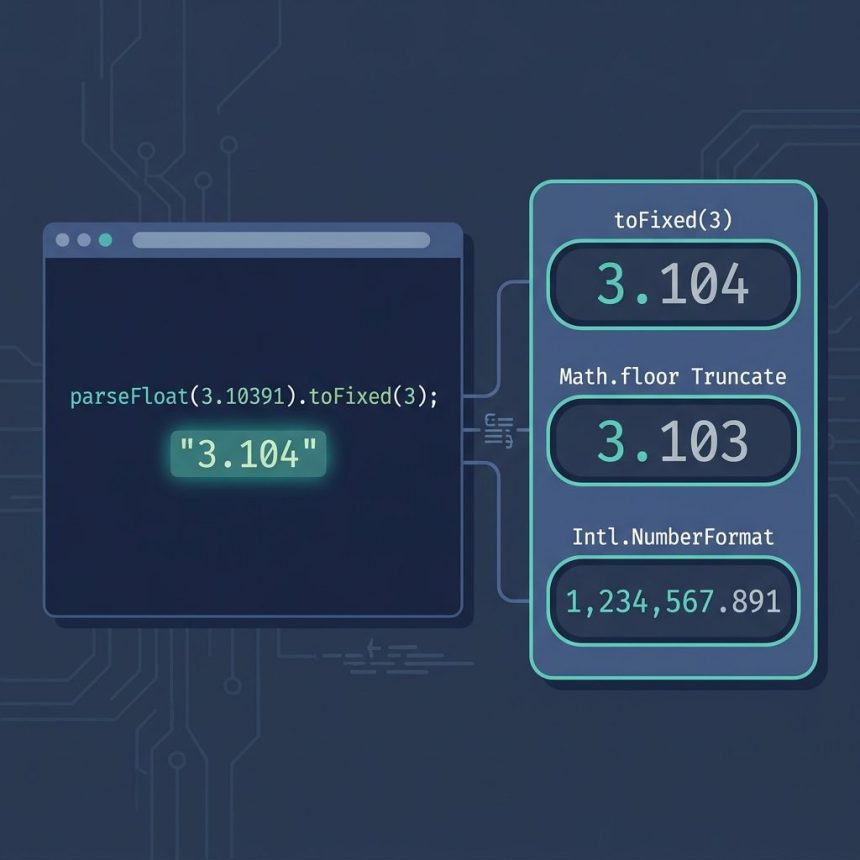
To format a number with decimals in JavaScript, use the built-in toFixed method: (3.10391).toFixed(3) returns the string '3.104'. This guide covers toFixed, when it isn’t enough (truncation, locales, thousands separators), and the floating-point precision gotcha that catches people the first time.
Last verified: 2026-05-17 in Chromium, Firefox, Safari, and Node.js 22. Originally published 2023-03-19, rewritten and updated 2026-05-17.
TL;DR
(3.10391).toFixed(3);                     // "3.104"  (rounded)
parseFloat("3.10391").toFixed(3);          // "3.104"  (string in -> rounded string out)

// Need a number back?
Number((3.10391).toFixed(3));              // 3.104

// Need truncation, not rounding?
Math.floor(3.10391 * 1000) / 1000;         // 3.103

// Locale-aware + thousands separator?
new Intl.NumberFormat('en-US',
  { minimumFractionDigits: 3,
    maximumFractionDigits: 3 }
).format(1234567.891);                     // "1,234,567.891"
The toFixed method
toFixed(n) is a method on every JavaScript number. It returns a string representation rounded to n decimal places:
(3.10391).toFixed(3);     // "3.104"
(3.10391).toFixed(2);     // "3.10"
(3.10391).toFixed(0);     // "3"
(3.5).toFixed(0);         // "4"
If the value comes from a database or API as a string, wrap it in parseFloat first, since toFixed only exists on numbers:
const raw = "3.10391";       // e.g. from JSON
parseFloat(raw).toFixed(3);  // "3.104"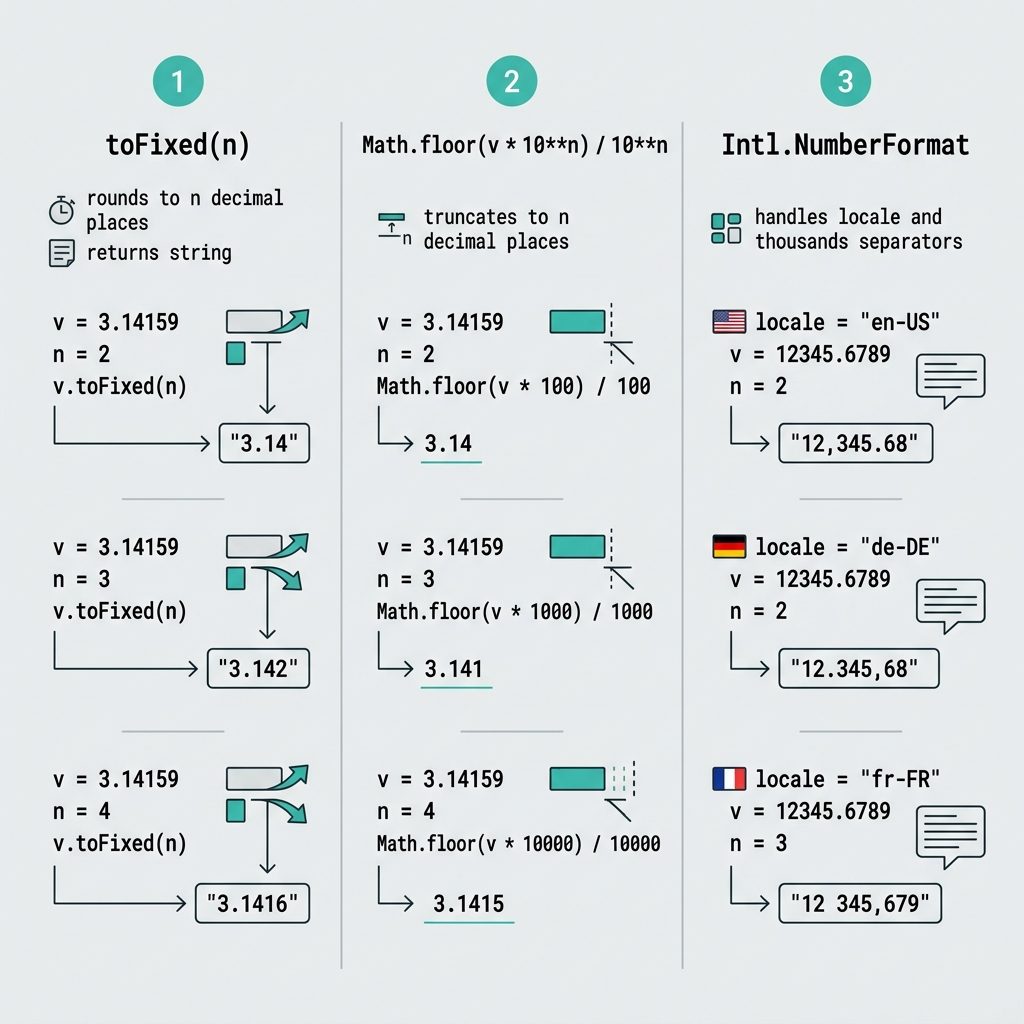
Round, floor, or ceil to N decimals
toFixed always rounds. If you specifically need truncation or ceiling, combine Math.floor / Math.ceil with a multiplier:
// Round (same as toFixed)
(Math.round(3.10391 * 1000) / 1000).toFixed(3);  // "3.104"

// Truncate
(Math.floor(3.10391 * 1000) / 1000).toFixed(3);  // "3.103"

// Ceiling
(Math.ceil(3.10391 * 1000) / 1000).toFixed(3);   // "3.104"
The * 1000 / 1000 shift is what controls the precision — three decimals here. For two decimals use * 100 / 100, for four use * 10000 / 10000.
The floating-point precision gotcha
JavaScript numbers are IEEE-754 floats, so 0.1 + 0.2 is internally 0.30000000000000004 — not 0.3. toFixed(2) rounds the display to '0.30', which is what you usually want for display. But strict equality (===) still fails:
0.1 + 0.2 === 0.3;                  // false
(0.1 + 0.2).toFixed(2);             // "0.30"
Number((0.1 + 0.2).toFixed(2)) === 0.30;  // true
For display, toFixed is fine. For money or any value where every cent matters, store integers (cents/satoshis) or use a decimal library like decimal.js — never trust the float for accounting.
Locale-aware formatting
toFixed always uses . as the decimal separator and never adds thousands separators. For user-facing display, Intl.NumberFormat handles both, in any locale:
const fmt = new Intl.NumberFormat('en-US', {
  minimumFractionDigits: 3,
  maximumFractionDigits: 3,
});
fmt.format(1234567.891);            // "1,234,567.891"

new Intl.NumberFormat('fr-FR',
  { minimumFractionDigits: 3,
    maximumFractionDigits: 3 }
).format(1234567.891);              // "1 234 567,891"
Built into every modern browser and Node.js — no dependency needed.
Frequently asked questions
toFixed return a string or a number? A string. (3.10391).toFixed(3) returns '3.104', not the number 3.104. That’s fine for display, but if you need a number for further math, wrap with Number(...) or parseFloat(...): Number((3.10391).toFixed(3)).
toFixed round or truncate? It rounds, using banker’s rounding in most modern engines (round half to even). (2.5).toFixed(0) returns '3', (0.125).toFixed(2) returns '0.13'. If you specifically need truncation (drop the extra digits without rounding up), use Math.floor(value * 10**n) / 10**n instead.
(0.1 + 0.2).toFixed(2) return '0.30' but 0.1 + 0.2 === 0.3 is false? Floating-point precision. 0.1 + 0.2 in IEEE-754 is actually 0.30000000000000004 — strict equality with 0.3 fails. toFixed(2) rounds the display to '0.30', which looks correct. For money or any value where precision matters, store integers (cents) or use a decimal library; toFixed is for display only.
toFixed doesn’t do separators. Use Intl.NumberFormat instead: new Intl.NumberFormat('en-US', { minimumFractionDigits: 3, maximumFractionDigits: 3 }).format(1234567.891) returns '1,234,567.891'. It’s locale-aware, so French users see '1 234 567,891'.
toFixed, Intl.NumberFormat, or a library? For one-off display in a single locale, toFixed is fine. For anything user-facing with locales or currency, Intl.NumberFormat is the right choice — built into every modern browser and Node.js, no dependencies. Pull in a library (decimal.js, big.js) only when you need exact decimal arithmetic for accounting.
Related guides
References
MDN Number.prototype.toFixed: developer.mozilla.org/en-US/docs/Web/JavaScript/Reference/Global_Objects/Number/toFixed. Intl.NumberFormat: developer.mozilla.org/en-US/docs/Web/JavaScript/Reference/Global_Objects/Intl/NumberFormat.