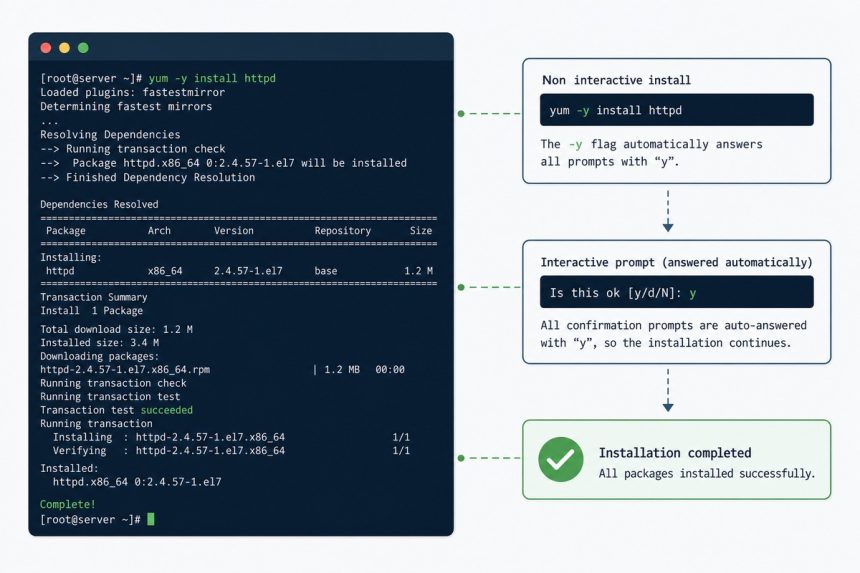
The -y flag in yum -y update (and dnf -y install, apt-get -y install) means “assume yes to every prompt.” Without it, the package manager pauses to ask Is this OK? [y/N] before downloading or removing anything. With it, every such prompt auto-answers yes — handy in scripts and one-shot commands.
Last verified: 2026-05-17 on AlmaLinux 9 (dnf) and Ubuntu 22.04 (apt). Originally published 2022-09-18, rewritten and updated 2026-05-17.
What you actually skip
sudo yum install httpd
# ...
# Total download size: 4.3 M
# Installed size: 12 M
# Is this ok [y/d/N]: ▍   <-- waits for input

sudo yum install httpd -y
# ...
# Is this ok [y/d/N]: y   <-- automatic
# (proceeds)
The prompt is asking you to confirm the dependency list and disk usage. -y tells yum/dnf to answer y automatically — no human in the loop.
Common uses
# RHEL-family (yum/dnf)
sudo yum -y update
sudo dnf -y install httpd php php-mysqlnd
sudo dnf -y remove mariadb-server

# Debian/Ubuntu (apt)
sudo apt-get -y update
sudo apt-get -y install nginx
sudo apt-get -y dist-upgrade
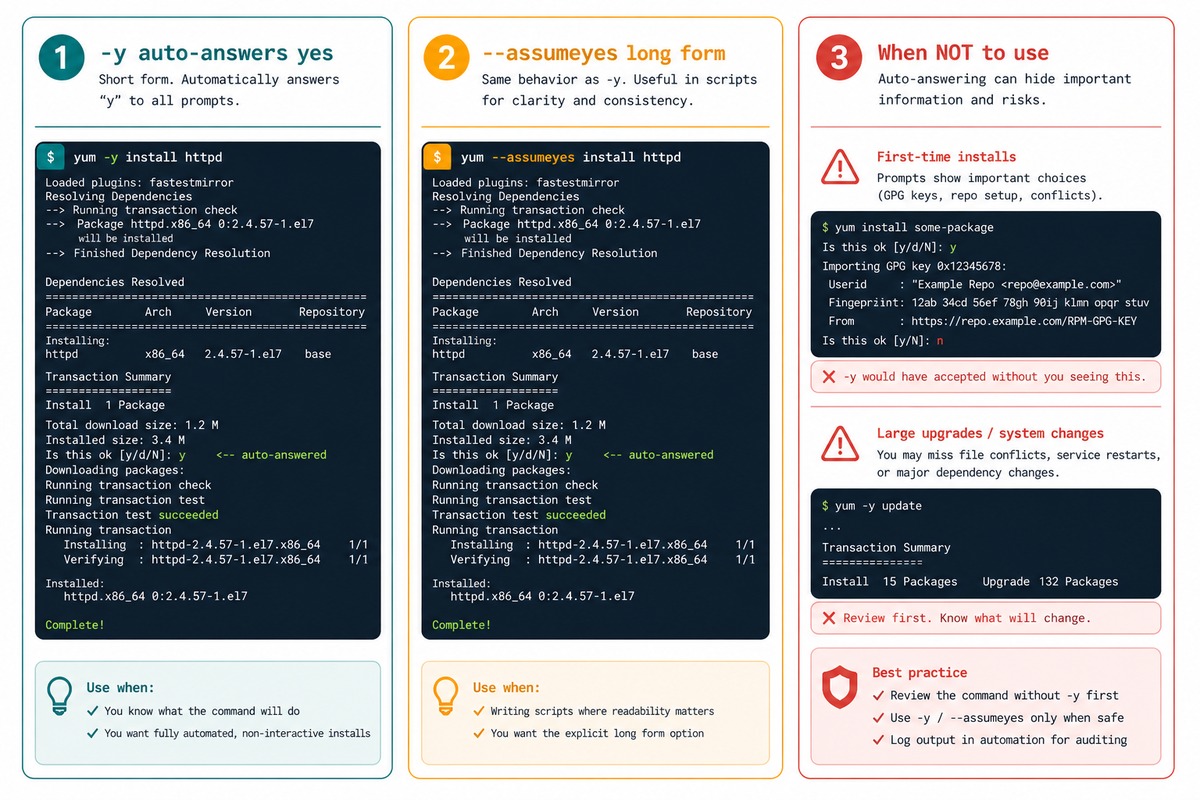
The long-form equivalent is --assumeyes on yum/dnf, --assume-yes (or just --yes) on apt-get. Useful in scripts where you want to be explicit about non-interactive intent.
When NOT to use -y
- First-time installs of an unfamiliar package. Package managers occasionally pull in surprising dependencies; reviewing the list once before approving is a small habit that catches a lot of problems.
- Big upgrades that remove packages.
dnf upgradecan decide to remove things to resolve conflicts. With-yit just does it — sometimes that’s what you want, sometimes the right move is to--excludethe conflict and resolve it manually. - Anywhere a typo would be expensive. The prompt is a sanity check;
-yremoves it. For a production server, take the extra second.
Related flags worth knowing
# Dry run — say no, see what would happen
sudo dnf install nginx --assumeno

# Download but don't install
sudo dnf install nginx --downloadonly

# Skip prompts AND ignore some failures
sudo apt-get -y install nginx --allow-downgrades

# Set frontend to noninteractive for the whole script
DEBIAN_FRONTEND=noninteractive sudo apt-get -y install postfix
Frequently asked questions
dnf support -y the same way? Yes — dnf (the package manager on RHEL 8+ and AlmaLinux/Rocky/Fedora) inherits -y from yum with identical behavior. --assumeyes is the long form. Same flag on apt-get (Debian/Ubuntu) too, where the long form is --assume-yes or --yes.
-y safe for production servers? For routine updates of trusted repos, yes. For first-time installs of unfamiliar packages, prefer running without -y the first time so you can review the dependency list — package managers occasionally pull in unexpected extras. -y is a productivity flag, not a security one.
--assumeno on yum/dnf, useful for dry runs. It answers “no” to every prompt, which effectively makes the command a no-op that shows you what would have happened. Combine with --downloadonly to fetch packages without installing them.
apt-get -y do differently? Same idea, slightly different defaults. apt-get -y install foo auto-confirms install prompts. For changes that could remove other packages, apt-get requires --force-yes or --allow-downgrades in addition — a sane safety net. On Debian-family, apt (the newer command) has interactive defaults; for scripts, use apt-get with DEBIAN_FRONTEND=noninteractive.
Related guides
- How to Install the Apache Web Server on Ubuntu
- How to Install and Set Up HAProxy on AlmaLinux, Rocky, or RHEL
- How to Install HandBrake CLI on Linux (Flatpak)
References
man dnf, man yum, man apt-get on any Linux. dnf documentation: dnf.readthedocs.io/en/latest/command_ref.html.