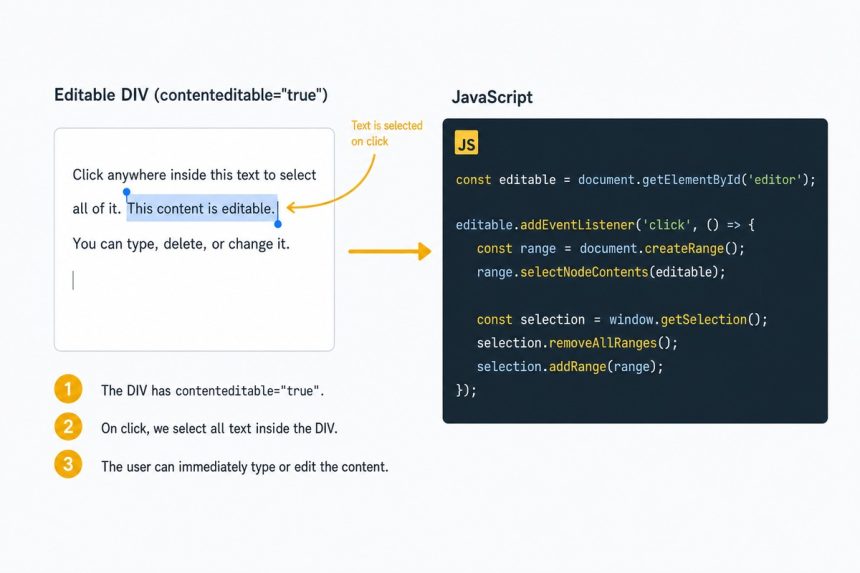
To select all text inside a contenteditable div when it’s clicked, create a Range covering the div’s contents and apply it as the current Selection. The Range/Selection API is the modern, supported way; document.execCommand('selectAll') still works but is deprecated.
Last verified: 2026-05-17 in Chrome 124, Firefox 125, Safari 17. Originally published 2024-03-28, rewritten and updated 2026-05-17.
The vanilla JS pattern
const editable = document.getElementById('editable-div');

editable.addEventListener('click', () => {
    const range     = document.createRange();
    range.selectNodeContents(editable);
    const selection = window.getSelection();
    selection.removeAllRanges();
    selection.addRange(range);
});document.createRange()— creates a Range object you can position anywhere in the document.range.selectNodeContents(el)— sets the range to cover everything inside the element (its descendants, not the element itself).window.getSelection()— the current selection (highlighted text) in the document.selection.removeAllRanges()— clear any existing selection.selection.addRange(range)— apply our new range, which highlights everything inside the div.
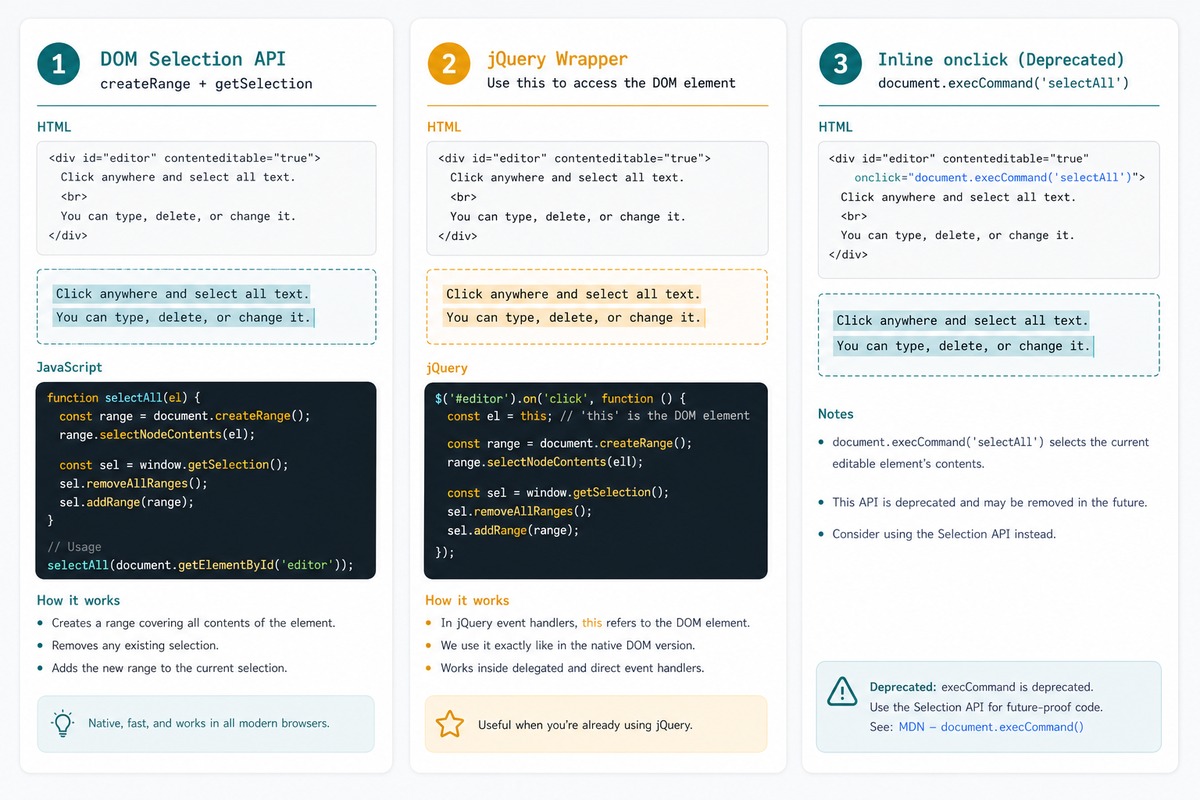
jQuery variant
$('#editable-div').on('click', function () {
    const range     = document.createRange();
    range.selectNodeContents(this);
    const selection = window.getSelection();
    selection.removeAllRanges();
    selection.addRange(range);
});
Inside the handler, this is the raw DOM element, so we pass it directly to selectNodeContents. No need for this[0] or $(this)[0].
Inline shortcut (deprecated but works)
<div
    contenteditable="true"
    id="editable-div"
    onclick="document.execCommand('selectAll', false, null)">
  Click here to edit the text...
</div>
One line of HTML, no JavaScript file. Works today but document.execCommand is officially deprecated — fine for one-off prototypes, not for production.
Select on focus instead of click
editable.addEventListener('focus', () => {
    const range = document.createRange();
    range.selectNodeContents(editable);
    const sel = window.getSelection();
    sel.removeAllRanges();
    sel.addRange(range);
});
Tabbing into the element auto-selects too. Often the friendlier UX — users get a “ready to type” experience whether they reached the field via tab or click.
For form inputs (not contenteditable)
<input type="text" id="username">

<script>
document.getElementById('username').addEventListener('focus', function () {
    this.select();
});
</script>
<input> and <textarea> have their own .select() method — much simpler than building a Range. Use it for normal form fields; reserve the Range/Selection API for contenteditable.
Frequently asked questions
document.execCommand('selectAll')? It works today, but document.execCommand is officially deprecated. MDN flags it as obsolete and browsers may eventually drop support. The Range + Selection API is the supported successor and works in every modern browser. New code should use the Range version.
<input> or <textarea>? No — those have their own selection model. For form inputs, use input.select() or input.setSelectionRange(0, input.value.length). The Range/Selection API in this guide is specifically for non-form elements that have contenteditable="true".
Same code, different event: el.addEventListener('focus', selectAll). Note that click fires before focus, and clicking inside the div places the cursor at the click position. Using focus instead means tabbing into the element also auto-selects, which is often the friendlier UX.
Yes — range.selectNode(child) selects a single child element (including the wrapper), and range.setStart(node, offset) + range.setEnd(...) pins both ends of the selection. selectNodeContents is the “everything inside this element” shortcut.
Related guides
- How to Check if a Bootstrap Modal Is Open with jQuery
- How to Disable or Enable an Input with JavaScript or jQuery
- How to Duplicate a DIV into Another DIV with jQuery
References
MDN Range: developer.mozilla.org/en-US/docs/Web/API/Range. MDN Selection: developer.mozilla.org/en-US/docs/Web/API/Selection. MDN contenteditable: developer.mozilla.org/en-US/docs/Web/HTML/Global_attributes/contenteditable.