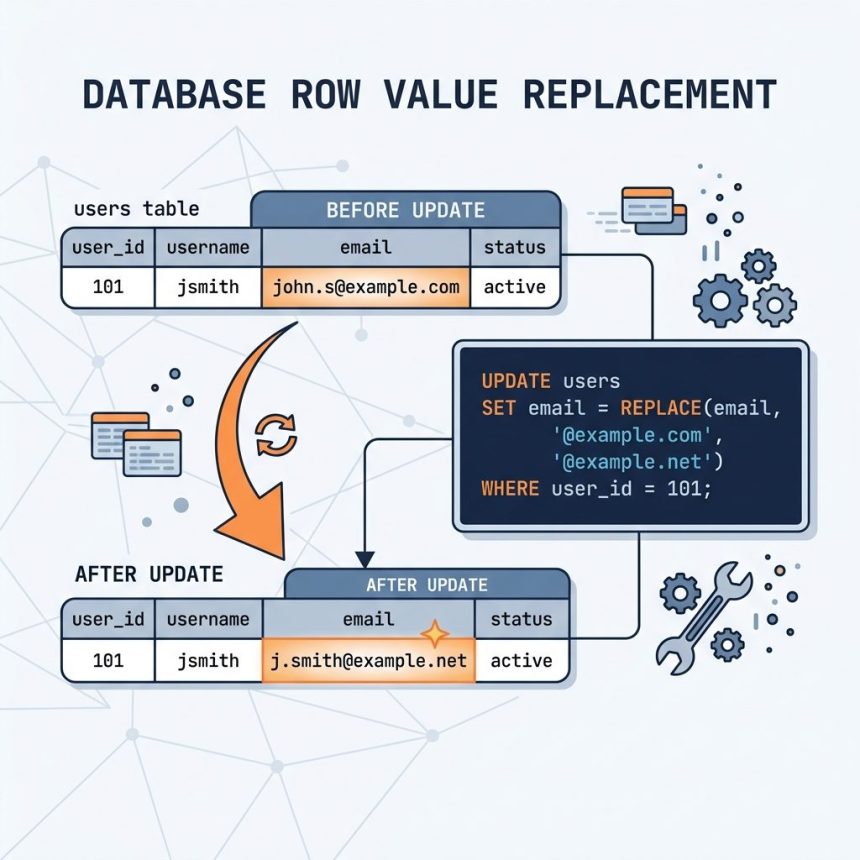
To replace strings in a MySQL database, use the built-in REPLACE() function inside an UPDATE statement. It replaces every occurrence of a literal substring in a column — useful for fixing typos across many rows, renaming references, or scrubbing data.
Last verified: 2026-05-17 on MySQL 8.0 and MariaDB 10.11. Originally published 2022-06-23, rewritten and updated 2026-05-17.
The basic syntax
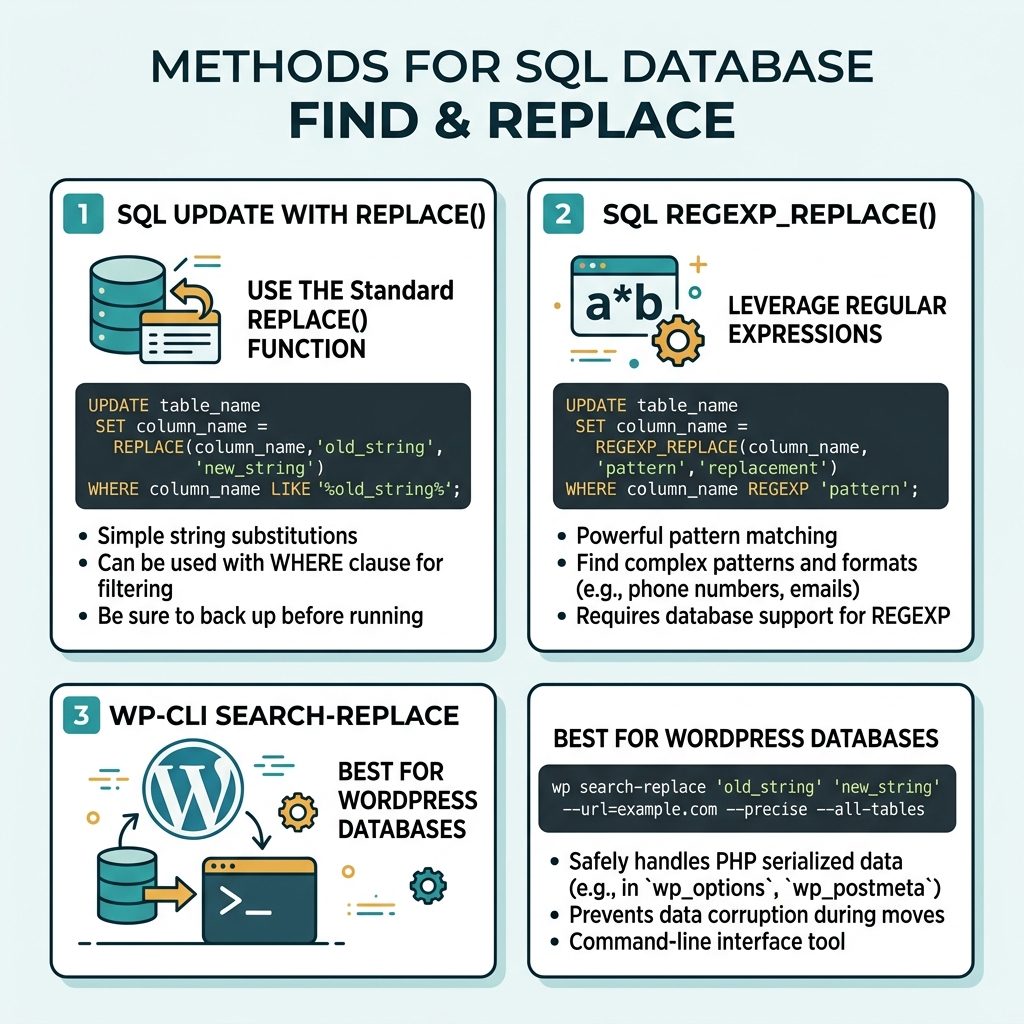
UPDATE table_name
SET    column_name = REPLACE(column_name, 'old_string', 'new_string')
WHERE  column_name LIKE '%old_string%';
REPLACE(haystack, needle, replacement) returns the haystack with every occurrence of the needle swapped out. The WHERE … LIKE filter limits the update to rows that actually contain the string — much cheaper than touching every row and rewriting it as-is.
WordPress post-content example
-- Replace "Mr. John Doe" with "Mr. Phillip White" across all posts
UPDATE wp_posts
SET    post_content = REPLACE(post_content, 'Mr. John Doe', 'Mr. Phillip White')
WHERE  post_content LIKE '%Mr. John Doe%';
Run this once to update every post that mentions the old name. The LIKE filter is a performance optimisation — without it, MySQL still has to read and rewrite every row, even rows where REPLACE doesn’t change anything.
Always back up first
# Logical backup of the affected database
mysqldump -u root -p mydb > mydb-before-replace-$(date +%F).sql

# Or just the affected table
mysqldump -u root -p mydb wp_posts > wp_posts-before-replace.sql
The replace is irreversible once committed — if you replace the wrong substring, only your backup will save you.
Preview before you commit
-- See what the replacement would look like, without writing
SELECT id, post_title,
       REPLACE(post_content, 'Mr. John Doe', 'Mr. Phillip White') AS new_content
FROM   wp_posts
WHERE  post_content LIKE '%Mr. John Doe%'
LIMIT  5;
A SELECT with the same REPLACE expression shows the result without modifying the row. Spot-check a few before running the real UPDATE.
Pattern-based replace with REGEXP_REPLACE
-- MySQL 8.0+, MariaDB 10.0.5+
UPDATE wp_posts
SET    post_content = REGEXP_REPLACE(post_content,
                       '\\bMr\\. (John Doe|Jane Smith)\\b',
                       'Mr. Phillip White')
WHERE  post_content REGEXP '\\bMr\\. (John Doe|Jane Smith)\\b';
Use REGEXP_REPLACE when you need pattern matching (alternations, word boundaries, character classes) rather than a fixed substring.
Don’t use REPLACE on serialized data
WordPress stores some option values as PHP-serialized strings, where each segment is prefixed with its byte length (s:11:"hello world"). Replacing inside those values changes the byte count and breaks unserialize. For WordPress URL updates, use the WP-CLI command which handles serialization correctly:
wp search-replace 'https://old.example.com' 'https://new.example.com' \
    --all-tables --skip-columns=guid
Frequently asked questions
REPLACE use a regex or a literal string? Literal substring. REPLACE(col, 'Mr. John Doe', 'Mr. Phillip White') matches that exact sequence of characters — no wildcards, no regex. For pattern-based replacement, use REGEXP_REPLACE (MySQL 8.0+, MariaDB 10.0.5+) with a regex pattern.
WHERE col LIKE '%...%' when REPLACE is a no-op on rows that don’t contain the string anyway? Two reasons. Performance: without the WHERE, every row is updated (its UPDATE timestamp changes, write logs grow, replication ships every row). With the filter, only matching rows are touched. Safety: a stray run with the wrong arguments can’t blast through your entire table if you’ve scoped it to known-matching rows.
REPLACE is case-sensitive on case-sensitive collations (like utf8mb4_bin) and case-insensitive on the common utf8mb4_general_ci / utf8mb4_unicode_ci. If you need case-insensitive matching regardless of column collation, use REGEXP_REPLACE(col, 'mr\\. john doe', 'Mr. Phillip White', 1, 0, 'i') — the 'i' flag forces case-insensitivity.
Don’t use plain REPLACE on serialized strings — the s:N: length prefix becomes wrong after replacement, breaking the unserialize. Use a WordPress-specific tool: the WP-CLI command wp search-replace 'oldurl' 'newurl' --all-tables handles serialized data correctly. For non-WP databases, write a script in your application language that round-trips through unserialize/serialize.
Related guides
- How to Combine Multiple Columns as One String in MySQL
- How to Get Only the Digits from a String in MySQL
- How to Remove a Specific String from a Column in MySQL
References
MySQL REPLACE(): dev.mysql.com/doc/refman/8.0/en/string-functions.html#function_replace. MySQL REGEXP_REPLACE(): dev.mysql.com/doc/refman/8.0/en/regexp.html#function_regexp-replace. WP-CLI search-replace: developer.wordpress.org/cli/commands/search-replace.