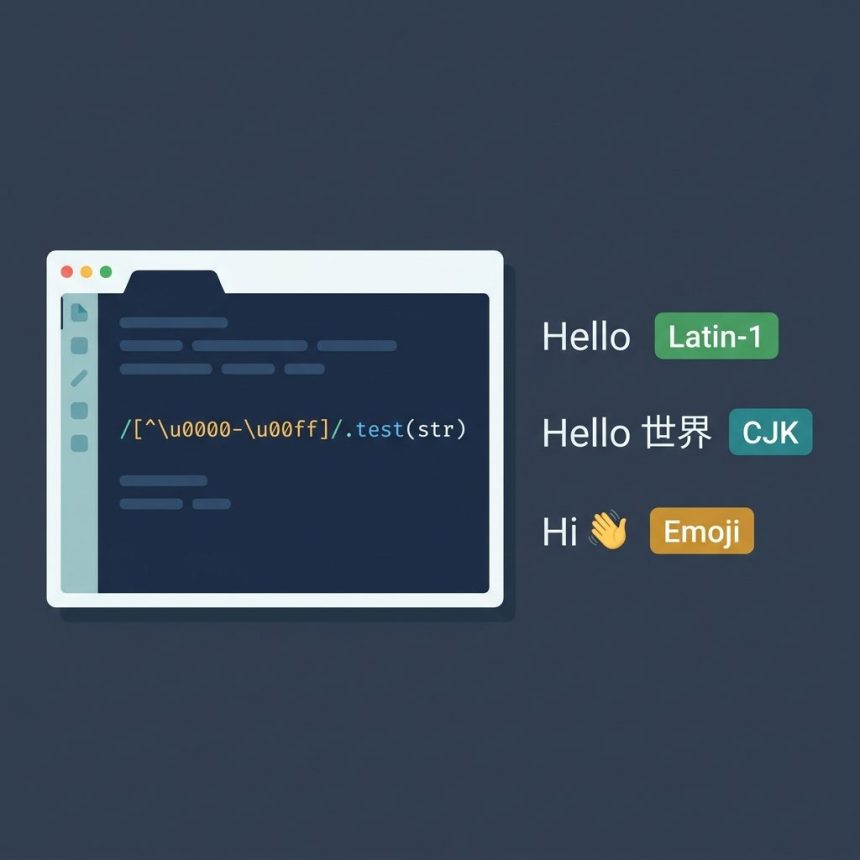
To javascript check unicode character in a string, the cleanest one-liner is a regex against the Latin-1 range: /[^\u0000-\u00ff]/.test(str). It returns true if the string contains any character beyond plain ASCII + Latin-1 Supplement — emoji, CJK, Cyrillic, accented Latin Extended, etc. This guide also covers codePointAt (per-character check, surrogate-pair safe) and the modern \p{Emoji} property escape for emoji-specific detection.
Last verified: 2026-05-17 in Chromium, Firefox, Safari, and Node.js 22. Originally published 2022-12-19, rewritten and updated 2026-05-17.
TL;DR
// Any character outside Latin-1?
/[^\u0000-\u00ff]/.test("Hello");      // false
/[^\u0000-\u00ff]/.test("Héllo");      // false (é is Latin-1)
/[^\u0000-\u00ff]/.test("Hello 世界");  // true
/[^\u0000-\u00ff]/.test("Hi 👋");       // true

// Per-character (surrogate-pair safe)
"😀".codePointAt(0);                    // 128512 (0x1F600)
"😀".codePointAt(0) > 0xFF;             // true

// Emoji specifically
/\p{Emoji}/u.test("Hello 👋");          // true
/\p{Emoji}/u.test("Hello 世界");         // false
The regex one-liner
The character class [^\u0000-\u00ff] matches any character whose code point is outside the Latin-1 range (U+0000 through U+00FF). If the regex matches anywhere in the string, you have at least one non-Latin-1 character — what most people mean when they say “Unicode.”
function hasUnicode(str) {
  return /[^\u0000-\u00ff]/.test(str);
}

hasUnicode("Hello, world!");      // false
hasUnicode("Hello, 世界!");        // true
hasUnicode("café résumé");        // false (Latin-1 covers these)
hasUnicode("Hi 👋");              // true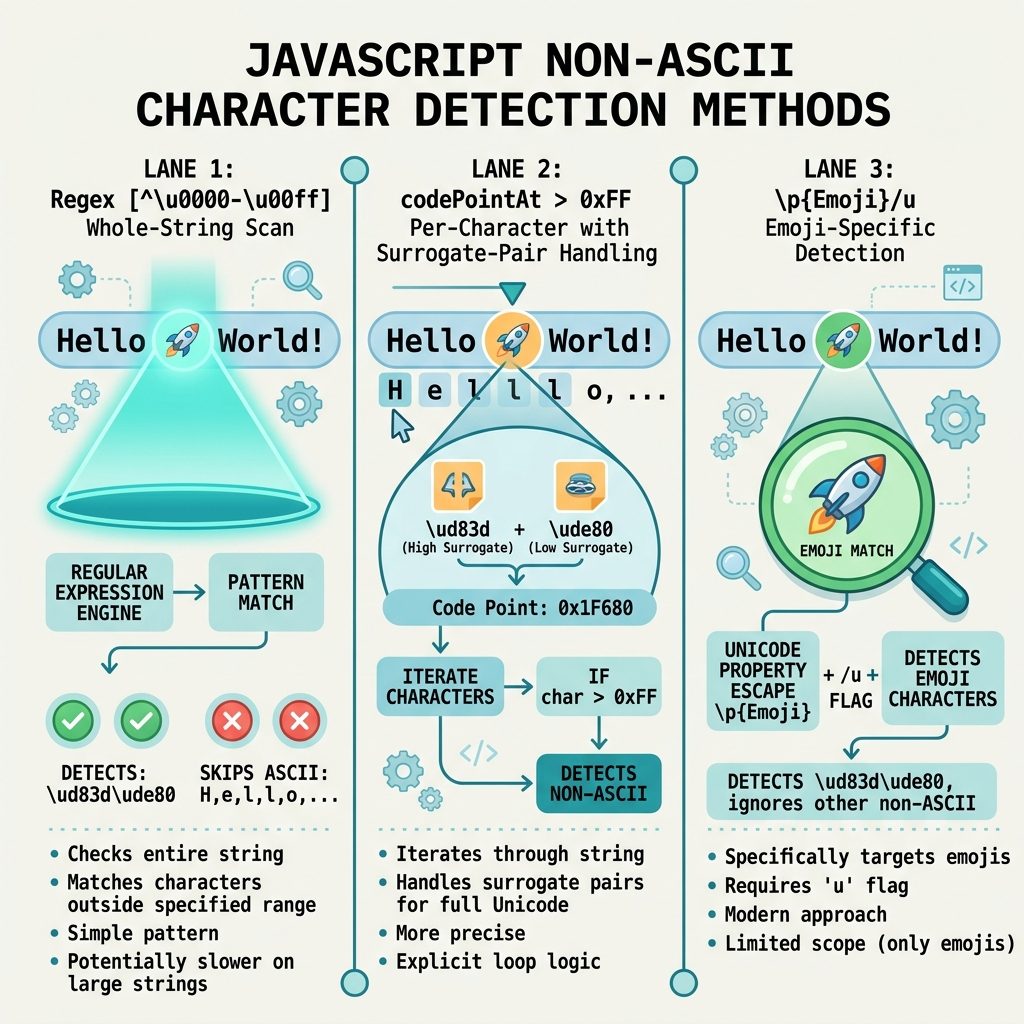
Per-character check with codePointAt
To check a specific character (rather than scan the whole string), codePointAt returns the Unicode code point as a number:
const str = "Hello, world!";
const cp = str.codePointAt(0);     // 72 (H)

if (cp > 0xFF) {
  console.log("First character is above Latin-1.");
}
Prefer codePointAt over the older charCodeAt: charCodeAt returns UTF-16 code units, which split emoji and other supplementary-plane characters into surrogate pairs. codePointAt returns the real code point and handles surrogates correctly.
Detecting emoji specifically
“Has any non-Latin-1 character” is broader than “has emoji.” If you specifically want emoji detection, use a Unicode property escape with the u flag:
/\p{Emoji}/u.test("Hi 👋");        // true
/\p{Emoji}/u.test("Hi 世界");       // false (CJK, not emoji)
/\p{Emoji_Presentation}/u.test(s); // emoji that render as emoji by default
Property escapes are supported in modern browsers and Node.js 12+. They map to the official Unicode property data, so the list stays current with new emoji releases.
Frequently asked questions
In this post, a Unicode character means any code point outside the Latin-1 range (U+0000 through U+00FF) — anything beyond plain ASCII plus the Latin-1 Supplement. Technically every JavaScript string character is Unicode (strings are UTF-16), but in practice you usually want to know whether the string contains characters that won’t fit in a one-byte encoding: accented Latin Extended, Cyrillic, CJK, emoji, etc.
codePointAt safer than charCodeAt? charCodeAt returns a UTF-16 code unit — for characters above U+FFFF (most emoji, supplementary CJK), it returns half of a surrogate pair, not the real code point. codePointAt returns the actual Unicode code point, correctly handling surrogate pairs. For modern Unicode work — especially anything involving emoji or rare scripts — codePointAt is the right default.
/[^\u0000-\u00ff]/ match emoji? Yes — emoji are code points well above U+00FF, so they match the non-Latin-1 character class. If you want to detect emoji specifically (rather than any non-Latin-1 character), use a Unicode property escape like /\p{Emoji}/u, which requires the u flag and modern browsers / Node 12+.
str.length returns the UTF-16 code unit count, not the user-perceived character count. '😀'.length is 2, not 1. To count code points use [...str].length (the spread iterator yields code points), and for grapheme clusters (the actual visual characters) use Intl.Segmenter: [...new Intl.Segmenter().segment(str)].length.
Yes — flip the check. /^[\x00-\x7f]*$/.test(str) returns true only for pure-ASCII strings (no Latin-1 Supplement either). Useful for fields that must be transmitted over ASCII-only protocols (some SMS gateways, certain legacy database columns).
Related guides
- How to Check if a JavaScript String Is a Valid URL
- How to Format a Number with Decimals in JavaScript
References
MDN String.prototype.codePointAt: developer.mozilla.org/en-US/docs/Web/JavaScript/Reference/Global_Objects/String/codePointAt. Unicode property escapes: MDN Unicode property escapes.


![DataTables default sort order — order: [[1, 'desc']] config](https://www.how7o.com/wp-content/uploads/2026/05/datatables-default-sort-order-featured-330x220.jpg)