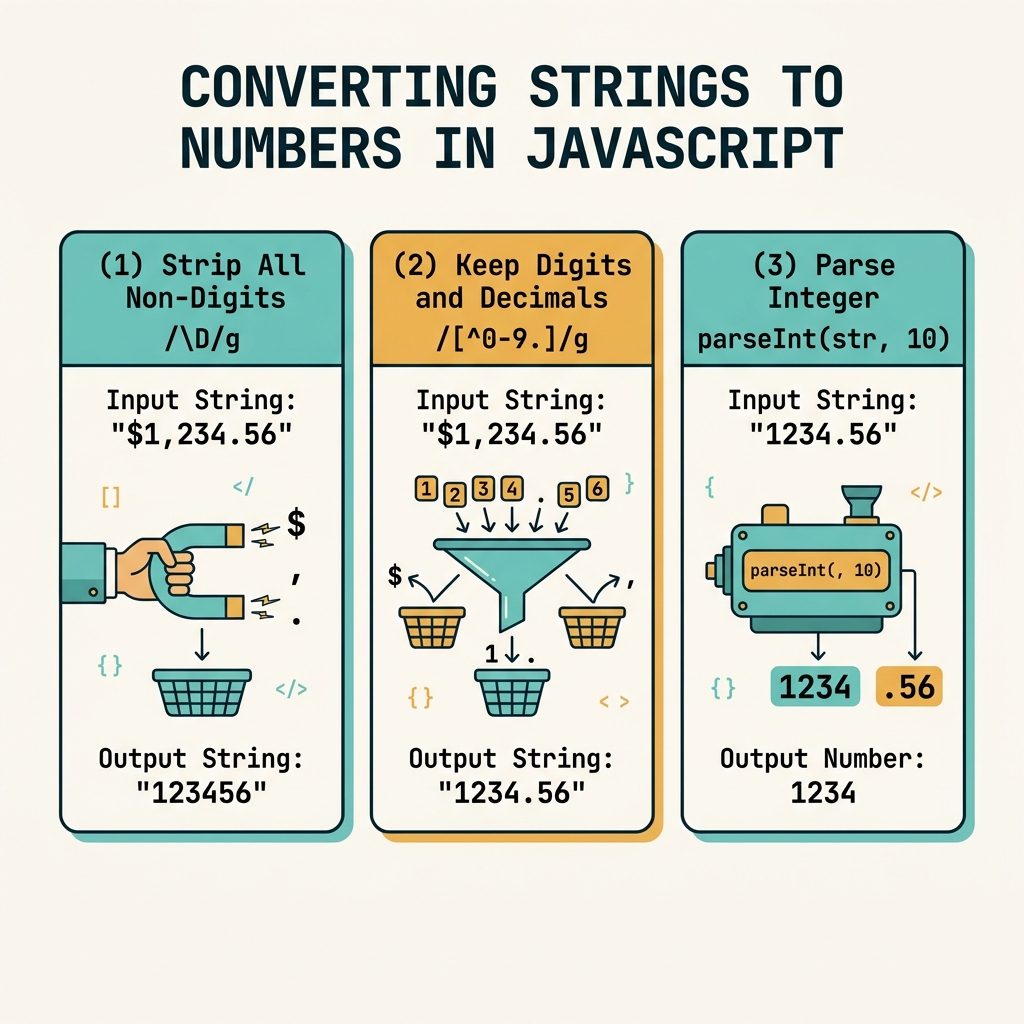
To keep only the digits in a string with JavaScript, use str.replace(/\D/g, '') — the regex \D matches every non-digit character, and replacing them with the empty string leaves only 0–9. The longhand str.replace(/[^0-9]/g, '') works identically.
Last verified: 2026-05-17 in Chrome 124, Firefox 125, Safari 17. Originally published 2022-06-30, rewritten and updated 2026-05-17.
The one-liner
const someID = "ID NO. 94854112";
const digits = someID.replace(/\D/g, '');
// "94854112"
\D matches any single character that isn’t a digit, and the /g flag makes the replacement apply to every match (without g, only the first non-digit would go).
Explicit longhand
const digits = someID.replace(/[^0-9]/g, '');
// "94854112"
The negated character class [^0-9] means “any character that is not a digit 0–9.” Same result as \D, just more explicit.
Keep digits and the decimal point
const price   = "USD $1,299.95";
const numeric = price.replace(/[^0-9.]/g, '');
// "1299.95"

parseFloat(numeric);   // 1299.95
Keep digits, sign, and decimal point
const balance = "$-1,299.95 (overdrawn)";
const numeric = balance.replace(/[^0-9.\-]/g, '');
// "-1299.95"

parseFloat(numeric);   // -1299.95
Escape the dash inside the character class as \- or place it at the start/end of the class so it’s treated as a literal rather than a range marker.
Convert the result to a number
const digits = "ID NO. 94854112".replace(/\D/g, '');

parseInt(digits, 10);    // 94854112  — always pass the radix
Number(digits);          // 94854112  — fine for digits-only strings
+digits;                 // 94854112  — unary plus, same as Number()
Frequently asked questions
\D and [^0-9]? \D is a shorthand character class that matches any character that is not a digit. [^0-9] is the explicit equivalent — a negated character class. In ASCII contexts they’re identical and equally fast; \D is shorter and idiomatic. In some Unicode-aware regex flavors, \D can match non-ASCII non-digits differently, but JavaScript’s default regex engine treats them the same.
Allow them in the character class: str.replace(/[^0-9.]/g, ''). For locale-aware numbers (commas as decimal separators in some regions), include the comma too: /[^0-9.,]/g. Note this can leave multiple dots if the input has them — for strict number parsing, also strip extras with a second pass.
parseInt or Number()? parseInt(str, 10) is the standard for integer-only inputs (always pass the radix). Number(str) works too but returns NaN for empty strings and treats "" as 0 inconsistently across operations. For a value that started as digits-only text, parseInt(str, 10) is the predictable pick.
\D match negative signs and decimal points? Yes — - and . are not digits, so they’re matched by \D and stripped. If you’re parsing prices like "$-12.50" and want -12.50 back, allow the sign and dot: str.replace(/[^0-9.\-]/g, '').
Related guides
- How to Check if a JavaScript String Is a Valid URL
- How to Check if a Character Is Unicode in JavaScript
- How to Format a Number with Decimals in JavaScript
References
MDN String.prototype.replace(): developer.mozilla.org/en-US/docs/Web/JavaScript/Reference/Global_Objects/String/replace. MDN regex character classes: developer.mozilla.org/en-US/docs/Web/JavaScript/Reference/Regular_expressions/Character_class.