How7o
  • Home
  • Tools
  • Prank Screens
  • Learn
  • Blog
  • Contact
Reading: How to Keep Only the First N Characters of a String in JavaScript
Share
How7oHow7o
Font ResizerAa
  • OS
Search
  • Home
  • Tools
  • Prank Screens
  • Learn
  • Blog
  • Contact
Follow US
© 2024–2026 How7o. All rights reserved.
How7o > Free Laravel, PHP, WordPress & Server Tutorials > Web Development > How to Keep Only the First N Characters of a String in JavaScript
Web Development

How to Keep Only the First N Characters of a String in JavaScript

how7o
By how7o
Last updated: May 22, 2026
4 Min Read
Keep the first N characters of a JavaScript string with slice
SHARE

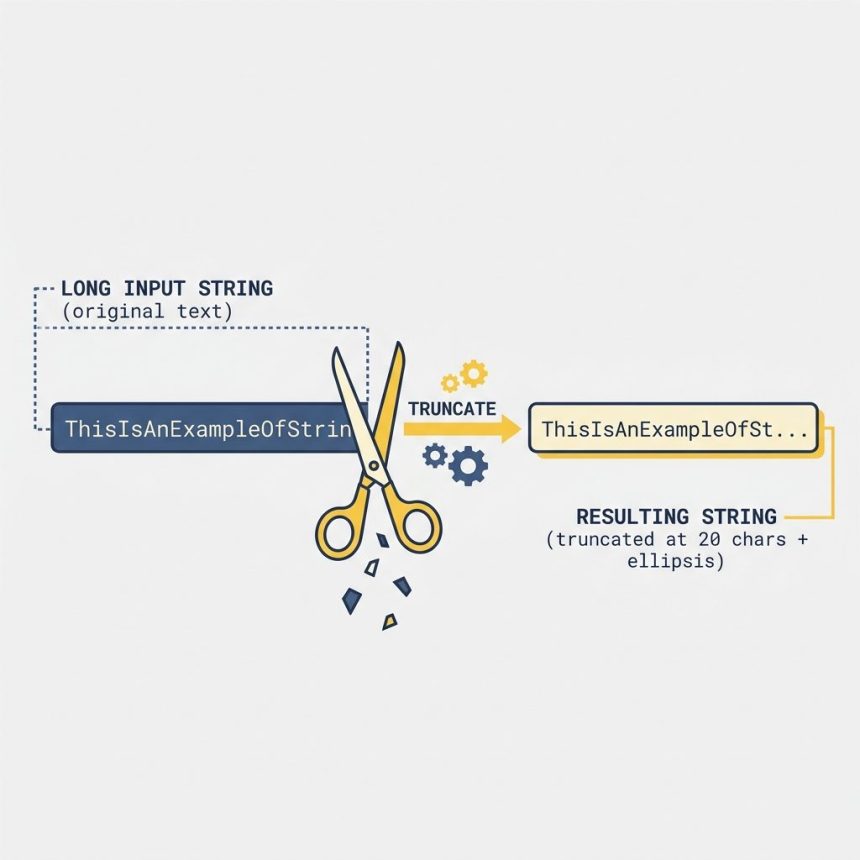
To keep only the first N characters of a string in JavaScript, use str.slice(0, n). It returns the first n characters or the whole string when it’s shorter than n — no errors, no truncation surprises. substring(0, n) works the same way for this use case.

Contents
  • The one-liner
  • Alternatives
  • Truncate with an ellipsis
  • Truncate on a word boundary
  • Emoji / multibyte safety
  • Frequently asked questions
  • Related guides
  • References

Last verified: 2026-05-17 in Chrome 124, Firefox 125, Safari 17. Originally published 2022-09-17, rewritten and updated 2026-05-17.

The one-liner

const yourString = "lorem ipsum dolor sit amet, consectetur adipiscing elit";
const result     = yourString.slice(0, 20);
// "lorem ipsum dolor si"

slice(start, end): the end is exclusive — pass n to get characters at indices 0 through n−1. When the string is shorter than n, you just get the whole string back.
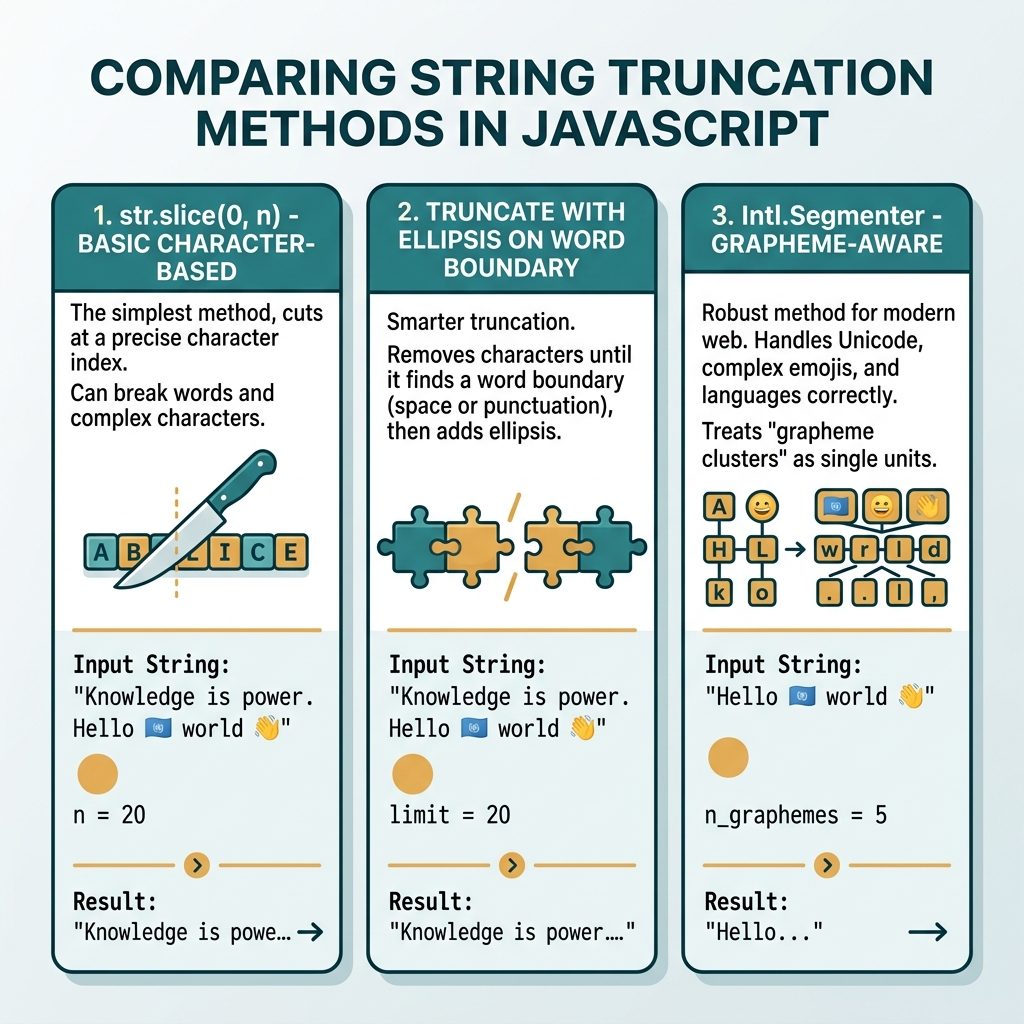
JS first N characters — slice, substring, ellipsis truncate, grapheme-aware variant

Alternatives

str.slice(0, 100);     // recommended
str.substring(0, 100); // same result; swaps args if start > end (avoid)
str.substr(0, 100);    // legacy / deprecated; works but don't reach for it

Truncate with an ellipsis

function truncate(str, n) {
    if (str.length <= n) return str;
    return str.slice(0, n) + '…';   // single-char ellipsis
}

truncate("lorem ipsum dolor sit amet", 12);
// "lorem ipsum…"

Use the Unicode ellipsis character … rather than three dots — it’s one character wide and renders consistently.

Truncate on a word boundary

function truncateOnWord(str, n) {
    if (str.length <= n) return str;
    const cut = str.slice(0, n);
    const lastSpace = cut.lastIndexOf(' ');
    return (lastSpace > 0 ? cut.slice(0, lastSpace) : cut) + '…';
}

truncateOnWord("lorem ipsum dolor sit amet", 15);
// "lorem ipsum…"   — trimmed back to the last full word

Emoji / multibyte safety

"🚀launch".slice(0, 1);          // "\uD83D"  — broken half of the emoji
[..."🚀launch"].slice(0, 1).join('');  // "🚀"   — code-point granularity

// Grapheme-aware (handles flags 🇺🇸, family emoji, skin-tone modifiers)
const seg = new Intl.Segmenter('en', { granularity: 'grapheme' });
[...seg.segment("🚀launch")].slice(0, 1).map(s => s.segment).join('');
// "🚀"

Frequently asked questions

Should I use substring() or slice()?

slice(0, n) is the modern recommendation — same behavior as substring(0, n) for non-negative arguments, but it also accepts negative indices to count from the end. substring() swaps its arguments if start > end, which is a footgun you don’t want. For new code, default to slice().

How do I truncate a string with an ellipsis (“…”) when it’s too long?

Check the length, then slice and append: str.length > n ? str.slice(0, n) + '\u2026' : str. Use '\u2026' (single-character ellipsis) instead of three dots, which renders cleaner and is one character instead of three. For headlines and snippets, slice on a word boundary by trimming back to the last space.

What about emoji and multi-byte characters?

slice() works on UTF-16 code units, not graphemes. '🚀launch'.slice(0, 1) returns half of the rocket emoji — a broken surrogate. For grapheme-aware truncation use Intl.Segmenter, or for code-point granularity spread the string first: [...str].slice(0, n).join('').

Is there a one-liner that pads to N if shorter than N?

str.slice(0, n).padEnd(n, ' ') caps at N and pads with spaces if shorter — useful for column-aligned terminal output. Swap padEnd for padStart if you want right-aligned text.

Related guides

  • How to Get the First Character of a String in JavaScript
  • How to Get N Elements from an Array in JavaScript
  • How to Keep Only Numbers in a String with JavaScript

References

MDN String.prototype.slice(): developer.mozilla.org/en-US/docs/Web/JavaScript/Reference/Global_Objects/String/slice. MDN Intl.Segmenter: developer.mozilla.org/en-US/docs/Web/JavaScript/Reference/Global_Objects/Intl/Segmenter.


TAGGED:JavaScriptstrings

Sign Up For Daily Newsletter

Be keep up! Get the latest breaking news delivered straight to your inbox.
[mc4wp_form]
By signing up, you agree to our Terms of Use and acknowledge the data practices in our Privacy Policy. You may unsubscribe at any time.
Share This Article
Facebook Copy Link Print
Previous Article Install the Apache web server on Ubuntu How to Install the Apache Web Server on Ubuntu
Next Article Keep only the digits in a JavaScript string with regex How to Keep Only Numbers in a String with JavaScript
Leave a Comment

Leave a Reply Cancel reply

You must be logged in to post a comment.

FacebookLike
XFollow
PinterestPin
InstagramFollow
Most Popular
Run Laravel queue workers with Supervisor
How to Run Laravel Queue Workers in Production with Supervisor
May 23, 2026
Nginx as a reverse proxy for a Node.js app on Ubuntu
How to Set Up Nginx as a Reverse Proxy for Node.js on Ubuntu
May 23, 2026
Install and configure Redis on Ubuntu for Laravel and WordPress
How to Install and Configure Redis on Ubuntu (for Laravel & WordPress)
May 23, 2026
Harden a fresh Ubuntu VPS with UFW, Fail2Ban, and SSH key auth
How to Harden a Fresh Ubuntu VPS: UFW + Fail2Ban + SSH Key Auth
May 23, 2026
Set up Let's Encrypt SSL with Certbot on Ubuntu
How to Set Up Let’s Encrypt SSL with Certbot on Ubuntu (Apache & Nginx)
May 23, 2026

You Might Also Like

Laravel Vite combine CSS — @import chain bundles vendor and app stylesheets
Web Development

How to Compile Multiple CSS into One CSS with Laravel + Vite

7 Min Read
Install a specific version of a package using Composer (composer require vendor/package:2.1.0)
Web Development

Install a Specific Version of a Package Using Composer (Exact Version + Examples)

5 Min Read
Load DataTables data via Ajax
Web Development

How to Load Data in DataTables Using Ajax

5 Min Read
Laravel request inputs with prefix — filter request()->all() by Str::startsWith
Web Development

How to Retrieve Inputs with a Specific Prefix in Laravel Request

7 Min Read
How7o

We provide tips, tricks, and advice for improving websites and doing better search.

Tools

  • Age Calculator
  • Word Counter
  • Image Upscaler
  • Password Generator
  • QR Code Generator
  • See all tools→

Pranks

  • Fake Blue Screen Prank
  • Hacker Typer
  • Fake iMessage Generator
  • Windows XP Crash Prank
  • Windows 11 Update Prank
  • See all prank screens →

Company

  • About Us
  • Blog
  • Contact
  • Privacy Policy
  • Terms of Service
  • Sitemap
© 2024–2026 How7o. All rights reserved.
Welcome Back!

Sign in to your account

Username or Email Address
Password

Lost your password?