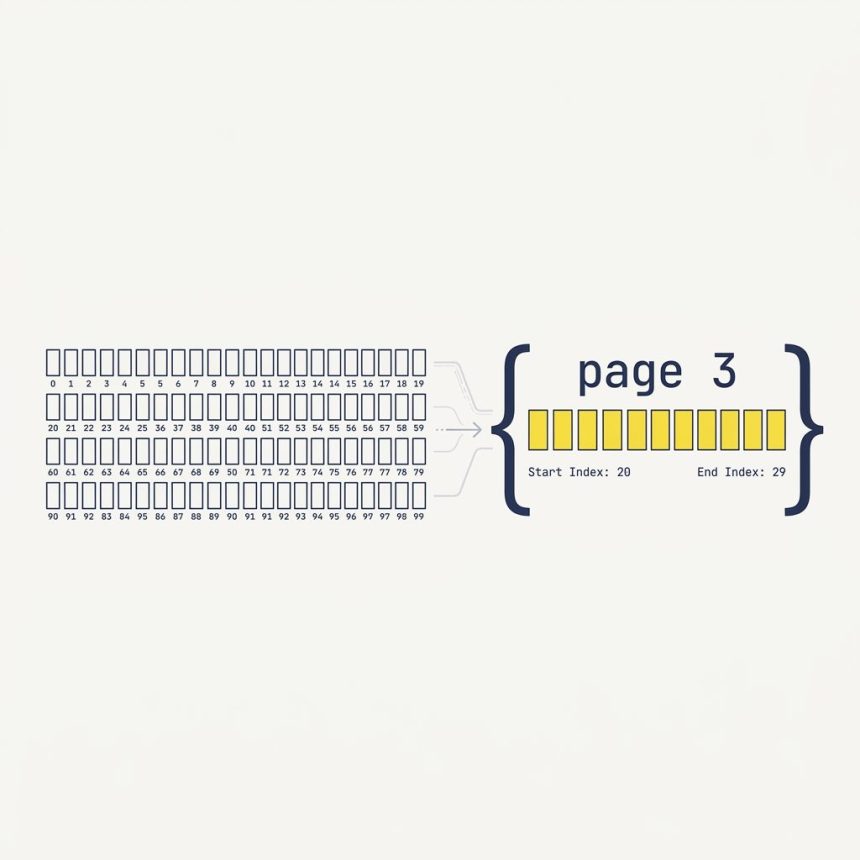
To get N elements from an array in JavaScript, use Array.prototype.slice(start, end). It returns a shallow copy of the items at indices start through end - 1 — the end is exclusive. For pagination, the formula is arr.slice((page - 1) * perPage, page * perPage).
Last verified: 2026-05-17 in Chrome 124, Firefox 125, Safari 17. Originally published 2022-07-23, rewritten and updated 2026-05-17.
Pagination with slice()
const listItems = [/* item1, item2, ..., item100 */];

function pageItems(arr, page, perPage = 10) {
    const start = (page - 1) * perPage;
    const end   =  page      * perPage;
    return arr.slice(start, end);
}

// Page 1 -> items at indices 0..9
pageItems(listItems, 1);

// Page 3 -> items at indices 20..29
pageItems(listItems, 3);
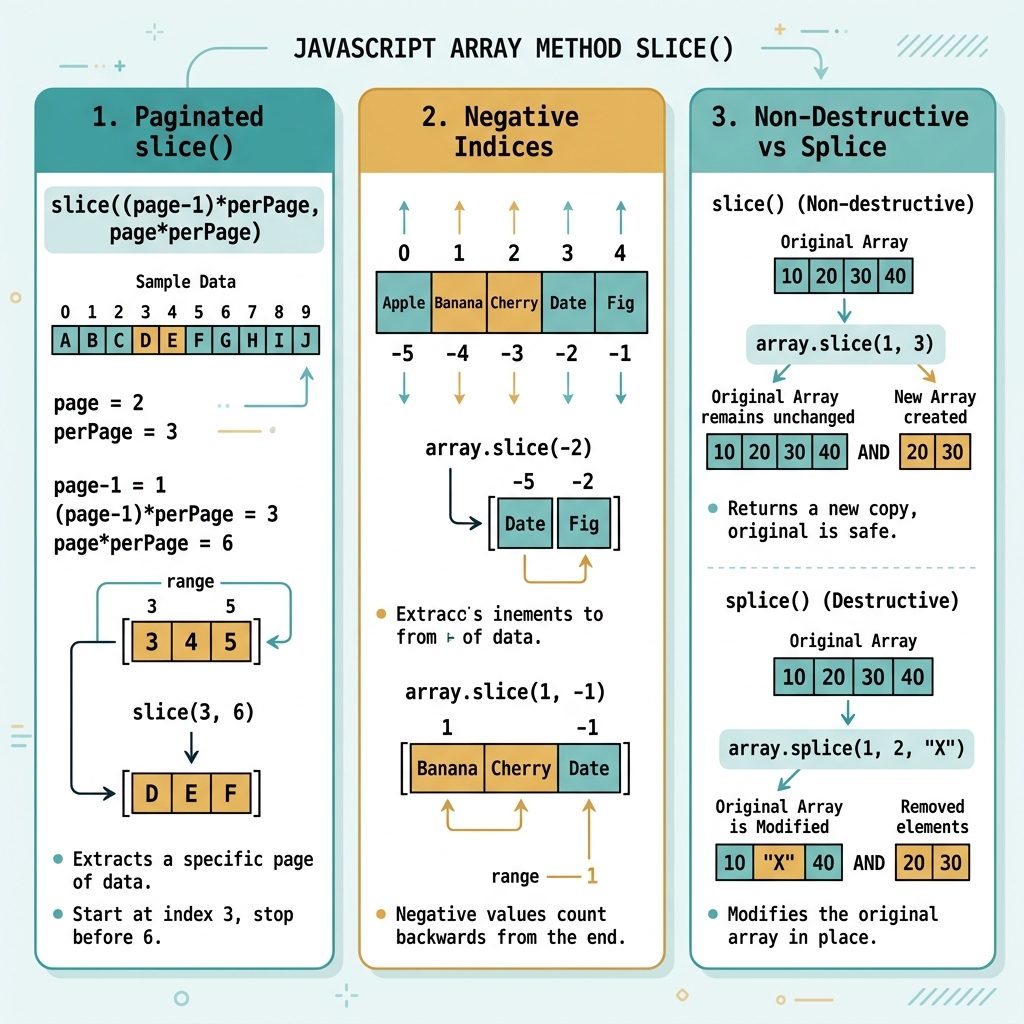
The standard formula: start at (page - 1) * perPage, end at page * perPage. Page numbers are 1-based (page 1 = first page); array indices are 0-based; slice‘s end is exclusive — that’s why the same multiplier works.
slice() arguments
arr.slice(0, 10)— first 10 items (indices 0–9).arr.slice(10)— from index 10 to the end. Omitendto mean “to the end.”arr.slice(-5)— last 5 items (negative counts from the end).arr.slice(-10, -5)— items at 10-from-end through 6-from-end.arr.slice()— full shallow copy of the array.
Pagination + total page count
function paginate(arr, page, perPage = 10) {
    const totalPages = Math.ceil(arr.length / perPage);
    const clamped    = Math.min(Math.max(page, 1), totalPages);
    const start      = (clamped - 1) * perPage;

    return {
        page:       clamped,
        totalPages,
        items:      arr.slice(start, start + perPage),
    };
}

const { items, page, totalPages } = paginate(listItems, 3);
console.log(`Page ${page} of ${totalPages}`, items);
Clamp the requested page to the valid range so out-of-bounds page numbers (negative, zero, or past the last page) don’t return empty arrays.
slice() doesn’t modify the original
const original = [1, 2, 3, 4, 5];
const firstTwo = original.slice(0, 2);

console.log(firstTwo); // [1, 2]
console.log(original); // [1, 2, 3, 4, 5]  — unchanged
slice() is non-destructive. (Don’t confuse it with splice() — different method, mutates the array.)
Frequently asked questions
slice() inclusive or exclusive? Exclusive. arr.slice(0, 10) returns items at index 0 through 9 — ten items total. That’s why the pagination formula is slice((page - 1) * perPage, page * perPage): the end index is one past the last item you want.
slice() and splice()? slice() returns a copy and leaves the original alone. splice() mutates the array — it inserts and/or removes items in place and returns the removed ones. For pagination you want a non-destructive read, so slice() is the right call. Mixing them up is a common bug.
Negative numbers count from the end. arr.slice(-3) returns the last three items; arr.slice(-5, -2) returns items 5-from-the-end through 3-from-the-end. Negative indices are great for “the last N items” patterns but rarely useful for paginated views, which usually expect forward-counting.
For arrays under a few thousand items, client-side slice() is simpler, faster (no extra requests), and lets users navigate instantly. For larger datasets, fetch one page at a time — the server returns just the slice, and your client uses the same indexing logic to render it. The break-even point depends on row size, but tens of thousands of objects in memory usually justifies server-side.
Related guides
- How to Create Ajax-Based Pagination in DataTables
- How to Get the Index in a jQuery .each() Loop
- How to Break Out of a jQuery .each() Loop
References
MDN Array.prototype.slice(): developer.mozilla.org/en-US/docs/Web/JavaScript/Reference/Global_Objects/Array/slice. MDN Array.prototype.splice(): developer.mozilla.org/en-US/docs/Web/JavaScript/Reference/Global_Objects/Array/splice.