How7o
  • Home
  • Tools
  • Prank Screens
  • Learn
  • Blog
  • Contact
Reading: How to Get the Index in a jQuery .each() Loop
Share
How7oHow7o
Font ResizerAa
  • OS
Search
  • Home
  • Tools
  • Prank Screens
  • Learn
  • Blog
  • Contact
Follow US
© 2024–2026 How7o. All rights reserved.
How7o > Free Laravel, PHP, WordPress & Server Tutorials > Web Development > How to Get the Index in a jQuery .each() Loop
Web Development

How to Get the Index in a jQuery .each() Loop

how7o
By how7o
Last updated: May 22, 2026
4 Min Read
Get the index in a jQuery each loop
SHARE

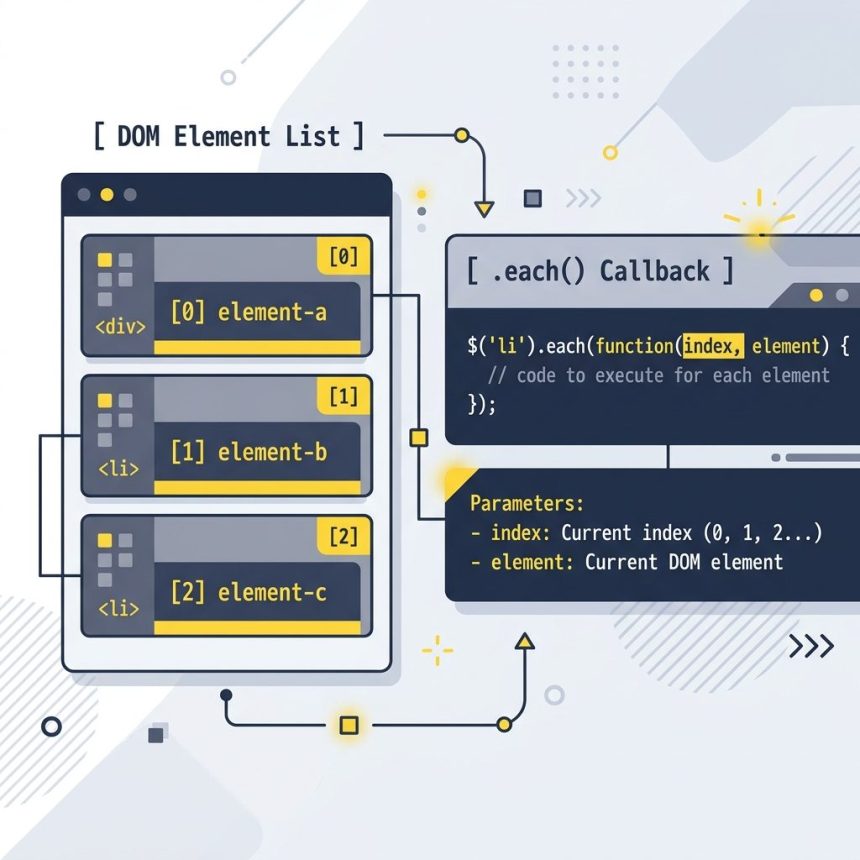
To get the index in a jQuery .each() loop, accept the index as the first parameter of the callback: $('.elements').each(function (index, element) { ... }). No external counter needed.

Contents
  • The callback signature
  • Using both arguments
  • Index-only — drop the second parameter
  • Static helper for arrays and plain objects
  • Early exit — return false
  • Vanilla equivalent
  • Frequently asked questions
  • Related guides
  • References

Last verified: 2026-05-17 with jQuery 3.7. Originally published 2022-07-13, rewritten and updated 2026-05-17.

The callback signature

$('.elements').each(function (index, element) {
    console.log(index, element);
});

jQuery passes two arguments to the callback: the zero-based index and the raw DOM element. Inside the callback, this is the same DOM element — useful for terse code like $(this).addClass(...).
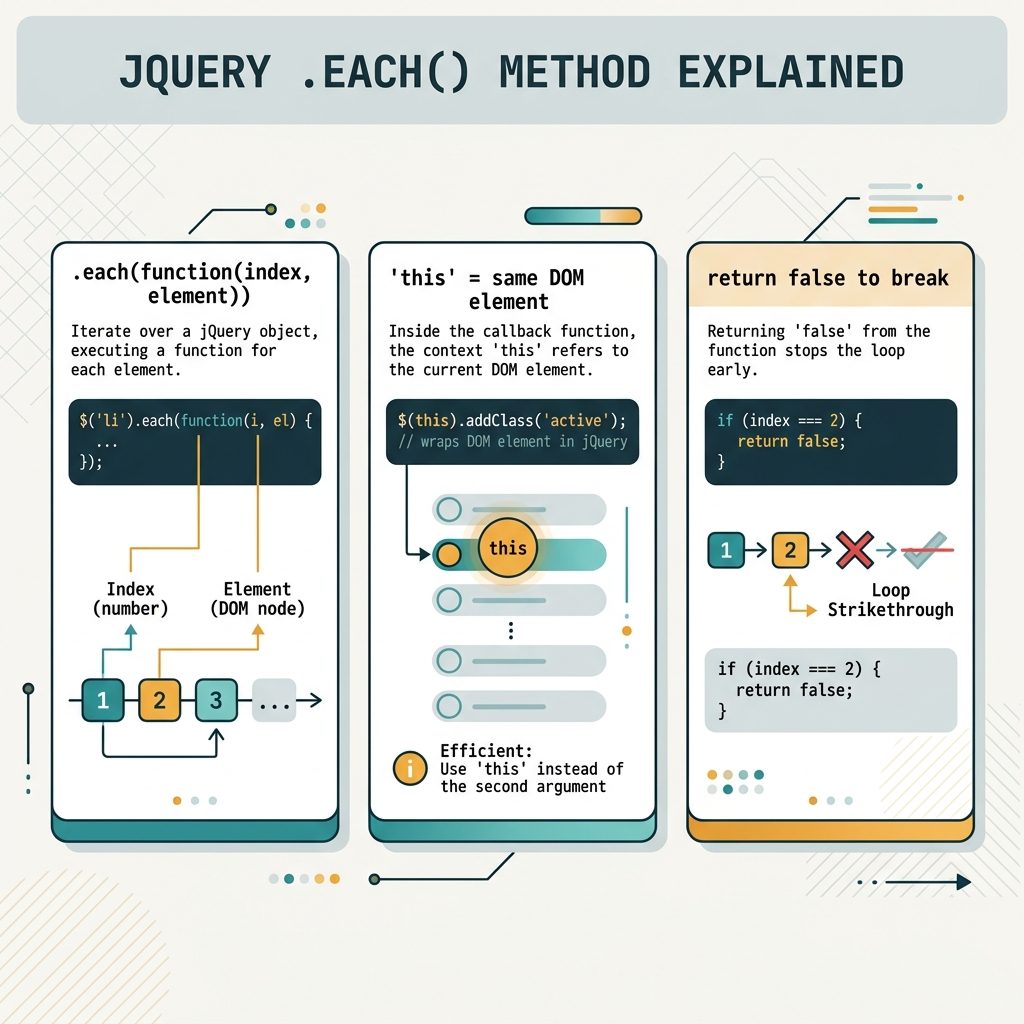
jQuery .each(index, element) callback signature with this binding and early-return break

Using both arguments

$('.elements').each(function (index, element) {
    // Set the data-index attribute on each element
    element.dataset.index = index;

    // Or with jQuery
    $(element).attr('data-index', index);

    // 'this' is the same DOM element
    $(this).text(`Item ${index + 1}`);
});

Index-only — drop the second parameter

$('.elements').each(function (index) {
    console.log(index);  // 0, 1, 2, ...
});

Static helper for arrays and plain objects

$.each([10, 20, 30], function (index, value) {
    console.log(index, value); // 0 10, 1 20, 2 30
});

$.each({ a: 1, b: 2 }, function (key, value) {
    console.log(key, value);   // 'a' 1, 'b' 2
});

For plain objects, the “index” is the property key, not a number. Otherwise the shape matches the instance method.

Early exit — return false

$('.elements').each(function (index, element) {
    if (element.classList.contains('stop-here')) {
        return false;  // breaks out of the loop
    }
});

Returning false stops iteration immediately, like break. Returning anything else continues to the next element.

Vanilla equivalent

document.querySelectorAll('.elements').forEach((element, index) => {
    console.log(index, element);
});

forEach passes (element, index) — note the order is the reverse of jQuery’s. Not interchangeable verbatim.

Frequently asked questions

What’s the difference between the two .each() signatures?

There are two: $.each(collection, callback) is the static helper that iterates over arrays or plain objects, with the callback receiving (index, value). $(selector).each(callback) is the instance method on a jQuery set, with the callback receiving (index, element). Same first parameter shape (index), different second parameter.

Why is element a raw DOM node, not a jQuery object?

jQuery hands you the bare DOM element for performance — most of the time you can do what you need with native properties (element.value, element.classList) without paying for another jQuery wrap. When you do need the jQuery wrapper, wrap it explicitly: $(element).addClass('x') or, inside the callback, $(this).addClass('x') (which is what this points to).

Can I break out of .each() like break in a regular loop?

break doesn’t work because .each() is a function call, not a loop. Return false from the callback to stop iteration — equivalent to break. Returning any other value (or nothing) is equivalent to continue.

Should I just use a native for...of loop instead?

For new code without other jQuery dependencies, yes — document.querySelectorAll('.elements').forEach((el, i) => ...) reads the same and works in every modern browser. .each() is still fine when you’re already in a jQuery codebase and need this-binding semantics.

Related guides

  • How to Break Out of a jQuery .each() Loop
  • How to Check if a Checkbox Is Checked with jQuery
  • How to Check if an Element Is Visible or Hidden with jQuery

References

jQuery .each(): api.jquery.com/each. jQuery $.each(): api.jquery.com/jquery.each. NodeList.forEach(): developer.mozilla.org/en-US/docs/Web/API/NodeList/forEach.


TAGGED:domJavaScriptjQuery

Sign Up For Daily Newsletter

Be keep up! Get the latest breaking news delivered straight to your inbox.
[mc4wp_form]
By signing up, you agree to our Terms of Use and acknowledge the data practices in our Privacy Policy. You may unsubscribe at any time.
Share This Article
Facebook Copy Link Print
Previous Article Get a remote file size from URL in PHP with get_headers How to Get a Remote File’s Size from a URL in PHP
Next Article WordPress wpdb get_results returns multiple rows How to Get Multiple Rows with $wpdb in WordPress
Leave a Comment

Leave a Reply Cancel reply

You must be logged in to post a comment.

FacebookLike
XFollow
PinterestPin
InstagramFollow
Most Popular
Set vi as the default editor in Ubuntu — a terminal opening the vim editor
How to Set vi (Vim) as the Default Editor in Ubuntu
June 8, 2026
rsync says ALL DONE but files are missing — a terminal showing ALL DONE next to an empty folder
rsync Says “ALL DONE” but Files Are Missing: How to Verify
June 8, 2026
Migrate a website to a new server with rsync — files copying from an old server to a new one over SSH
How to Migrate a Website to a New Server With rsync
June 8, 2026
Bun runtime — faster JS toolkit replacing npm in Laravel projects
How to Install Bun Runtime on Ubuntu (And Use It in a Laravel Project)
May 24, 2026
Tailscale mesh — peer-to-peer connections between devices, coordination server
How to Install Tailscale on Ubuntu (Zero-Config Mesh VPN for Self-Hosters)
May 24, 2026

You Might Also Like

Find prime numbers in JavaScript thumbnail
Web Development

How to Find Prime Numbers in JavaScript (1 to 100) — Fast & Simple Methods

5 Min Read
Get the first character of a JavaScript string
Web Development

How to Get the First Character of a String in JavaScript

5 Min Read
Fix CORS policy blocked origin errors in PHP and Apache
Web Development

How to Fix “CORS Policy Blocked Origin” Errors

5 Min Read
Break out of a jQuery .each() loop with return false
Web Development

How to Break Out of a jQuery .each() Loop

5 Min Read
How7o

We provide tips, tricks, and advice for improving websites and doing better search.

Tools

  • Age Calculator
  • Word Counter
  • Image Upscaler
  • Password Generator
  • QR Code Generator
  • See all tools→

Pranks

  • Fake Blue Screen Prank
  • Hacker Typer
  • Fake iMessage Generator
  • Windows XP Crash Prank
  • Windows 11 Update Prank
  • See all prank screens →

Company

  • About Us
  • Blog
  • Contact
  • Privacy Policy
  • Terms of Service
  • Sitemap
© 2024–2026 How7o. All rights reserved.
Welcome Back!

Sign in to your account

Username or Email Address
Password

Lost your password?