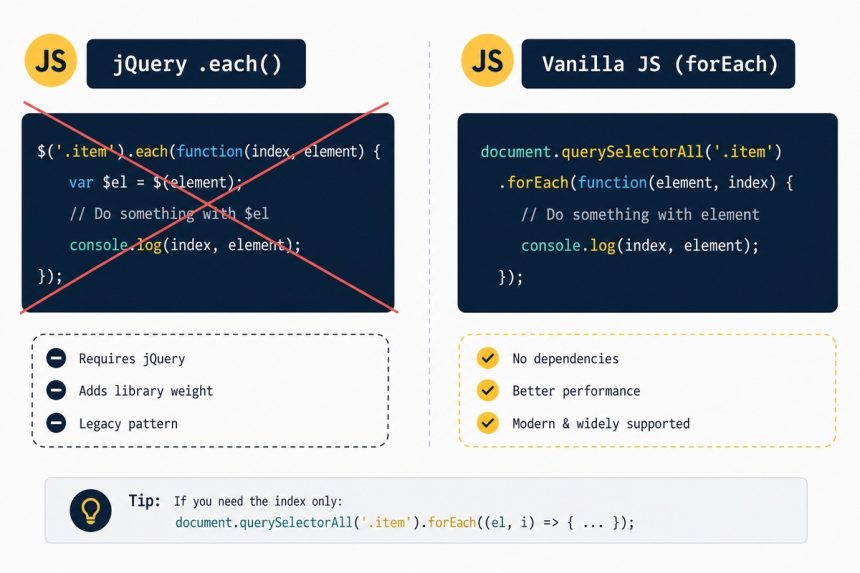
To replace jQuery’s .each() with vanilla JavaScript, use document.querySelectorAll(selector) to get the elements, then iterate with forEach, for...of, or a plain for loop. The modern equivalent of $('.list-item').each(fn) is one line: document.querySelectorAll('.list-item').forEach(fn).
Last verified: 2026-05-17 in Chrome 124, Firefox 125, Safari 17. Originally published 2022-10-06, rewritten and updated 2026-05-17.
The jQuery version
$('.list-item').each(function () {
    // 'this' is the DOM element
    console.log(this.textContent);
});
Vanilla equivalents
// forEach (most idiomatic for simple iteration)
document.querySelectorAll('.list-item').forEach((el) => {
    console.log(el.textContent);
});

// for...of (supports break and continue)
for (const el of document.querySelectorAll('.list-item')) {
    console.log(el.textContent);
}

// Classic for loop (most flexible)
const elems = document.querySelectorAll('.list-item');
for (let i = 0; i < elems.length; i++) {
    console.log(elems[i].textContent);
}
Getting the index
// forEach — index is the second argument
document.querySelectorAll('.list-item').forEach((el, i) => {
    el.dataset.index = i;
});

// for...of — use entries()
for (const [i, el] of document.querySelectorAll('.list-item').entries()) {
    el.dataset.index = i;
}

// Classic — use the counter
const elems = document.querySelectorAll('.list-item');
for (let i = 0; i < elems.length; i++) {
    elems[i].dataset.index = i;
}
Early exit (replacement for return false)
// for...of with break
for (const el of document.querySelectorAll('.list-item')) {
    if (el.classList.contains('stop')) break;
    // ...
}

// Array.some() — stops at the first truthy return
[...document.querySelectorAll('.list-item')].some((el) => {
    if (el.classList.contains('stop')) return true;   // break
    return false;
});
forEach always runs to completion — no way to break out. Use for...of or some() when you need early termination.
Operating on each element
document.querySelectorAll('.list-item').forEach((el) => {
    el.classList.toggle('seen');
    el.dataset.processed = '1';
    el.textContent = el.textContent.trim();
});
Most jQuery method chains map directly to native DOM API methods — $(el).addClass(x) → el.classList.add(x), $(el).attr('y', z) → el.setAttribute('y', z), $(el).text(t) → el.textContent = t.
Frequently asked questions
NodeList.forEach work in older browsers? It does on every actually-modern browser (Chrome 51+, Firefox 50+, Safari 10+, Edge 16+ — released in 2016/2017). If you need to support IE11, convert the NodeList first: Array.from(nodes).forEach(...) or [...nodes].forEach(...). HTMLCollection (e.g. from getElementsByClassName) doesn’t have forEach directly — wrap it the same way.
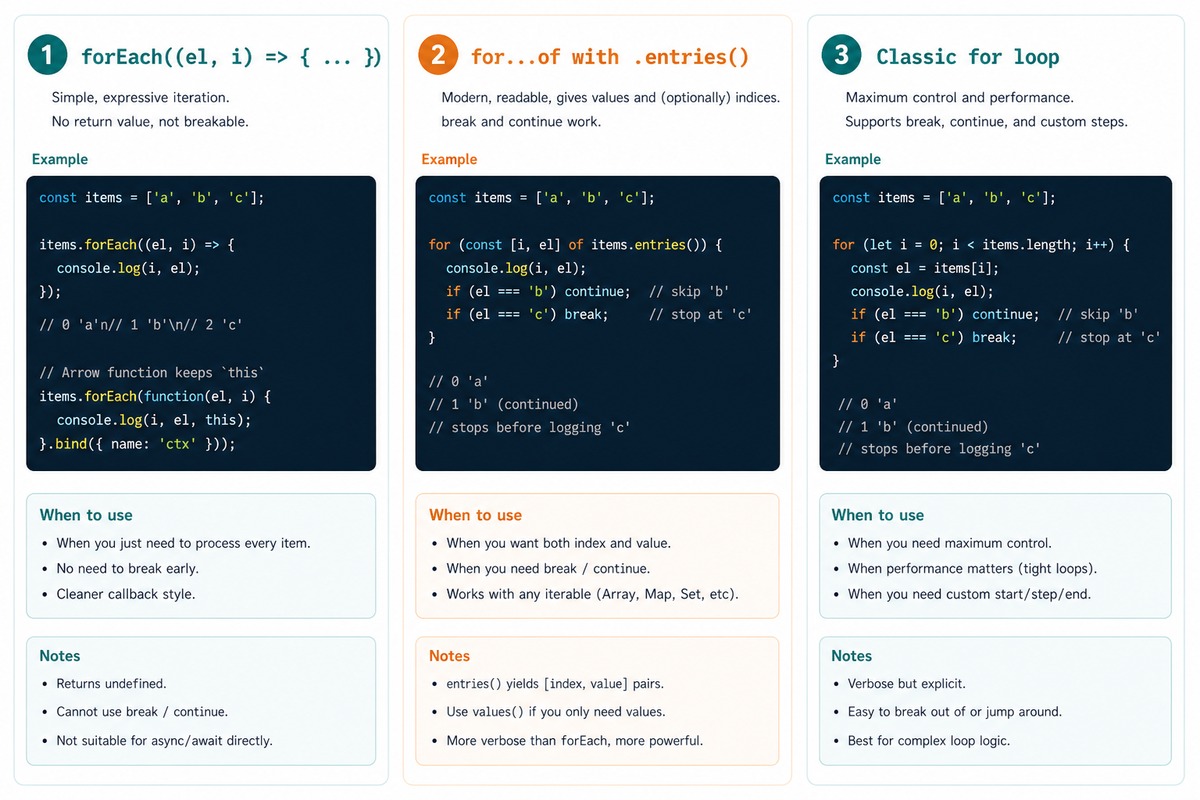
for, forEach, and for...of? All iterate over the same elements. for with an index is the most flexible (you can break, modify the counter, skip steps). forEach reads cleanest for simple iteration but can’t break. for...of reads almost as cleanly as forEach but supports break and continue. For new code, for...of is the closest replacement for jQuery’s .each().
forEach or for...of? forEach((element, index) => ...) passes the index as the second argument. With for...of, use entries(): for (const [i, el] of nodes.entries()) { ... }. Or, if the collection is an array, Array.from(nodes).entries().
forEach like jQuery’s return false? No — forEach always runs to completion. To stop early, use for, for...of, some() (returns true on first match and stops), or find() (returns the matching element). Each has a different return shape — pick the one whose return value you actually want.
Related guides
- How to Get the Index in a jQuery .each() Loop
- How to Break Out of a jQuery .each() Loop
- How to Get N Elements from an Array in JavaScript
References
MDN document.querySelectorAll(): developer.mozilla.org/en-US/docs/Web/API/Document/querySelectorAll. MDN NodeList.forEach(): developer.mozilla.org/en-US/docs/Web/API/NodeList/forEach. MDN for...of: developer.mozilla.org/en-US/docs/Web/JavaScript/Reference/Statements/for…of.