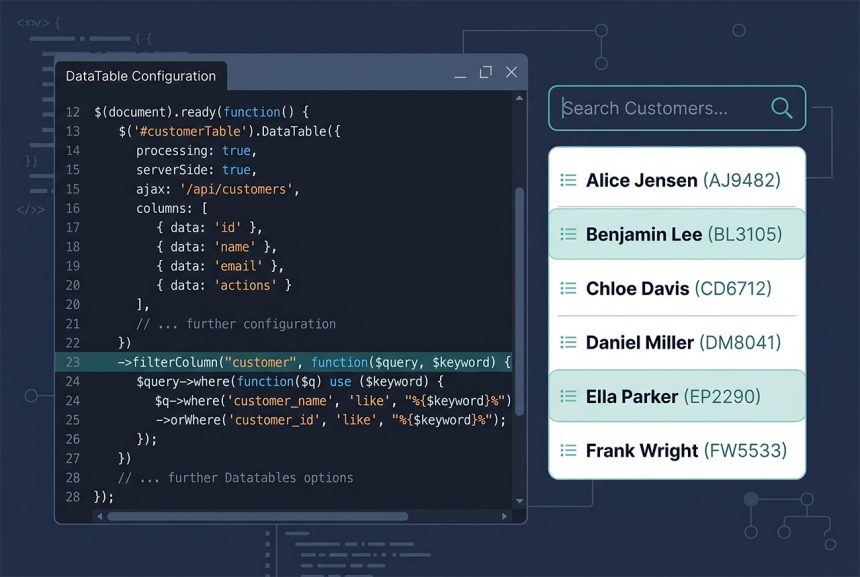
Search breaks on a laravel datatables custom column — anything you built with addColumn that isn’t a real database field — because the default Yajra\DataTables global search tries to run WHERE custom_column LIKE ... against SQL. The column doesn’t exist, MySQL throws “Unknown column,” and the table errors out the moment someone types. The fix is filterColumn('column', callback), which tells DataTables what SQL to run for that specific column instead. This guide covers the fix, how to pair it with sort, and when to push the composite value into the SQL itself.
Last verified: 2026-04-23 on Laravel 11 with PHP 8.3 and yajra/laravel-datatables-oracle v11. Originally published 2023-10-10, rewritten and updated 2026-04-23.
TL;DR
Chain ->filterColumn('customer', callback) on the DataTables pipeline. Inside the callback, run whatever SQL should back the search for that column:
->filterColumn('customer', function ($query, $value) {
    if (! empty($value)) {
        $query->where('customer_name', 'like', "%{$value}%")
            ->orWhere('customer_id', 'like', "%{$value}%");
    }
})
The broken setup
A typical vehicles table where customer is a composite of customer_name and customer_id:
// Controller
return Datatables::of($vehicles)
    ->addColumn('customer', function ($row) {
        if (empty($row->customer_id)) {
            return $row->customer_name;
        }
        return $row->customer_name . ' (' . $row->customer_id . ')';
    })
    ->make(false);
// Frontend init
$('#vehicles_table').DataTable({
processing: true,
serverSide: true,
ajax: '/vehicles',
columns: [
{ data: 'customer', name: 'customer' },
{ data: 'vehicle_number', name: 'vehicle_number' },
{ data: 'model_name', name: 'vehicle_models.model_name' },
],
});The table renders fine. The moment someone types in the global search box, DataTables appends a WHERE customer LIKE ? to the vehicles query — and MySQL responds:
Unknown column 'customer' in 'where clause'Same thing happens for sorting — click the column header and you get the same error, because ORDER BY customer also looks for a real column.
Fix search with filterColumn
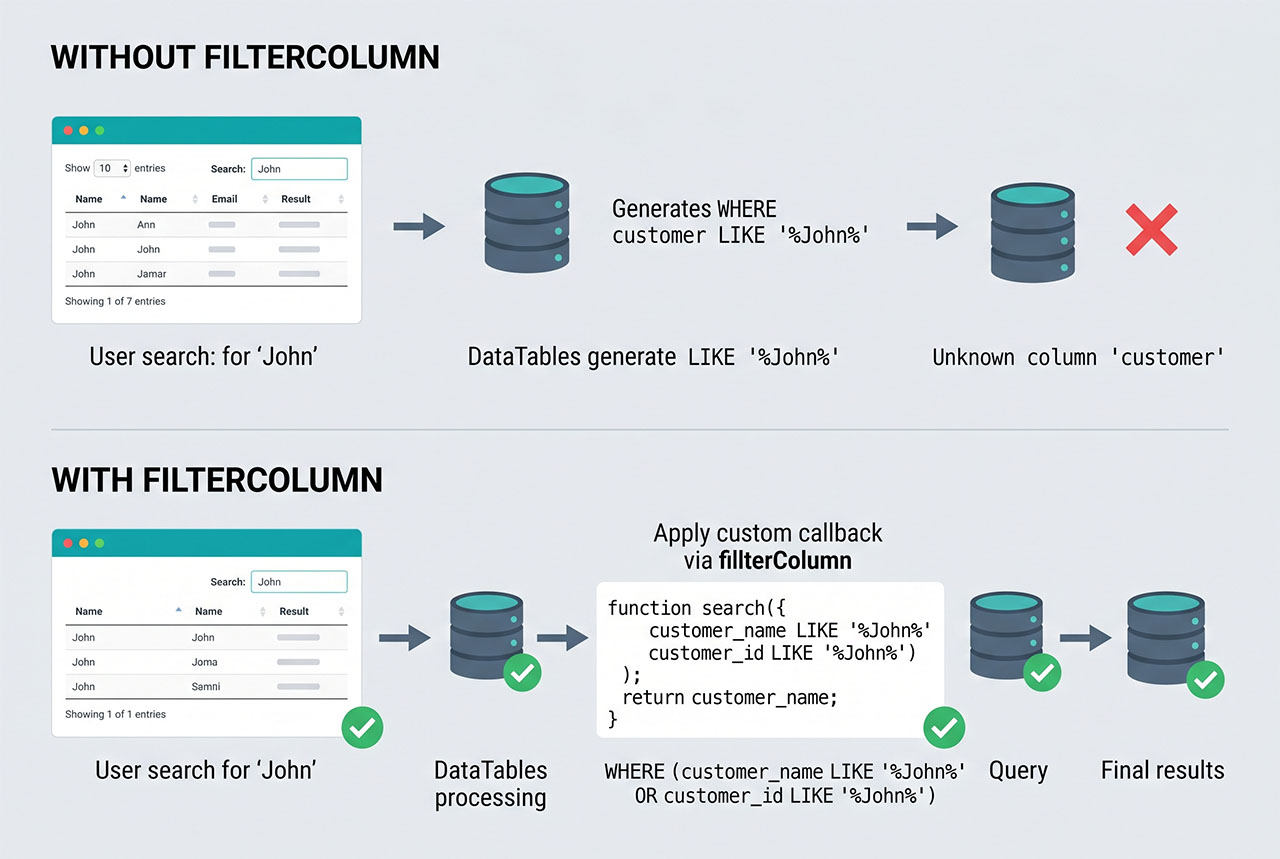
filterColumn registers a per-column search handler. When a search fires and DataTables needs to filter rows on that column, it calls the callback instead of generating its own SQL:
return Datatables::of($vehicles)
    ->addColumn('customer', function ($row) {
        if (empty($row->customer_id)) {
            return $row->customer_name;
        }
        return $row->customer_name . ' (' . $row->customer_id . ')';
    })
    ->filterColumn('customer', function ($query, $value) {
        if (! empty($value)) {
            $query->where('customer_name', 'like', "%{$value}%")
                ->orWhere('customer_id', 'like', "%{$value}%");
        }
    })
    ->make(false);
Now a search for “Toyota” matches either the name or the id that built the composite — exactly what the user sees in the cell. Global search that lands on this column runs the same callback, so either entry point works.
Also make the column sortable
filterColumn handles search; orderColumn handles sort. Chain both:
->filterColumn('customer', function ($query, $value) {
    $query->where('customer_name', 'like', "%{$value}%")
        ->orWhere('customer_id', 'like', "%{$value}%");
})
->orderColumn('customer', 'customer_name $1')orderColumn‘s second argument is an ORDER BY template. $1 is a placeholder that gets replaced with the direction (asc or desc) DataTables requested. The template above sorts by customer_name asc or customer_name desc depending on header clicks.
Alternative — build the composite in SQL
If you want the filter and sort to operate on the exact same concatenated string the user sees, express it in SQL with CONCAT_WS (or CONCAT) and alias it to match the DataTables column name:
use Illuminate\Support\Facades\DB;

$vehicles = Vehicle::query()
    ->select([
        'vehicles.id',
        'vehicles.vehicle_number',
        DB::raw("CONCAT_WS(' ', customer_name, customer_id) AS customer"),
        // ...other columns
    ]);

return Datatables::of($vehicles)
    ->filterColumn('customer', function ($query, $value) {
        $query->whereRaw("CONCAT_WS(' ', customer_name, customer_id) LIKE ?", ["%{$value}%"]);
    })
    ->orderColumn('customer', "CONCAT_WS(' ', customer_name, customer_id) \$1")
    ->make(false);
This version is a bit more code but the search semantics now match exactly what’s in the column — a user searching “Toyota (12)” finds the row whose composite value is literally “Toyota (12)”, instead of matching names and ids independently. For the “unknown column CONCAT” side of raw expressions, see the DB::raw fix.
SQL-injection safety
$value inside the filterColumn callback is what the user typed in the search box — untrusted input. The ->where('col', 'like', "%{$value}%") form is safe because Laravel parameter-binds the value. The same is true of whereRaw('... LIKE ?', [$value]) with the array binding. What’s not safe is concatenating $value into a raw SQL string:
// NEVER do this
->whereRaw("customer_name LIKE '%{$value}%'")

// Always bind
->whereRaw("customer_name LIKE ?", ["%{$value}%"])
Same rule as any raw SQL: put user input through bindings, not string interpolation.
Frequently asked questions
Because the column doesn’t exist in the database. When DataTables’ global search fires, Yajra’s integration tries to add a WHERE custom_column LIKE ... to the SQL — but custom_column isn’t a real column, so MySQL throws Unknown column 'custom_column' in 'where clause'. filterColumn() tells the library what SQL to run for that column instead of letting it guess.
filter() and filterColumn()? filter() (singular, with a callback on the whole query) replaces the global-search handler for every column at once — powerful, and a lot of rope. filterColumn('column', callback) scopes the replacement to a single column, so the rest of the table keeps its default per-column searching. Almost always use filterColumn — it’s narrower and leaves the other columns alone.
filterColumn also fix per-column search boxes? Yes. DataTables supports individual-column search (the input above each column in the footer), and filterColumn is what runs when someone types in that column’s box. Same callback, same SQL — it handles both the global search landing on that column and the column-specific search input.
Pair filterColumn with orderColumn: ->orderColumn('customer', 'customer_name $1'). The $1 is a placeholder DataTables replaces with the sort direction (asc / desc). Without this, clicking the column header on a non-existent database column also throws ‘Unknown column’.
SQL is required here — the search happens at the database level, so the value the user is searching on has to exist as SQL too. Use DB::raw("CONCAT_WS(' ', customer_name, customer_id)") in the select and make the column alias match the DataTables column name. Then the global search and filterColumn both work against the same expression the user sees.
Related guides
- How to Add an HTML Column in Laravel DataTables — the sibling problem of rendering raw HTML in the cell.
- How to Fix “Unknown column ‘CONCAT'” in Laravel — why building composite values needs
DB::raw. - How to Use Multiple where and orWhere in Laravel Eloquent — the base of the
filterColumncallback. - How to Do a Left Outer Join with Laravel — another shape of DataTables backend query.
References
Yajra\\DataTables custom-search docs (filterColumn, orderColumn): yajrabox.com/docs/laravel-datatables.