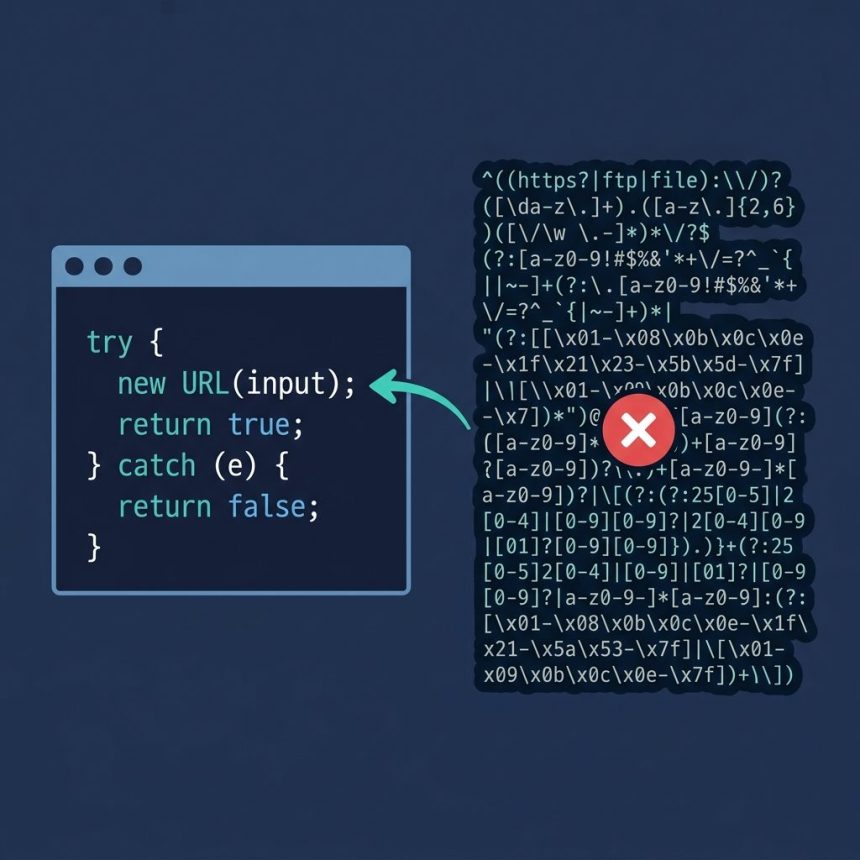
To javascript check valid url, the cleanest approach is the built-in URL constructor: new URL(string) throws on invalid input, succeeds on valid input. No regex, no edge cases, no maintenance. This guide shows the constructor pattern, the protocol-restrict trick to reject javascript: and mailto: URLs, and when a regex is still useful as a fallback.
Last verified: 2026-05-17 in Chromium, Firefox, Safari, and Node.js 22. Originally published 2022-12-21, rewritten and updated 2026-05-17.
TL;DR
function isValidUrl(input) {
  let url;
  try { url = new URL(input); }
  catch { return false; }
  return url.protocol === "http:" || url.protocol === "https:";
}

isValidUrl("https://how7o.com");           // true
isValidUrl("not a url");                   // false
isValidUrl("javascript:alert(1)");         // false  (protocol filtered)
isValidUrl("mailto:[email protected]");     // false  (protocol filtered)
The URL constructor
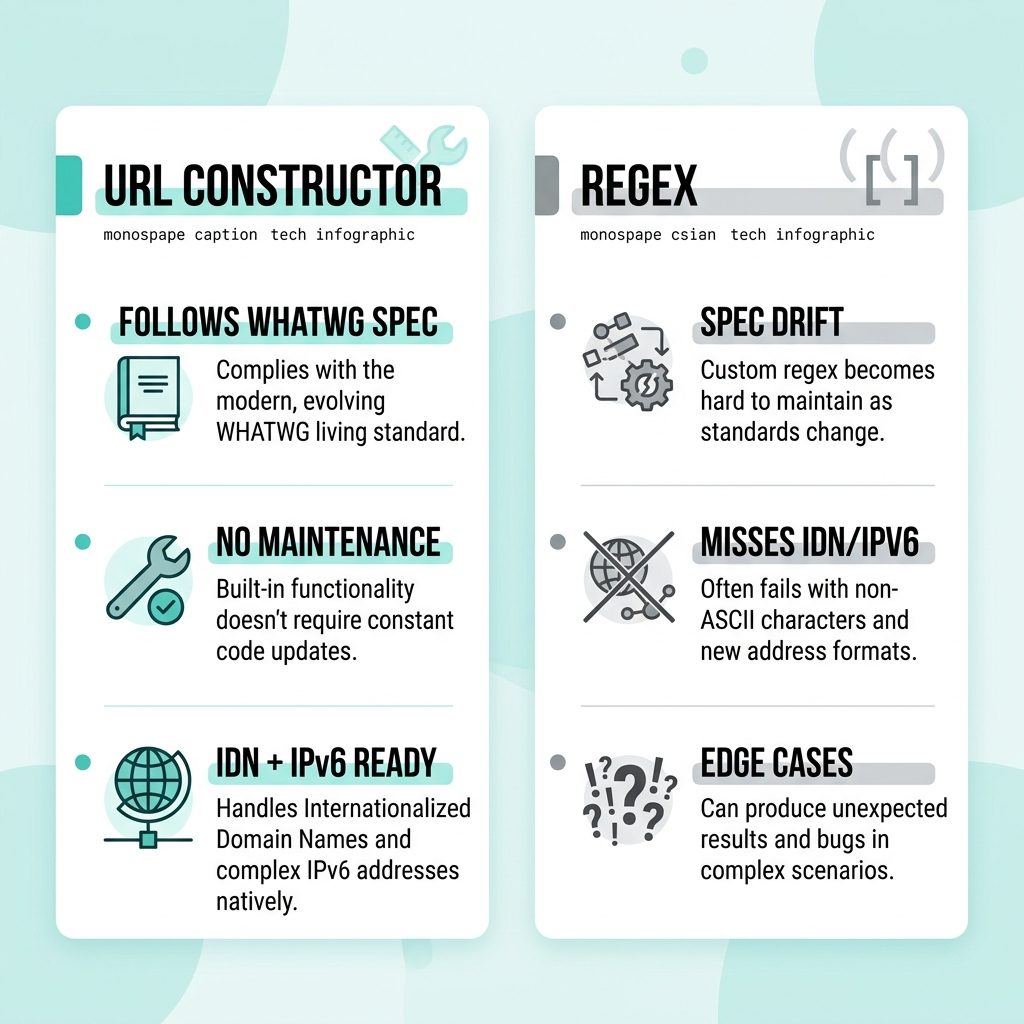
The URL constructor is part of the WHATWG URL Standard — the same parser browsers use for the address bar and <a href> attributes. Pass a string; you get a URL object back on success, or a TypeError on failure. Wrapping it in a try/catch turns parsing into a clean boolean check:
function isValidUrl(input) {
  try {
    new URL(input);
    return true;
  } catch {
    return false;
  }
}
That’s the whole solution for most use cases. Works in every modern browser, Node.js 12+, Deno, and Bun. No dependencies.
Restricting to http/https
The constructor accepts any valid URL — including mailto:, tel:, javascript:, data:, and other schemes. For most “is this a link?” checks you want web URLs only. Check protocol after the parse:
function isValidUrl(input) {
  let url;
  try { url = new URL(input); }
  catch { return false; }
  return url.protocol === "http:" || url.protocol === "https:";
}
Note the trailing colon — url.protocol returns "https:", not "https". Filtering out javascript: is especially important when the URL ends up in the DOM (e.g. assigned to <a href>), since javascript: URLs execute on click.
The regex fallback
If you absolutely can’t use the constructor — sandboxed runtime, ancient browser support, or a very specific structural check — here’s the classic regex pattern from the original source:
function isValidUrl(str) {
  const pattern = new RegExp(
    '^(https?:\\/\\/)?'                              // protocol (optional)
    + '((([a-z\\d]([a-z\\d-]*[a-z\\d])*)\\.)+[a-z]{2,}|' // domain
    + '((\\d{1,3}\\.){3}\\d{1,3}))'                    // OR IPv4
    + '(\\:\\d+)?(\\/[-a-z\\d%_.~+]*)*'                // port + path
    + '(\\?[;&a-z\\d%_.~+=-]*)?'                       // query
    + '(\\#[-a-z\\d_]*)?$',                           // fragment
    'i'
  );
  return pattern.test(str);
}
Caveats: this regex doesn’t handle IPv6 hosts, internationalized domain names (IDN), or unusual ports correctly. For anything user-facing, the constructor is still the better choice.
Frequently asked questions
URL constructor better than a regex for javascript check valid url? Because the URL constructor follows the official WHATWG URL Standard that browsers use natively — the same parser that resolves <a href> attributes and the address bar. Regexes always lag the spec, miss edge cases (IDN domains, IPv6 hosts, custom schemes), and need maintenance every time the spec changes. new URL(input) gets all of that for free.
new URL() work in all browsers? Yes — every modern browser (Chrome, Firefox, Safari, Edge), every modern Node.js (12+), every Deno and Bun runtime. It’s part of the WHATWG URL Standard, has been ubiquitous since around 2017, and only Internet Explorer (now retired) didn’t support it.
After the new URL(...) succeeds, check url.protocol: return url.protocol === 'http:' || url.protocol === 'https:'. Without this filter, strings like 'mailto:[email protected]' and 'javascript:alert(1)' parse as valid URLs because they follow URL syntax — they’re just not the kind of URL you want.
new URL('example.com') succeed? No — new URL('example.com') throws, because there’s no protocol. The URL constructor requires either an absolute URL (with scheme) or a base URL as the second argument: new URL('example.com', 'https://') would succeed. If you want to accept bare hostnames, prepend https:// before validating.
Rarely — only when you genuinely can’t use modern JS (e.g. embedded in a sandbox that strips the URL constructor), or when you need to validate URL structure without the spec quirks (the constructor accepts some surprising inputs as valid, like 'http://////example.com'). For 99% of frontend and Node.js work, the constructor is the right tool.
Related guides
References
WHATWG URL Standard: url.spec.whatwg.org. MDN URL constructor: developer.mozilla.org/en-US/docs/Web/API/URL/URL.