To check if a checkbox is checked with jQuery, the cleanest one-liner is $('#myCheckbox').prop('checked') — returns true or false based on the live DOM state. Alternative forms (.is(':checked'), :checked selector + .length) all work and have their place. Don’t use .attr('checked') — it reads the original HTML attribute, not the live state.
Last verified: 2026-05-17 with jQuery 3.7+. Originally published 2023-01-05, rewritten and updated 2026-05-17.
TL;DR
// Single checkbox — get the live boolean state
if ($('#agree').prop('checked')) {
  // ...
}

// Reads English-style
if ($('#agree').is(':checked')) {
  // ...
}

// "Are any of these checked?"
if ($('input[type="checkbox"]:checked').length) {
  // at least one is checked
}

// Vanilla JS
if (document.getElementById('agree').checked) {
  // ...
}
Pick the method that reads cleanly
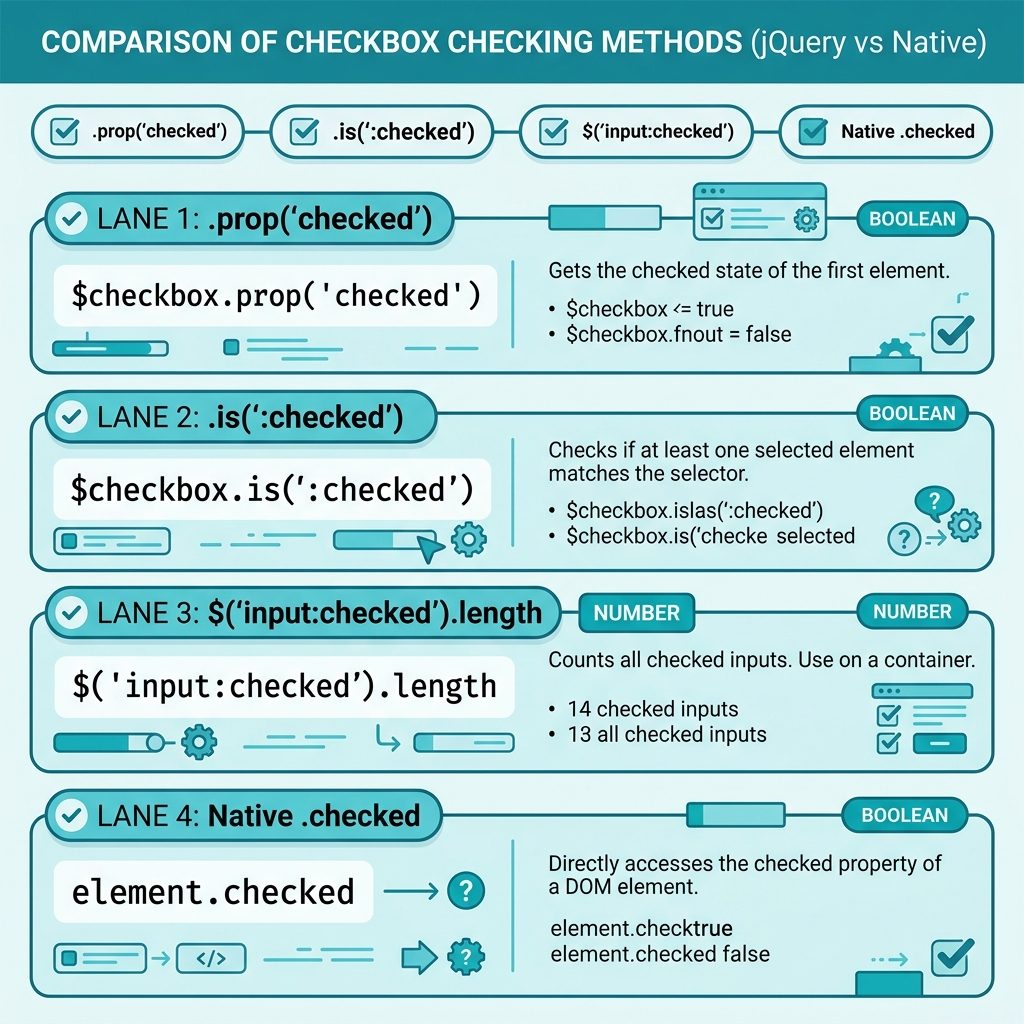
All three jQuery forms work; choose based on what you’re expressing:
.prop('checked')— best for boolean math (assigning to a variable, passing to a function). Returns the literal boolean..is(':checked')— best inside aniffor readability. Reads “if the element is checked…”$('selector:checked').length— best for “is any of these checked?” without writing a loop.
Don’t use .attr('checked')
// MISLEADING — returns the original HTML attribute, not the live state
$('#agree').attr('checked');     // "checked" or undefined, no matter what the user did
The HTML checked attribute reflects only the default state from the markup. After the user clicks, the live state lives on the DOM property — which is what .prop() reads. This trap has been the subject of “jQuery checkbox not working” Stack Overflow questions for over a decade.
React to state changes
$('#agree').on('change', function () {
  console.log('Checked:', this.checked);
});
this inside the handler is the raw DOM checkbox, so this.checked gives you the live boolean without wrapping in jQuery.
Frequently asked questions
:checked, .prop(), or .is()? For a single checkbox: $('#agree').prop('checked') returns a boolean directly. For a selector that might match many checkboxes (“is any of these checked?”): $('input:checked').length > 0. For a one-off readability win inside a conditional: $('#agree').is(':checked') reads almost like English. All three are equivalent; pick the one that reads cleanest in context.
$('#cb').attr('checked') sometimes give wrong results? Because .attr('checked') reads the original HTML attribute (the default state from the markup), not the live state after the user clicks. .prop('checked') reads the live DOM property. For ‘is it checked right now?’ always use .prop() — this was the jQuery 1.6+ recommendation and still holds.
Yes: document.getElementById('agree').checked for a single element, or document.querySelectorAll('input:checked').length for a count. Native JS has been comfortable for this since forever — jQuery’s only advantage is the terse selector syntax.
Wire up the change event: $('#agree').on('change', function () { console.log(this.checked); });. The this inside the handler is the raw DOM element, so this.checked is the boolean state at the moment of the event.
Related guides
- How to Add the Required Attribute to Input Fields with jQuery
- How to Check if an Element Is Hidden in jQuery
- How to Change a Checkbox Background Color with CSS
References
jQuery .prop(): api.jquery.com/prop. :checked selector: api.jquery.com/checked-selector.