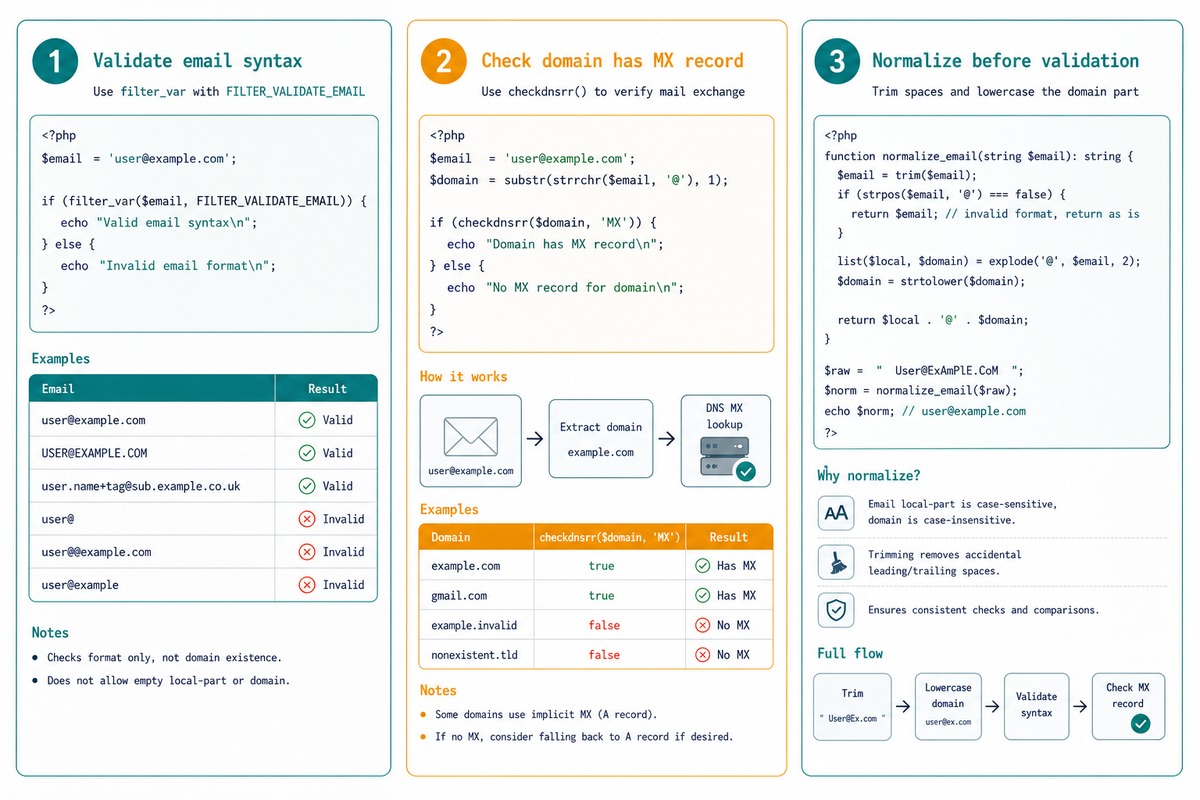
To validate an email address in PHP, use the built-in filter_var($email, FILTER_VALIDATE_EMAIL). It implements the actual email spec correctly and handles edge cases a hand-rolled regex doesn’t. For “does this email’s domain accept mail?” add a checkdnsrr on the domain’s MX records.
Last verified: 2026-05-17 on PHP 8.3. Originally published 2023-01-29, rewritten and updated 2026-05-17.
The one-liner
if ( filter_var( $email, FILTER_VALIDATE_EMAIL ) ) {
    // syntactically valid
}
FILTER_VALIDATE_EMAIL returns the email itself on success, false on failure — so the result is truthy iff the address is valid syntax. Use it as the boolean for an if.
Check the domain has mail records
$email  = '[email protected]';
$domain = substr( strrchr( $email, '@' ), 1 );

if ( filter_var( $email, FILTER_VALIDATE_EMAIL ) && checkdnsrr( $domain, 'MX' ) ) {
    // syntactically valid AND domain accepts mail
}
checkdnsrr($domain, 'MX') queries DNS for an MX record. Returns true if the domain has one (or a fallback A record per RFC), false if the domain doesn’t exist. Catches typos like example.cmo that pass syntax but won’t deliver.
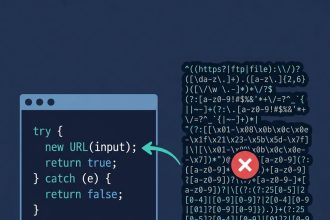
Why a regex is a worse choice
// The "good enough" regex you'll see in many tutorials
if ( preg_match( '/^[a-zA-Z0-9._%+-]+@[a-zA-Z0-9.-]+\.[a-zA-Z]{2,}$/', $email ) ) {
    // ...
}- Rejects valid emails with international characters (
user@bücher.deafter IDN normalisation). - Rejects IP-literal domains (
user@[192.168.1.1]), which are valid per RFC. - Accepts some addresses that
filter_varrejects (multiple dots in the local part, etc.).
Use filter_var — it’s been hardened against these edge cases.
Normalise before storing
function normalize_email( string $email ): ?string {
    $email = trim( $email );
    if ( ! filter_var( $email, FILTER_VALIDATE_EMAIL ) ) {
        return null;
    }
    // Lowercase the domain (technically case-insensitive)
    [ $local, $domain ] = explode( '@', $email, 2 );
    return $local . '@' . strtolower( $domain );
}
Lowercase the domain so [email protected] and [email protected] aren’t treated as different users. Don’t touch the local part — it’s technically case-sensitive per RFC, even though most providers ignore case in practice.
Confirm by sending
The only way to verify the actual mailbox exists is to send something the user has to act on — a confirmation email with a tokenised link, magic-login URL, or one-time code. filter_var + checkdnsrr filters out garbage; the confirmation email proves the user owns the inbox. Most apps need both.
Frequently asked questions
filter_var better than a regex? FILTER_VALIDATE_EMAIL implements RFC 5321/5322 — the actual email standard. A handwritten regex like ^[a-zA-Z0-9._%+-]+@[a-zA-Z0-9.-]+\.[a-zA-Z]{2,}$ rejects valid emails (international characters, + aliases in the local part for some patterns, IP-literal domains) and accepts some invalid ones. PHP’s built-in validator already handles the edge cases.
FILTER_VALIDATE_EMAIL check that the email exists? No — it only validates syntax. The address could be perfectly formatted but point at a nonexistent inbox. To check existence: checkdnsrr($domain, 'MX') verifies the domain accepts mail. To verify the actual mailbox accepts your message, you have to send a verification email (the standard “click this link to confirm” flow) — there’s no reliable check that doesn’t involve sending.
Lowercase the domain (strtolower on the part after @). The local part is technically case-sensitive per RFC but in practice every mainstream provider treats it case-insensitively too — many normalise the whole address to lowercase to dedupe user accounts. Don’t strip +suffixes in the local part; [email protected] is intentional alias routing.
<input type="email" required> — the browser does basic syntax validation. For the same regex-level check JS-side: /^\S+@\S+\.\S+$/.test(value) as a quick check, or duplicate the server-side filter via a fetch to a validation endpoint. Always re-validate server-side; client-side validation is UX, not security.
Related guides
- How to Display PHP Errors
- How to Remove Unwanted Characters from a String in PHP
- How to Get the First Character of a String in PHP
References
PHP filter_var(): php.net/manual/en/function.filter-var.php. PHP FILTER_VALIDATE_EMAIL filter: php.net/manual/en/filter.filters.validate.php. PHP checkdnsrr(): php.net/manual/en/function.checkdnsrr.php.