To safely free disk space taken by MySQL binary logs (mysql-bin.*), use the PURGE BINARY LOGS statement from inside MySQL — not rm from the shell. Purging through MySQL keeps the log index file consistent and is safe with replication. For ongoing cleanup, set binlog_expire_logs_seconds (or expire_logs_days on older versions) so MySQL drops old logs automatically.
Last verified: 2026-05-17 on MySQL 8.0 and MariaDB 10.11. Originally published 2023-01-04, rewritten and updated 2026-05-17.
Don’t rm them — use PURGE
-- Drop everything older than a specific file
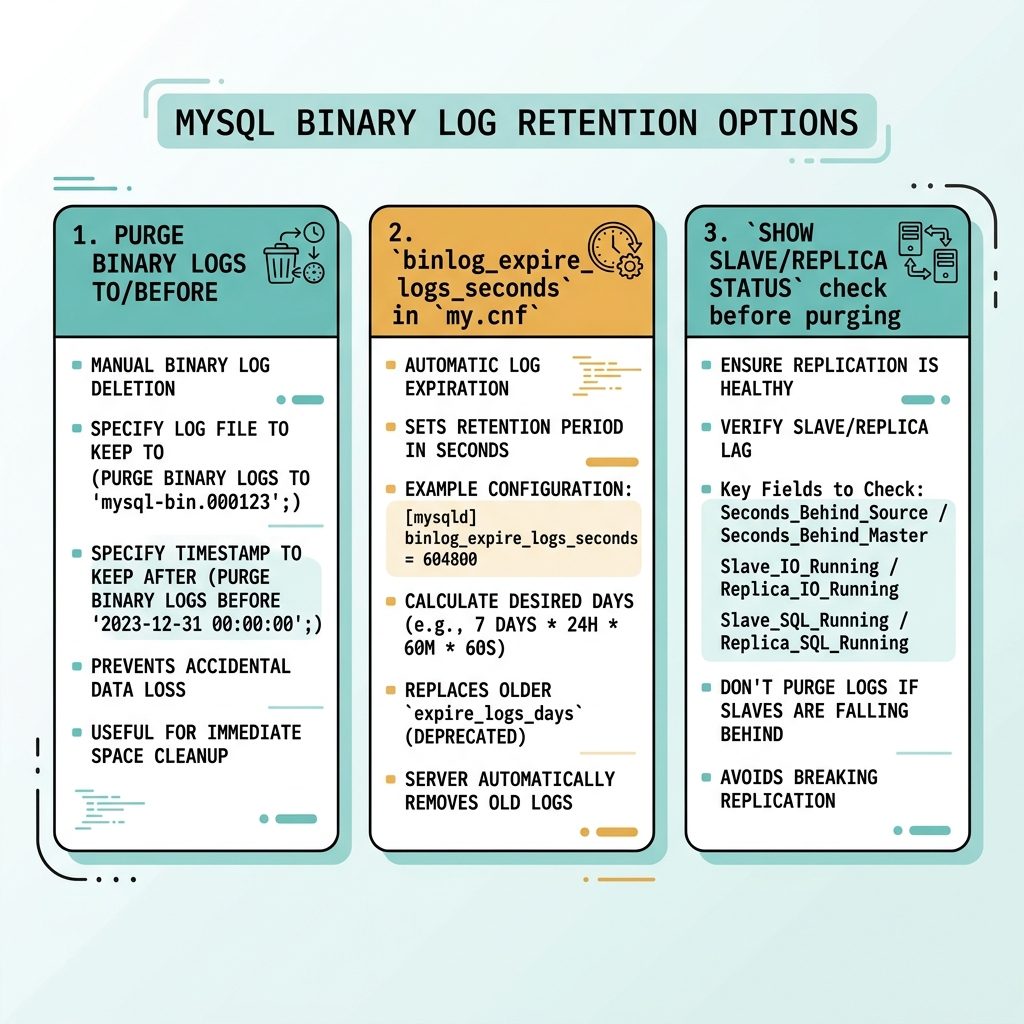
PURGE BINARY LOGS TO 'mysql-bin.001211';

-- Or older than a timestamp
PURGE BINARY LOGS BEFORE '2026-05-15 00:00:00';
PURGE BINARY LOGS updates both the on-disk files and the mysql-bin.index manifest. Hand-deleting files leaves the index pointing at things that don’t exist and causes MySQL to fail on next rotation.
Recommended — purge logs older than N days
-- Three days
PURGE BINARY LOGS BEFORE DATE_SUB(NOW(), INTERVAL 3 DAY);

-- Seven days
PURGE BINARY LOGS BEFORE DATE_SUB(NOW(), INTERVAL 7 DAY);
Three to seven days is a sensible window for most non-replicated servers — enough to recover from “I did a stupid thing” without bloating the disk. If you’re not running replication, the only reason to keep binary logs is point-in-time recovery; pick a retention that matches your backup cadence.
Check replicas first if you have them
-- On each replica
SHOW SLAVE STATUS\G;
-- (MySQL 8.4+)
SHOW REPLICA STATUS\G;
Note the Master_Log_File (or Source_Log_File) on every replica. That’s the oldest file each replica is still reading. Never purge past it — purging past a replica’s current position breaks replication and forces a full re-sync.
Auto-expire (recommended ongoing setting)
-- MySQL 8.0+ — seconds
SET GLOBAL binlog_expire_logs_seconds = 259200;   -- 3 days

-- MySQL 5.7 / MariaDB — days
SET GLOBAL expire_logs_days = 3;
Make it persistent by adding the same setting to /etc/my.cnf (or the appropriate file in /etc/my.cnf.d/ / /etc/mysql/conf.d/):
[mysqld]
# MySQL 8.0+
binlog_expire_logs_seconds = 259200

# MySQL 5.7 / MariaDB
expire_logs_days = 3
MySQL rotates and removes logs older than the limit during normal operation — no manual purges needed.
Verify and reclaim space
-- Confirm what's left
SHOW BINARY LOGS;

-- At the OS
du -sh /var/lib/mysql/mysql-bin.*
Frequently asked questions
mysql-bin.* files with rm dangerous? MySQL also maintains mysql-bin.index, a manifest of which binary log files exist. rm-ing the files leaves the index pointing at non-existent files. On the next start, MySQL refuses to rotate or crashes trying to read them. PURGE BINARY LOGS updates both the files and the index atomically — that’s why it’s the supported path.
Run SHOW SLAVE STATUS\G (or SHOW REPLICA STATUS\G on MySQL 8.4+) on every replica and note Master_Log_File / Source_Log_File. That’s the oldest file any replica is still reading. Never purge past it — replicas need it to continue. PURGE BINARY LOGS TO 'file-just-after' stops at the safe boundary.
expire_logs_days get renamed? MySQL 8.0 replaced expire_logs_days with binlog_expire_logs_seconds — same idea, finer granularity. Default is 2,592,000 seconds (30 days). On MariaDB and MySQL 5.7, expire_logs_days still works. Use the variable that matches your server version; the older name produces a deprecation warning on MySQL 8.0+.
Free space outside the data directory first — clear /tmp, old logs in /var/log, package caches. Once MySQL has even a few MB of headroom it can start. Then connect and PURGE BINARY LOGS BEFORE NOW() - INTERVAL 1 DAY to free real space. If you absolutely cannot start MySQL, edit my.cnf to add skip-log-bin, start, take a backup, then re-enable logging and purge properly.
Related guides
- How to Find What’s Pinning MySQL at 100% CPU
- How to Troubleshoot MariaDB Not Starting
- How to Check Which MySQL Database Is Using the Most CPU
References
MySQL PURGE BINARY LOGS: dev.mysql.com/doc/refman/8.0/en/purge-binary-logs.html. binlog_expire_logs_seconds: dev.mysql.com/doc/refman/8.0/en/replication-options-binary-log.html#sysvar_binlog_expire_logs_seconds. MariaDB binary log overview: mariadb.com/kb/en/binary-log.