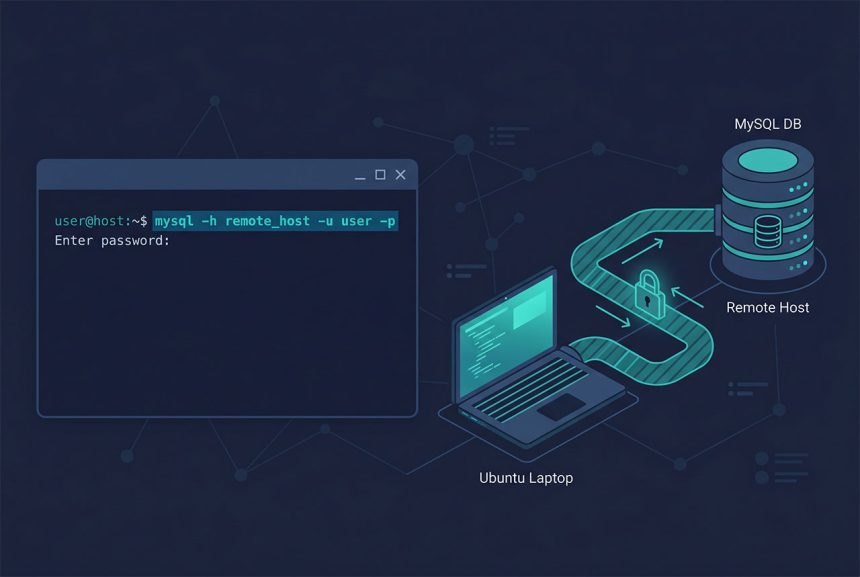
To mysql connect remote ubuntu without a full server install, you only need the mysql-client package — about 10 MB for the CLI tool. This guide walks through the install, the connection command, and the three things that go wrong most often (hostname, firewall, user permissions). The same credentials work for Laravel’s .env, so once the CLI connects, your app should too.
Last verified: 2026-04-23 on Ubuntu 22.04 connecting to a MySQL 8.0 remote server. Originally published 2023-09-12, rewritten and updated 2026-04-23.
TL;DR
# Install the client (not the server)
sudo apt-get update
sudo apt-get install mysql-client

# Connect
mysql -h remote_host_or_ip -u your_username -p

# Test before debugging — is the port even reachable?
nc -zv remote_host 3306
Install the client only
sudo apt-get update
sudo apt-get install mysql-client
This installs mysql, mysqldump, and a handful of other client-side tools. It does not start a local mysqld or reserve port 3306 — just the tools you use to talk to a remote server.
On Ubuntu 22.04+, if the default repo’s mysql-client is older than you want, install from MySQL’s official APT repo or use mariadb-client (protocol-compatible with MySQL, often fresher).
Connect to the remote
mysql -h remote_host_or_ip -u your_username -pFlags:
-h— hostname or IP of the remote MySQL server.-u— MySQL username.-p— prompt for password interactively (no space after the flag; adding-p'secret'inline is discouraged because it lands in shell history).-P 3306— port, if the remote server listens on a non-default port.database_name— jump directly into a specific database on connect.
Once connected, you’re in the standard MySQL shell. SHOW DATABASES;, USE dbname;, SELECT ... all work identically to a local connection. exit or \\q to leave.
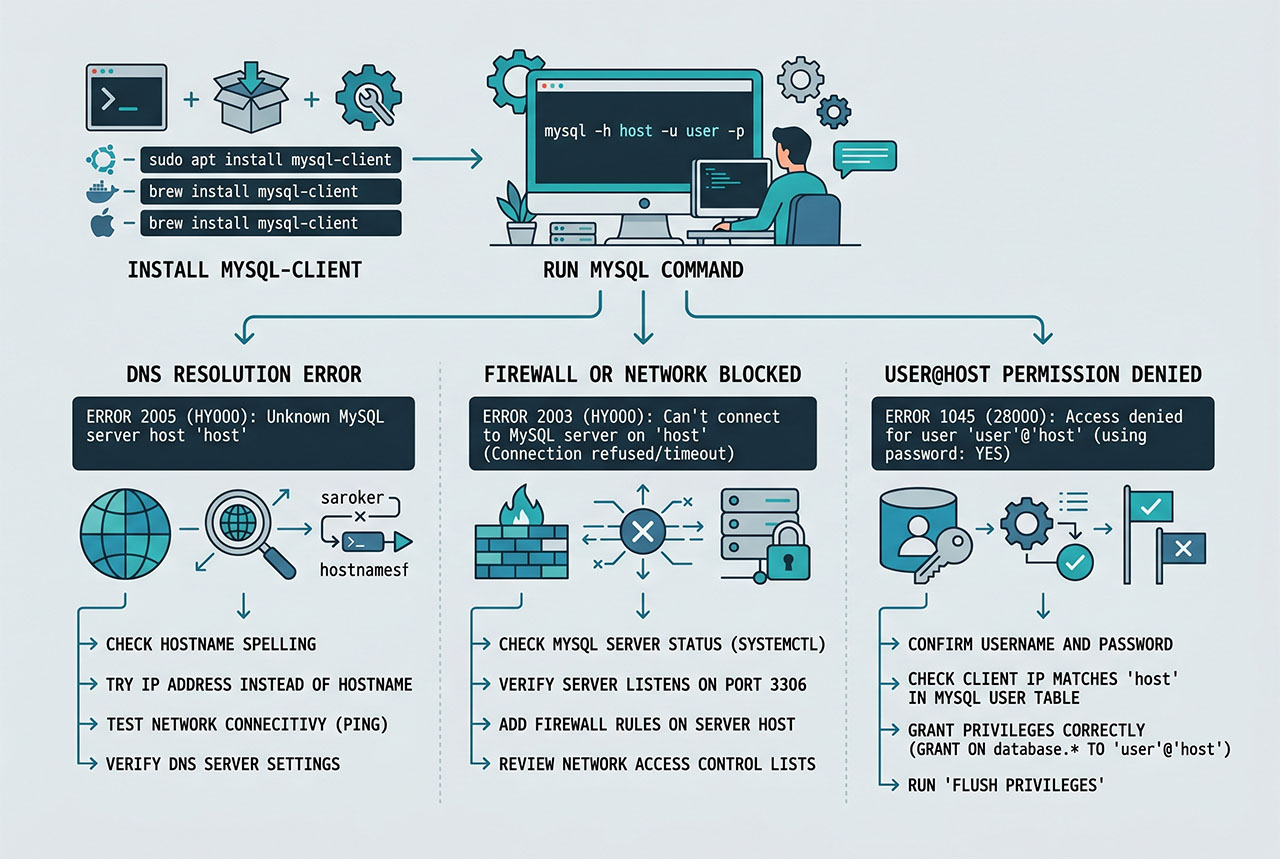
When “No route to host” appears
Three things cause it, in roughly this order:
- DNS / hostname —
ping remote_hostto confirm it resolves. If no response, the name is wrong or DNS is broken. - Firewall —
nc -zv remote_host 3306. “succeeded!” means the port is reachable. “connection refused” usually means the server isn’t running; “no route” or “operation timed out” means a firewall between you. - User/host permission on the remote — MySQL binds each user to a specific host pattern. A user created as
'app'@'localhost'can’t connect from anywhere else. On the remote server:SELECT host, user FROM mysql.user WHERE user = 'your_username';. Thehostcolumn must match your client’s IP (or be'%'for “any”).
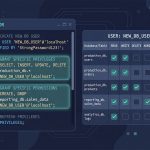
Fix the user with: CREATE USER 'app'@'%' IDENTIFIED BY 'password'; or CREATE USER 'app'@'203.0.113.5' IDENTIFIED BY 'password';. Full walkthrough in creating users and granting privileges.
Don’t open 3306 to the internet
Port 3306 open to the world is a fast route to compromise — automated scanners hit it within minutes. Two safer shapes:
# Option 1: whitelist specific source IPs on the remote server's firewall
sudo ufw allow from 203.0.113.5 to any port 3306

# Option 2: SSH tunnel — no MySQL port exposed externally
ssh -L 3306:localhost:3306 user@remote
# in another terminal:
mysql -h 127.0.0.1 -u your_username -p
SSH tunneling is the cleanest option for a developer laptop on a dynamic IP — no firewall rules to update, encrypted in transit by default.
Hooking the connection into Laravel
# .env
DB_CONNECTION=mysql
DB_HOST=remote_host_or_ip
DB_PORT=3306
DB_DATABASE=your_db
DB_USERNAME=your_user
DB_PASSWORD=your_password
If the CLI connection works but the app doesn’t, the issue is usually cached config (php artisan config:clear) or a stricter PHP mysqli/PDO policy (some SELinux configurations block PHP from outbound connections by default). See running Laravel without .env for config-cache debugging.
Frequently asked questions
sudo apt-get install mysql-client — the client package only, not the server. It gives you the mysql command-line tool without spinning up a local mysqld. ~10 MB footprint, connects to any remote MySQL/MariaDB with mysql -h host -u user -p.
No route to host — what now? Three things to check, in order: (1) hostname resolves to the right IP (ping host, nslookup host); (2) the remote server is listening on 3306 (nc -zv host 3306 — ‘succeeded!’ means the port is reachable); (3) the user is allowed to connect from your IP (SELECT host, user FROM mysql.user WHERE user = 'your_user' on the remote — the host column must match your client’s IP or '%').
Only to specific source IPs. Opening 3306 to the internet is one of the fastest ways to get compromised — scanners find it within minutes. Instead: ufw allow from <your_office_ip> to any port 3306 (Ubuntu) or an equivalent rule that only lets known IPs through. For a dev laptop on a dynamic IP, either use a VPN to the server’s private network, or SSH-tunnel: ssh -L 3306:localhost:3306 user@remote then mysql -h 127.0.0.1.
Yes, and you should on public networks. mysql -h host -u user -p --ssl-mode=REQUIRED forces TLS. The remote server needs SSL configured (most managed MySQL services — AWS RDS, DigitalOcean Managed DB, PlanetScale — have it on by default). For self-managed servers, check SHOW VARIABLES LIKE 'have_ssl'; — YES means you’re good.
.env — DB_CONNECTION=mysql, DB_HOST=<remote_host>, DB_PORT=3306, DB_DATABASE=..., DB_USERNAME=..., DB_PASSWORD=.... Once the CLI connection works, the Laravel app works too — they use the same credentials and network path. If CLI works but Laravel fails, see running Laravel without .env for the caching caveats.
Related guides
- How to Create Users and Grant Privileges in MySQL 8 — set up the remote user with the right host pattern.
- How to Install MySQL on Ubuntu — full server install on the other end.
- How to Export and Import All MySQL Databases at Once — using
mysqldumpover the remote connection. - How to Run a Laravel Project Without a .env File — alternate config sources.
References
MySQL client reference: dev.mysql.com/doc/refman/8.0/en/mysql.