![DataTables default sort order — order: [[1, 'desc']] config](https://www.how7o.com/wp-content/uploads/2026/05/datatables-default-sort-order-featured-860x860.jpg)
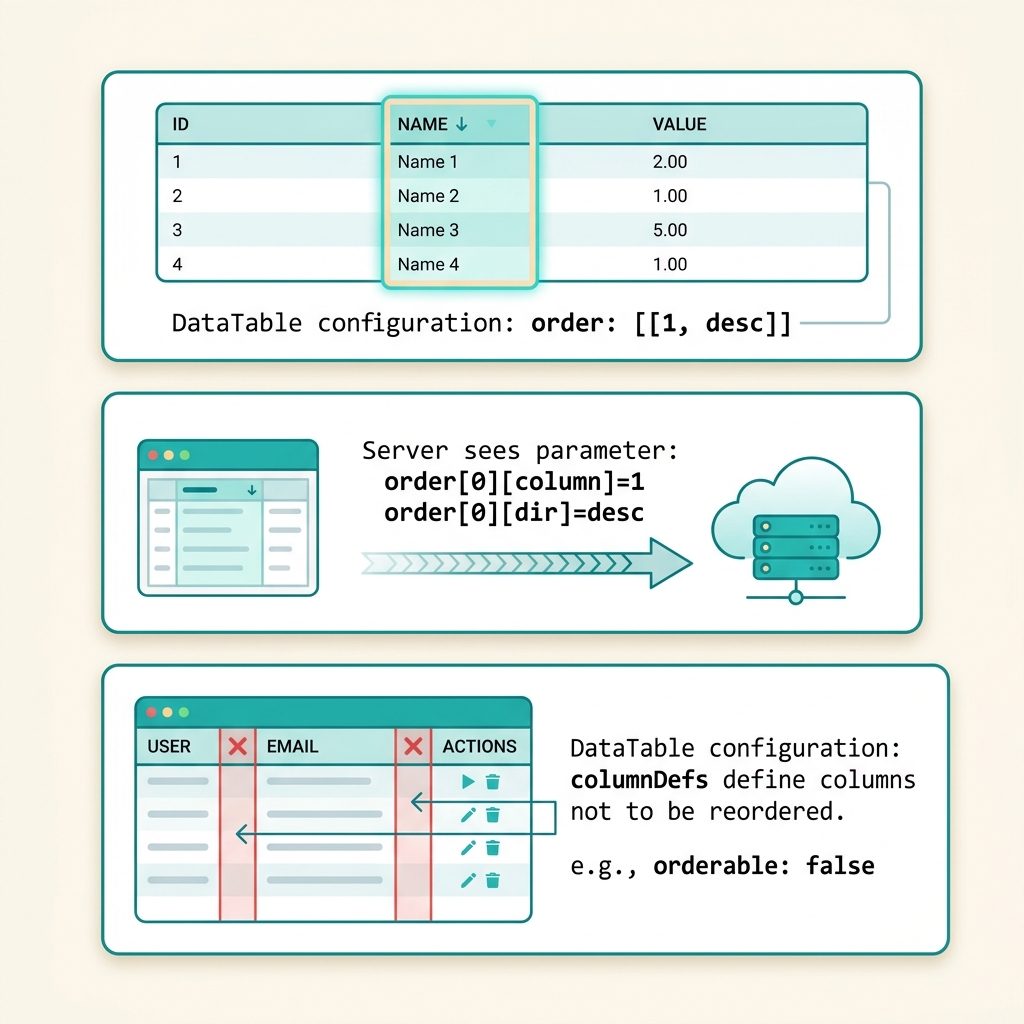
To change the default sort order in DataTables, pass an order option in the initialization config. Each entry is [columnIndex, 'asc'|'desc']. For server-side processing, DataTables sends this initial sort to your backend as the first request — your server code reads order[0][column] and order[0][dir] and adds the matching ORDER BY.
Last verified: 2026-05-17 with DataTables 1.13+ / 2.x. Originally published 2022-11-20, rewritten and updated 2026-05-17.
TL;DR
$('#myTable').DataTable({
  processing:    true,
  serverSide:    true,
  serverMethod:  'post',
  ajax:          '/api/data',

  // Initial sort: column index 1, descending
  order: [[1, 'desc']],

  // Multiple columns: 1 desc, then 3 asc as tiebreaker
  // order: [[1, 'desc'], [3, 'asc']],

  // No initial sort — use whatever order the server returns
  // order: [],
});
Setting the initial sort
The order option takes an array of [index, direction] pairs. The column index is zero-based, matching the position of the <th> in the table header. Direction is 'asc' or 'desc'.
// Sort by the second column descending on initial load
$('#myTable').DataTable({
  order: [[1, 'desc']],
});
Server-side: what arrives at your backend
With serverSide: true, DataTables sends the sort settings on every request — including the first one. The request payload contains:
order[0][column] = 1
order[0][dir]    = desc

# Multiple-column example
order[0][column] = 1
order[0][dir]    = desc
order[1][column] = 3
order[1][dir]    = asc
Your server reads these and appends the matching ORDER BY to the query. In a typical Laravel / PHP controller:
// Laravel example — receive the order array from the DataTables AJAX request
$orders = $request->input('order', []);
$columns = $request->input('columns', []);

foreach ($orders as $o) {
    $colIndex = (int) $o['column'];
    $dir      = $o['dir'] === 'desc' ? 'desc' : 'asc';
    $colName  = $columns[$colIndex]['data'] ?? null;
    if ($colName) {
        $query->orderBy($colName, $dir);
    }
}
Disable sorting on specific columns
$('#myTable').DataTable({
  order: [[1, 'desc']],
  columnDefs: [
    { targets: [0, 4], orderable: false },
  ],
});
Columns at index 0 and 4 get no sort indicator and no click handler. Common for action columns (Edit/Delete buttons) and index columns where sorting makes no sense.
Frequently asked questions
Add more sub-arrays inside order. order: [[1, 'desc'], [3, 'asc']] sorts first by column index 1 descending, then breaks ties with column index 3 ascending. The user can later override this by clicking column headers — the order option only sets the initial sort.
Pass an empty array: order: []. DataTables will load the data in the order returned by the server (server-side mode) or in DOM order (client-side mode), with no ORDER BY clause appended. Useful when your backend already returns the right order.
Use the columnDefs option with orderable: false. Example: columnDefs: [{ targets: [0, 4], orderable: false }] disables sorting on columns 0 and 4. The header gets no click handler and no sort indicator.
order affect server-side processing? Yes — DataTables sends the initial sort to your server as order[0][column]=1&order[0][dir]=desc in the very first request. Your backend should pick this up and add the matching ORDER BY to the query. Without the order option, DataTables defaults to [[0, 'asc']], which is why most server-side tables sort by the first column on initial load even when you didn’t intend it.
Related guides
- How to Add the Required Attribute to Input Fields with jQuery
- How to Break Out of a jQuery .each() Loop
- How to Auto-focus a Select2 Dropdown on Page Load
References
DataTables order option: datatables.net/reference/option/order. Server-side processing protocol: datatables.net/manual/server-side.